

The Ford Bronco’s Trail Turn Assist feature helps you navigate tight off-road situations by reducing your turning radius when you need it most. This system automatically applies the inside rear brake during low-speed turns, allowing the Bronco to pivot more sharply around obstacles, trees, or tight trail switchbacks.
Understanding how to properly use this feature can make the difference between confidently tackling challenging trails and getting stuck in situations where a standard turn won’t cut it.
What Is Trail Turn Assist and How Does It Work
Trail Turn Assist is Ford’s electronic system that helps reduce your Bronco’s turning radius during off-road driving. When activated and the right conditions are met, the system automatically applies the brake to the inside rear wheel during turns. This creates a pivot point that allows the front of the vehicle to swing around more tightly.
The system works by monitoring your steering input, vehicle speed, and current drive mode. When you’re turning at low speeds in compatible terrain modes, sensors detect the steering angle and vehicle dynamics. The system then calculates whether applying the inside rear brake will help tighten your turning radius without compromising stability.
You’ll feel a subtle difference in how the vehicle turns. Instead of the rear wheels following the same arc as the front wheels, the braked rear wheel becomes a pivot point. This allows the Bronco to turn in spaces that would normally require multiple point turns or backing up.
How to Activate Trail Turn Assist
Trail Turn Assist isn’t a standalone button you press. Instead, it’s automatically available when you select compatible G.O.A.T. (Goes Over Any Terrain) modes on your Bronco. The system integrates with Ford’s Terrain Management System and activates based on driving conditions.
Compatible G.O.A.T. Modes
Trail Turn Assist works with specific terrain modes designed for low-speed off-road driving. The feature is active in Rock Crawl mode, where precise maneuvering around obstacles is most critical. Some Bronco configurations also support the feature in other low-speed terrain modes.
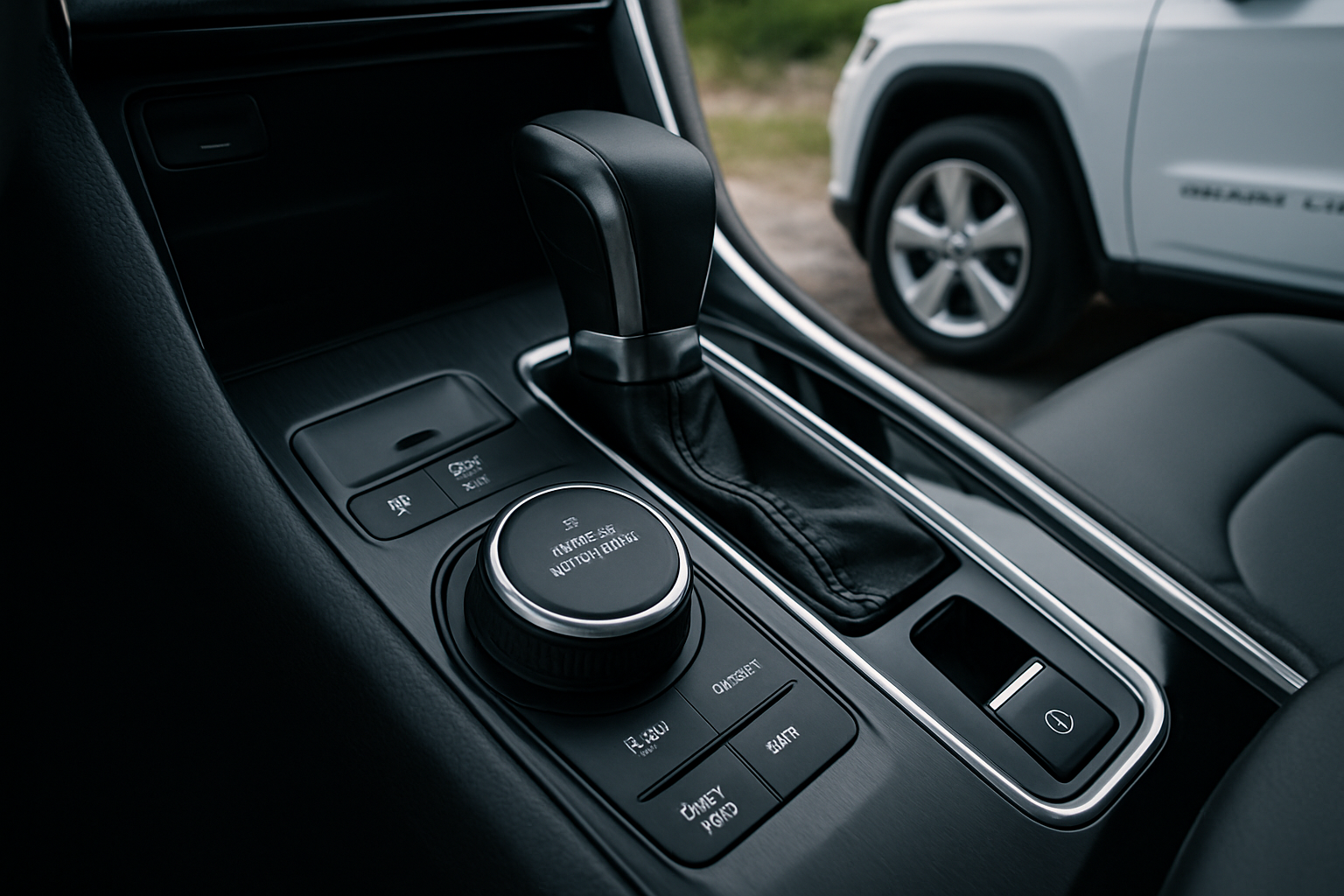
To access these modes, use the G.O.A.T. mode selector on your center console. The selector is typically located near the gear shifter and features terrain-specific icons. Rotate the dial to Rock Crawl mode, and the system will automatically enable Trail Turn Assist functionality.
Your instrument cluster will display the selected terrain mode, confirming that associated features like Trail Turn Assist are now active. You don’t need to manually enable the system once you’re in a compatible mode.
Operating Conditions
The system only engages under specific conditions to ensure safe operation. You must be driving at low speeds, typically under 20 mph, for Trail Turn Assist to activate. The system also requires sufficient steering input to detect that you’re attempting a tight turn.
Your Bronco needs to be in 4-wheel drive for the system to function properly. The feature works best when you’re already in 4-Low range, which is common for rock crawling and technical trail situations where tight turns are necessary.
When to Use Trail Turn Assist
Trail Turn Assist excels in specific off-road scenarios where your standard turning radius isn’t sufficient. Rocky trails with large boulders or tight tree gaps are prime situations for this feature. When you encounter a switchback turn that seems too tight for your wheelbase, Trail Turn Assist can help you navigate without multiple backing maneuvers.
The feature proves valuable when you’re trying to position your vehicle precisely for rock crawling lines. Sometimes you need to make sharp course corrections to align your wheels with the best path over obstacles. Standard turning might require you to back up and reposition, but Trail Turn Assist can help you make tighter adjustments.
Parking situations on trails also benefit from this system. When you need to turn around in a narrow clearing or position your Bronco in a tight camping spot, the reduced turning radius helps you maneuver without requiring as much space.
Trail Scenarios Where It Helps Most
Technical rock crawling sections often require precise wheel placement and tight maneuvering around obstacles. Trail Turn Assist helps you navigate between rocks or around fallen trees without needing to back up and reposition constantly.
Narrow forest trails with tight switchbacks become more manageable when you can reduce your turning radius. Instead of executing multiple point turns on steep, uneven terrain, you can often complete turns in a single smooth motion.
Recovery situations where you need to quickly change direction or position your vehicle for better traction also benefit from Trail Turn Assist. When you’re stuck and need to try different approach angles, the tighter turning radius gives you more options in confined spaces.
Understanding the System’s Limitations
Trail Turn Assist isn’t designed for high-speed driving or normal road conditions. The system specifically targets low-speed maneuvering situations and won’t activate during highway driving or even moderate trail speeds. This limitation ensures the system only engages when the braking action won’t negatively affect vehicle stability.
The feature doesn’t work on all surfaces equally well. Loose sand, deep mud, or extremely slippery surfaces may limit the system’s effectiveness. The inside rear brake can only create a useful pivot point when there’s sufficient traction to resist the braking force.
Your Bronco’s Trail Turn Assist can’t overcome fundamental physics limitations. While it reduces turning radius, it won’t allow you to make impossibly tight turns. The system works within the constraints of your vehicle’s wheelbase and suspension geometry.
Surface and Terrain Considerations
Rocky surfaces with good traction provide ideal conditions for Trail Turn Assist. The system can effectively use the inside rear brake to create a pivot point when there’s solid contact between your tire and the terrain.
Steep side slopes require extra caution when using the feature. While Trail Turn Assist can help with turns, applying brake to one rear wheel on a steep slope might affect vehicle stability. The system includes safeguards, but you should still exercise good judgment about when to attempt tight turns on challenging terrain.
Soft surfaces like deep sand or mud may reduce the system’s effectiveness. Without firm traction, the braked wheel might simply dig in rather than creating a useful pivot point. In these conditions, momentum and careful throttle control often work better than relying on Trail Turn Assist.
Tips for Effective Use
Start practicing with Trail Turn Assist in controlled conditions before tackling challenging trails. Find an open area with good traction where you can experiment with the system’s behavior. This practice helps you understand how the vehicle responds when the system activates.
Combine Trail Turn Assist with other Bronco features for maximum effectiveness. Use it alongside your front and rear lockers when available, and consider how your suspension settings affect the system’s performance. The integrated approach gives you the best results in technical terrain.
Pay attention to your vehicle’s feedback when the system engages. You’ll feel the brake application and notice how the turning radius changes. Understanding these sensations helps you use the feature more effectively and know when it’s working properly.
Coordination with Other Systems
Trail Turn Assist works alongside your Bronco’s traction control and stability systems. These integrated systems communicate to provide the best combination of turning assistance and vehicle stability. Don’t disable other safety systems unless you have specific reasons and experience to do so.
Your differential locks can enhance Trail Turn Assist effectiveness in certain situations. When you have the rear differential locked, the system’s brake application affects both rear wheels through the differential, creating different dynamics than unlocked operation.
Tire pressure affects how well Trail Turn Assist works. Lower pressures for off-road driving can improve traction and give the system better grip to work with. However, don’t air down beyond what’s appropriate for your specific tires and terrain.
Troubleshooting Common Issues
If Trail Turn Assist seems unresponsive, first verify you’re in a compatible G.O.A.T. mode and driving at appropriate speeds. The system won’t activate in normal driving modes or at higher speeds, which accounts for most situations where drivers think the feature isn’t working.
Check your 4-wheel drive engagement if the system isn’t responding. Trail Turn Assist requires 4WD operation, and if you’re still in 2WD, the feature won’t activate. Your instrument cluster should confirm your drive mode status.
Surface conditions might prevent the system from engaging effectively. On loose or slippery surfaces, the system’s control algorithms might determine that brake application won’t provide useful turning assistance and could instead cause loss of control.
Maintenance Considerations
Keep your brake system in good condition to ensure Trail Turn Assist functions properly. The system relies on precise brake application, so worn pads, contaminated fluid, or other brake issues can affect performance.
Regular wheel alignment and tire condition maintenance support the system’s effectiveness. When your suspension geometry is correct and tires provide good traction, Trail Turn Assist can work as designed.
Clean wheel speed sensors and ABS components help the system monitor vehicle dynamics accurately. Trail driving exposes these components to dirt and debris that can interfere with sensor operation.
Frequently Asked Questions
Does Trail Turn Assist work in all Bronco models?
Trail Turn Assist is available on properly equipped Ford Bronco models with the appropriate G.O.A.T. mode package. The feature requires specific electronic systems and brake components, so not every Bronco configuration includes it. Check your owner’s manual or window sticker to confirm availability on your specific vehicle.
Can I manually control when Trail Turn Assist activates?
Trail Turn Assist operates automatically when conditions are appropriate and you’re in compatible terrain modes. You can’t manually trigger the system, but you control its availability by selecting appropriate G.O.A.T. modes. The automatic operation ensures the system only engages when it can safely improve your turning radius.
Will Trail Turn Assist damage my brakes or tires?
Normal use of Trail Turn Assist won’t cause excessive wear to your brakes or tires. The system applies brakes in controlled amounts and only during low-speed maneuvering. However, like any brake application, frequent use will contribute to normal brake pad wear over time.
Does the system work the same in forward and reverse?
Trail Turn Assist primarily functions during forward driving. The system’s sensors and algorithms are optimized for forward maneuvering situations. While some assistance may be available in reverse, the feature is most effective when moving forward through tight trail sections.
Leave a Reply