
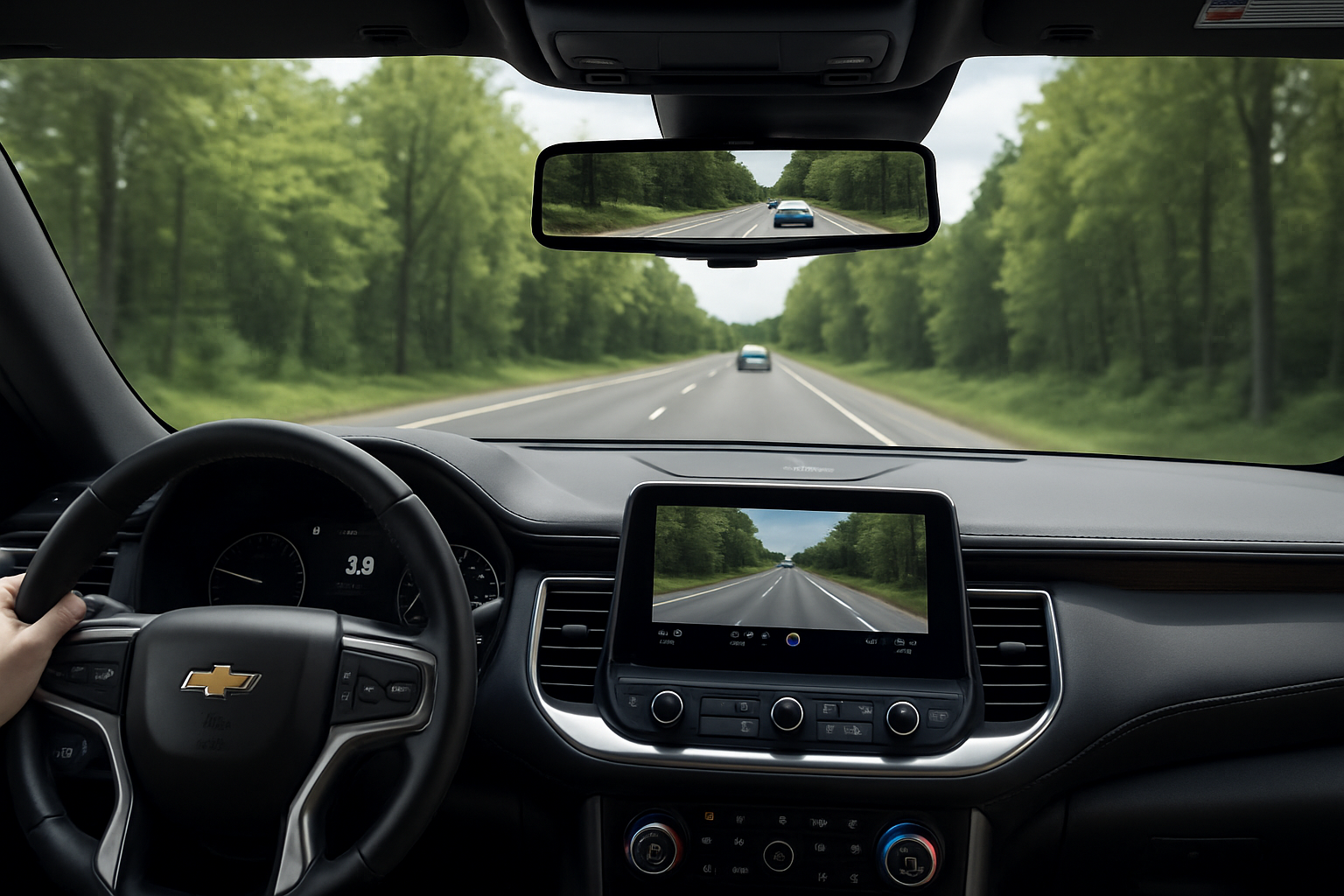
The Chevy Tahoe’s smart rearview mirror transforms how you see what’s behind your vehicle by combining a traditional mirror with a high-definition camera feed. This technology becomes invaluable when cargo, passengers, or tinted windows block your view through the regular mirror.
What Makes the Smart Rearview Mirror Different
Unlike a standard rearview mirror that simply reflects what’s behind you, the smart mirror in your Tahoe can switch between two modes. The traditional mirror mode works exactly like any regular mirror, showing you a direct reflection of your rear window view.
The camera mode displays a live feed from a rear-facing camera mounted on your vehicle. This camera provides a much wider field of view than what you’d see through your rear window, capturing areas that might be blocked by headrests, cargo, or passengers.
The camera is typically mounted above the rear license plate or integrated into the tailgate area. It connects to the mirror display through your vehicle’s electrical system, providing a clear digital image even in low-light conditions.
Finding the Toggle Switch
The most important control for your smart rearview mirror is the toggle switch located directly on the mirror housing. You’ll find this small switch on the bottom edge of the mirror, usually toward the right side when you’re looking at it from the driver’s seat.
The switch typically has a small icon that looks like a camera or monitor symbol. When you flip this switch toward the windshield, it activates camera mode. Flipping it toward the back of the vehicle returns you to traditional mirror mode.
You’ll hear a soft click when toggling between modes, and the mirror will briefly display a message indicating which mode you’ve selected. The transition takes about two seconds as the camera feed initializes or shuts down.
Adjusting Brightness for Different Conditions
Your smart mirror includes brightness controls to optimize visibility during day and night driving. The brightness buttons are usually located near the toggle switch on the mirror housing, marked with sun and moon symbols or plus and minus signs.
During daytime driving, you’ll want the brightness turned up to compete with sunlight and provide clear visibility. The camera automatically adjusts to some degree, but manual fine-tuning helps optimize the image for your specific driving conditions.
For nighttime driving, reduce the brightness to prevent the mirror from becoming a distraction. The camera often performs better than a traditional mirror in low-light conditions because it can amplify available light electronically.
Some models include an auto-brightness feature that adjusts the display based on ambient light conditions. This feature works similarly to automatic headlights, sensing when conditions change and adjusting accordingly.
Using Zoom Features Effectively
Many Tahoe smart mirrors include zoom capabilities that let you magnify the camera view for better detail when needed. The zoom controls are typically integrated into the brightness control buttons, accessed by pressing and holding or using a different button combination.
Zoom becomes particularly useful when backing into tight parking spaces or trying to read license plates or street signs. You can usually zoom in up to 3x or 4x magnification, depending on your specific mirror model.
Keep in mind that zooming in reduces your overall field of view, so you’ll want to zoom out again for normal driving. Some mirrors automatically return to normal zoom levels when you shift out of reverse or reach certain speeds.
The zoom feature works best when your rear camera lens is clean. Dirt or water spots become much more noticeable when magnified, which makes regular camera maintenance important.
When the Smart Mirror Shines
The camera view becomes indispensable when you’re hauling cargo that blocks your rear window. Whether you’ve loaded furniture, construction materials, or camping gear, the external camera continues providing visibility when a traditional mirror would show only the back of your cargo.
Third-row passengers can also obstruct your traditional mirror view, especially when they’re wearing headrests or have their heads positioned in certain ways. The camera view eliminates this problem entirely by capturing the view from outside your vehicle.
Tinted rear windows that meet legal requirements during the day can become difficult to see through at night. The camera’s low-light capabilities often provide better visibility than trying to peer through dark tint in nighttime conditions.
Rain, snow, or fog on your rear window won’t affect the camera view as much as your traditional mirror. The camera lens is smaller and positioned differently, often staying clearer longer than your large rear windshield.
Rear Camera Washer System
Higher-trim Tahoes often include rear camera washers that keep your smart mirror functioning in dirty conditions. These washers work similarly to your windshield washers but target the small camera lens instead of a large window.
The rear camera washer typically activates automatically when you use your rear window washer, but some models include manual activation through the infotainment system. You’ll find this option in the vehicle settings menu under camera or driver assistance features.
The washer uses the same fluid as your windshield washers, so keeping your washer fluid reservoir filled benefits both systems. Check your owner’s manual to confirm whether your specific trim level includes this feature.
Regular maintenance of the camera washer nozzles prevents clogs that could leave your camera lens dirty when you need it most. These nozzles are much smaller than windshield washer nozzles and can clog more easily with debris or dried washer fluid.
Switching Between Modes While Driving
You can toggle between camera and mirror modes while driving, but do so only when traffic conditions allow you to briefly take your hand off the steering wheel. The switch requires a deliberate flip motion that you can’t accomplish with a quick tap.
Many drivers prefer camera mode for highway driving because of the wider field of view and better visibility in various weather conditions. The traditional mirror mode often works better for parking lots or city driving where you need to judge distances more precisely.
Each mode has advantages depending on your situation. Camera mode excels at showing you more of what’s happening behind and beside your vehicle, while mirror mode provides the depth perception you’re accustomed to from years of driving experience.
Some drivers find switching back and forth helps them get comfortable with both views. You’ll develop preferences for different driving situations as you gain experience with the system.
Cleaning and Maintaining Your Smart Mirror
The mirror portion cleans just like any other mirror, using standard glass cleaner and a microfiber cloth. Avoid spraying cleaner directly on the mirror housing where it could seep into the electronic components.
The rear camera lens requires different care than your mirror surface. Use only water or approved camera lens cleaning solutions, as harsh chemicals can damage the lens coating or housing seals.
Check the camera lens regularly for dirt, water spots, or damage. A small amount of dirt on the lens becomes very noticeable in the mirror display and can make the camera view less useful than the traditional mirror.
Winter conditions can cause ice buildup on the camera lens. Don’t scrape the lens with ice scrapers or other hard tools. Instead, use the rear camera washer system or warm water to gently melt ice away.
Troubleshooting Common Issues
If your camera view appears distorted or shows unusual colors, the camera lens might be dirty or damaged. Clean the lens gently and check for cracks or scratches that could affect image quality.
A completely black screen in camera mode often indicates an electrical problem or camera failure. Check your owner’s manual for fuse locations related to the backup camera system, as a blown fuse can disable the smart mirror’s camera function.
Intermittent operation where the camera works sometimes but not others might indicate loose connections or water intrusion. These problems typically require professional diagnosis and repair.
If the mirror gets stuck in one mode and won’t toggle, the switch itself might have failed. This is typically a warranty repair item if your vehicle is still covered.
FAQ
Can I disable the smart rearview mirror completely?
You can choose to use only the traditional mirror mode by toggling the switch and leaving it there. The camera remains active in the background for other safety systems, but you won’t see the camera display in your mirror. Most models don’t offer a way to completely disable the entire system through settings menus.
Does the smart mirror drain my battery when parked?
The smart mirror system draws minimal power when the vehicle is off, similar to other electronic components like your radio presets or security system. This power draw is factored into your vehicle’s electrical design and won’t drain a healthy battery during normal parking periods.
What happens if the camera gets damaged?
A damaged camera will cause the mirror to display an error message or black screen when in camera mode. You can still use traditional mirror mode normally. Camera replacement typically requires professional installation due to the electrical connections and calibration requirements.
Can I add a smart rearview mirror to my Tahoe if it didn’t come with one?
Aftermarket smart rearview mirrors are available, but they typically require running new wiring for the rear camera and don’t integrate with existing vehicle systems like factory units do. Professional installation is recommended for aftermarket systems to ensure proper operation and avoid interfering with other vehicle electronics.

Leave a Reply