
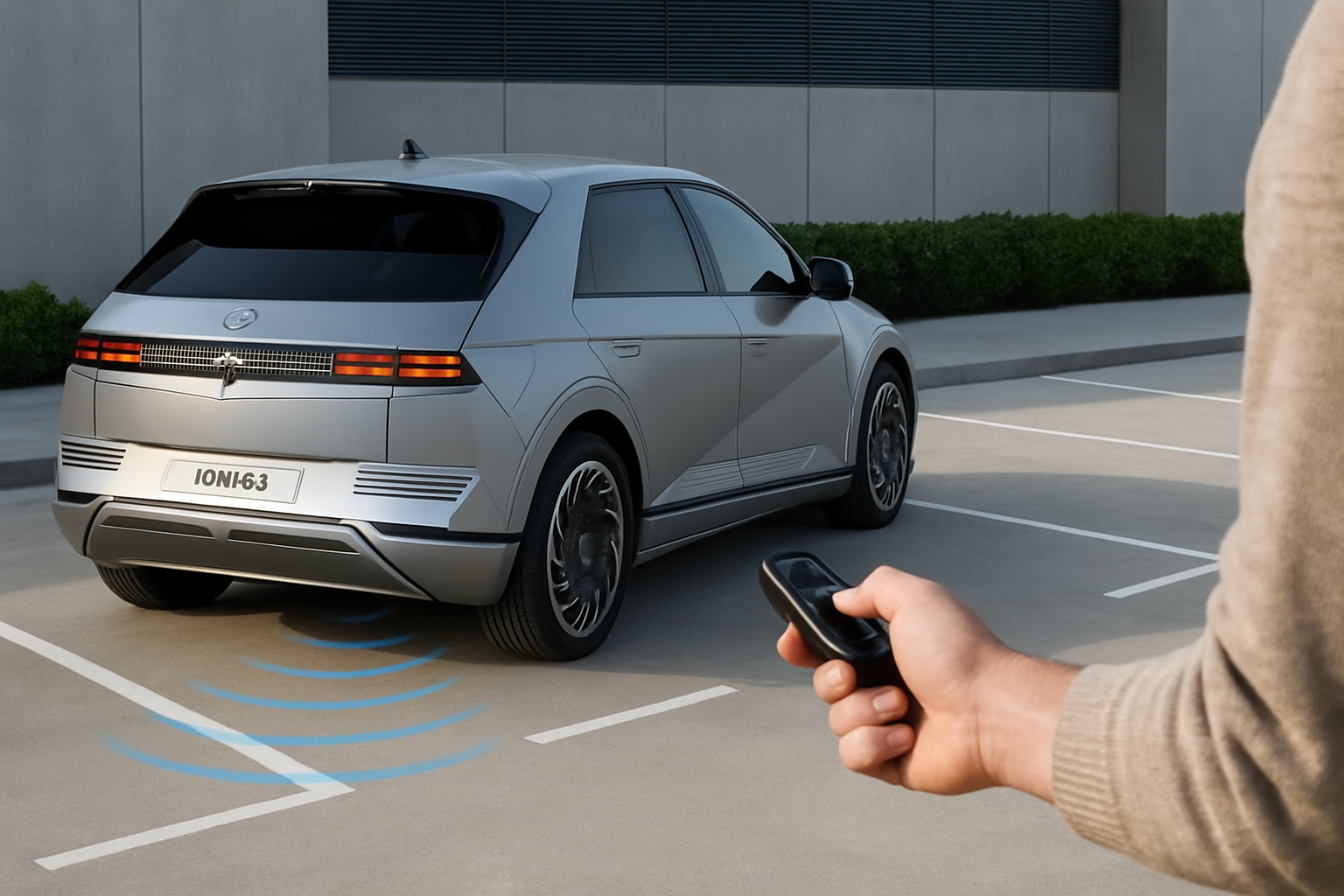
Tight parking spots don’t have to be a source of stress when you’re driving a Hyundai Ioniq 5. The Remote Smart Parking Assist feature lets you move your vehicle forward or backward while you’re standing outside, making it possible to squeeze into spaces that would normally require multiple attempts or force you to find another spot entirely.
What Is Remote Smart Parking Assist?
Remote Smart Parking Assist (RSPA) is Hyundai’s smart parking technology that allows you to control your Ioniq 5’s movement from outside the vehicle using the key fob. The system takes over the accelerator, brake, and gear selection while you guide the car into or out of tight parking spaces.
This feature works particularly well when you need to park in narrow spots where opening your doors would be difficult or impossible. Instead of attempting to squeeze out of your car in a cramped space, you can exit first and then guide the vehicle into position.
The Ioniq 5’s RSPA system can move the car forward or backward in a straight line at low speeds. You maintain complete control throughout the process and can stop the movement instantly by releasing the button on your key fob.
When to Use Remote Parking
Remote parking shines in specific situations where conventional parking becomes challenging. Narrow parking garages, tight spots between two cars, or spaces with obstacles on either side are perfect scenarios for this technology.
You’ll find it particularly useful in parking structures where the spaces are barely wider than your vehicle. Instead of trying to open your door into the adjacent car or concrete pillar, you can park remotely and walk around to enter through the more accessible side.
The feature also helps when parallel parking in extremely tight urban spots. You can position the car roughly in place, exit, and then fine-tune the positioning from outside where you have a better view of both ends of your vehicle.
How to Activate Remote Smart Parking Assist
Before using remote parking, you’ll need to enable the feature through your Ioniq 5’s infotainment system. Navigate to the vehicle settings menu and look for the “Convenience” section where you’ll find the Remote Smart Parking Assist option.
Once enabled, the system requires specific conditions to function. Your vehicle must be in Park with the engine running (or “Ready” mode for the electric powertrain). All doors, windows, hood, and tailgate must be completely closed.
The parking brake will automatically engage when you exit the vehicle with the engine running. This is normal behavior and doesn’t interfere with the remote parking function.
Key Fob Operation
Using the remote parking feature requires holding down specific buttons on your smart key. For forward movement, press and hold both the lock button and the remote start button simultaneously. For reverse movement, hold the unlock button and remote start button together.
You must hold these buttons continuously for the car to move. The moment you release either button, the vehicle stops immediately. This design ensures you maintain complete control throughout the parking process.
The key fob will provide feedback through LED indicators and vibration (if equipped) to confirm your commands are being received.
Speed and Distance Limitations
The Ioniq 5’s remote parking system operates at a maximum speed of approximately 1 mph (1.6 km/h). This slow speed gives you time to react to any obstacles or changing conditions around your vehicle.
Distance limitations vary depending on the specific model year, but the system typically allows movement up to about 6 feet (approximately 2 meters) in either direction. The exact distance may be less depending on the surrounding environment and sensor readings.
Your key fob must remain within about 10 feet of the vehicle for the system to function. Moving too far away will cause the remote parking to stop automatically. The system will also time out after a predetermined period of inactivity.
Safety Sensors and Automatic Stopping
The remote parking system relies heavily on the Ioniq 5’s existing safety sensors to prevent collisions. Ultrasonic parking sensors continuously monitor the area around your vehicle during remote operation.
If the sensors detect an obstacle in the vehicle’s path, the system will stop movement automatically. This includes detecting people, other vehicles, shopping carts, or any other objects that enter the safety zone.
The system also monitors for open doors or windows. If any door, window, hood, or tailgate opens during remote parking, the vehicle will stop immediately. This prevents damage to your car and ensures the safety of anyone nearby.
Environmental Limitations
Certain weather conditions can affect the remote parking system’s operation. Heavy rain, snow, or ice may interfere with sensor accuracy and cause the system to disable itself as a safety precaution.
Extreme temperatures, both hot and cold, can also impact system performance. The remote parking feature may be unavailable during very cold weather until the vehicle and its systems warm up sufficiently.
Parking surfaces with steep inclines or uneven pavement may cause the system to stop operation. The Ioniq 5’s computer continuously monitors vehicle stability during remote parking and will cease operation if it detects unsafe conditions.
Step-by-Step Remote Parking Process
Start by positioning your Ioniq 5 as close as possible to your intended parking spot using normal driving. The remote parking system works best for fine-tuning your position rather than major repositioning.
Ensure your vehicle is in Park (or the equivalent ready state for electric operation) and verify that all doors, windows, and openings are securely closed. Exit the vehicle and close your door completely.
Stand in a position where you have clear visibility of your vehicle’s path and any potential obstacles. Position yourself to the side rather than directly in front or behind the vehicle’s intended path.
Executing the Movement
Press and hold the appropriate button combination on your key fob. For forward movement, hold lock + remote start. For reverse, hold unlock + remote start. The vehicle will begin moving after a brief delay.
Keep both buttons pressed continuously while monitoring the vehicle’s movement. Watch for pedestrians, other vehicles, or obstacles that might enter the path during movement.
Release the buttons immediately if you need to stop the vehicle for any reason. The car will stop instantly when you release either button. You can resume movement by pressing the buttons again if conditions are safe.
Troubleshooting Common Issues
If the remote parking system won’t activate, first check that all doors and openings are completely closed. Even a slightly ajar door will prevent the system from operating. The parking brake should engage automatically when you exit with the vehicle running.
Key fob battery level can affect remote parking performance. If the system seems unresponsive or cuts out unexpectedly, try replacing the battery in your smart key. Low battery voltage can cause intermittent operation issues.
Sensor contamination from dirt, snow, or ice will disable the remote parking system. Clean the ultrasonic sensors located in the front and rear bumpers if you experience frequent automatic stopping with no visible obstacles.
Error Messages and Warnings
The infotainment system may display various warnings related to remote parking functionality. “Remote parking unavailable” typically indicates sensor blockage, extreme weather conditions, or a system malfunction requiring dealer attention.
If you receive persistent error messages, try turning the vehicle off and on again to reset the system. Many temporary glitches resolve themselves after a complete system restart.
Recurring issues that don’t resolve with basic troubleshooting may require software updates or dealer diagnosis. The remote parking system integrates with multiple vehicle computers and may need professional attention for complex problems.
Maximizing Remote Parking Effectiveness
Practice using the remote parking feature in safe, open areas before relying on it in tight spaces. Understanding the system’s response time and movement characteristics will help you use it more effectively when you really need it.
Clean your parking sensors regularly, especially during winter months when road salt and grime can accumulate. Dirty sensors will cause the system to stop prematurely or refuse to operate at all.
Plan your approach to parking spots with remote parking in mind. Getting your initial positioning as close as possible reduces the amount of remote movement needed and increases your chances of success.
Frequently Asked Questions
Can I use remote parking on slopes or inclined surfaces?
The remote parking system can handle gentle slopes but may disable itself on steep inclines for safety reasons. The vehicle’s stability control system monitors conditions continuously and will stop operation if it detects unsafe angles or potential rolling hazards.
What happens if someone walks behind my car during remote parking?
The ultrasonic sensors will detect the person and stop the vehicle immediately. The system continuously monitors the area around your car and treats any moving object as a potential collision hazard, stopping movement instantly when people or objects enter the safety zone.
Does remote parking work if my key fob battery is low?
Low key fob battery can cause intermittent operation or complete system failure. The remote parking feature requires strong signal strength to maintain continuous communication with your vehicle. Replace your key fob battery if you experience unreliable remote parking operation.
Can I cancel remote parking once it starts moving?
Yes, simply release either button on your key fob and the vehicle will stop immediately. You can also press any other button on the key fob to cancel the operation. The system is designed to stop instantly whenever you release the control buttons or if any safety sensor detects a potential hazard.
Leave a Reply