
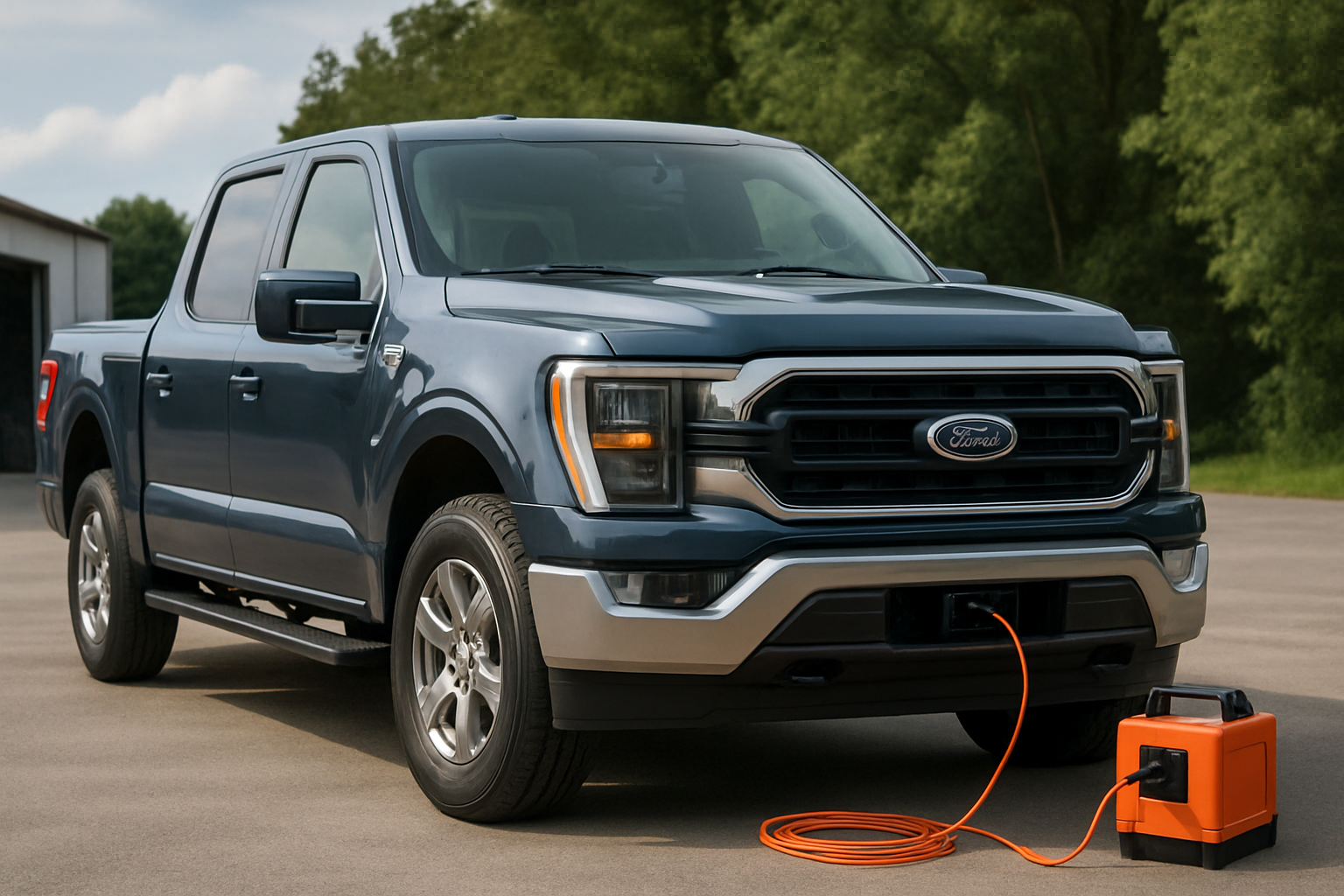
The Ford F-150’s Pro Power Onboard generator turns your truck into a mobile power station, letting you run tools, appliances, and electronics anywhere you drive. This factory-installed system can handle everything from jobsite equipment to tailgate parties without needing a separate portable generator.
Understanding how to properly use your Pro Power Onboard system will help you get the most value from this feature while avoiding common mistakes that can trip circuit breakers or drain your battery.
What Is Ford’s Pro Power Onboard System
Pro Power Onboard is Ford’s built-in generator system that converts your F-150’s engine power into standard household electricity. The system provides 120V and 240V outlets located in both the truck bed and cabin, depending on your configuration.
The generator works by using your truck’s engine as the power source, similar to how a traditional gas generator operates. Your fuel tank becomes the generator’s fuel supply, and the system automatically manages engine RPM to meet electrical demand.
Ford offers three different power output levels: 2.0kW, 2.4kW, and 7.2kW. The version you have depends on your F-150’s engine and trim level. You can find your system’s rating on a label near the outlets or in your owner’s manual.
Pro Power Onboard Generator Versions
2.0kW Standard System
The 2.0kW system comes standard on most F-150 models with the 3.3L V6 engine. This entry-level version provides four 120V outlets in the truck bed, delivering up to 2,000 watts of power.
You can run smaller power tools, lights, phone chargers, and basic camping equipment with this system. It won’t handle high-draw appliances like microwaves or large air compressors, but it covers most light-duty applications.
2.4kW Hybrid System
F-150 PowerBoost Hybrid models include a 2.4kW Pro Power Onboard system with additional capabilities. This version adds 120V outlets inside the cab and can power slightly larger equipment than the 2.0kW system.
The hybrid’s electric motor integration allows for more efficient power generation and can even provide limited power when the engine isn’t running, drawing from the truck’s high-voltage battery pack.
7.2kW Maximum System
The 7.2kW system represents the top tier, available on select F-150 models including the Lightning electric truck and certain PowerBoost Hybrid configurations. This powerful setup includes both 120V and 240V outlets in multiple locations.
With 7,200 watts available, you can run major appliances, welders, large compressors, and even power parts of your home during outages. The 240V capability opens up options for RV hookups and heavy-duty equipment that requires higher voltage.
Outlet Locations and Types
Truck Bed Outlets
All Pro Power Onboard systems include outlets in the truck bed area. You’ll find these mounted on the passenger side of the bed, typically near the tailgate. The outlets include weatherproof covers to protect against rain and debris.
The 2.0kW system provides four standard 120V household outlets in the bed. Higher-capacity systems add 240V outlets alongside the 120V options, giving you more flexibility for different types of equipment.
Cab Interior Outlets
The 2.4kW and 7.2kW systems include additional outlets inside the truck’s cabin. These interior outlets are usually located in the rear seat area or center console, protected from weather but easily accessible for charging devices or running small appliances.
Interior outlets are perfect for powering laptops, portable coolers, or other equipment you want to keep inside the cab. The location varies by model year and cab configuration, so check your specific truck’s layout.
What You Can Power With Each System
2.0kW System Applications
The 2.0kW system handles basic power needs effectively. You can run circular saws, drills, work lights, phone chargers, small fans, and camping equipment without issues. Most standard power tools draw between 500-1,500 watts, well within this system’s range.
Avoid running multiple high-draw items simultaneously. A shop vacuum might use 1,200 watts on its own, leaving only 800 watts for other equipment. Plan your power usage to stay within the 2,000-watt total capacity.
2.4kW and 7.2kW Capabilities
The 2.4kW system adds capacity for slightly larger equipment or multiple items running together. You might power a small refrigerator, microwave, or larger power tools that the 2.0kW system couldn’t handle.
The 7.2kW system opens up major appliance territory. Welders, large air compressors, RV air conditioners, and even whole-house backup power become possible. The 240V outlets let you run equipment that requires higher voltage, like electric water heaters or large motors.
Starting and Operating Your Pro Power Onboard System
Basic Startup Procedure
Turn on your Pro Power Onboard system using the controls in your truck’s infotainment screen or dashboard switches, depending on your model year. The exact location varies, but you’ll typically find Pro Power controls in the truck’s main menu system.
Your engine needs to be running for the system to provide full power output. The truck will automatically adjust engine RPM based on electrical demand, so don’t worry if you hear the engine speed changing as you plug in different devices.
Connect your equipment to the appropriate outlets and power everything on as you normally would. The system provides standard household current, so your devices won’t know they’re running off a truck instead of wall power.
Monitoring Power Usage
Keep an eye on your total power draw to avoid overloading the system. Your truck’s display shows current power usage in watts, helping you stay within your system’s limits. Add up the wattage ratings of all connected devices to estimate total draw.
Most devices list their power consumption on labels or in owner’s manuals. When in doubt, use a kill-a-watt meter or similar device to measure actual consumption, as some equipment draws more power than advertised.
Fuel Consumption and Runtime
Understanding Fuel Usage
Pro Power Onboard fuel consumption depends on electrical load and engine efficiency. Light loads might use around 0.3-0.5 gallons per hour, while maximum power output can consume 1-2 gallons per hour or more.
Your truck’s engine management system automatically adjusts RPM to match electrical demand. Higher power draws require higher engine speeds, which increases fuel consumption proportionally. Running a few small tools uses much less fuel than maxing out the system’s capacity.
Maximizing Runtime
Calculate your expected runtime by dividing your fuel tank capacity by estimated consumption per hour. A truck with a 26-gallon tank running at moderate load might provide 50-80 hours of generator time, depending on power draw.
Consider refueling needs for extended use periods. Unlike portable generators with small tanks, your truck’s large fuel capacity allows for days of continuous operation when managed properly.
Circuit Breaker Protection and Reset
How Circuit Protection Works
Pro Power Onboard systems include circuit breakers that trip when you exceed safe current limits. These breakers protect both your truck’s electrical system and connected equipment from damage due to overloads or short circuits.
Circuit breakers typically trip when you exceed about 80-90% of the system’s rated capacity for more than a few seconds. Sudden high-current draws, like starting large motors, can also cause breaker trips even if your steady-state power draw is within limits.
Resetting Tripped Breakers
Reset tripped circuit breakers using the controls in your truck’s infotainment system or dashboard panel. The exact reset procedure varies by model year, but you’ll usually find breaker status and reset options in the Pro Power menu.
Before resetting, identify and address what caused the trip. Unplug excess equipment, check for damaged cords or short circuits, and verify that your total power draw stays within system limits. Simply resetting without fixing the underlying problem will cause repeated trips.
Some systems require turning off the Pro Power system completely before resetting breakers. Check your owner’s manual for the specific reset procedure for your truck’s configuration.
Pro Power Onboard Best Practices
Equipment Connection Tips
Use high-quality extension cords rated for your power requirements when you need to reach beyond the truck bed. Undersized cords create voltage drops that reduce equipment performance and can cause circuit breaker trips.
Connect high-draw equipment directly to truck outlets when possible rather than using long extension cord runs. Power tools, welders, and compressors work best with short, heavy-gauge connections to minimize voltage drop.
Maintenance Considerations
Keep outlet covers closed when not in use to prevent water and debris contamination. Clean outlets periodically with compressed air or a dry brush to remove dust and corrosion that could cause poor connections.
Your Pro Power system shares engine maintenance requirements with regular truck operation. Follow Ford’s recommended service intervals for oil changes, air filters, and other engine maintenance to keep your generator running reliably.
Common Issues and Troubleshooting
Power Output Problems
If your Pro Power system won’t start or provide power, check that your truck’s engine is running and the system is enabled through the dashboard controls. Low battery voltage can prevent proper system operation.
Verify that circuit breakers haven’t tripped and reset them if necessary. Check all connections for corrosion or damage that might prevent proper electrical contact.
Engine Performance Issues
Your truck’s engine might run rougher or louder than normal when providing generator power, especially under high electrical loads. This is normal behavior as the engine management system adjusts for power generation demands.
If engine performance seems severely affected or you notice unusual sounds, shut down the Pro Power system and have your truck inspected. Engine problems can affect both driving performance and generator reliability.
Frequently Asked Questions
Can I Run Pro Power Onboard While Driving?
Ford doesn’t recommend operating Pro Power Onboard while driving for safety reasons. The system is designed for stationary use when you’re parked at jobsites, campsites, or other locations where you need external power.
Will Using Pro Power Affect My Truck’s Warranty?
Normal Pro Power Onboard use won’t void your Ford warranty since it’s a factory-installed system. However, damage caused by overloading, improper connections, or using incompatible equipment might not be covered under warranty terms.
How Do I Know Which Pro Power System I Have?
Check the label near your truck’s outlets or look in your owner’s manual for power output specifications. You can also access system information through your truck’s infotainment display in the Pro Power menu section.
Can I Upgrade to a Higher-Capacity System?
Pro Power Onboard capacity depends on your truck’s engine and electrical architecture, making upgrades between different wattage levels generally not feasible as aftermarket modifications. The system integration requires factory configuration during vehicle assembly.


Leave a Reply