
The Chevy Tahoe’s memory seat and mirror system takes the frustration out of sharing your vehicle with other drivers. Once you set it up properly, you’ll never have to readjust your driving position again.
This comprehensive guide walks you through everything you need to know about using these memory features, from the basic setup to advanced customization options that make your Tahoe truly yours.
Understanding the Tahoe’s Memory System
The Chevy Tahoe’s memory system stores your preferred positions for the driver’s seat, exterior mirrors, and power-adjustable pedals (if equipped). This isn’t just about moving the seat forward or back either. The system remembers your seat height, lumbar support settings, seat back angle, and even the tilt and telescoping positions of your steering wheel on newer models.
Most Tahoe models come with a two-driver memory system, allowing you to save two complete driver profiles. Some higher trim levels offer additional profiles, giving families with multiple drivers even more flexibility.
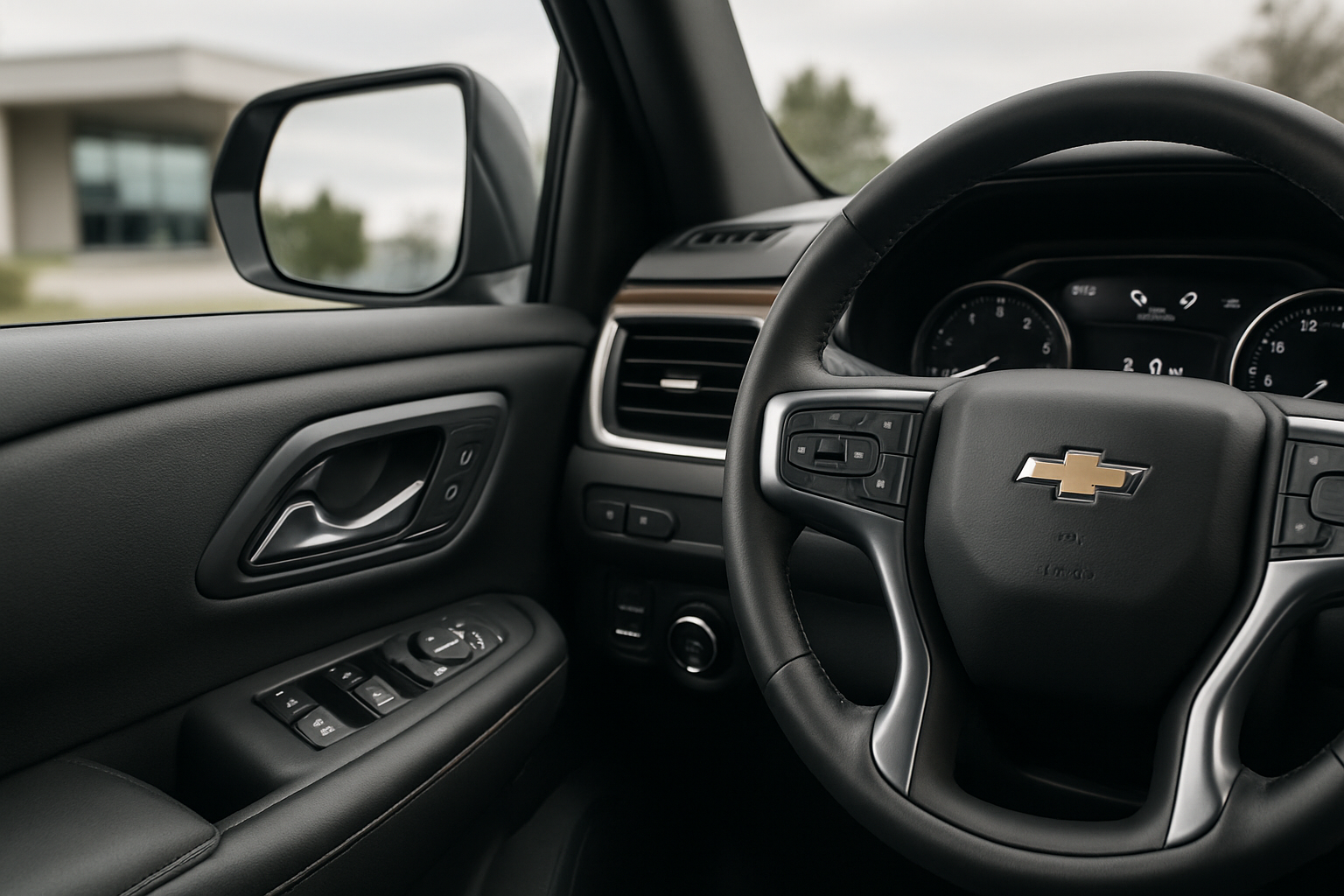
The memory buttons are located on the driver’s door panel, typically near the window controls. You’ll see three buttons labeled “1,” “2,” and “SET.” These small buttons control your entire driving position setup.
Setting Up Your First Memory Position
Before you start programming, make sure your Tahoe is parked and the engine is running. You’ll want to take your time getting everything adjusted perfectly since you’ll be living with these settings.
Start by adjusting your driver’s seat to your preferred position. This includes the fore and aft position, seat height, seat back angle, and lumbar support if your Tahoe has it. Don’t rush this part because getting your seating position right affects everything else.
Next, adjust both exterior mirrors so you can see properly. The passenger mirror should show a small sliver of your vehicle’s side, while the driver’s mirror should be positioned so you barely see the side of your Tahoe. Many drivers set their mirrors too inward, creating blind spots.
If your Tahoe has power-adjustable pedals, set those to your preferred position now. These pedals move the brake and accelerator closer or farther from the driver’s seat, which is particularly helpful for shorter drivers.
Once everything feels perfect, press and hold the “SET” button followed immediately by either button “1” or “2.” Hold both buttons until you hear a confirmation chime. This chime tells you the system has successfully stored your settings.
Programming Additional Driver Profiles
The second memory position works exactly like the first, but you’ll want to have the other driver present to set it up properly. Each person’s body proportions are different, so what works for you won’t work for them.
Have the second driver adjust everything to their preferences using the same process you followed. The seat, mirrors, and pedals should all be positioned for their comfort and safety. Once they’re satisfied with the setup, press “SET” followed by the unused memory button (either “1” or “2”).
The system stores these settings in the vehicle’s computer memory, which means they’ll stay programmed even if you disconnect the battery. This is different from older vehicles where memory settings would disappear during battery service.
Linking Memory Settings to Key Fobs
One of the most convenient features is linking your memory settings to your key fob. This means your Tahoe will automatically adjust to your preferred positions when you unlock the vehicle with your specific remote.
To set this up, you’ll need to access the Driver Information Center using the controls on your steering wheel. Navigate to “Settings,” then “Vehicle,” and look for “Memory Settings” or “Remote Lock, Unlock, Start.”
Select “Driver 1” or “Driver 2” and choose which key fob you want to link to those settings. The system will ask you to press a button on the key fob to confirm the pairing. Once this is complete, your Tahoe will recognize which driver is approaching and adjust accordingly.
This feature works when you unlock the doors with the key fob from outside the vehicle. If you’re already inside and switch drivers, you’ll need to manually press the appropriate memory button.
Using the Exit and Entry Assist Feature
The exit and entry assist feature makes getting in and out of your Tahoe easier, especially if you’re not particularly tall. When activated, the driver’s seat automatically moves back and down when you turn off the engine and remove the key.
This feature also works in reverse. When you get back in and start the engine, the seat returns to your programmed memory position automatically. The system recognizes which key fob you used and adjusts to the corresponding memory setting.
You can enable or disable this feature through the Driver Information Center. Navigate to “Settings,” then “Vehicle,” and look for “Easy Exit Seat” or similar wording depending on your model year. You can set it to activate every time you exit or only when the seat position would actually help with entry and exit.
Some drivers find this feature annoying because the seat movement takes a few seconds each time. If you frequently get in and out of your vehicle during short stops, you might prefer to turn it off.
Recalling Your Memory Settings
Using your saved settings is simple. Press and release either memory button “1” or “2” and your Tahoe will adjust everything to the stored position. The adjustment happens automatically, so don’t try to manually move anything while the system is working.
The entire adjustment process takes about 10-15 seconds depending on how far everything needs to move. You’ll hear the motors working as the seat, mirrors, and pedals move to position. Wait until everything stops moving before making any manual adjustments.
If you need to stop the automatic adjustment for any reason, press any seat adjustment button or memory button and the system will halt immediately. This safety feature prevents the system from trapping anything or causing discomfort.
Understanding System Limitations
The memory system has some limitations you should know about. First, it only works when the vehicle is in Park and the engine is running or in accessory mode. You can’t activate memory settings while driving, which makes sense from a safety standpoint.
The system also won’t operate if it detects an obstruction. If something is blocking the seat’s movement path, the motors will stop and you’ll need to clear the obstruction before trying again. This commonly happens with items stored under the seat or seat covers that interfere with movement.
Power-adjustable pedals, if equipped, have their own limitations. The system moves them slowly to prevent accidentally trapping your foot, and they won’t move if it detects pressure on either pedal.
Troubleshooting Common Issues
If your memory settings aren’t working properly, there are several things to check. First, make sure you’re pressing the buttons correctly. The “SET” button must be pressed first and held while you press the memory number button.
Sometimes the system appears to forget settings, but usually this means the wrong memory position is being recalled. Double-check which key fob you’re using and verify it’s linked to the correct memory setting through the Driver Information Center.
If the seat moves to the wrong position or doesn’t move at all, try reprogramming the memory settings from scratch. Occasionally the system gets confused and needs to be reset with fresh programming.
Electrical issues can also affect the memory system. If you’ve recently had battery work done or installed aftermarket electronics, these could interfere with the memory functions. A dead battery in your key fob can also prevent the automatic adjustment feature from working.
Maximizing Your Memory System Benefits
To get the most from your Tahoe’s memory system, take time to really dial in your perfect driving position. Your seat height should allow you to see over the hood comfortably while maintaining good pedal reach. Your mirrors should eliminate blind spots without requiring you to lean forward to see.
If you share your Tahoe with another driver regularly, make sure both memory positions are programmed and linked to the correct key fobs. This eliminates the daily hassle of readjusting everything and ensures both drivers have safe, comfortable positions.
Consider the exit assist feature carefully based on your usage patterns. If you frequently make quick stops where you’re getting in and out repeatedly, the automatic seat movement might be more annoying than helpful.
Maintenance and Care
The memory system requires very little maintenance, but keeping the seat tracks clean helps ensure smooth operation. Vacuum out any debris that accumulates under and around the seats, especially if you frequently transport cargo or have passengers who eat in the vehicle.
The memory buttons themselves can get dirty or sticky over time. Clean them gently with a damp cloth, but avoid getting moisture into the button mechanisms. If buttons start sticking or not responding properly, this usually indicates they need professional cleaning or replacement.
Pay attention to any unusual noises during seat adjustment. The motors should run smoothly and quietly. Grinding, clicking, or struggling sounds indicate potential problems that should be addressed before they cause system failure.
Frequently Asked Questions
Can I program more than two driver positions?
Most Chevy Tahoe models come with two-position memory systems. Higher trim levels and newer model years may offer additional positions, but two is the standard configuration. Check your owner’s manual or Driver Information Center settings to see what your specific vehicle offers.
Will memory settings work if my key fob battery dies?
You can still manually recall memory settings using the buttons on the door panel even with a dead key fob battery. However, the automatic adjustment feature that activates when you unlock the vehicle won’t work until you replace the key fob battery.
Do memory settings affect fuel economy?
The memory system itself has no impact on fuel economy. However, proper seat and mirror positioning can make you a more comfortable and alert driver, potentially leading to smoother driving habits that improve fuel efficiency.
What happens to memory settings if I disconnect the battery?
Unlike older vehicles, modern Tahoe memory systems store settings in non-volatile memory that survives battery disconnection. Your programmed positions should remain intact even after battery service or replacement.


Leave a Reply