
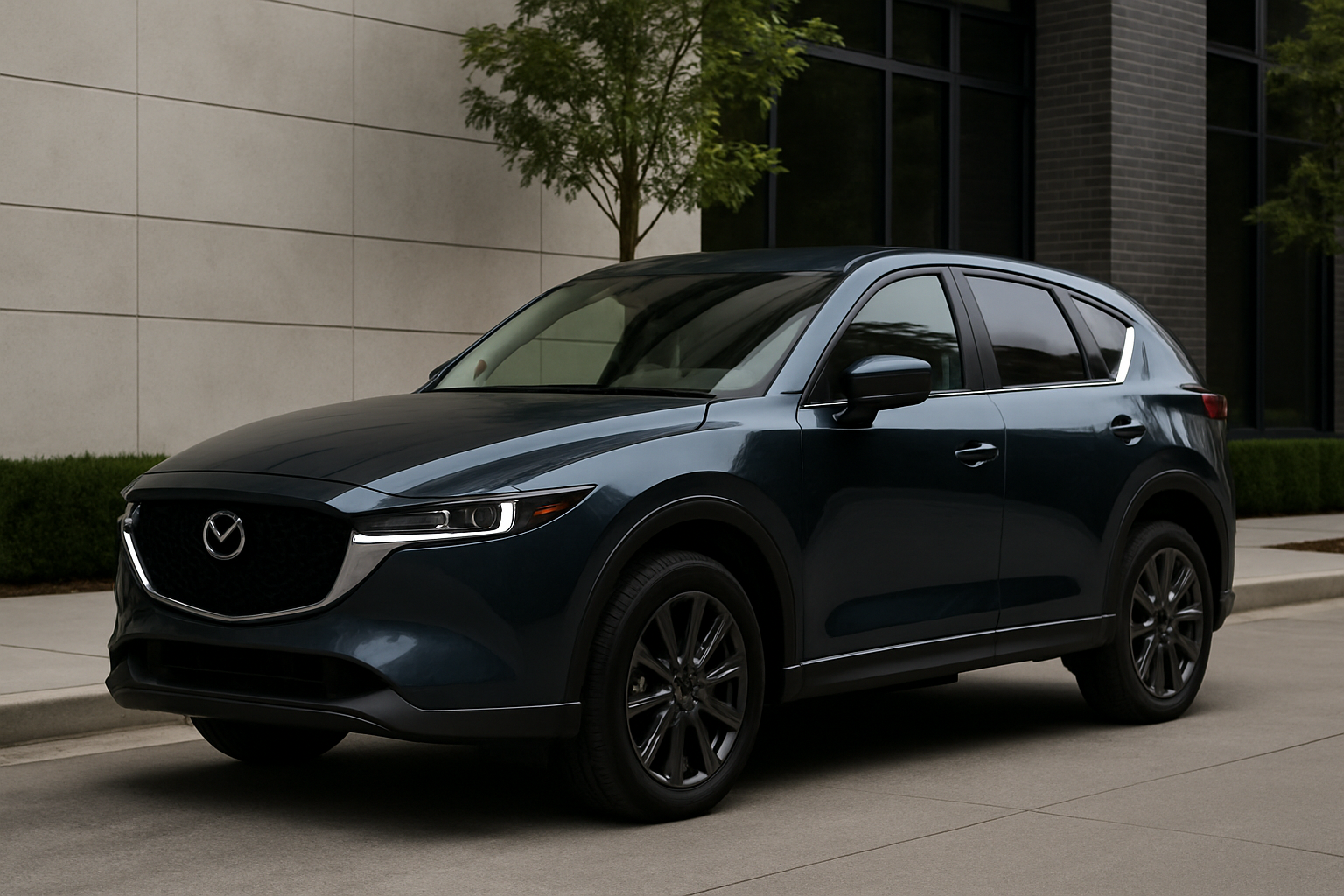
Modern cars come loaded with safety technology, and Mazda’s i-Activsense suite is among the most comprehensive systems available. If you drive a CX-5, you’ve got access to some seriously advanced safety features that can help prevent accidents and make your daily commute less stressful.
Understanding how to properly use and customize these features makes a huge difference in your driving experience. Many drivers never explore beyond the default settings, missing out on the full potential of their vehicle’s safety systems.
What is Mazda i-Activsense?
Mazda i-Activsense is a collection of safety technologies that work together to help you avoid accidents and drive more confidently. The system uses cameras, radar sensors, and sophisticated algorithms to monitor your surroundings and assist with various driving tasks.
Your CX-5’s i-Activsense package includes several key features: Mazda Radar Cruise Control maintains your following distance automatically, Smart Brake Support can apply emergency braking when it detects an imminent collision, Lane Departure Warning alerts you when you drift out of your lane, Driver Attention Alert monitors your driving patterns for signs of fatigue, and Front Cross Traffic Alert watches for vehicles approaching from the sides when you’re backing out of parking spaces.
These systems don’t replace attentive driving, but they provide an extra layer of protection when you need it most. The key is learning how each feature works and customizing them to match your driving preferences.
Mazda Radar Cruise Control
Your CX-5’s radar cruise control goes far beyond traditional cruise control by maintaining a safe following distance from the vehicle ahead. This feature uses a radar sensor mounted behind the front grille to constantly monitor traffic conditions.
To activate radar cruise control, press the CRUISE button on your steering wheel, then use the SET button once you reach your desired speed. You’ll see the cruise control icon appear on your instrument cluster, along with a vehicle symbol when the system detects a car ahead.
The system offers four following distance settings. Press the DISTANCE button on your steering wheel to cycle through the options. Setting 1 provides the closest following distance (about 2 seconds), while Setting 4 gives you the most space (about 4 seconds). Most drivers find Setting 2 or 3 works best for highway driving.
When traffic slows down, your CX-5 will automatically reduce speed to maintain your selected following distance. If traffic comes to a complete stop, the system will bring your vehicle to a full stop as well. After a brief pause, light acceleration will resume following the lead vehicle.
Smart Brake Support
Smart Brake Support acts as your last line of defense against rear-end collisions. The system continuously scans the road ahead using both camera and radar sensors to identify potential collision risks.
When the system detects an imminent collision with a vehicle, pedestrian, or cyclist, it first provides audio and visual warnings through your instrument cluster. If you don’t respond quickly enough, Smart Brake Support will automatically apply the brakes to either avoid the collision entirely or reduce its severity.
The system works at speeds up to 50 mph for vehicle detection and up to 25 mph for pedestrian detection. You’ll hear a series of beeps and see a red warning light when the system is about to intervene.
Smart Brake Support also includes rear functionality. When you’re backing up, the system can detect obstacles behind your vehicle and apply the brakes if necessary. This feature is particularly helpful in parking lots where visibility is limited.
Lane Departure Warning System
Lane Departure Warning uses a camera mounted behind your rearview mirror to track lane markings on the road. The system monitors your position within the lane and alerts you if you begin to drift without signaling.
When Lane Departure Warning detects an unintentional lane departure, you’ll feel a vibration in your steering wheel and see a warning indicator in your instrument cluster. The system only activates at speeds above 40 mph and requires clearly visible lane markings to function properly.
This feature is particularly valuable on long highway drives when fatigue might cause subtle steering corrections. The gentle steering wheel vibration provides an immediate tactile warning without being overly intrusive.
Lane Departure Warning won’t activate when you’re using your turn signals, so normal lane changes won’t trigger false alarms. The system also temporarily disables itself during aggressive braking or acceleration, recognizing that you’re actively controlling the vehicle.
Driver Attention Alert
Driver Attention Alert continuously monitors your driving patterns and steering inputs to identify signs of drowsiness or distraction. The system learns your normal driving behavior during the first few minutes of each trip, then watches for deviations that might indicate fatigue.
When the system detects irregular steering patterns or other signs of inattention, it displays a coffee cup icon on your instrument cluster along with an audible chime. This serves as a gentle reminder to take a break and rest before continuing your journey.
The system becomes more sensitive during nighttime driving and on long trips when drowsiness is more likely to occur. Driver Attention Alert works most effectively on highway driving where steering inputs should be relatively steady and predictable.
You can view your current attention level through the infotainment display, which shows a visual representation of your alertness based on the system’s analysis of your driving patterns.
Front Cross Traffic Alert
Front Cross Traffic Alert helps you navigate intersections and parking lots more safely by detecting vehicles approaching from the sides. The system uses the same radar sensors as your blind spot monitoring to scan for crossing traffic.
When you’re pulling out of a parking space or approaching an intersection with limited visibility, Front Cross Traffic Alert monitors for vehicles approaching from either direction. If the system detects a potential collision risk, you’ll receive both audio and visual warnings.
This feature is especially helpful in crowded parking lots where SUVs, trucks, or other large vehicles might block your view of approaching traffic. The radar sensors can detect movement that you might not be able to see visually.
Front Cross Traffic Alert typically activates at low speeds, usually below 15 mph, when you’re most likely to be maneuvering in tight spaces or complex traffic situations.
Customizing i-Activsense Through Your Infotainment System
Your CX-5’s infotainment system provides extensive customization options for i-Activsense features. Access these settings by pressing the Settings button on your center console, then selecting Safety from the main menu.
Each safety feature has its own submenu with specific adjustment options. For Lane Departure Warning, you can adjust the sensitivity level or turn the system off entirely. The sensitivity setting determines how close to the lane marking you can get before receiving a warning.
Smart Brake Support offers timing adjustments for both forward and reverse operation. You can set earlier or later intervention timing based on your comfort level and driving style. Conservative drivers might prefer earlier warnings, while more aggressive drivers might choose later intervention.
Driver Attention Alert sensitivity can also be customized through the infotainment system. Higher sensitivity settings will alert you sooner when the system detects signs of fatigue, while lower settings provide more tolerance for varying driving styles.
Your radar cruise control settings include options for resume behavior and distance sensitivity. You can choose whether the system automatically resumes following after a complete stop or requires manual input.
Tips for Maximizing i-Activsense Effectiveness
Keep your sensors clean for optimal performance. The radar sensor behind your front grille needs to be free of dirt, snow, or ice. The camera behind your rearview mirror should have a clear view through your windshield.
Regular windshield wiper replacement helps maintain clear camera visibility. Worn wiper blades that streak or leave water spots can interfere with the camera’s ability to detect lane markings and other vehicles.
Understand the system’s limitations in various weather conditions. Heavy rain, snow, or fog can reduce sensor effectiveness. Lane Departure Warning might not function properly when lane markings are obscured by snow or construction zones.
Take time to adjust the settings based on your daily driving environment. Urban drivers might prefer more sensitive settings for stop-and-go traffic, while highway commuters might choose less aggressive intervention timing.
Practice using the features in safe, familiar environments before relying on them in challenging driving conditions. Understanding how each system responds helps you work with the technology rather than being surprised by its intervention.
Common Issues and Solutions
If your i-Activsense features aren’t working properly, start with basic troubleshooting. Check that all sensors are clean and unobstructed. Remove any aftermarket accessories from your windshield that might interfere with the camera’s view.
System calibration might be required after windshield replacement or certain maintenance procedures. Your Mazda dealer can perform this calibration using specialized equipment to ensure all sensors are properly aligned.
Battery voltage can affect system operation. If you’ve had recent battery issues or your vehicle has been sitting unused for extended periods, some safety features might temporarily disable themselves until normal electrical system operation is restored.
Software updates occasionally address system performance and add new features. Check with your Mazda dealer during routine maintenance to ensure your vehicle has the latest software versions.
Frequently Asked Questions
Can I permanently disable specific i-Activsense features?
Most i-Activsense features can be turned off through the infotainment system settings, and your preferences will be remembered between driving sessions. However, some safety features like Smart Brake Support may reactivate themselves after each ignition cycle as a safety precaution.
Do i-Activsense features work in all weather conditions?
System effectiveness can be reduced in severe weather conditions like heavy snow, rain, or fog. The sensors may temporarily disable themselves when conditions prevent reliable operation. You’ll see warning messages in your instrument cluster when this occurs.
How do I know if my i-Activsense sensors need cleaning?
Your CX-5 will display warning messages when sensors are blocked or dirty. You might also notice reduced system performance, such as radar cruise control not detecting vehicles ahead or Lane Departure Warning not recognizing lane markings consistently.
Will aftermarket accessories interfere with i-Activsense?
Accessories mounted on your windshield, front grille, or bumper can potentially interfere with sensor operation. Avoid placing anything that might block the camera behind your rearview mirror or the radar sensor behind your front grille. Check your owner’s manual for specific guidelines about accessory installation.

Leave a Reply