
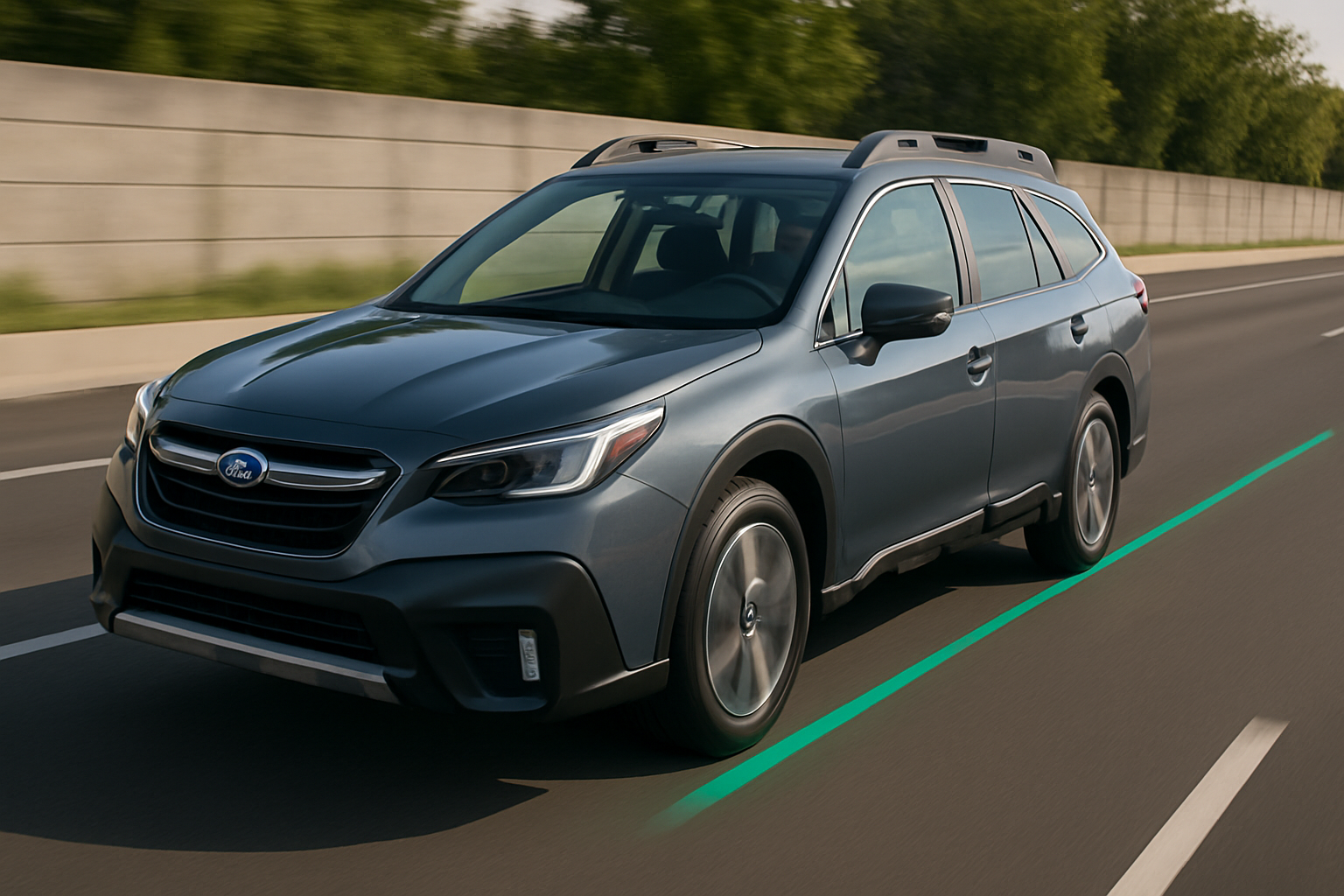
Lane Centering Assist transforms your Subaru Outback into a more confident highway cruiser by actively helping keep your vehicle centered in its lane. This EyeSight technology goes beyond simple warnings to provide gentle steering inputs that reduce driver fatigue on long trips.
Understanding how to properly use this system will help you get the most benefit while staying safe behind the wheel.
What Lane Centering Assist Actually Does
Lane Centering Assist is part of Subaru’s EyeSight driver assistance suite, available on Outback models from 2020 onward. Unlike the basic Lane Departure Warning that only alerts you when you’re drifting, Lane Centering Assist actively provides gentle steering corrections to keep you centered in your lane.
The system uses two cameras mounted behind your rearview mirror to continuously monitor lane markings. When you’re traveling between roughly 40-75 mph with clear lane lines visible, the system can detect when you start to drift and apply subtle steering pressure to guide you back to center.
This isn’t autopilot technology. You still need to keep your hands on the wheel and maintain full attention to driving. Think of it as a gentle co-pilot that helps reduce the constant micro-corrections you make during highway driving.
How Lane Centering Differs from Lane Departure Warning
Your Outback actually has both systems working together, but they serve different purposes. Lane Departure Warning activates when you’re already crossing lane lines without signaling, giving you visual and audible alerts plus a brief steering correction to get you back in your lane.
Lane Centering Assist is more proactive. Instead of waiting until you drift toward the lines, it continuously makes small steering adjustments to keep you centered between them. The corrections are so gentle that you might not even notice them working.
Both systems rely on the same EyeSight cameras, but Lane Centering requires better road conditions to function properly. Faded lines, construction zones, or wet weather can cause the system to temporarily disengage.
Activating Lane Centering Assist
You’ll find the Lane Centering controls on the right side of your steering wheel, integrated with your cruise control buttons. Look for a button marked with a steering wheel icon between two lane lines.
To activate the system, first turn on your cruise control or adaptive cruise control. Lane Centering only works when cruise control is active, as the two systems are designed to work together for highway driving assistance.
Once cruise control is set, press the Lane Centering button. You’ll see a white steering wheel icon appear on your instrument cluster. When the system detects clear lane markings and you’re within the speed range, the icon will turn green to indicate Lane Centering is actively assisting.
A blue steering wheel icon means the system is ready but not currently providing assistance, usually because lane markings aren’t clear enough or you’re outside the operating speed range.
Understanding the Hands-On Requirement
Lane Centering Assist requires you to keep your hands on the steering wheel at all times. The system monitors whether you’re actively holding the wheel through sensors that detect small inputs and resistance.
If the system doesn’t sense your hands for about 10-15 seconds, you’ll get a visual warning on your display telling you to put your hands on the wheel. Ignore this warning, and you’ll hear an audible chime along with more urgent visual alerts.
Continue to keep your hands off the wheel, and Lane Centering will automatically disengage. You’ll need to reactivate it manually by pressing the button again once you’ve resumed proper steering wheel contact.
The key is maintaining light contact with the wheel without fighting the system. Let your hands rest naturally on the wheel and allow the gentle steering corrections to happen. Gripping too tightly or actively steering can interfere with the system’s operation.
Adjusting System Sensitivity
Your Outback allows you to customize how Lane Centering Assist behaves through the infotainment system settings. Access the Settings menu on your touchscreen, then navigate to the EyeSight section.
You can adjust the Lane Keep Assist sensitivity between three levels: early, standard, and late. The early setting provides more aggressive steering corrections and intervenes sooner when you start to drift. The late setting allows more movement within the lane before activating.
Most drivers find the standard setting works well for typical highway driving. If you prefer more assistance or find yourself still drifting slightly, try the early setting. If the corrections feel too frequent or aggressive, switch to late.
You can also adjust the warning timing for Lane Departure Warning independently. This controls how close you get to lane lines before receiving alerts when Lane Centering isn’t active or available.
When Lane Centering Disengages
Several conditions will cause Lane Centering Assist to automatically turn off. Understanding these situations helps you anticipate when you’ll need to take full manual control.
Speed is a primary factor. The system only operates between approximately 40-75 mph. Drop below 40 mph in stop-and-go traffic, and Lane Centering will disengage. Exceed 75 mph, and you’ll also lose the assistance.
Lane markings must be clearly visible for the system to function. Faded lines, missing markings, construction zones with temporary striping, or lanes that are too wide or narrow can cause disengagement. Snow covering the lines or heavy rain that obscures markings will also disable the system.
Sharp curves or steep hills can overwhelm the system’s capabilities. Lane Centering works best on gentle highway curves and relatively flat terrain. Mountain roads with tight switchbacks or steep grades will typically cause the system to disengage.
The system also turns off if it detects you’re actively steering, such as changing lanes or making evasive maneuvers. Using your turn signal will temporarily suspend Lane Centering to allow lane changes, then reactivate once you’ve settled into the new lane.
Troubleshooting Common Issues
If Lane Centering seems to work intermittently, check your EyeSight cameras first. The two cameras are located behind your rearview mirror, and they need a clear view through the windshield to function properly.
Clean your windshield regularly, especially the area directly in front of the cameras. Even light dust or water spots can interfere with the system’s ability to detect lane markings clearly.
Windshield treatments like Rain-X can sometimes cause issues with camera visibility. If you’ve recently applied any windshield coatings and notice problems with EyeSight functions, this could be the culprit.
Temperature extremes can also affect system performance. Very hot days can cause the cameras to temporarily shut down to prevent overheating. Cold weather can cause condensation inside the camera housing until the system warms up.
Getting the Best Performance
Lane Centering Assist works most effectively on well-maintained highways with clear lane markings. Interstate highways and newer state routes typically provide ideal conditions for the system.
Maintain your vehicle’s alignment and tire pressure for optimal performance. If your Outback naturally pulls to one side, Lane Centering will have to work harder to keep you centered, potentially causing earlier disengagement or more noticeable corrections.
Keep your hands relaxed on the steering wheel at the 9 and 3 o’clock positions. This gives you the best control if you need to take over quickly while allowing the system to make its gentle corrections.
Pay attention to the road ahead even with Lane Centering active. The system can’t predict upcoming construction zones, debris, or other hazards that might require manual intervention.
Safety Considerations
Lane Centering Assist is designed to supplement your driving, not replace your attention and judgment. The system can fail or disengage without warning, especially in challenging conditions.
Never rely solely on Lane Centering for vehicle control. Keep your hands on the wheel and eyes on the road at all times. The system is most beneficial for reducing fatigue during long highway drives, not for allowing distracted driving.
Be particularly cautious in work zones, during weather events, or on unfamiliar roads. These conditions can confuse the lane detection cameras and cause unexpected system behavior.
If you notice the system providing corrections that feel wrong or inappropriate, disengage it immediately and drive manually. Trust your instincts over the technology when conditions seem questionable.
Frequently Asked Questions
Can I use Lane Centering Assist without cruise control?
No, Lane Centering Assist only functions when cruise control or adaptive cruise control is active. This design ensures the systems work together to provide coordinated speed and steering assistance.
Why does the system turn off in construction zones?
Construction zones often have temporary lane markings, missing lines, or unusual lane configurations that can confuse the EyeSight cameras. The system automatically disengages when it can’t reliably detect proper lane boundaries to prevent incorrect steering inputs.
Will Lane Centering work in light rain or snow?
The system can function in light precipitation if lane markings remain visible to the cameras. However, heavy rain, snow, or wet conditions that obscure the lines will cause the system to disengage. Always be prepared to take full manual control in adverse weather.
How do I know if my EyeSight cameras need cleaning?
Your Outback will display warning messages if the EyeSight cameras are blocked or dirty. You might also notice Lane Centering and other EyeSight functions becoming unavailable more frequently than usual, which often indicates reduced camera visibility.


Leave a Reply