
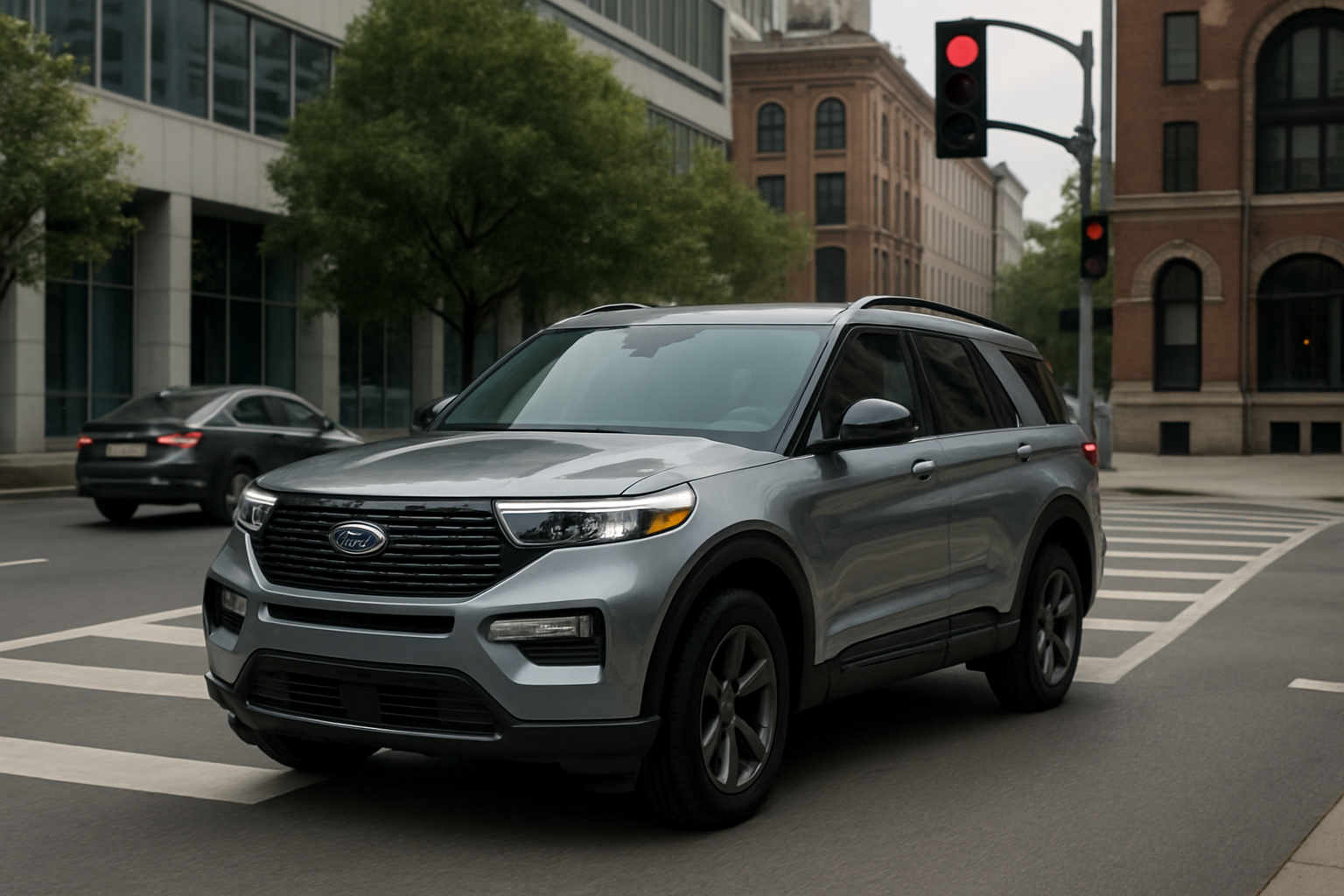
Ford Explorer drivers have access to two sophisticated safety technologies that can help prevent accidents: Intersection Assist and Evasive Steering Assist. These features work together as part of Ford’s Co-Pilot360 suite to detect potential collisions and either alert you or take corrective action when necessary.
Both systems represent Ford’s commitment to proactive safety, but understanding how they work and when to trust them makes all the difference in your daily driving experience.
What Is Intersection Assist and How Does It Work
Intersection Assist is Ford’s pre-collision system designed specifically for intersection scenarios. The system uses forward-facing cameras and radar sensors to monitor cross traffic and oncoming vehicles when you’re turning left or proceeding straight through an intersection.
When the system detects a potential collision with an oncoming vehicle or cross traffic, it provides both visual and audible warnings through your instrument cluster and infotainment display. If you don’t respond to the warnings and a collision appears imminent, Intersection Assist can automatically apply the brakes to help avoid or reduce the severity of the impact.
The system operates at speeds up to 37 mph, which covers most typical intersection scenarios. It’s particularly effective in situations where your view might be obstructed by other vehicles, buildings, or weather conditions.
Your Explorer’s cameras continuously scan the intersection area, looking for movement patterns that indicate approaching vehicles. The radar sensors provide distance and speed data to calculate collision probability in real time.
Understanding Evasive Steering Assist Technology
Evasive Steering Assist takes collision avoidance one step further by helping you steer around obstacles when braking alone won’t prevent an impact. This system works in conjunction with your Explorer’s other safety technologies to provide steering input when you’re actively trying to avoid a collision.
The key difference between this and traditional stability control is that Evasive Steering Assist actually helps initiate the steering maneuver rather than just correcting it after you’ve started turning. When the system detects that you’re steering to avoid an obstacle, it can provide additional steering torque to help you clear the hazard more effectively.
This feature only activates when three conditions are met: the forward collision warning system detects an imminent collision, you’re actively steering to avoid the obstacle, and there’s sufficient space to safely change lanes or swerve.
The system uses the same sensor array as Intersection Assist but adds input from your steering wheel angle sensor and the side-mounted radar units that monitor adjacent lanes for the blind spot information system.
When These Systems Activate
Intersection Assist typically activates in three specific scenarios. First, when you’re making a left turn across oncoming traffic and the system detects an approaching vehicle that could cause a collision. Second, when you’re proceeding straight through an intersection and cross traffic approaches from either side. Third, when you’re turning right and pedestrians or cyclists are detected in your path.
The system requires your turn signal to be active for left and right turn scenarios, which helps it understand your intended direction of travel. Without the turn signal, the system may not provide the same level of protection during turning maneuvers.
Evasive Steering Assist has a broader activation range and works on highways, city streets, and rural roads. The system commonly engages when you’re approaching a stopped vehicle and begin steering toward an adjacent lane, or when an animal or debris suddenly appears in your path and you make an evasive maneuver.
Both systems can activate simultaneously if you encounter a complex scenario where multiple hazards are present. For example, if you’re avoiding a collision at an intersection by steering into an adjacent lane, both Intersection Assist and Evasive Steering Assist may work together to help you avoid the collision.
How to Enable and Configure the Features
You can access both Intersection Assist and Evasive Steering Assist through your Explorer’s SYNC 4 infotainment system. Start by pressing the Settings icon on your touchscreen, then navigate to Driver Assistance.
Under the Pre-Collision Assist menu, you’ll find the Intersection Assist toggle. You can set this to Off, Warning Only, or Warning Plus Aid. The Warning Plus Aid setting allows the system to automatically apply brakes when necessary, while Warning Only provides alerts but no automatic braking.
Evasive Steering Assist appears as a separate toggle in the same Driver Assistance menu. This system is either on or off with no intermediate warning-only mode, since its primary function is providing steering assistance rather than alerts.
You can also adjust the sensitivity of the forward collision warning system, which affects how early both systems begin monitoring for potential collisions. The three settings are Early, Normal, and Late, with Normal being the recommended setting for most drivers.
Trust but Verify: Understanding System Limitations
While both systems are highly sophisticated, they have important limitations that every Explorer owner should understand. Intersection Assist relies on clear sight lines and can be affected by heavy rain, snow, fog, or bright sunlight that interferes with the camera sensors.
The system may not detect motorcycles, bicycles, or pedestrians as reliably as passenger vehicles, particularly in low-light conditions. Construction zones with unusual traffic patterns or temporary signals can also confuse the system’s prediction algorithms.
Evasive Steering Assist requires clear lane markings and sufficient space in adjacent lanes to function properly. The system won’t activate if it detects vehicles or obstacles in the escape path, which means you might not receive steering assistance when you most expect it.
Both systems can experience false activations in certain situations. Overpasses, large signs, or parked cars near intersections might trigger Intersection Assist warnings. Similarly, Evasive Steering Assist might activate when passing large trucks or navigating construction zones with narrow lanes.
Maximizing System Performance
Keep your Explorer’s front grille area and windshield clean to ensure optimal sensor performance. The radar sensors behind the Ford logo and the camera mounted near your rearview mirror need clear lines of sight to function effectively.
Avoid adding accessories like bug deflectors, light bars, or aftermarket grille guards that could interfere with the radar sensors. Even small obstructions can significantly reduce system effectiveness.
Make sure your headlights and taillights are properly aimed and functioning correctly. Other vehicles need to be visible to your Explorer’s sensors, and properly functioning lights help ensure your intentions are clear to other drivers when the systems activate.
Regular software updates through your Ford dealer help ensure you have the latest system improvements and bug fixes. These updates can improve detection accuracy and reduce false activations.
What to Do When the Systems Activate
When Intersection Assist provides a warning, immediately check your mirrors and surroundings before deciding whether to proceed or stop. The system’s warnings should prompt you to reassess the situation, not automatically trust that stopping is always the best option.
If the system applies automatic braking, maintain your grip on the steering wheel and be prepared to take additional action. The automatic braking is designed to reduce impact severity, not necessarily prevent all collisions.
When Evasive Steering Assist activates, you’ll feel additional resistance or assistance in the steering wheel. Don’t fight this input, but maintain control of your vehicle and continue steering toward your intended escape path.
After any system activation, take a moment to understand what triggered the response. This helps you learn the system’s behavior patterns and makes you a more effective partner in the safety equation.
Troubleshooting Common Issues
If you receive frequent “Driver Assist Features Unavailable” messages, the issue is usually related to sensor obstruction or extreme weather conditions. Clean your windshield and front grille area, and check for ice or debris blocking the sensors.
Persistent false warnings might indicate a need for sensor calibration, particularly after windshield replacement or minor front-end collision repairs. Your Ford dealer can perform this calibration using specialized equipment.
If the systems seem overly sensitive or not sensitive enough, try adjusting the collision warning timing in your SYNC settings before assuming there’s a malfunction. Many perceived system issues are actually configuration problems.
Remember that these systems are designed to supplement, not replace, your driving skills and attention. They work best when you’re actively engaged in the driving process and using them as an additional safety net.
Frequently Asked Questions
Can I permanently disable Intersection Assist or Evasive Steering Assist?
Yes, both systems can be turned off through your SYNC settings menu, and they’ll remain off until you manually reactivate them. However, Ford recommends keeping these safety features active for maximum protection. The settings are retained even after turning off your Explorer, unlike some other vehicle manufacturers that reset safety systems with each ignition cycle.
Will these systems work in all weather conditions?
Both systems have reduced effectiveness in severe weather conditions like heavy rain, snow, or fog that can obstruct the sensors. The system will typically display a warning message when weather conditions prevent normal operation. Light rain or overcast conditions generally don’t affect system performance significantly.
Do these features affect my insurance rates?
Many insurance companies offer discounts for vehicles equipped with advanced safety features like Intersection Assist and Evasive Steering Assist. Contact your insurance provider to ask about available discounts for Ford Co-Pilot360 equipped vehicles. Some insurers require verification of these features through your vehicle identification number.
How do I know if the systems are working properly?
Your instrument cluster displays icons indicating when these systems are active and functioning normally. You can also test the forward collision warning system in a safe environment, like an empty parking lot with traffic cones, though you should never intentionally trigger the automatic braking or steering functions. If you notice warning messages or system unavailable alerts frequently, schedule a diagnostic check with your Ford dealer.

Leave a Reply