
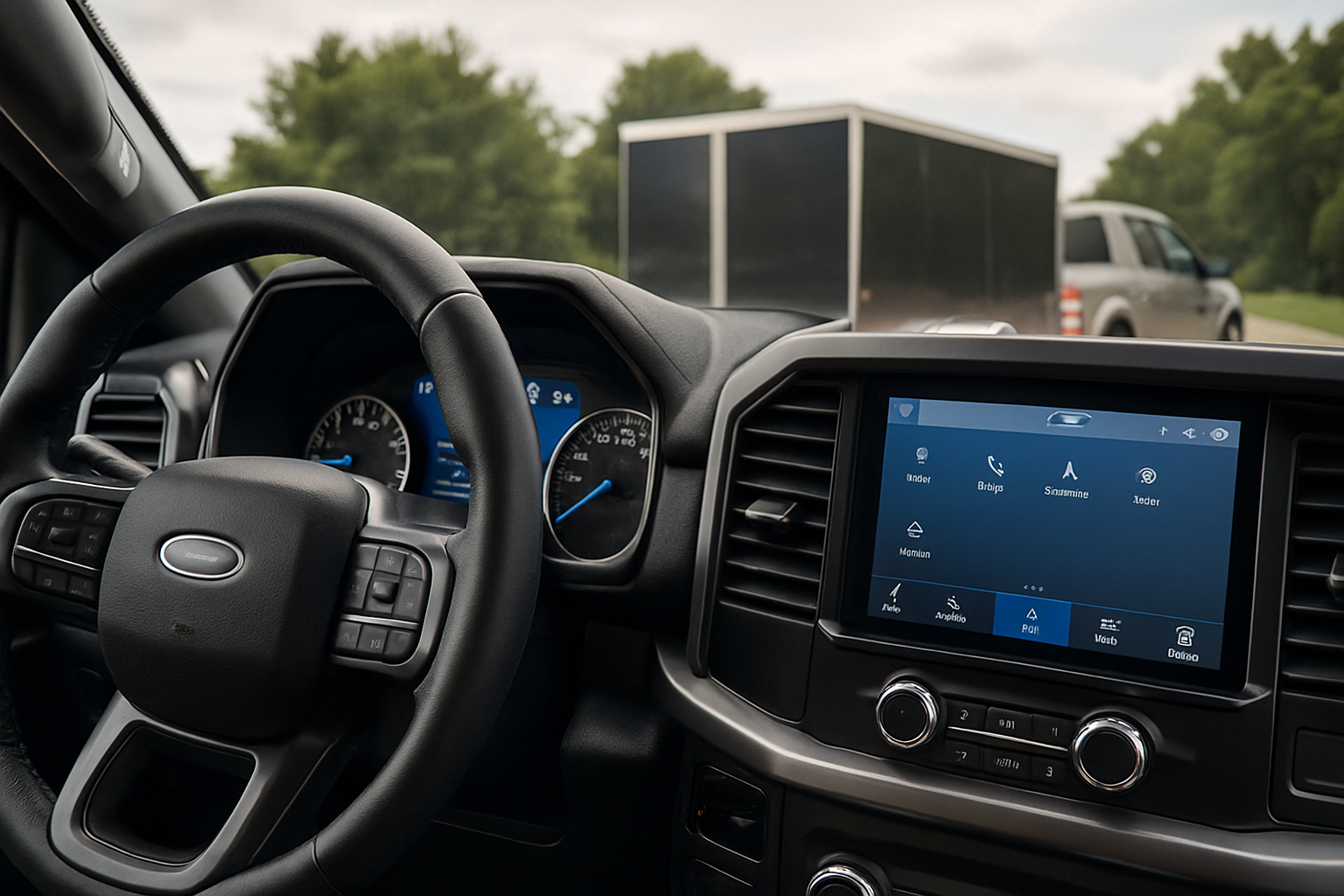
The Ford F-150 has offered integrated trailer brake controllers as a factory option since the 2009 model year, becoming increasingly sophisticated with each generation. This built-in system eliminates the need for aftermarket brake controllers and integrates seamlessly with your truck’s electrical systems and towing features.
Understanding how to properly set up and use your F-150’s integrated trailer brake controller can make the difference between safe, confident towing and white-knuckle drives. Modern F-150 trucks include advanced features like Pro Trailer Backup Assist integration and multiple brake adjustment settings that work together to give you precise control over your trailer.
How the Ford F-150 Integrated Trailer Brake Controller Works
Your F-150’s integrated trailer brake controller uses the truck’s existing brake pedal input and vehicle sensors to automatically apply trailer brakes in proportion to your truck’s braking force. When you press the brake pedal, the system sends an electrical signal through the 7-pin trailer connector to activate your trailer’s electric brakes.
The controller monitors multiple inputs including brake pedal pressure, vehicle speed, and deceleration rate to determine the appropriate trailer brake force. This creates more natural braking behavior compared to older time-based aftermarket controllers.
The system also includes a manual override function that lets you apply trailer brakes independently of the truck’s brakes. This feature proves invaluable when backing up to reduce trailer push or when you need to test trailer brake operation before hitting the road.
Locating the Trailer Brake Controls
In F-150 trucks from 2015 onwards, you’ll find the integrated trailer brake controller settings in the vehicle’s information display. Access these controls through the steering wheel buttons by scrolling to the “Towing” or “Trailer” menu on your instrument cluster display.
The manual brake override control is typically located on the lower left side of the dashboard, near your left knee when seated in the driver’s position. This lever or button allows you to manually engage the trailer brakes without using the truck’s brake pedal.
Older F-150 models (2009-2014) may have dedicated trailer brake controller displays and controls mounted in the dashboard or center console area. The exact location varies by model year and trim level.
Understanding Gain Settings for Different Trailer Weights
The gain setting controls how aggressively your trailer brakes respond to braking input. Think of it as the sensitivity adjustment that determines trailer brake force relative to your truck’s braking.
For lighter trailers (under 3,500 pounds), start with a gain setting between 2.0 and 4.0. Light utility trailers and small travel trailers typically work well in this range. Setting the gain too high on light trailers can cause premature brake lockup or trailer skidding.
Medium trailers (3,500 to 7,000 pounds) usually require gain settings between 4.0 and 7.0. This includes most travel trailers, enclosed cargo trailers, and boat trailers. You’ll want to fine-tune within this range based on your specific trailer’s braking characteristics.
Heavy trailers (over 7,000 pounds) often need gain settings between 7.0 and 10.0. Large travel trailers, equipment trailers, and heavy cargo trailers fall into this category. Higher gain settings provide the additional brake force needed to safely stop heavier loads.
Setting Up Your Trailer Brake Controller
Start by connecting your trailer and turning on both the truck and trailer electrical systems. Navigate to the trailer brake settings in your F-150’s information display using the steering wheel controls.
Set your initial gain based on your trailer weight using the guidelines above. Most F-150 systems allow gain adjustments in 0.5 increments from 0 to 10.0.
Perform a manual brake test using the override control to verify your trailer brakes are responding. You should hear or feel the trailer brakes engaging when you activate the manual control. If nothing happens, check your electrical connections and trailer brake wiring.
Take your truck and trailer to a safe area like an empty parking lot for initial testing. Drive at low speeds (10-15 mph) and apply the brakes gently while monitoring how the trailer responds.
Fine-Tuning Brake Response
Your trailer brakes should engage smoothly without causing the trailer to jerk or skid. If the trailer feels like it’s pushing the truck during braking, increase the gain setting by 0.5 to 1.0 increments.
If the trailer brakes too aggressively or you feel the trailer wheels locking up, reduce the gain setting. Properly adjusted trailer brakes should provide firm stopping power without causing tire skidding on dry pavement.
Test your braking at various speeds and with different levels of brake pedal pressure. Highway driving requires different brake characteristics than city driving, so make sure your settings work well across different driving scenarios.
Remember that trailer brake adjustment isn’t a “set it and forget it” process. You may need to readjust gain settings based on loading conditions, weather, or different trailers.
Using the Manual Override Function
The manual override control serves several important purposes beyond emergency braking. Use it to test trailer brake operation before each trip by activating the control while stationary or at very low speeds.
When backing up, especially on boat ramps or steep inclines, light pressure on the manual control can prevent trailer push and give you better control. This technique helps maintain proper trailer positioning during backing maneuvers.
The manual control also helps when parking on inclines. Engage the trailer brakes manually before shifting into park to reduce stress on your truck’s parking pawl and prevent rolling.
Some experienced towers use the manual control for “trailer brake only” stops in specific situations, though this requires practice and should be done cautiously.
Pro Trailer Backup Assist Integration
F-150 trucks equipped with Pro Trailer Backup Assist use the integrated brake controller as part of the system’s trailer control strategy. The backup assist system can automatically apply individual trailer brakes to help guide the trailer along your desired backing path.
When Pro Trailer Backup Assist is active, the system may override your manual brake inputs to maintain proper trailer positioning. This is normal operation and helps prevent jackknifing during backing maneuvers.
The trailer brake controller settings still affect Pro Trailer Backup Assist performance. Properly adjusted gain settings help the backup assist system function more effectively and smoothly.
You can still use the manual brake override while Pro Trailer Backup Assist is active, though the system will coordinate your inputs with its automatic brake control.
Wiring and Installation Considerations
The integrated trailer brake controller requires proper wiring between your truck and trailer. Your F-150’s 7-pin connector includes a dedicated wire (typically blue) that carries the brake controller signal to your trailer.
Aftermarket wiring harnesses can help integrate the brake controller with trailers that don’t have factory-compatible connectors. Quality trailer brake controller wiring harnesses ensure reliable connections and proper signal transmission between your truck and trailer brake systems.
Check your trailer’s brake wiring regularly for damage, corrosion, or loose connections. Poor electrical connections can cause inconsistent brake performance and may trigger error messages on your F-150’s display.
Ground connections are particularly important for trailer brake systems. Make sure your trailer has a solid ground connection through both the wiring harness and the hitch ball connection.
Troubleshooting Common Issues
If your integrated brake controller displays error messages or won’t activate trailer brakes, start by checking all electrical connections. Corrosion on trailer plugs is a common cause of brake controller malfunctions.
Inconsistent braking or “grabby” trailer brakes often indicate problems with the trailer’s brake magnets or drums rather than the truck’s controller. Have your trailer brakes inspected if you experience uneven braking performance.
The controller may display “no trailer detected” messages if the electrical load is too low. This can happen with very light trailers or trailers with brake system problems.
Gain settings that worked previously but now seem inadequate might indicate wearing trailer brake components. Trailer brakes require regular maintenance just like your truck’s brakes.
Maintenance and Best Practices
Keep your trailer connector clean and apply dielectric grease to prevent corrosion. This simple maintenance step prevents many brake controller issues and extends the life of your electrical connections.
Test your trailer brakes before every trip using the manual override control. This quick check can identify problems before they become dangerous on the road.
Adjust gain settings when changing trailers or significantly altering trailer loading. Different trailers require different brake controller settings for optimal performance.
Consider having your F-150’s brake controller system checked during regular service intervals. Software updates and system diagnostics can identify potential issues before they cause problems.
Frequently Asked Questions
Why won’t my F-150’s brake controller detect my trailer?
The most common causes are poor electrical connections, blown fuses, or trailer brake system problems. Check your 7-pin connector for corrosion and verify that your trailer’s brake system is functioning properly. Some very light trailers may not draw enough current for the controller to detect them.
Can I use the integrated controller with any trailer?
The integrated brake controller works with any trailer equipped with electric brakes and proper wiring. However, trailers with hydraulic surge brakes or no brakes won’t be compatible with the system. Make sure your trailer has electric brake magnets and the appropriate wiring connections.
How do I know if my gain setting is correct?
Proper gain setting should provide smooth, proportional braking without trailer wheel lockup or excessive trailer push. Test at various speeds in a safe area and adjust until the trailer brakes feel natural and effective. You shouldn’t feel the trailer pushing the truck during normal braking.
Does using the integrated brake controller affect my truck’s warranty?
Using the factory-integrated brake controller as designed won’t affect your F-150’s warranty. However, aftermarket modifications to the brake controller system or improper wiring installations could potentially impact warranty coverage for related components.
This article contains affiliate links. If you purchase through these links, we may earn a small commission at no extra cost to you.
Leave a Reply