
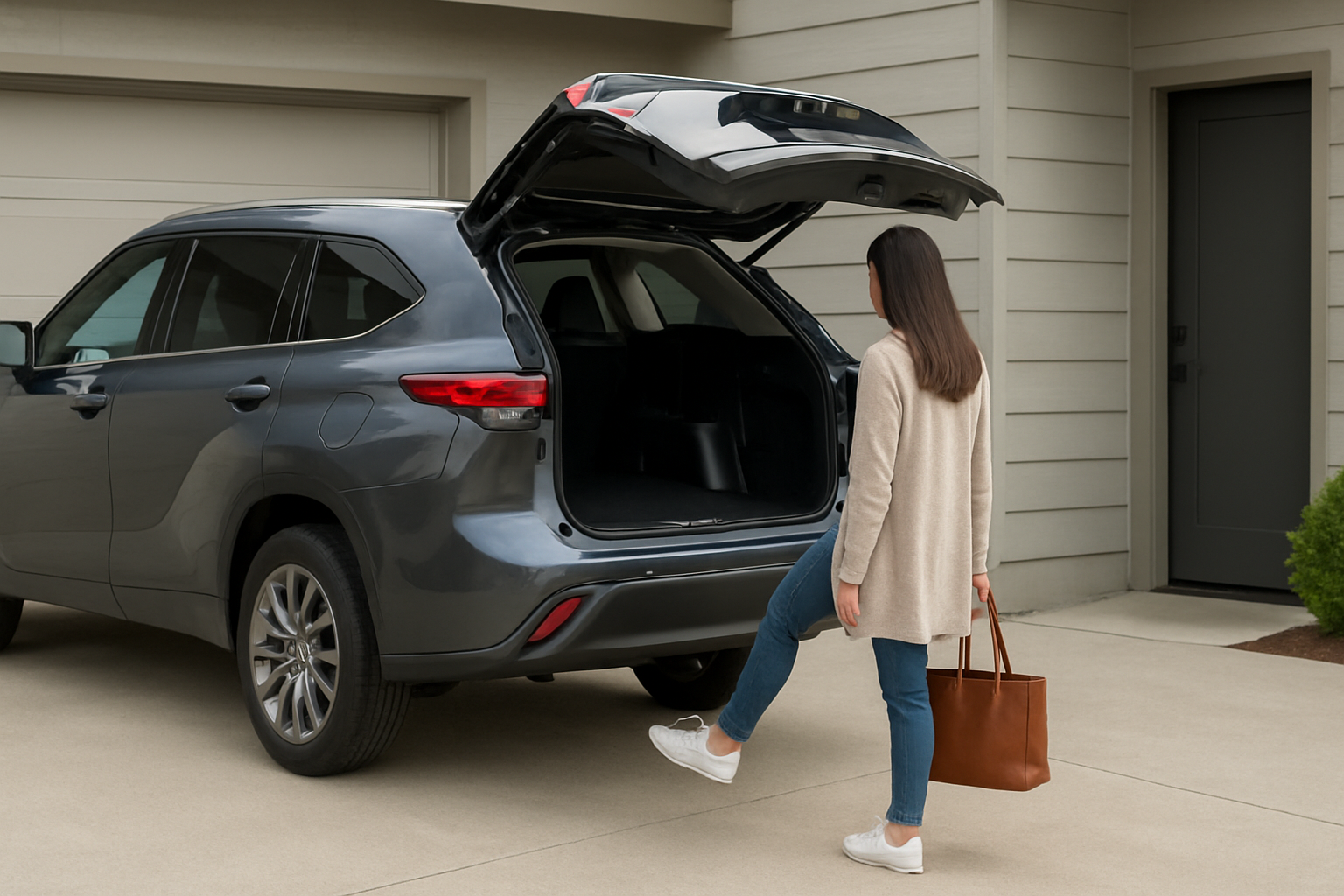
The Toyota Highlander’s hands-free power liftgate makes loading groceries and gear incredibly convenient, especially when your hands are full. This feature uses a kick sensor located under the rear bumper to automatically open the liftgate without touching anything.
You’ll find this technology on most Highlander models from 2014 onward, though the exact activation method and sensitivity have improved over the years. Understanding how to use and adjust this feature properly can save you time and frustration during daily use.
How the Hands-Free System Works
The hands-free power liftgate relies on a kick sensor positioned under the center of the rear bumper. This sensor detects the motion of your foot or leg sweeping under the bumper area. When activated, it sends a signal to open the liftgate automatically.
For the system to work, you must have the key fob within approximately 3 feet of the rear of the vehicle. The Highlander’s proximity sensors verify that an authorized key is nearby before allowing the liftgate to operate. This prevents accidental activation by other people or objects.
The sensor is designed to distinguish between intentional kicks and incidental contact. You don’t need to actually kick the bumper, just sweep your foot underneath it in a deliberate motion.
Step-by-Step Activation Process
Start by ensuring your key fob is in your pocket, purse, or within the required proximity range. The vehicle’s security system must detect the key before the hands-free feature will respond.
Position yourself directly behind the vehicle, centered between the taillights. The sensor has the best coverage in this area and may not detect motion if you’re too far to either side.
Lift your foot and sweep it under the bumper in a smooth motion, similar to how you’d kick a soccer ball. You don’t need excessive force. A gentle but deliberate movement about 6 inches under the bumper works best.
Wait for the confirmation. Most Highlander models will beep or flash the hazard lights briefly before the liftgate begins opening. If nothing happens after 2-3 seconds, try the motion again with a slightly different foot position.
Using the Key Fob Button Alternative
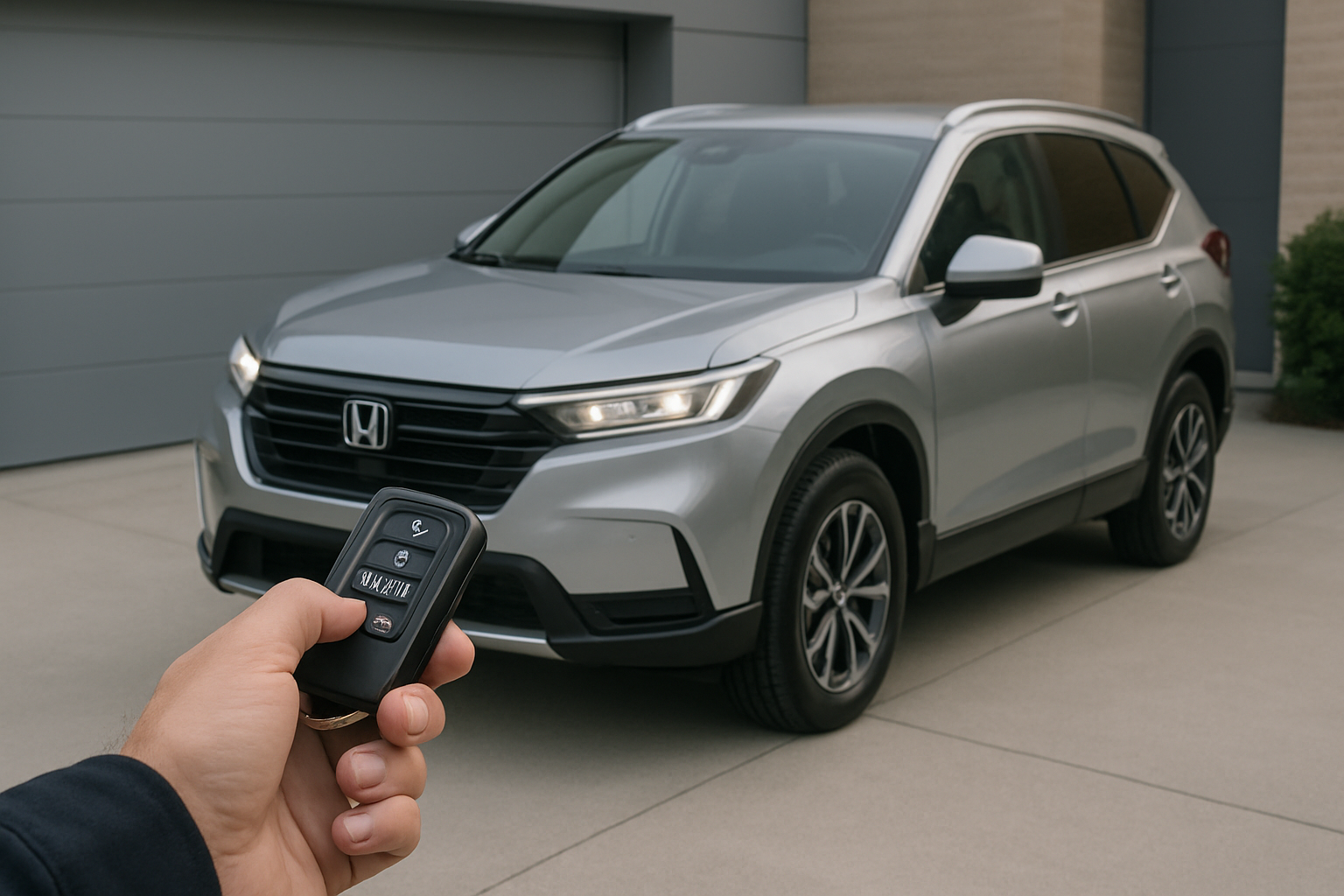
Your Highlander’s key fob includes a dedicated liftgate button for times when the hands-free sensor isn’t responding or when you prefer manual control. This button typically shows a small car icon with an open rear hatch.
Press and hold the liftgate button for about 2 seconds while standing within range of the vehicle. You’ll hear a confirmation beep, and the liftgate will begin its opening cycle. This method works regardless of the hands-free feature’s status.
The key fob approach is particularly useful in winter conditions when snow or ice might interfere with the kick sensor, or when you’re wearing bulky clothing that makes the kicking motion awkward.
Adjusting the Liftgate Opening Height
You can customize how far the liftgate opens to accommodate low garage ceilings or your preferred loading height. This adjustment affects both hands-free and key fob activation.
Open the liftgate fully, then manually pull it down to your desired height. Make sure it’s positioned exactly where you want the maximum opening point to be.
Locate the liftgate close button, which is typically positioned on the left side of the liftgate opening near the latch mechanism. Press and hold this button until you hear two beeps, indicating the new height has been programmed.
Test the adjustment by closing the liftgate completely, then using either the hands-free sensor or key fob to open it. The liftgate should stop at your programmed height rather than opening fully.
Resetting to Full Height
If you want to return to the maximum opening height, manually open the liftgate all the way up. Press and hold the close button again until you hear the confirmation beeps. This erases the custom height setting and restores factory behavior.
Disabling the Hands-Free Feature
Some drivers prefer to disable the hands-free sensor to prevent accidental activation. Your Highlander’s infotainment system includes settings to turn off this feature while keeping the powered liftgate function active.
Access the main settings menu through your touchscreen display. Look for “Vehicle Settings” or “Customization” options, which vary slightly depending on your model year.
Navigate to the power liftgate or rear door settings section. You should find an option labeled “Hands-Free Power Back Door” or similar wording. Toggle this setting to “Off” to disable the kick sensor.
The change takes effect immediately, but the liftgate will still respond to the key fob button and the interior switches. This setting persists until you manually change it back.
Troubleshooting Slow or Unresponsive Sensor
If your hands-free sensor responds slowly or inconsistently, several factors might be affecting its performance. Environmental conditions, sensor cleanliness, and technique all play important roles.
Clean the sensor area under the bumper regularly, especially during winter months when salt and debris accumulate. Use a damp cloth to wipe the sensor housing, which is usually visible as a small rectangular or circular component behind the bumper’s lower edge.
Cold weather can slow the sensor’s response time significantly. In temperatures below 20°F, you might need to wait longer between attempts or use slightly more pronounced foot movements to trigger activation.
Common Response Issues
Wearing very loose pants or long coats can interfere with the sensor’s ability to detect your leg movement. The fabric might block or absorb the signal before your foot reaches the optimal detection zone.
Heavy snow accumulation under the bumper can completely block the sensor. Clear away snow and ice buildup before attempting to use the hands-free feature during winter conditions.
If the sensor stops working entirely, check your owner’s manual for the specific fuse location. A blown fuse in the power liftgate circuit will disable both the hands-free sensor and the motorized opening function.
Optimizing Sensor Performance
The hands-free sensor works best when you approach the vehicle from directly behind rather than at an angle. Walking up to the rear corner and then trying to activate the sensor often results in poor response.
Timing your foot movement correctly improves reliability. Move your foot under the bumper in one smooth, confident motion rather than hesitating or making multiple small movements in the detection zone.
Avoid wearing shoes with very thick soles or steel toes, which can interfere with the sensor’s detection capabilities. Standard athletic shoes or dress shoes typically work better than heavy work boots.
Seasonal Considerations
Summer heat can occasionally cause false triggers if the sensor becomes overly sensitive. Parking in shaded areas helps maintain consistent performance during extreme temperatures.
During autumn, keep fallen leaves cleared from under the bumper area. Decomposing organic matter can create moisture that affects sensor accuracy over time.
Safety Features and Limitations
Your Highlander’s hands-free liftgate includes several built-in safety measures. If the system detects an obstruction while opening, it will stop and reverse direction to prevent damage or injury.
The sensor automatically deactivates when the vehicle is running or in drive mode. This prevents accidental opening while loading passengers or preparing to drive away.
Maximum activation attempts are limited to prevent excessive battery drain. If you repeatedly trigger the sensor without successful operation, the system may temporarily disable itself for a few minutes.
Battery Impact and Maintenance
The hands-free sensor draws minimal power when the vehicle is off, but frequent use can contribute to battery drain over extended periods. If you park for weeks at a time, consider disabling the feature to preserve battery life.
Replace your key fob battery regularly to maintain reliable proximity detection. A weak fob battery can cause inconsistent hands-free operation even when the sensor itself is working properly.
Most Toyota dealers can test the sensor’s functionality during routine maintenance visits. If you’re experiencing persistent issues, professional diagnosis can identify whether the problem is electrical, mechanical, or software-related.
Frequently Asked Questions
Why doesn’t the sensor work when I’m wearing certain shoes?
Some shoe materials and designs can interfere with the sensor’s detection method. Very thick rubber soles, steel-toed boots, or shoes with metallic elements might block or distort the signal. Canvas sneakers and leather shoes typically provide the most reliable results.
Can I adjust the sensor sensitivity?
Most Highlander models don’t offer user-adjustable sensitivity settings for the hands-free sensor. The sensitivity is calibrated at the factory to balance reliable activation with preventing false triggers. If your sensor seems too sensitive or not sensitive enough, dealership service might be able to recalibrate it.
Will the hands-free feature work if my key fob battery is dying?
A weak key fob battery will cause inconsistent hands-free operation before it stops working entirely. You might notice the sensor working sometimes but not others, or requiring you to stand very close to the vehicle. Replacing the fob battery usually resolves these intermittent issues.
Does using the hands-free feature void my warranty?
Normal use of the hands-free power liftgate won’t affect your Toyota warranty coverage. This feature is designed for regular operation and is covered under the vehicle’s standard warranty terms. However, attempting to modify or repair the sensor yourself could potentially impact warranty coverage for related components.


Leave a Reply