
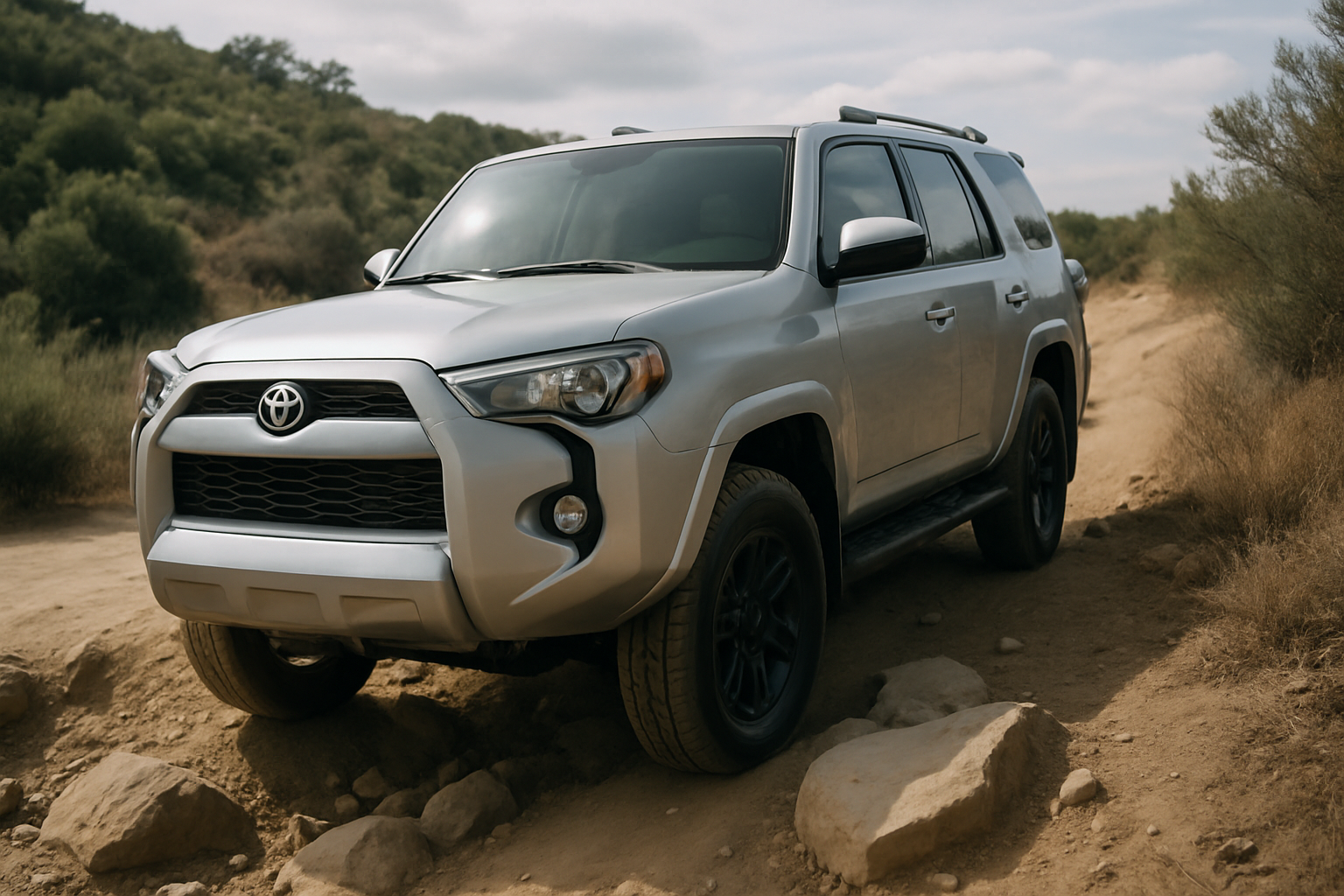
The Toyota 4Runner’s Crawl Control feature transforms challenging off-road terrain into manageable adventures. This advanced system acts as an automatic transmission for your wheels, maintaining steady speeds during technical climbs and descents. Understanding how to properly use Crawl Control can make the difference between conquering difficult trails and getting stuck halfway up a rocky slope.
What Is Crawl Control and How Does It Work
Crawl Control is Toyota’s answer to low-speed traction management in extreme off-road conditions. The system automatically modulates engine power, braking, and wheel spin to maintain a consistent crawling speed without requiring throttle or brake input from you.
When activated, Crawl Control takes over the precise coordination between your 4Runner’s engine, transmission, and individual wheel brakes. You simply steer while the system handles acceleration and deceleration. This allows you to focus entirely on choosing the best line through obstacles rather than managing pedal inputs.
The feature works by using wheel speed sensors, throttle control, and individual brake applications to prevent wheel spin and maintain forward momentum. If one wheel starts to slip, the system automatically applies brake pressure to that wheel and redirects power to wheels with better traction.
When to Use Crawl Control
Crawl Control excels in specific off-road scenarios where precise speed control matters more than momentum. Understanding these situations helps you maximize the system’s effectiveness.
Steep Descents
Rocky or loose descents represent Crawl Control’s most valuable application. The system maintains a controlled descent speed while preventing wheel lockup that could cause sliding or loss of steering control. You can navigate steep grades without riding the brake pedal or worrying about picking up too much speed.
On technical descents with loose rocks or sand, Crawl Control prevents the wheels from breaking traction that often occurs with manual brake application. The system’s ability to brake individual wheels keeps the vehicle tracking straight even on uneven surfaces.
Rock Crawling
Technical rock crawling requires precise wheel placement and consistent forward progress. Crawl Control eliminates the jerky throttle inputs that can cause wheel spin or sudden lurches that might high-center your 4Runner on obstacles.
The system particularly helps when climbing over large rocks where maintaining contact pressure between tires and rock faces is critical. Manual throttle application often results in too much power too quickly, causing wheels to spin uselessly against smooth rock surfaces.
Loose Sand and Mud
In deep sand or muddy conditions where maintaining momentum isn’t possible, Crawl Control can help you creep through problem areas without digging deeper ruts. The system’s gentle power application reduces the tendency to spin wheels and dig in deeper.
However, remember that some sand and mud situations require momentum and higher speeds. Crawl Control isn’t appropriate for every soft surface scenario.
Requirements for Using Crawl Control
Toyota designed Crawl Control to work only under specific conditions. These requirements ensure the system operates safely and effectively.
4WD Low Range Required
Crawl Control only functions when your 4Runner is in 4WD Low range. You cannot activate the system in 2WD, 4WD High, or any other drive mode. This requirement ensures you have maximum torque multiplication and control for low-speed maneuvering.
Before attempting to use Crawl Control, shift your transfer case into 4L. Come to a complete stop, shift the transmission to neutral, and move the 4WD selector to the 4L position. Wait for the 4LO indicator light to illuminate on your dashboard before proceeding.
Speed Limitations
The system only operates at very low speeds, typically under 5 mph. If you exceed this speed threshold, Crawl Control automatically disengages. This speed limitation ensures the system operates within its designed parameters for maximum control and safety.
You’ll need to reduce your speed before the system will engage. If you’re moving too fast when you attempt activation, the Crawl Control light will flash, indicating the system cannot engage at current speed.
The Five Speed Settings Explained
Your 4Runner’s Crawl Control offers five different speed settings, each designed for specific terrain challenges. Understanding when to use each setting helps you match system performance to trail conditions.
Setting 1 (Slowest): This ultra-slow setting works best for the most technical terrain where precise wheel placement is critical. Use this setting when navigating tight spaces between rocks or when you need maximum control over wheel positioning.
Setting 2: Slightly faster than Setting 1, this speed works well for moderately technical rock crawling where you need steady progress but still require precise control. Many drivers find this setting ideal for most rock garden situations.
Setting 3 (Middle): The middle setting provides a good balance between control and forward progress. This setting works well for loose rock climbs or descents where you need consistent speed but not the ultra-slow pace of lower settings.
Setting 4: This faster setting suits less technical terrain where you want the benefits of automatic traction control but need to cover ground more quickly. Use this setting on loose dirt climbs or gentle rocky terrain.
Setting 5 (Fastest): The fastest Crawl Control setting works well for longer sections of moderately challenging terrain where you want consistent progress without constant speed adjustments. This setting can help maintain momentum on extended climbs with varying traction.
How to Activate Crawl Control
Activating Crawl Control requires following the correct sequence to ensure proper system engagement. Rushing through these steps or skipping requirements will prevent the system from working properly.
Start by engaging 4WD Low range as described earlier. Make sure the 4LO indicator light is solid on your dashboard before proceeding. The vehicle should be at very low speed or stopped when you attempt to engage Crawl Control.
Locate the Crawl Control button on your center console. The button features an icon showing a vehicle on a slope. Press this button once to activate the system. You’ll see the Crawl Control indicator light illuminate on your dashboard when the system is ready.
Use the Multi-Terrain Select dial (if equipped) to choose your desired speed setting. Turn the dial to select from the five available speeds, matching your choice to current terrain demands. The selected setting will display on your dashboard or infotainment screen.
Once activated, simply steer while the system controls throttle and braking. Keep your feet off both the accelerator and brake pedals unless you need to override the system. Pressing either pedal will temporarily suspend Crawl Control operation.
Multi-Terrain Select Integration
4Runner models equipped with Multi-Terrain Select offer enhanced Crawl Control functionality through integrated terrain management. This system coordinates Crawl Control with other traction management features for optimized performance.
The Multi-Terrain Select dial allows you to choose specific terrain modes like Rock, Rock & Dirt, Mogul, Loose Rock, or Sand. Each mode adjusts not only Crawl Control speed but also traction control sensitivity, differential locking behavior, and throttle response characteristics.
When using Crawl Control with Multi-Terrain Select, choose the terrain mode first, then adjust the speed setting. The system will coordinate all traction management features to match your selected terrain type and desired crawling speed.
For example, selecting Rock mode with Crawl Control Setting 2 will configure the system for technical rock crawling with moderate forward speed. The traction control will be more aggressive about preventing wheel spin, while the differential will lock more readily to maintain traction.
Operating Tips for Maximum Effectiveness
Getting the most from Crawl Control requires understanding how to work with the system rather than fighting against it. These practical tips help you use the feature more effectively.
Keep your hands on the steering wheel and focus on line selection. The system handles speed control, but you’re responsible for choosing the best path through obstacles. Look ahead and plan your route rather than staring at immediate obstacles.
Don’t fight the system’s speed control. If you feel like you need more speed, select a higher setting rather than pressing the accelerator. Overriding with throttle input defeats the purpose of using Crawl Control and can cause wheel spin.
Use brake input sparingly and only when necessary for safety. Light brake pressure will slow the vehicle below the selected Crawl Control speed, but heavy braking will disengage the system entirely. Let the system handle most speed control duties.
Pay attention to wheel spin indicators on your dashboard. If you see excessive wheel spin warnings, consider switching to a lower speed setting or selecting a different Multi-Terrain Select mode better suited to current conditions.
When Not to Use Crawl Control
Understanding Crawl Control’s limitations helps you recognize when other driving techniques work better. The system isn’t appropriate for every off-road situation.
Avoid using Crawl Control when momentum is required to get through obstacles. Deep sand, thick mud, or snow often require higher speeds and aggressive throttle input to maintain forward progress. The system’s slow speeds can cause you to get stuck in these conditions.
Don’t rely on Crawl Control for high-traction climbs where you need significant power delivery. Rock faces, hard-packed dirt climbs, or other high-traction situations often require more aggressive throttle control than the system provides.
The system also isn’t designed for side-hill traverses or situations where you need rapid directional changes. Crawl Control works best for straight-line obstacles where consistent forward or reverse progress is the primary goal.
Troubleshooting Common Issues
Several common problems can prevent Crawl Control from engaging or operating properly. Understanding these issues helps you diagnose problems in the field.
If the Crawl Control light flashes when you press the activation button, you’re likely moving too fast for system engagement. Come to a complete stop and try again. The system requires very low speeds for initial activation.
If Crawl Control engages but immediately disengages, check that you’re in 4WD Low range with the 4LO light solid on your dashboard. Also verify that you haven’t inadvertently pressed the accelerator or brake pedals, which will suspend system operation.
Inconsistent system behavior might indicate wheel speed sensor issues or other traction control system problems. These issues typically require professional diagnosis and repair at a Toyota service center.
Safety Considerations
While Crawl Control enhances safety in many off-road situations, you still need to exercise good judgment and maintain situational awareness. The system assists your driving but doesn’t replace careful decision-making.
Always scout difficult terrain on foot before attempting to drive through it, even with Crawl Control engaged. The system can help you navigate obstacles, but it can’t prevent you from choosing a line that exceeds your vehicle’s capabilities.
Maintain a safe following distance from other vehicles, even at Crawl Control’s slow speeds. The system can stop the vehicle, but sudden obstacles or changes in terrain can still create hazardous situations.
Remember that Crawl Control doesn’t increase your 4Runner’s ground clearance, approach angles, or departure angles. Physical contact with obstacles can still cause damage or create dangerous situations regardless of the traction control system’s capabilities.
Frequently Asked Questions
Can I use Crawl Control in reverse?
Yes, Crawl Control works in reverse gear following the same activation procedures. This feature particularly helps when backing down steep descents or repositioning on technical terrain. The system maintains the same speed control and traction management capabilities when moving backward.
Will Crawl Control work if my differential is locked?
Crawl Control functions normally with the rear differential locked. In fact, combining differential lock with Crawl Control often improves performance on technical terrain by ensuring power distribution to both rear wheels while maintaining precise speed control.
What happens if I press the accelerator while Crawl Control is active?
Pressing the accelerator temporarily overrides Crawl Control, allowing manual throttle control. The system remains active and will resume automatic speed control when you release the accelerator pedal. This override capability lets you add power when needed without fully disengaging the system.
Does using Crawl Control affect fuel economy?
Crawl Control itself has minimal impact on fuel economy since it operates only at very low speeds for short periods. However, the 4WD Low range requirement means you’ll be using low-range gearing, which does reduce fuel efficiency compared to normal driving conditions.
Leave a Reply