
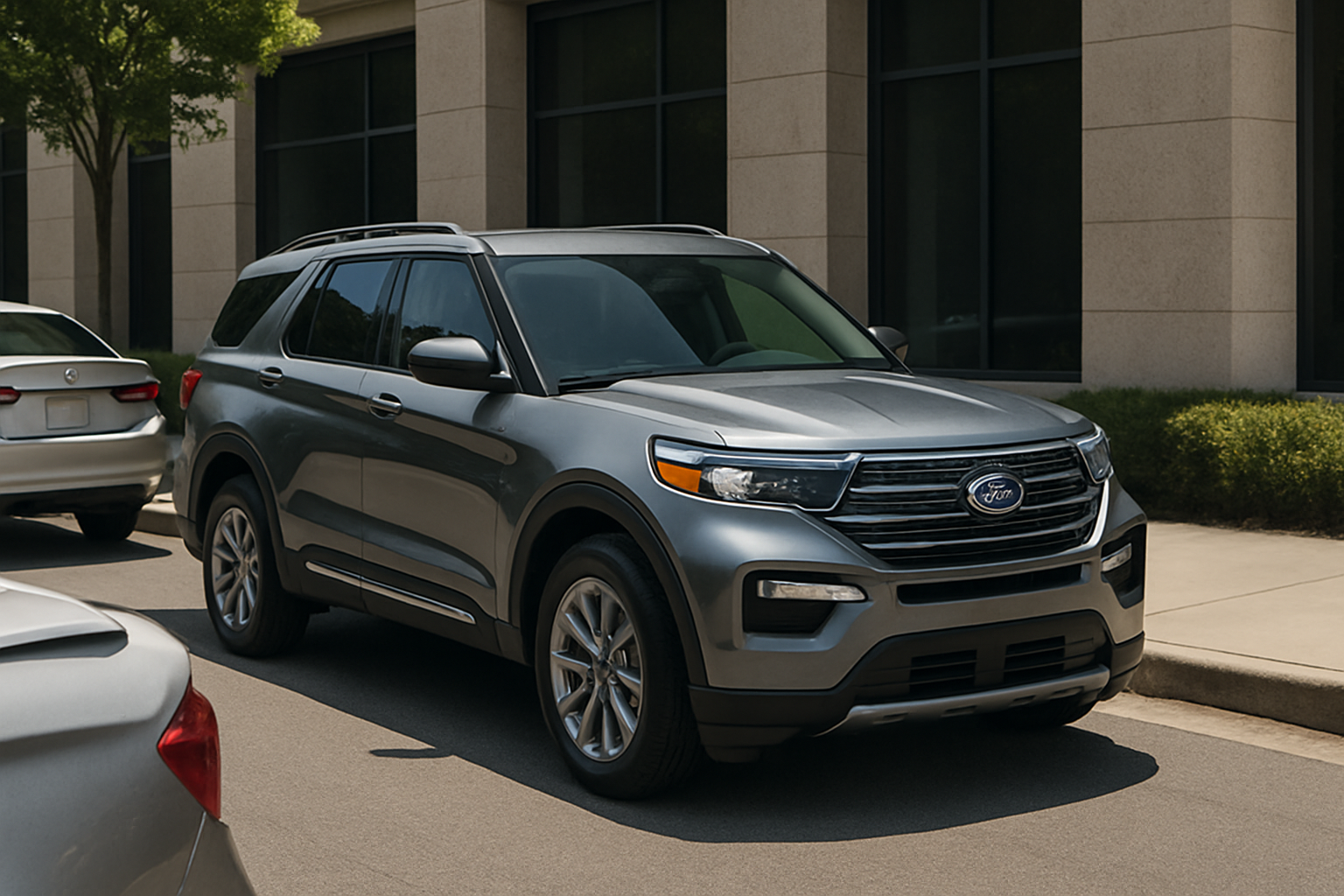
The Ford Explorer’s Active Park Assist 2.0 takes the stress out of tight parking situations by handling both parallel and perpendicular parking maneuvers automatically. This advanced system uses sensors to scan for suitable parking spaces and can park your vehicle with minimal input from you.
Understanding how to properly use this feature can save you time and reduce the anxiety that comes with navigating crowded parking lots or squeezing into tight street parking spots.
What is Ford’s Active Park Assist 2.0?
Active Park Assist 2.0 represents Ford’s second-generation automatic parking technology, available on recent Ford Explorer models. Unlike basic parking sensors that just beep when you’re getting close to objects, this system actually takes control of your steering wheel to guide your vehicle into parking spaces.
The system uses multiple ultrasonic sensors positioned around your Explorer to detect suitable parking spaces as you drive past them. Once it finds a spot that’s large enough for your vehicle, it can execute the entire parking maneuver while you control only the gas and brake pedals.
The “2.0” designation indicates this is Ford’s updated version, which includes improvements in detection accuracy and parking precision compared to the original Active Park Assist system.
How Active Park Assist 2.0 Works
The system operates through a network of 12 ultrasonic sensors strategically placed around your Explorer’s bumpers and sides. These sensors continuously monitor the space around your vehicle, measuring distances and identifying potential parking spots.
When you activate the system, it begins scanning for spaces that meet specific size requirements. For parallel parking, the space needs to be at least 1.2 times the length of your vehicle. For perpendicular parking, the system looks for spaces with adequate width and depth clearance.
The technology works at low speeds only, typically under 22 mph during the scanning phase and much slower during the actual parking maneuver. This speed limitation ensures safety and gives the sensors time to accurately assess available spaces.
Activating the Parking Assist System
You’ll find the Active Park Assist button on your center console, typically located near the electronic parking brake and drive mode selectors. The button features an icon that looks like a car positioned between two other vehicles or parking space markers.
To begin using the system, press this button while driving at low speed through a parking area. You’ll see a message appear on your instrument cluster or infotainment screen indicating that the system is actively searching for parking spaces.
The system works best when you maintain a steady, slow speed of around 10-15 mph while searching. Driving too fast will prevent the sensors from properly scanning available spaces.
Finding a Parallel Parking Space
When searching for parallel parking spots, drive slowly past parked cars on your right side, maintaining about 2-3 feet of distance from the parked vehicles. The sensors need this clearance to accurately measure the available space.
As you pass a suitable space, you’ll hear an audible chime and see a notification on your display. The system will prompt you to stop and shift into reverse. Don’t worry about positioning your vehicle perfectly before stopping, the system accounts for minor positioning variations.
Once you’ve stopped and shifted to reverse, the system takes control of the steering wheel. You’ll feel it turn on its own, which can be surprising the first time you experience it. Keep your hands off the steering wheel during this process, as interfering with the wheel movement can cause the system to disengage.
Your job during the parking maneuver is to control speed using the brake and accelerator pedals. The system provides audio prompts telling you when to move forward, when to reverse, and when to stop. Follow these instructions precisely for the best results.
Perpendicular Parking Made Simple
Perpendicular parking works similarly but requires you to drive past parking spaces in a parking lot setting. The system can detect both angled and straight perpendicular spaces, though it works more reliably with standard 90-degree parking spots.
Drive slowly down the parking lot aisle at around 5-10 mph, staying roughly centered in the driving lane. The sensors scan spaces on both your left and right sides simultaneously, so you don’t need to favor one side or the other.
When the system identifies a suitable space, it will alert you with the same chime and display message you’d see for parallel parking. Stop your vehicle when prompted and shift into reverse to begin the parking sequence.
Perpendicular parking maneuvers are typically quicker than parallel parking, often completing in one smooth reverse motion. However, the system may require you to pull forward and reverse again if the initial positioning isn’t quite right.
Understanding Speed Requirements
Speed control is critical for successful operation of Active Park Assist 2.0. During the scanning phase, you need to maintain speeds between 5-22 mph for the sensors to properly detect available spaces. Going too fast overwhelms the sensor processing, while going too slow can cause the system to time out.
Once the parking maneuver begins, keep your speed very low, typically under 3-4 mph. The system provides audio cues for speed control, telling you to “drive forward slowly” or “reverse slowly” as needed.
If you exceed the speed limits during parking, the system will disengage and return steering control to you immediately. You’ll need to manually complete the parking maneuver or restart the process from the beginning.
What to Do When the System Activates
When Active Park Assist takes control, resist the urge to grab or fight the steering wheel. The system applies significant force to turn the wheel, and interfering with this motion triggers an immediate shutdown of the automated parking sequence.
Keep your foot hovering over the brake pedal throughout the maneuver. If you notice the system guiding your vehicle toward an obstacle that it hasn’t detected, such as a small object or uneven curb, press the brake immediately to stop the process.
Watch your mirrors and backup camera display continuously during the parking process. While the system is sophisticated, it’s not infallible, and you remain responsible for the safe operation of your vehicle.
Common Situations Where the System Struggles
Active Park Assist 2.0 works best in ideal conditions but can have difficulty in certain scenarios. Extremely tight parking spaces that meet the minimum size requirements may still prove challenging for the system to execute cleanly.
Weather conditions affect sensor performance significantly. Heavy rain, snow, or ice buildup on the sensors can prevent proper operation. Clean your sensors regularly, especially during winter months when salt and grime accumulate quickly.
The system also struggles with unconventional parking situations, such as angled spaces that aren’t clearly marked, spaces on steep inclines, or areas with unusual obstacles like shopping carts or motorcycle parking.
Troubleshooting Tips and Best Practices
If the system isn’t detecting spaces that look adequate to you, check that all your doors and tailgate are properly closed. Open doors can interfere with sensor operation and cause the system to avoid spaces for safety reasons.
Make sure your parking sensors are clean and free of debris. Even small amounts of mud, snow, or leaves can block the ultrasonic sensors and prevent proper space detection. The sensors are typically located in the bumper areas and are small, circular components.
Practice using the system in low-stress environments before relying on it in challenging parking situations. Empty parking lots or quiet residential streets provide good opportunities to become familiar with how the system responds and what it can handle.
Safety Considerations and Limitations
Remember that Active Park Assist is a driver assistance feature, not a fully autonomous parking system. You maintain full responsibility for the safe operation of your vehicle throughout the parking process.
The system cannot detect all types of obstacles, particularly small objects, moving pedestrians, or anything below the sensor detection range. Always check your surroundings visually before and during the parking maneuver.
Keep in mind that the system may not work properly if your vehicle is heavily loaded or if you’re towing a trailer. The altered dimensions and weight distribution can affect both sensor detection and parking execution.
Frequently Asked Questions
Can I stop the parking process once it starts?
Yes, you can interrupt the parking sequence at any time by pressing the brake pedal firmly, touching the steering wheel, or pressing the Active Park Assist button again. The system immediately returns control to you when it detects intervention.
What happens if the system can’t complete the parking maneuver?
If Active Park Assist determines it cannot safely complete the parking process, it will display a message indicating the maneuver is incomplete and return steering control to you. This typically happens when the space proves too tight or obstacles are detected during the process.
Does the system work in all weather conditions?
The system’s effectiveness decreases in adverse weather conditions. Heavy rain, snow, or ice can interfere with sensor operation. Additionally, extremely hot or cold temperatures may affect system performance, though it should still function within normal operating ranges.
Can I use Active Park Assist to exit a parking space?
Active Park Assist 2.0 is designed primarily for parking entry maneuvers. While some Ford models offer park-out assist features, the specific capabilities depend on your Explorer’s model year and trim level. Check your owner’s manual for complete feature availability information.

Leave a Reply