

That Honk When You Walk Away From Your Pilot Isn’t Your Imagination

If you’ve owned a Honda Pilot for more than a week, you’ve probably heard it: you park, grab your bags, start walking toward the house, and a few seconds later your Pilot lets out a short honk or beep on its own. No button pressed, no key fob click. It just locks itself and announces it to the whole driveway.
This isn’t a glitch. It’s a feature called Walk-Away Auto Lock, and Honda built it into the Pilot as a convenience so you never leave the SUV unlocked by accident. The sound that comes with it, though, catches a lot of owners off guard, and plenty of people want to know if they can turn that beep down without losing the locking feature itself. Here’s what’s actually going on, and what you can and can’t change about it.
What the Walk-Away Auto Lock Feature Actually Does
Walk-Away Auto Lock uses the same proximity sensors that power keyless entry. When you get out of the Pilot with the key fob in your pocket or bag, the vehicle detects that the fob has moved a certain distance away, typically around 8 to 10 feet, and locks the doors automatically after a short delay.
It’s meant to solve a real problem. A lot of drivers get out, close the door, and just assume the vehicle locked itself because that’s how their last car worked. Without this feature, an unlocked Pilot sitting in a parking lot is an easy target. Honda’s solution was to make locking automatic once you’re clearly walking away, and to add an audible chirp so you have confirmation without needing to glance back at the vehicle.
We’ve covered how the underlying system works in more detail in our guide on how to use the Walk-Away Auto Lock feature on Honda vehicles, which applies across most current Honda models, not just the Pilot. That article is a good companion piece if you want the full rundown on how the sensor range and timing work.
What Triggers the Beep Specifically
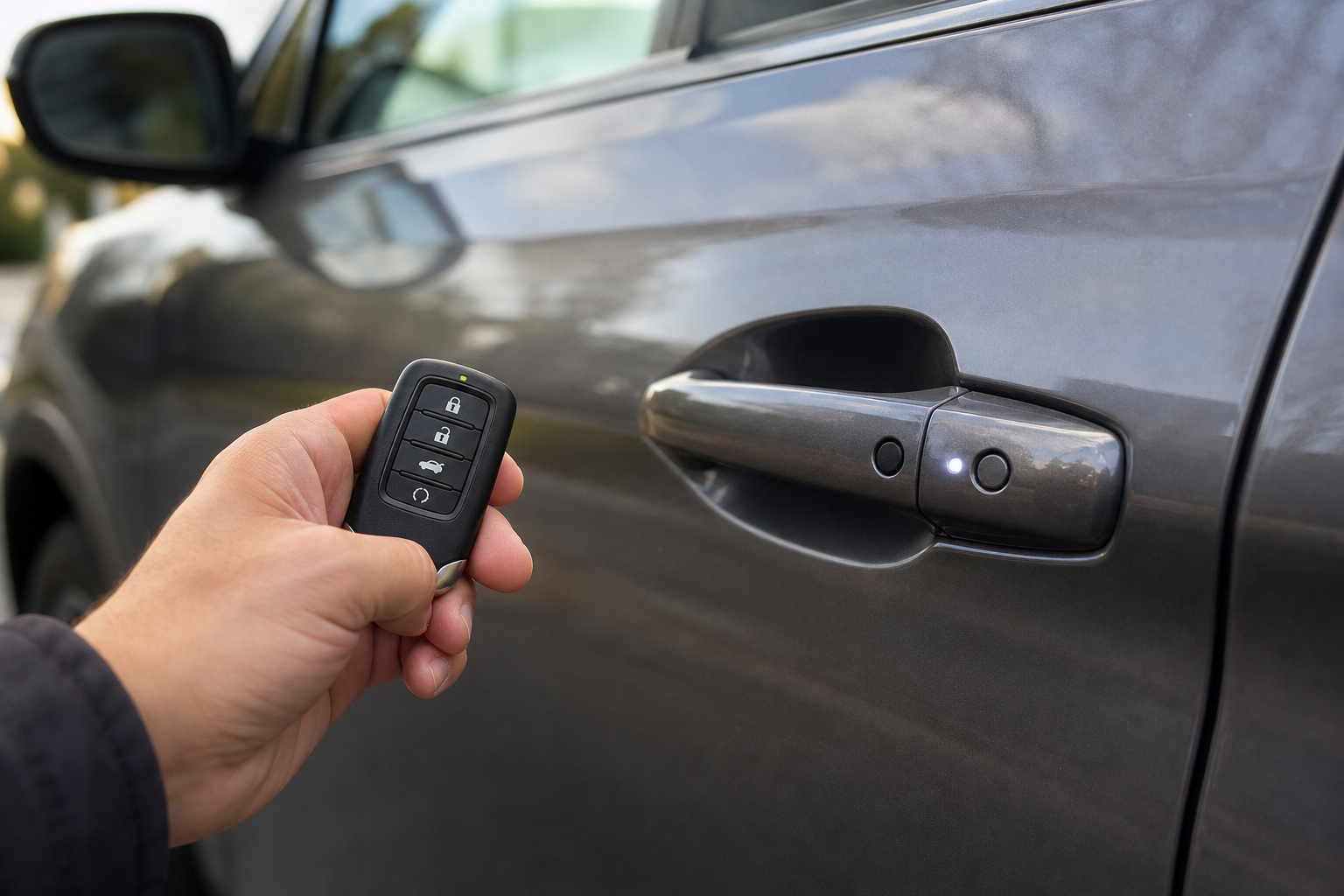
The beep itself isn’t a separate feature from the locking action. It’s the same horn chirp or light tap you’d hear if you locked the doors manually with the fob button. Honda just wired Walk-Away Auto Lock to fire that same confirmation sound automatically once the doors latch.
A few things influence when and how loud it sounds:
- Distance from the vehicle when the fob signal drops out of range
- Whether all doors were fully closed before you walked away
- Trim level, since some Pilot trims tie the chirp to the same horn used for remote lock/unlock confirmation
- Ambient settings on newer trims that include a “light only” confirmation option instead of sound
On earlier Pilot generations, the horn chirp is tied directly to the lock event and there’s no way to separate the two. On newer trims with more configurable settings, Honda gives you a bit more control, which we’ll get into next.
Can You Turn Off Just the Walk-Away Lock Beep?
This is where things get model-year specific, and it’s important to be precise here instead of assuming every Pilot behaves the same way.
2016-2019 Pilot (Third Generation, Pre-Refresh)
On these earlier third-gen Pilots, the horn confirmation for auto-lock is tied to the same setting that controls remote lock confirmation in general. There isn’t a dedicated menu item labeled “Walk-Away Lock Beep” that lets you silence just that one event. Your main option is to disable the horn chirp confirmation for locking altogether, which affects both manual fob locking and the automatic walk-away lock at the same time.
2019-2022 Pilot (Refreshed Third Generation)
Starting with the mid-cycle refresh, Honda added more granular settings through the Driver Information Interface (the small screen between the gauges) on higher trims like Touring and Elite. On these years, you can typically find a “Doors” or “Vehicle Settings” section where a “Horn Confirmation” toggle lives. Turning that off silences the honk on all remote and auto-lock events, not just walk-away lock.
2023-Present Pilot (Fourth Generation)
The redesigned Pilot introduced a larger, more customizable center touchscreen, and with it, Honda separated some settings that used to be bundled together. On TrailSport, Touring, and Elite trims, you can usually go into Settings, then Vehicle, then Locks (exact wording varies slightly by trim and software version), where you’ll find separate toggles for horn confirmation on lock and horn confirmation on unlock. Some software builds also include a distinct toggle specifically for Walk-Away Lock sound versus manual remote lock sound, though this isn’t guaranteed on every trim.
Because Honda pushes over-the-air software updates and infotainment revisions throughout a model year, the exact menu wording can shift even within the same generation. If your menu doesn’t match what’s described above, check your Pilot’s specific settings menu rather than assuming the feature is missing.
The safest approach is to physically go through your Pilot’s Settings menu on the touchscreen and look under Vehicle or Locks rather than relying on a generic walkthrough, since Honda has changed this menu structure more than once across the current generation.
Does Turning Off the Beep Affect Other Sounds?
This is the part that trips people up. On most Pilot model years, the horn confirmation setting is shared across multiple functions, not isolated to walk-away lock alone.
In practice, that means:
- Disabling horn confirmation usually silences the beep for manual remote locking too, not just the automatic walk-away version
- Unlock confirmation is often a separate toggle from lock confirmation, so you can typically silence one without touching the other
- Alarm chirps and panic button sounds are controlled independently and won’t be affected by this setting
- Seatbelt reminders, door-ajar chimes, and other safety alerts are unrelated systems and stay active regardless of what you do here
If you’re the type of owner who likes some audible confirmation (say, in a crowded parking lot where you want to double check the doors locked) but you’re specifically annoyed by the beep going off while you’re still walking to your front door, know that on most Pilots you’re choosing between “beep on everything” or “beep on nothing” rather than picking and choosing by event. The newer fourth-generation Pilot is the exception, where some trims genuinely let you separate the two.
When You Actually Need a Dealer or Scan Tool

Some Honda owners go looking for ways to reprogram the horn behavior beyond what the factory menu allows, usually after finding forum posts referencing HDS (Honda Diagnostic System) settings changes. It’s worth being clear about the difference between owner-accessible settings and dealer-level programming.
The Vehicle Settings and Driver Information Interface adjustments described above are meant to be changed by the owner, no special tools required. They’re built into the infotainment or gauge cluster menus specifically so you can adjust them yourself.
Deeper changes, like altering horn volume, changing chirp duration, or modifying which specific body control module events trigger the horn relay, require Honda’s proprietary HDS software and a technician-level connection to the vehicle’s body control module. This isn’t something sold as a consumer product, and it’s not something we’d recommend trying to replicate with generic aftermarket OBD-II tools or unofficial coding guides floating around online. Incorrect changes to body control module settings can affect other systems tied to the same module, including security functions, and can create diagnostic headaches down the road.
If the factory menu on your Pilot doesn’t offer the granularity you want, your realistic options are to either live with the shared setting, or ask your dealer’s service department whether a documented, Honda-supported adjustment exists for your specific model year and trim. Some dealers can make minor adjustments through HDS that aren’t exposed in the owner menu, but this varies by dealership and isn’t something Honda publishes as a standard owner request.
A Quick Note on Battery Drain and Sensor Behavior
Walk-Away Auto Lock relies on the fob’s proximity signal, which means it’s constantly polling for the key even when you’re not actively using the vehicle. This isn’t a significant drain on your car’s 12-volt battery under normal circumstances, but if you’re already dealing with unrelated battery issues, it’s worth ruling out other causes first. Our guide on why a car battery dies overnight even when the alternator is fine covers the more common culprits, from parasitic draws to aging batteries that just can’t hold a charge anymore.
FAQ
Does turning off the walk-away lock beep also disable the walk-away locking itself?
No. On every Pilot model year, the horn confirmation setting and the actual locking function are separate. Turning off the sound just makes the lock happen silently. If you want to disable the auto-locking behavior entirely, that’s a different toggle, usually labeled something like “Walk-Away Auto Lock” or “Auto Door Lock” in the same settings area.
Why does my Pilot sometimes not lock when I walk away?
This usually comes down to fob range or a door not being fully latched. If a door is slightly ajar, or if the fob stays within range longer than expected (common if you’re loading something from the trunk before walking off), the system waits before locking. It’s a timing and sensor issue, not a sign anything is broken.
Is the walk-away lock beep the same sound as the remote lock confirmation?
Yes, on most Pilot trims it’s the identical horn chirp. Honda didn’t create a unique sound for walk-away locking; it just reuses the existing lock confirmation tone and triggers it automatically once the auto-lock event completes.
Can I adjust the volume of the lock beep without turning it off completely?
Not through the standard owner-accessible menus. The Pilot’s horn confirmation is an on/off toggle, not a volume slider. If the horn itself sounds louder or different than expected, that’s more likely a horn or relay issue worth having a technician check rather than something adjustable through settings.

Leave a Reply