
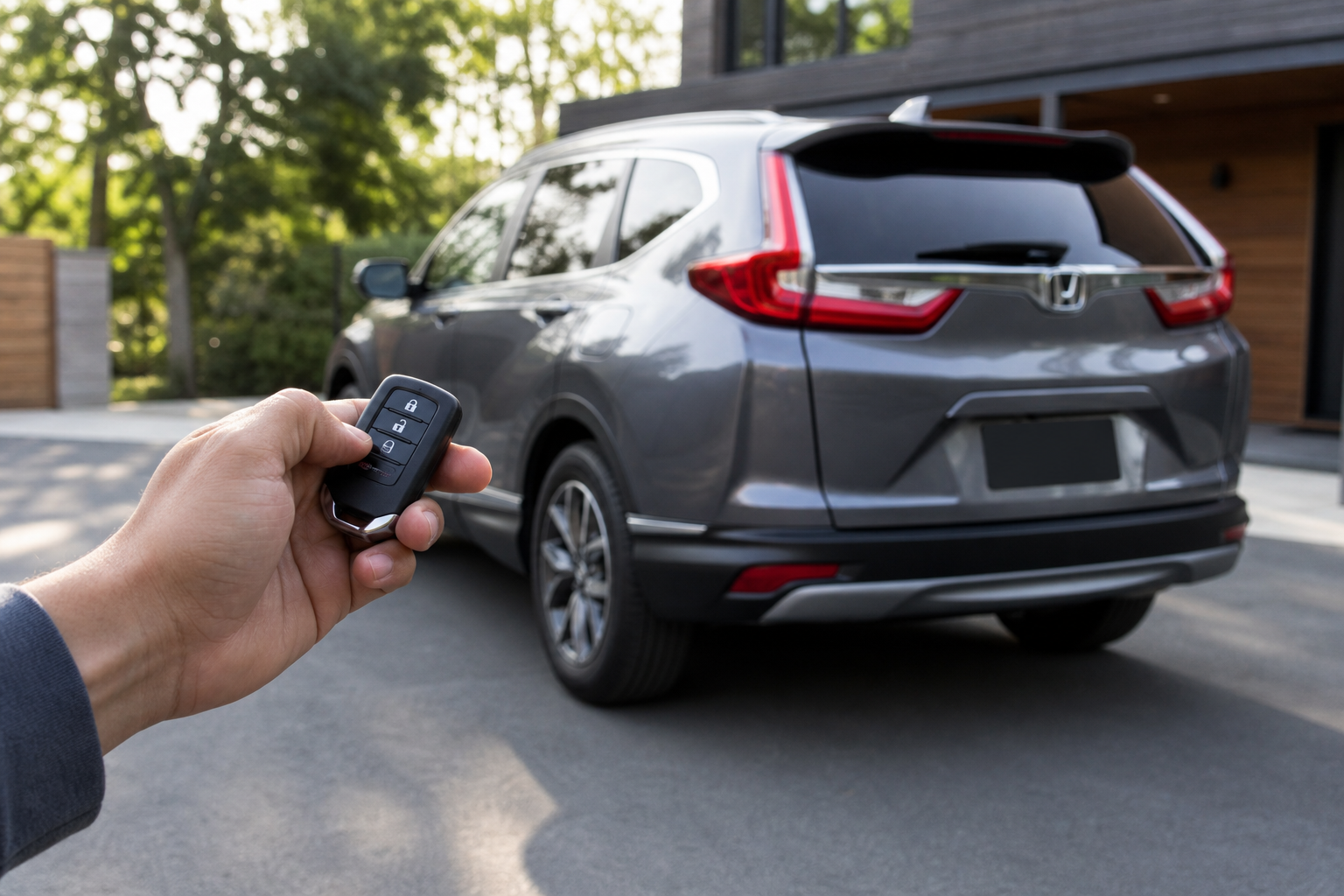
If you’ve ever walked away from your Honda CR-V and heard a short chirp or beep as the doors locked behind you, you’re not imagining things. It’s a real feature, and it catches a lot of owners off guard the first few times it happens. Some drivers love the confirmation, others find it embarrassing in a quiet parking garage, and plenty just want to know if there’s a way to dial it down without losing the locking feature itself.
This guide covers what that sound actually is, how Honda lets you control it depending on your CR-V’s model year, and what’s realistic to expect if you’re hoping to quiet things down. We’ll also point out where the line is between an owner-adjustable setting and something that genuinely needs dealer equipment.
What the Walk-Away Auto Lock Beep Actually Is
The sound you’re hearing is tied to Honda’s Walk-Away Auto Lock feature, which automatically locks your CR-V’s doors a few seconds after you exit the vehicle with the key fob and walk a short distance away. It’s designed to catch the moments you forget to lock up manually, whether you’re juggling groceries or just distracted.
When the doors lock on their own, most CR-V trims give you an audible chirp or a light flash (sometimes both) as confirmation that the car actually locked. That beep isn’t a separate feature exactly. It’s the standard lock confirmation sound, just triggered automatically instead of by you pressing the lock button on the fob or door handle.
If you want the full rundown on how the auto lock timing works and how to enable or disable the underlying feature, we’ve covered that in detail in our guide on how to use the Walk-Away Auto Lock feature on Honda vehicles. This article focuses specifically on the beep itself.
What Triggers the Sound
The beep fires when the following happens in sequence: you exit the CR-V with the fob on you, all doors close, and you walk far enough away that the system determines you’ve left the vehicle. At that point the doors lock automatically and the horn or chime gives a short confirmation sound.
A few things affect whether you hear it at all:
- Some CR-V trims use a light horn chirp for lock confirmation, while others rely more on hazard light flashes with a quieter or no audible tone.
- If you manually lock the doors with the fob before walking away, you’ll hear the regular lock chirp instead of the walk-away version, though they often sound identical.
- Distance and timing matter. If you’re still within range when the auto lock timer runs out, it won’t trigger, and no sound will play.
Owners sometimes assume this is a separate “walk-away alert” sound meant to notify them the car locked from a distance. In most cases, it’s simply the vehicle’s normal lock confirmation chime, doing its job at a moment you weren’t expecting it.
Can You Turn Off or Adjust the Beep?
Whether you can adjust this depends heavily on your CR-V’s model year and trim level, so it’s worth checking your owner’s manual before assuming a setting exists or doesn’t.
On newer CR-V models (generally 2023 and later) equipped with the larger touchscreen infotainment system, Honda has added more granular sound settings under the vehicle settings menu. Look for a path like Settings > Vehicle > Lock/Unlock Reminder or a similarly labeled “Horn Chirp” toggle. Some trims let you turn off the horn confirmation entirely while keeping the light flash, which is the most common request from owners who just don’t want the noise.
On older CR-V generations (2017-2022, and especially 2012-2016), the lock confirmation sound is typically tied to a single “Horn Chirp on Lock” setting that isn’t always accessible through the infotainment screen. On these model years, the setting is often buried in a combination of button presses using the driver information interface (DII), and Honda’s documentation for exact steps varies by trim and region.
Because these menu paths and terminology shift from year to year, and Honda doesn’t always use consistent naming across trims, checking your specific owner’s manual (or the manual on Honda’s owner site by VIN) is the most reliable way to confirm what’s available for your exact CR-V.
Does Adjusting It Change Other Confirmation Sounds?
This is where owners often get surprised. On most CR-V model years, the horn chirp setting is a single global toggle. That means turning it off to quiet the walk-away lock beep will also silence the chirp when you lock the doors manually with the fob button.
In other words, you generally can’t isolate “auto lock beep” from “manual lock beep” as two separate settings. It’s an all-or-nothing switch in most trims. The hazard light flash confirmation, if your CR-V has it, typically stays active regardless of whether you mute the horn chirp, so you’ll still get a visual confirmation that the doors locked even with the sound off.
If your CR-V also has other alert chimes, like seatbelt reminders or door-ajar warnings, those are controlled separately and won’t be affected by adjusting the lock confirmation sound.
When You Actually Need a Dealer or Scan Tool
For the vast majority of CR-V owners, the horn chirp on/off setting is accessible without any special tools, either through the infotainment menu on newer models or the DII button sequence on older ones. This is a normal owner-accessible adjustment, not something that requires dealer intervention.
Where things get murkier is with more advanced audio customizations, like changing the pitch or duration of the chirp, or enabling features that weren’t offered on your specific trim from the factory. Those kinds of changes typically require a dealer service department using Honda’s diagnostic software, and in some cases they’re simply not supported at all regardless of tools used.
We’d recommend against pursuing unsupported module coding or aftermarket workarounds to force settings that aren’t natively available on your trim. Beyond the risk of throwing an unrelated warning light, it can complicate warranty claims down the road, similar to concerns we’ve flagged with other electronic feature adjustments on modern vehicles. If the built-in menu doesn’t offer the toggle you want, your CR-V’s trim simply wasn’t built with that option, and a quick call to your dealer’s service advisor can confirm that before you spend time hunting for a workaround.
Frequently Asked Questions
Does turning off the walk-away lock beep disable the auto lock feature itself?
No. Muting the horn chirp only removes the audible confirmation. The doors will still lock automatically when you walk away with the fob, you just won’t hear the beep announcing it. If you want to disable auto locking entirely, that’s a separate setting from the sound toggle.
Why does my CR-V beep twice sometimes when I walk away?
A double chirp on some CR-V trims usually indicates all doors and the tailgate are confirmed closed and locked, while a single chirp can mean only some doors locked or the system is giving a shorter confirmation tone. This varies by trim year, so if you’re hearing an unexpected pattern consistently, it’s worth having your dealer check that nothing else (like a door sensor) is triggering it.
Is the walk-away lock beep the same as the TPMS or other warning chimes?
No, they’re unrelated systems. The lock confirmation beep is purely tied to door locking status, while tire pressure warnings use a completely separate chime and dashboard light. If you’re dealing with a TPMS issue on your CR-V instead, our guide on resetting the Honda CR-V TPMS light covers that process year by year.


Leave a Reply