
If your Subaru Forester keeps tugging at the wheel every time you drift near a lane line, you’re not imagining it. That’s EyeSight doing exactly what it was designed to do, and while it’s a genuinely useful safety net on the highway, it can feel intrusive on narrow back roads, in construction zones, or when lane markings are faded or confusing. The good part is that Subaru gives you a way to dial it back. The part that trips people up is figuring out whether that setting actually sticks.
What Subaru Actually Calls This System
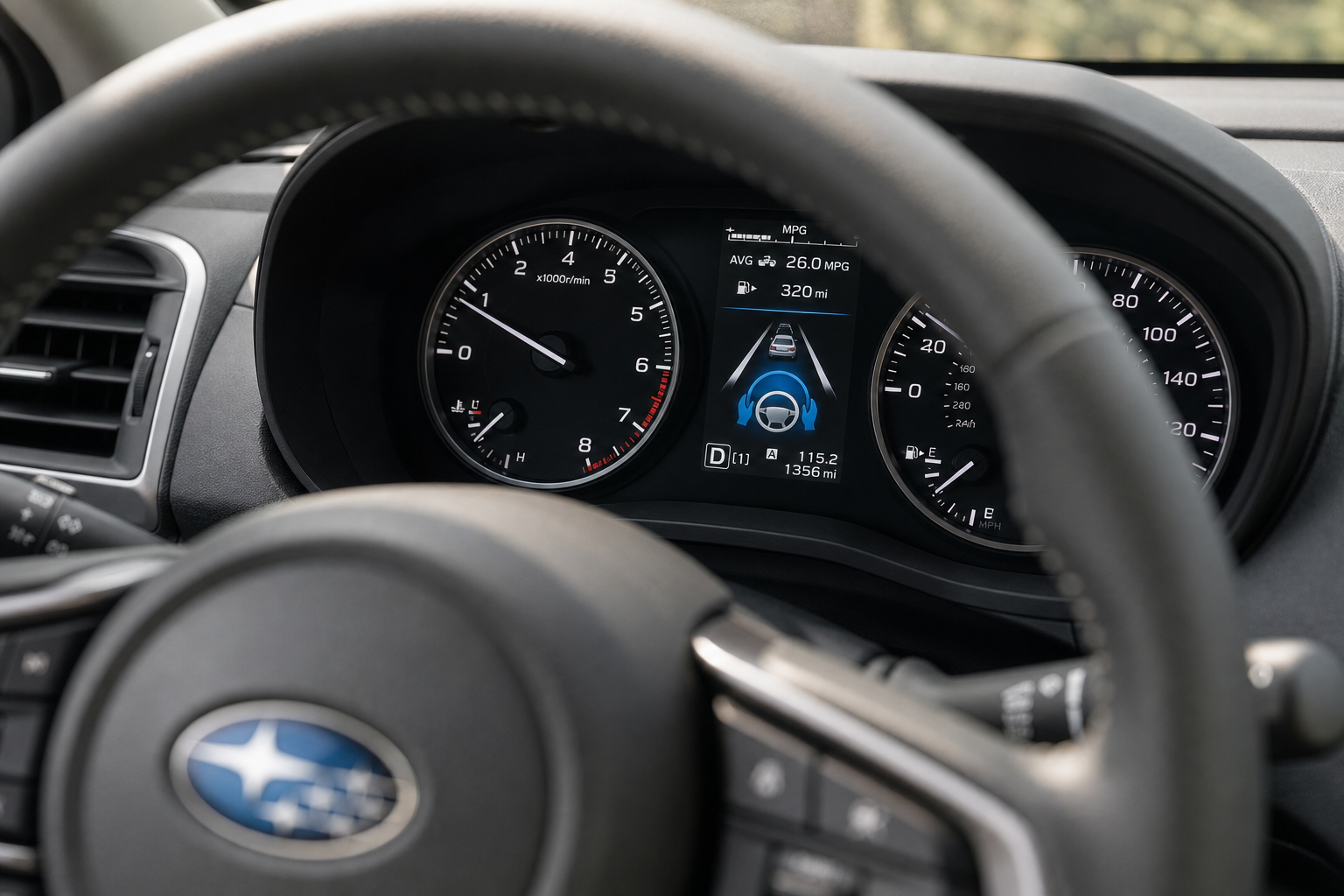
Subaru doesn’t use the generic “lane assist” name you’ll see on other brands. On the Forester, the lane-related features live under the EyeSight Driver Assist Technology umbrella, and there are two distinct pieces you need to know apart:
- Lane Departure Warning (LDW): This just watches lane markings and gives you a visual and audible chime if you drift without signaling. It doesn’t touch the steering at all.
- Lane Keep Assist / Lane Sway Warning: This is the one that actually applies gentle steering torque to nudge you back toward center. On the Forester, this is sometimes labeled “Active Lane Keep” or bundled into the same EyeSight menu depending on model year.
That distinction matters because you can usually turn off the steering intervention while leaving the warning chime active, or vice versa. A lot of Forester owners find that keeping the audible warning but killing the steering nudge is the best compromise, especially on twisty rural roads where the system tends to fight you unnecessarily.
How to Turn Off Lane Keep Assist on the Forester
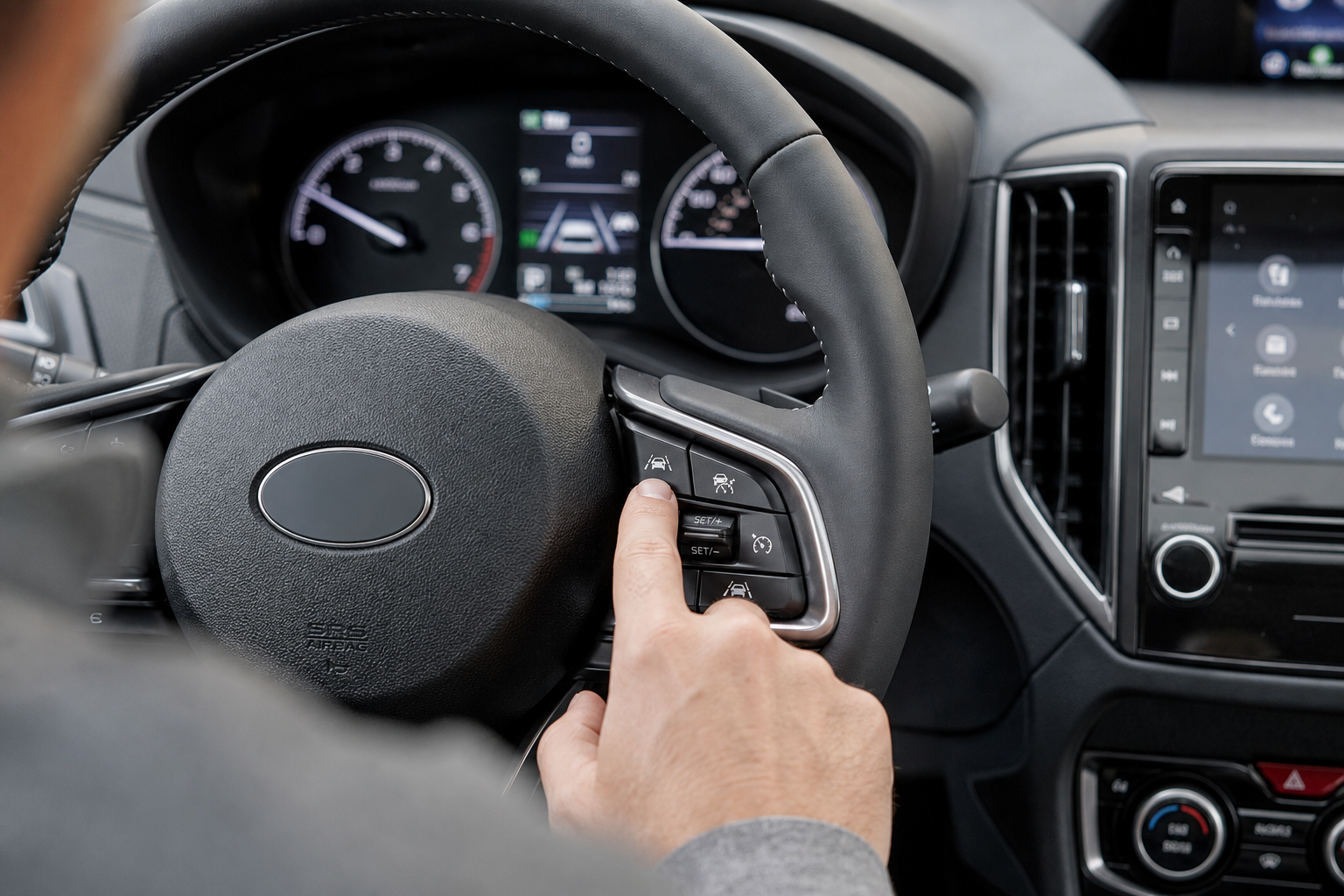
There are two ways to do this on most Forester model years (2019 through 2024), and both work the same day-to-day.
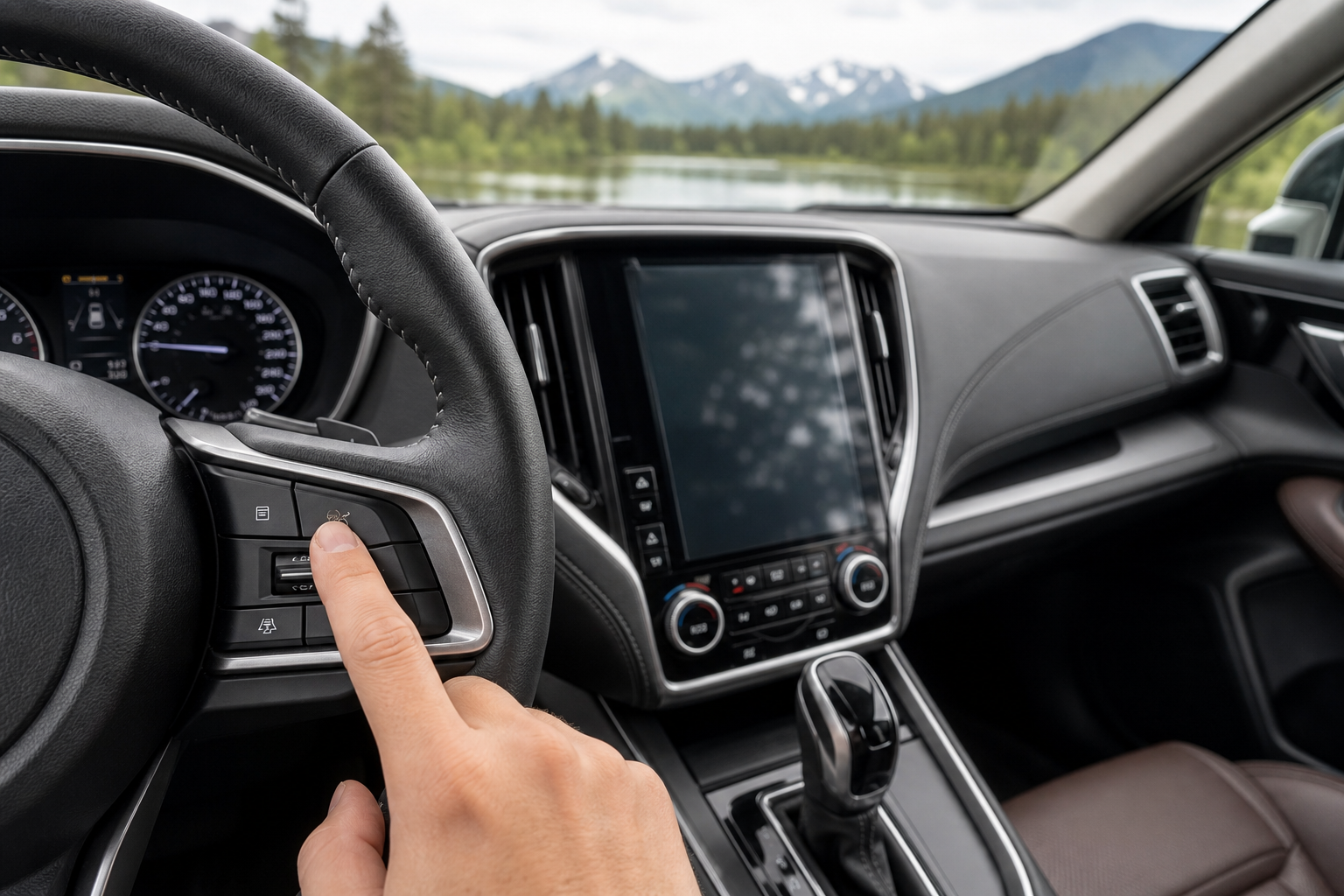
The quickest method is to use the Lane Keep Assist button on the right side of the steering wheel. Look for the button showing a vehicle between two lane lines.
Pressing it turns the steering-assist function off. Watch the instrument cluster for the lane-assist indicator to disappear or change status.
This does not necessarily turn off every lane-related warning. Subaru separates the steering intervention from the audible Lane Departure Warning, so your Forester may still beep if EyeSight thinks you are drifting across a lane line.
Turning Off the Lane Departure Warning Too
If you also want to get rid of the warning chime, look for the Lane Departure Warning OFF control.
Depending on the model year, this may be an overhead button near the EyeSight controls or an option inside the vehicle settings menu.
On Foresters with a physical button, press and hold it for roughly two seconds. A warning indicator in the instrument cluster should confirm that Lane Departure Warning and Lane Sway Warning have been disabled.
That gives you three practical setups:
- Everything on: Steering assistance and lane-departure warnings are active.
- Warnings only: The Forester can warn you when you drift, but it will not steer you back.
- Everything off: No steering correction and no lane-departure warning.
If your main complaint is that the steering wheel feels like it is fighting you, the second option is usually the best place to start.
Does Lane Keep Assist Stay Off After You Restart the Forester?
On many Forester model years, the Lane Keep Assist setting is remembered after you shut the vehicle off.
That means if you turn the steering assistance off, you generally should not have to press the button again every time you start the Forester.
The Lane Departure Warning setting is also retained on many EyeSight-equipped Foresters.
That is different from certain other vehicle features, such as Auto Start-Stop, which may automatically reactivate every time you restart the vehicle.
Subaru has changed the EyeSight interface over the years, though, so if your Forester keeps turning the feature back on, check the EyeSight or vehicle settings for your specific model year.
Using the EyeSight Settings Menu
Some Foresters give you more control through the EyeSight settings menu.
Depending on the year and trim, you may see options for Lane Departure Prevention or similar lane-assistance settings.
Possible settings can include:
- Steering assistance and warning sounds
- Steering assistance only
- Warning sounds only
- Both functions off
If your goal is simply to stop the steering wheel from moving on its own, choose the option that leaves the warning active while disabling the steering intervention.
The exact wording varies by model year, so your menu may not match those labels exactly.
What About Lane Centering With Adaptive Cruise Control?
There is another Subaru feature that can feel very similar to Lane Keep Assist: Lane Centering.
Lane Departure Prevention waits until the Forester believes you are getting too close to leaving your lane and then applies steering assistance.
Lane Centering is more continuous. When Advanced Adaptive Cruise Control is active, the system can make small steering corrections to help keep the vehicle near the middle of the detected lane.
If your Forester only seems to fight the steering wheel while cruise control is turned on, Lane Centering may actually be the feature you are noticing.
On applicable Foresters, the same Lane Keep Assist steering-wheel control can be used to turn Lane Centering on or off while Adaptive Cruise Control is operating.
Why Lane Keep Assist Sometimes Feels Like It Is Fighting You
EyeSight is making decisions based on what its cameras believe are the boundaries of your lane.
That works well on a clearly marked highway, but things get more complicated when the road markings are messy.
The system may behave less naturally on:
- Construction zones with temporary lane markings
- Roads with faded paint
- Narrow rural roads
- Sharp curves
- Snow-covered roads
- Roads with repaired asphalt or pavement seams
- Areas where old lane markings are still visible
- Situations where you deliberately move toward one side of the lane
The system cannot understand why you are positioning the vehicle differently. It can only interpret what the cameras see.
Using your turn signal also matters. EyeSight is designed to recognize an intentional lane change when you signal, which helps prevent the system from trying to steer you back unnecessarily.
Don’t Disable EyeSight by Covering the Cameras
If Lane Keep Assist bothers you, use Subaru’s built-in controls to disable that specific feature.
Do not cover the EyeSight cameras with tape, block their view, disconnect sensors, or attempt to disable the entire EyeSight system just to stop the steering assistance.
EyeSight also handles other safety features, including Pre-Collision Braking and Adaptive Cruise Control.
Disabling the entire system can therefore remove considerably more functionality than you intended.
The Lane Keep Assist control exists specifically so you can shut off the steering intervention without disabling everything else.
Should You Leave Lane Departure Warning On?
For most drivers who dislike the steering correction, the best compromise is to turn Lane Keep Assist off while leaving Lane Departure Warning on.
You get normal steering feel, but EyeSight can still alert you if you unintentionally begin drifting out of your lane.
If the warning chime itself becomes annoying because you frequently drive on roads with poor lane markings, you can disable that separately.
Just remember that these systems are driver-assistance features. Turning them off means giving up the additional safety layer they provide.
The Bottom Line
If your Subaru Forester keeps nudging the steering wheel and you want it to stop, start with the Lane Keep Assist button on the right side of the steering wheel.
That disables the steering intervention without requiring you to shut down the entire EyeSight system.
If you also want to eliminate the lane-departure warnings, turn those off separately using the Lane Departure Warning control or the EyeSight settings menu, depending on your model year.
For many Forester owners, leaving the warning system active while turning the steering assistance off gives the best balance: you keep the extra alert from EyeSight without having the car tugging at the wheel.
Leave a Reply