
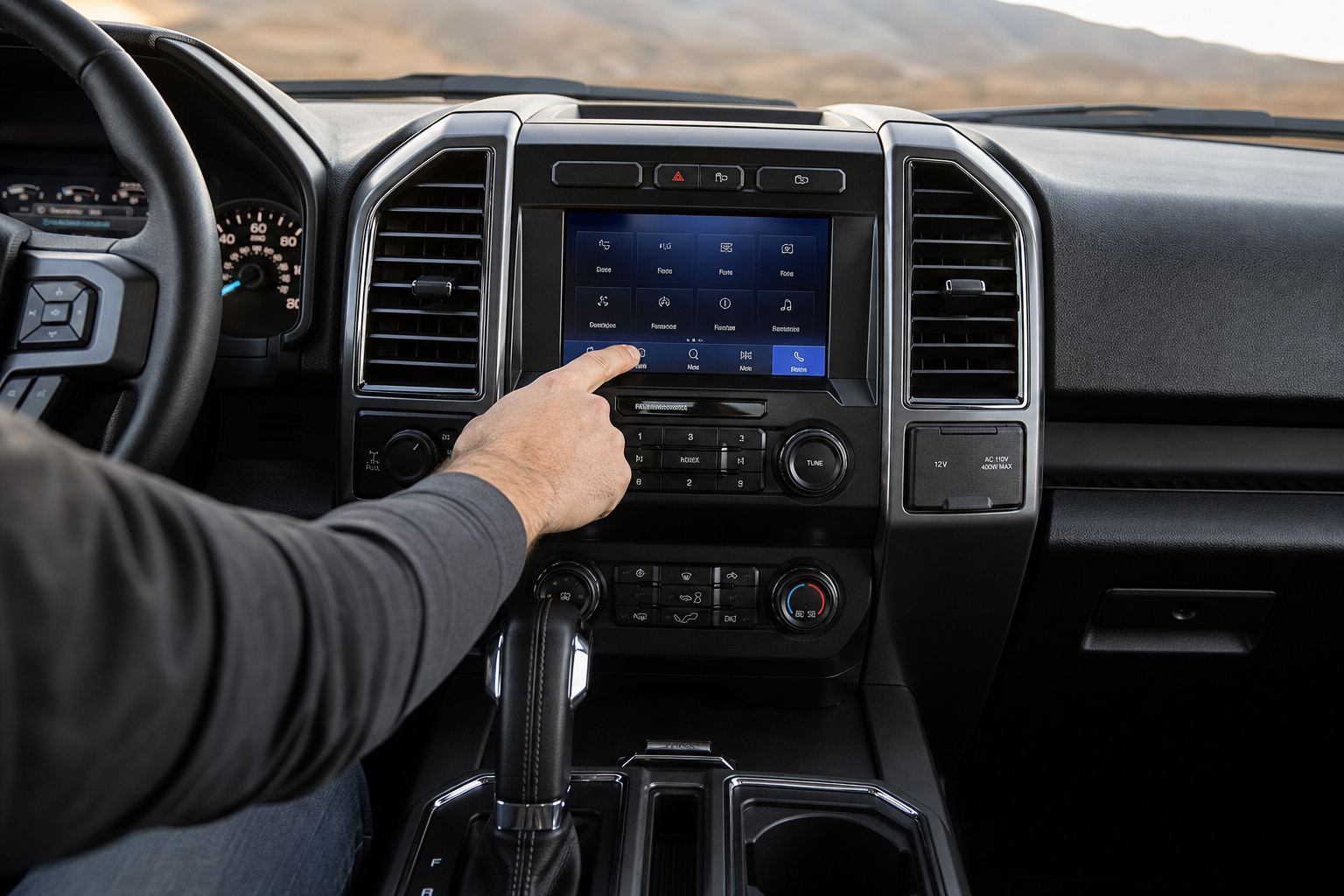
If you’ve ever been cruising down the highway in your F-150 and suddenly heard a chime followed by a little coffee cup icon flashing on your dash, you already know what Driver Alert is. It’s Ford’s way of telling you that your steering inputs look like you might be getting drowsy, and for a lot of owners, it shows up at the worst possible times, like on a long straight highway when you’re actually paying full attention.
The good news is that Ford does give you some control over this feature, but exactly how much control depends on your truck’s model year and trim. Before you go digging through menus hoping to kill it for good, it helps to understand what the system actually does and what “turning it off” really means in practice.
What Driver Alert Actually Does
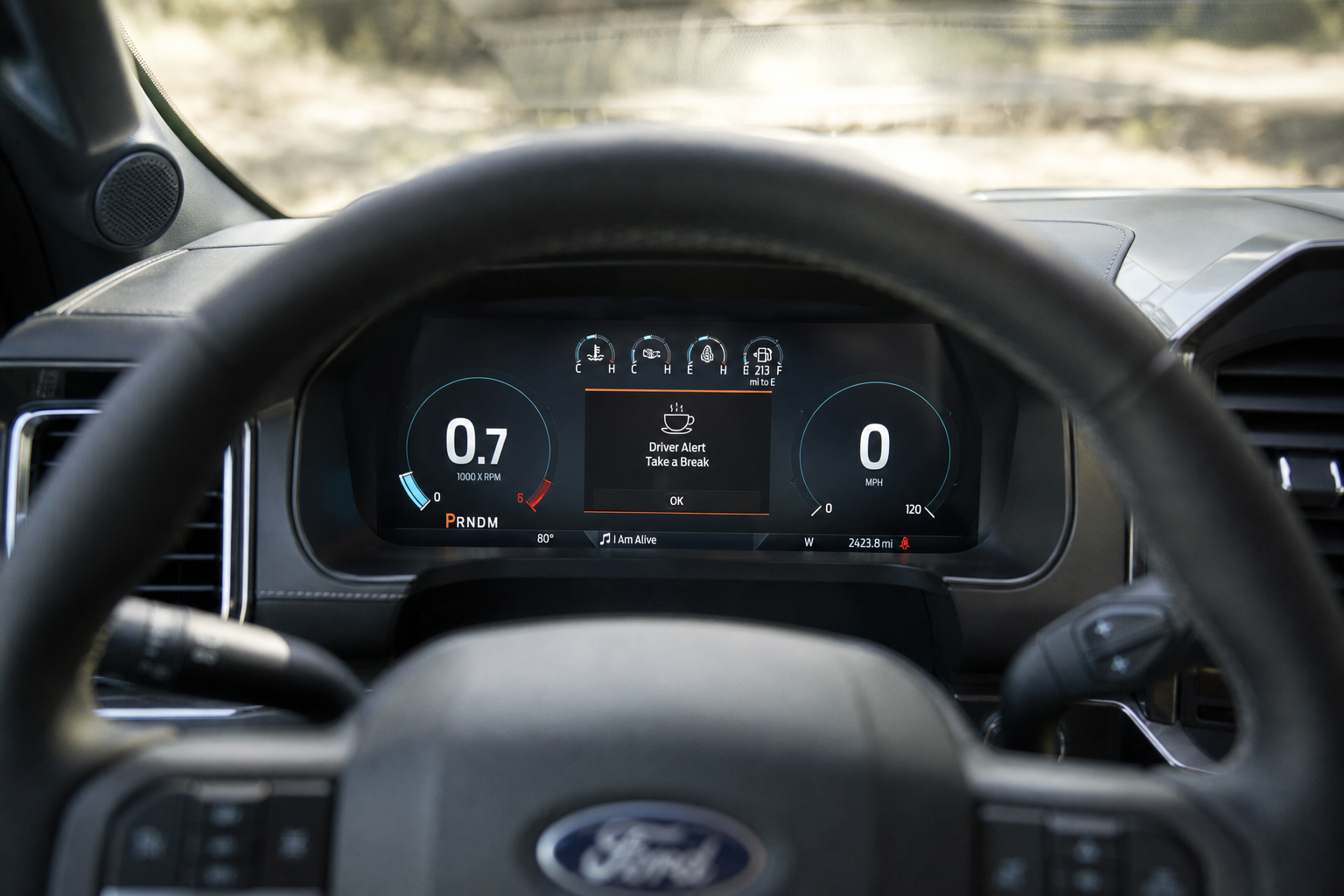
Driver Alert is a drowsy driving warning system, not a collision avoidance feature. It watches your steering patterns over time and compares them to what a fatigued driver typically does, like small, erratic corrections instead of smooth, confident steering.
When the system thinks you’re showing signs of fatigue, it triggers a chime and displays a message in the instrument cluster. Most owners describe this warning as a coffee cup icon paired with text that reads something like “Rest Suggested” or “Time for a Break.” It’s not tied to how long you’ve been driving on the clock, it’s tied to your actual driving behavior, which is why it can trigger even on a short trip if your steering looks inconsistent.
Ford introduced this feature as part of its broader driver assist suite years ago, and it’s stuck around on the F-150 through multiple generations, including trucks equipped with the newer SYNC 4 infotainment system.
Where to Find the Setting
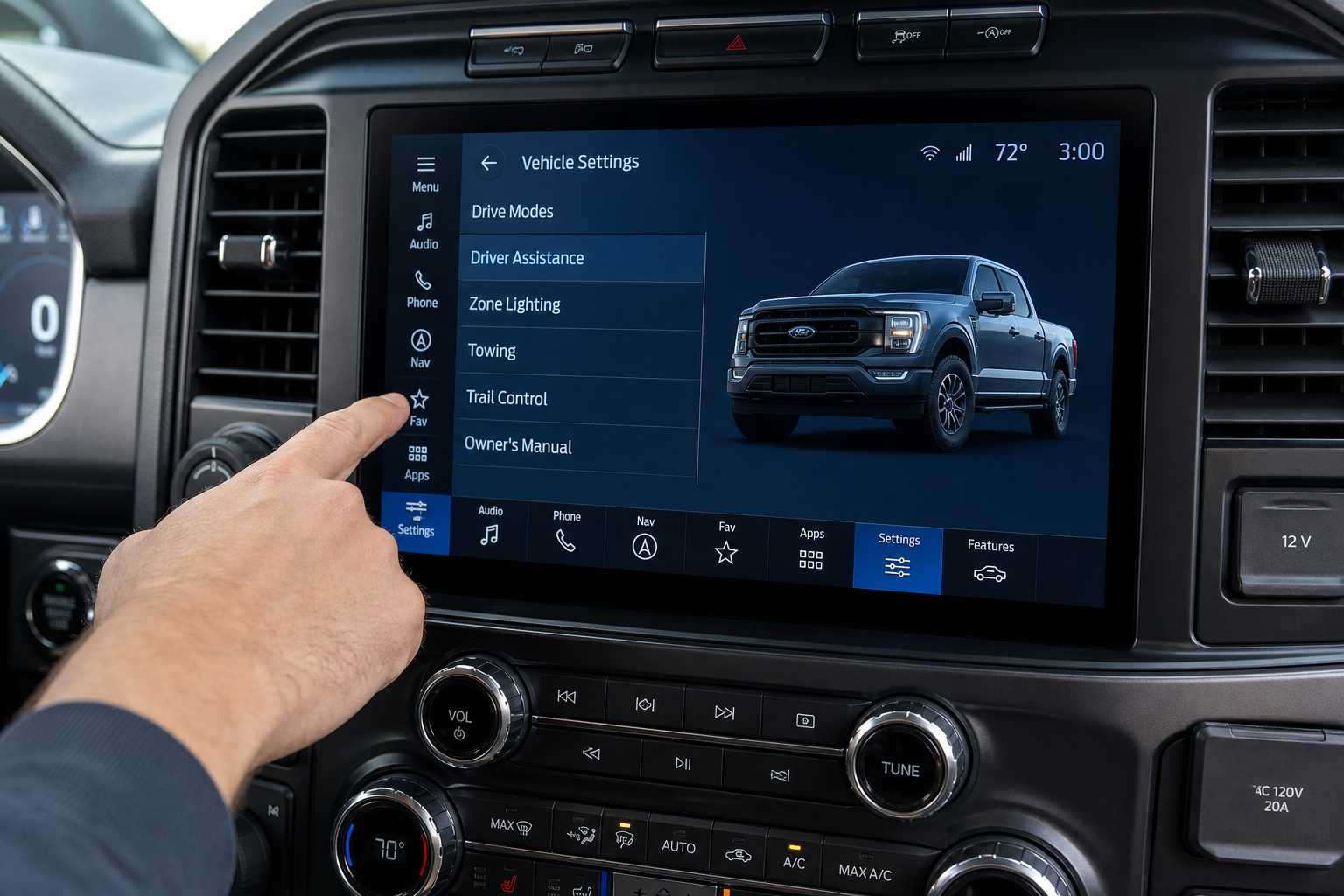
On most F-150 model years, Driver Alert settings live in the instrument cluster menu, which you navigate using the arrow buttons or scroll wheel on your steering wheel. From there, you’ll typically go to Settings, then Driver Assist or a similarly labeled category, where you’ll find Driver Alert System listed with an On/Off toggle.
On newer trucks running SYNC 4, some owners find the toggle in the touchscreen’s settings menu instead, under a driver assist or vehicle settings tab. Ford has shuffled menu names and locations around between generations, so if you can’t find it in one spot, check both the cluster menu and the touchscreen before assuming your truck doesn’t have the option.
If you’re still getting familiar with your truck’s other driver tech, it’s worth checking out how to use the surround view and transparent trailer feature on the F-150, since a lot of these systems live in the same general settings area.
Temporary Mute vs. Turning It Off
This is where a lot of confusion comes from, because there are really two separate things you can do with Driver Alert.
The first is dismissing an individual alert when it pops up. You can usually clear the message off the cluster display by pressing the OK button on the steering wheel, but this doesn’t change the setting. The system is still active and will warn you again if it detects the same steering pattern later in the drive.
The second is actually going into the menu and switching the Driver Alert System toggle to Off. On many F-150 model years, this setting does hold across drives once you set it, meaning it won’t automatically flip back on the next time you start the truck. That’s different from some other Ford driver assist features, like lane keeping systems, which often reset to their default state every time you restart the vehicle.
Because Ford has changed how these menus behave across different F-150 generations, don’t assume your specific model year works exactly the same way. Check your owner’s manual or test it yourself over a couple of ignition cycles to confirm whether the setting sticks.
Model Year Differences Worth Knowing
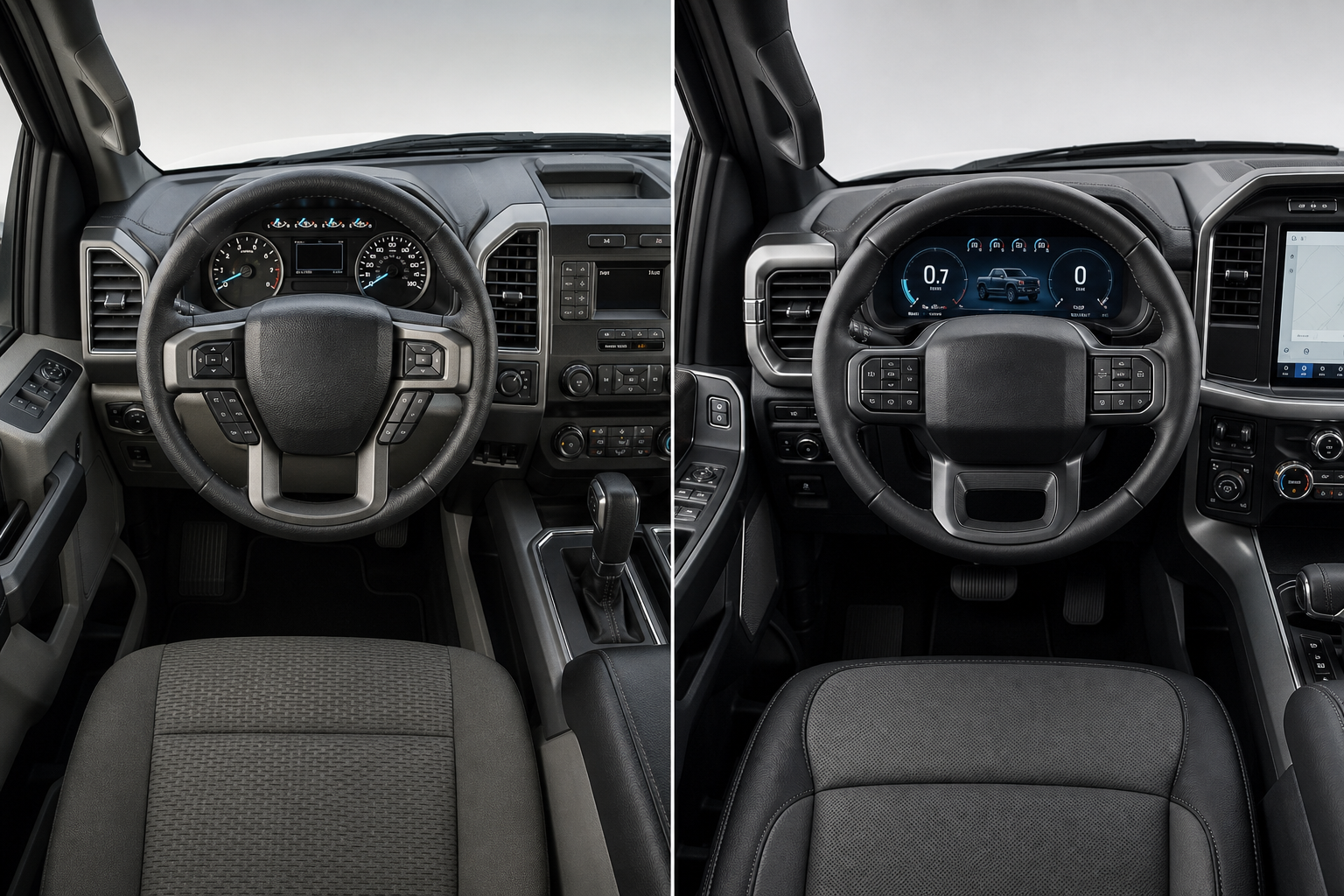
The F-150 has gone through a full redesign for the 2021 model year and another update since, and Ford’s infotainment system changed right along with it. Trucks from roughly 2015 through 2020 use an older instrument cluster interface, while 2021 and newer trucks run SYNC 4, which shifts more settings into the touchscreen.
That transition means the exact wording and location of the Driver Alert toggle isn’t identical across every F-150 you’ll come across. Some owners of older trucks report the setting labeled simply as “Driver Alert,” while newer trucks may list it under a broader “Driver Assist Technologies” category alongside other features.
If you’re not sure which generation your truck falls into or want to compare it to other Ford driver assist tech, it’s worth reading about how Intersection Assist and Evasive Steering work on the Ford Explorer, since Ford tends to roll out similar naming conventions and menu structures across its lineup.
A Few Practical Tips
Before you turn Driver Alert off entirely, consider whether the false alerts are actually a sensitivity problem rather than something you need to shut off completely. Some F-150 trims allow you to adjust how sensitive the system is to steering corrections, which can cut down on false triggers without losing the feature altogether.
If you tow a trailer regularly, keep in mind that trailer sway can sometimes register as erratic steering input, which may be triggering more alerts than you’d get driving unloaded. That’s a separate issue from the Driver Alert system itself, but it’s worth ruling out before you decide the feature is just being overly sensitive.
If you’re doing other routine maintenance on your truck, like checking tire pressure after a rotation, take a look at the F-150 TPMS relearn procedure so you’re not chasing down two dashboard warnings at once.
Frequently Asked Questions
Does turning off Driver Alert stay off permanently?
On most F-150 model years, the toggle does hold its setting across ignition cycles once you switch it off in the menu. However, Ford has changed menu behavior across different generations, so you should confirm this on your specific truck rather than assuming it applies universally.
Why does Driver Alert keep going off even when I’m not tired?
The system reads steering patterns, not your actual alertness, so anything that produces small or frequent corrections, like crosswinds, uneven pavement, or towing a trailer, can trigger it even when you’re perfectly awake. Adjusting the sensitivity setting, if your trim offers one, can help reduce false alerts.
Is Driver Alert the same as lane keeping assist?
No. Driver Alert is strictly a fatigue warning system based on steering behavior, while lane keeping assist actively monitors your position within the lane and can apply steering correction. They’re separate systems with separate settings, and turning off one doesn’t affect the other.


Leave a Reply