
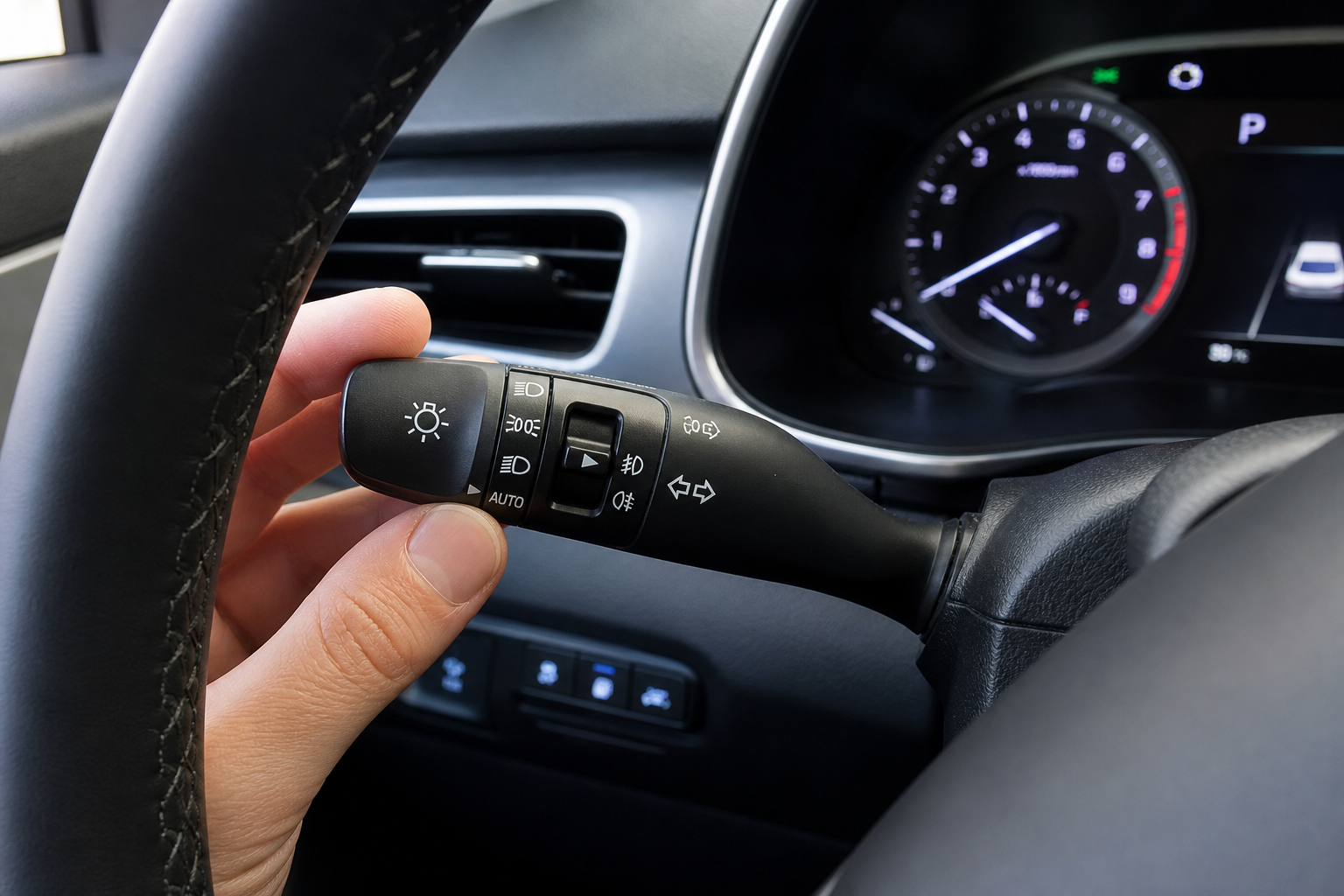
If your Hyundai Tucson keeps flicking its high beams on and off when you don’t want it to, or you just don’t trust the camera to make that call for you, you’re not alone. High Beam Assist is one of those features that sounds great on paper but can get annoying fast on winding roads, in fog, or when there’s a reflective sign that keeps tripping the sensor. The good news is you can turn it off in a couple of minutes without losing your ability to flip on the high beams manually whenever you actually need them.
Automatic High Beams vs. Automatic Headlights: Know the Difference
Before you start digging through menus, it helps to know exactly what you’re trying to disable. Hyundai’s automatic headlight system and its High Beam Assist (HBA) feature are two separate things, and shutting off the wrong one won’t fix your problem.
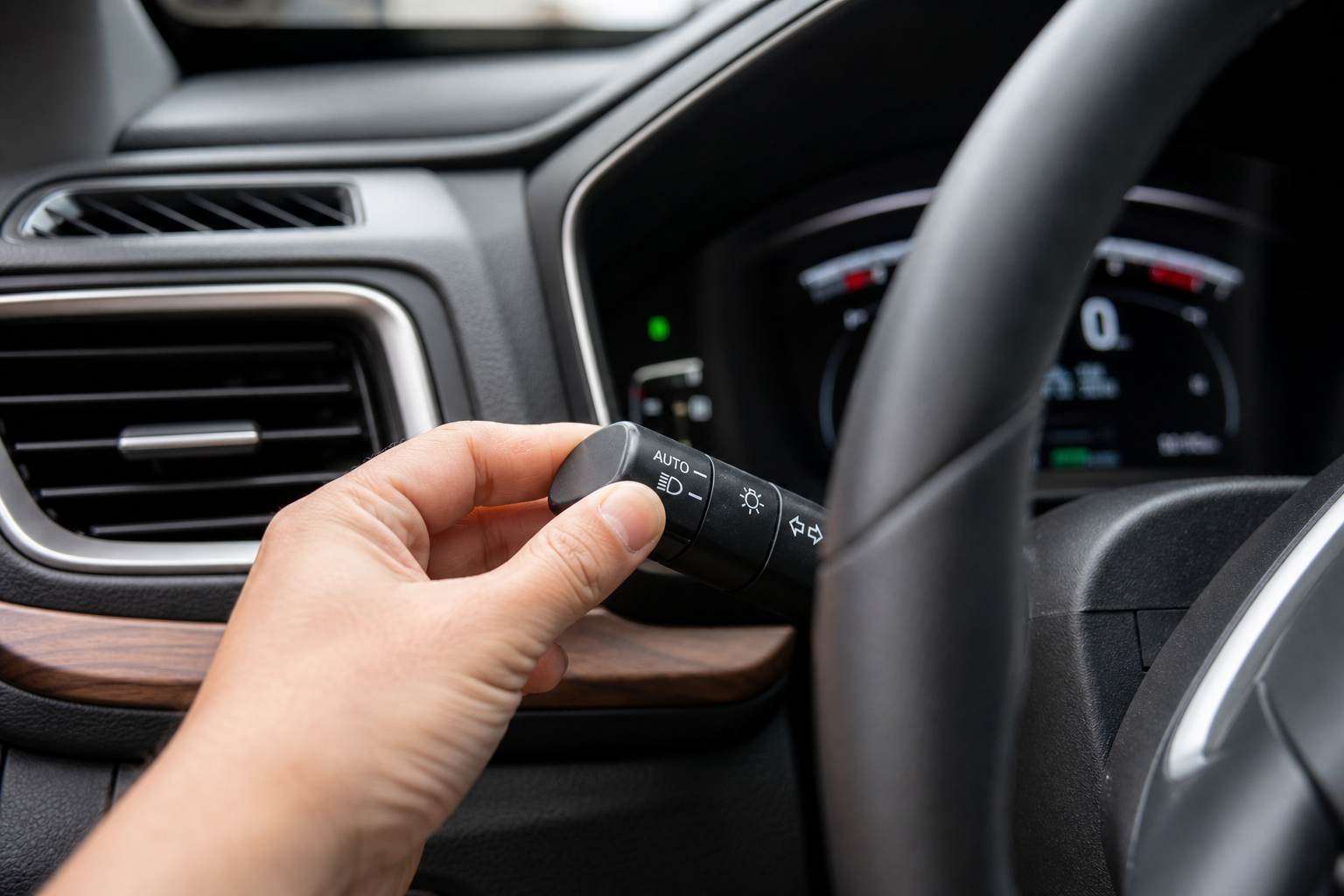
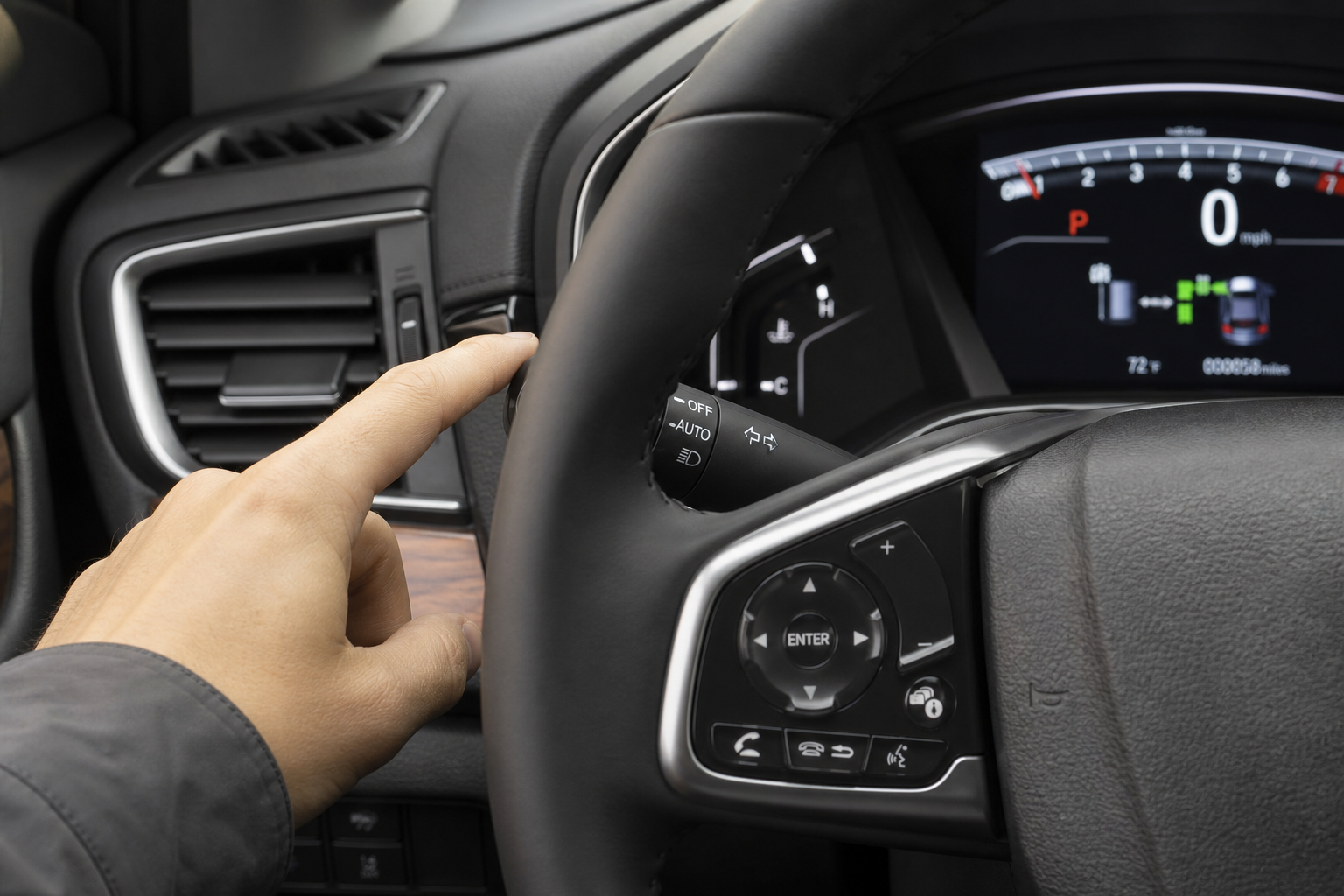
Automatic headlights control whether your low beams turn on and off based on ambient light. This is the setting on the headlight knob or stalk, usually marked “AUTO.” Most drivers like this feature and leave it alone.
High Beam Assist is a camera-based system, usually mounted near the rearview mirror, that automatically switches between high and low beams depending on oncoming traffic or vehicles ahead. This is the feature that’s likely bugging you, and it’s the one this guide focuses on.
Where to Find the High Beam Assist Setting
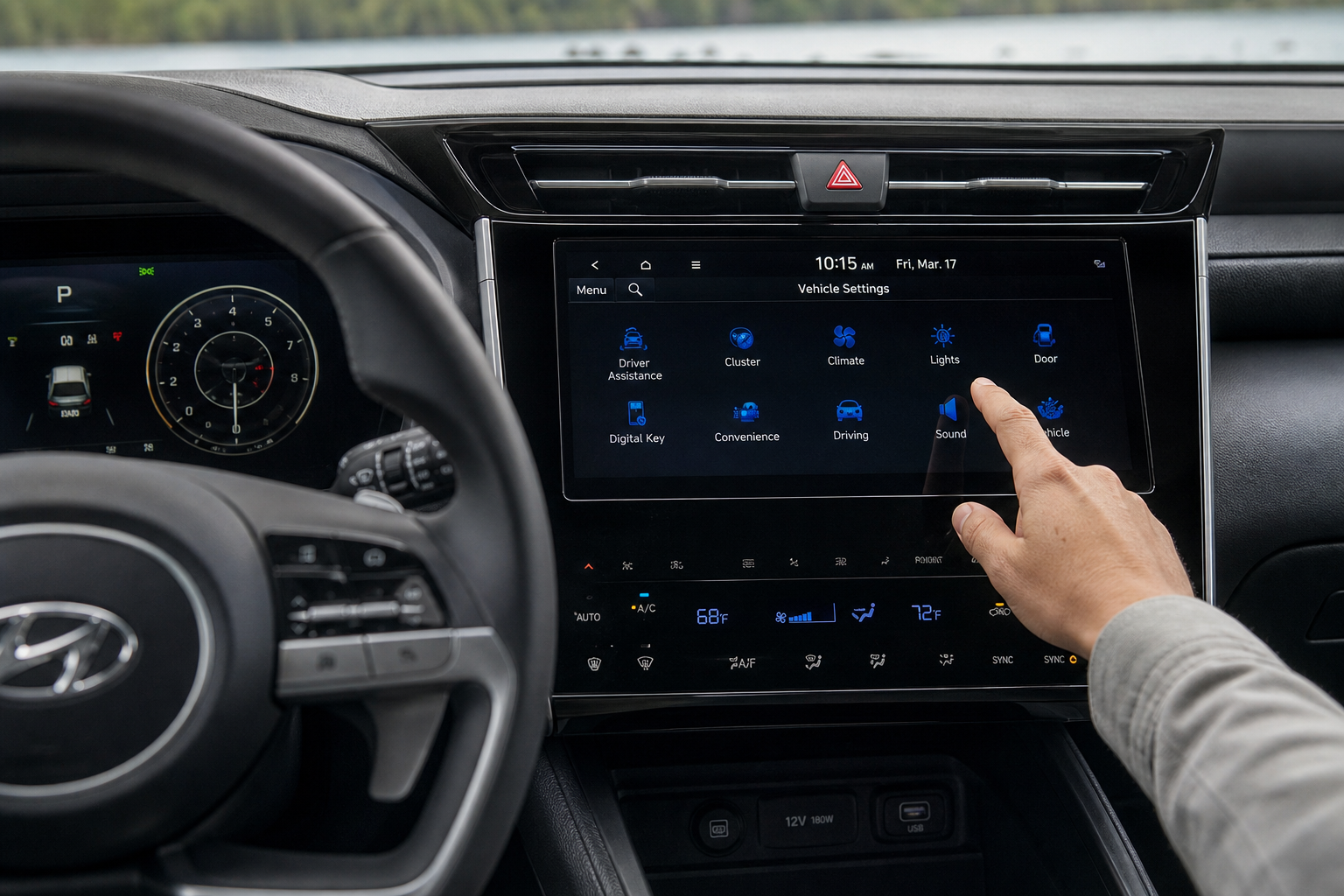
On the Tucson, High Beam Assist isn’t a stalk switch you can flip off with a click. It’s buried in the vehicle settings menu on the infotainment screen. The exact path varies slightly by model year and trim, but the general structure is consistent across the current generation.
Here’s the typical route:
- Press the “Settings” (gear icon) button on the touchscreen.
- Tap the “Vehicle” tab.
- Scroll to “Driver Assistance” or “Safety” (labeling varies by year).
- Find “High Beam Assist” in the list.
- Toggle it off.
On some trims, particularly those with the digital cluster and larger touchscreen, you may find a shortcut by pressing and holding the driver assistance button on the steering wheel, which pulls up a quick menu including HBA. If your Tucson has that shortcut, it’s a faster path than digging through the full settings menu every time.
Model Year Differences You Should Know
The Tucson has gone through two major redesigns since 2016, and the menu layout for HBA has changed along with it.
2016 to 2021 Tucson (third generation): High Beam Assist was optional and only appeared on higher trims like Limited or Ultimate. On these older models, the setting sometimes lives under “Lamp” settings rather than “Driver Assistance,” so if you don’t see it right away, check there instead.
2022 to 2024 Tucson (fourth generation): HBA became far more common, appearing on mid-level trims like SEL Convenience and above. The infotainment system also got a redesign with this generation, so the touchscreen layout looks different, but the setting is still under Vehicle Settings then Driver Assistance.
If you’re on a 2022 or newer Tucson with the larger 10.25-inch touchscreen, the toggle switches are also styled differently (blue accent when active) compared to the older gray/green toggles on pre-2022 models. Functionally they work the same way, just visually distinct.
One more wrinkle: the Tucson Hybrid and Plug-in Hybrid trims, which arrived for 2022, use the same menu structure as the standard fourth-generation gas models, so there’s no difference to worry about there.
Step-by-Step: Turning Off Automatic High Beams
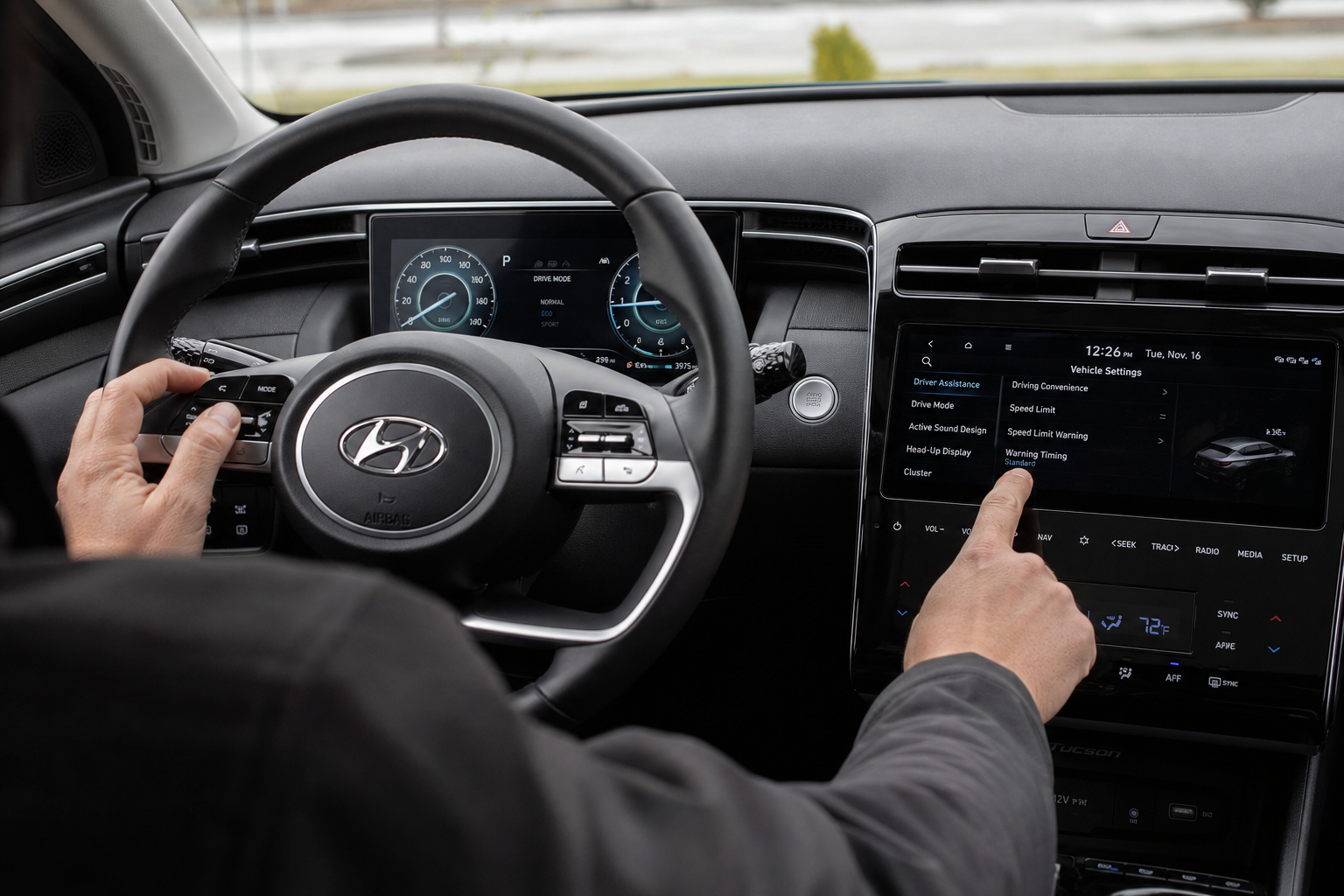
Here’s the full walkthrough with a bit more detail than the quick list above:
- Start the vehicle. The infotainment system needs to be powered on for you to access settings, and some menus are locked while the car is in gear, so it’s easiest to do this while parked.
- Tap the Settings icon (it looks like a gear) on the home screen of the touchscreen.
- Select “Vehicle” from the tabs along the top or side of the settings menu.
- Look for “Driver Assistance.” On some 2016-2018 models, this section might be labeled “Advanced Driver Assist” instead.
- Tap “High Beam Assist” and switch the toggle to off.
- Back out of the menu. No confirmation prompt usually appears, the toggle position is your confirmation.
Once disabled, the system stays off until you turn it back on manually. It won’t reset itself after you restart the car, which is a nice change from some competitor systems that revert to default settings every time you start the engine.
Using Manual High Beam Control After Disabling HBA
Turning off High Beam Assist doesn’t touch your ability to control the high beams yourself. The stalk on the left side of the steering column still works exactly like it always has.
To turn on your high beams manually, push the turn signal stalk forward (away from you) until it clicks. You’ll see a solid blue high beam indicator light up in the instrument cluster when they’re active.
To flash your high beams briefly, for example to signal another driver, pull the stalk toward you and release it. This works whether HBA is on or off and doesn’t require the headlights to be in any particular mode.
To turn the high beams back off, push the stalk forward again until it clicks back to the low beam position.
Understanding the Dashboard Indicator Lights
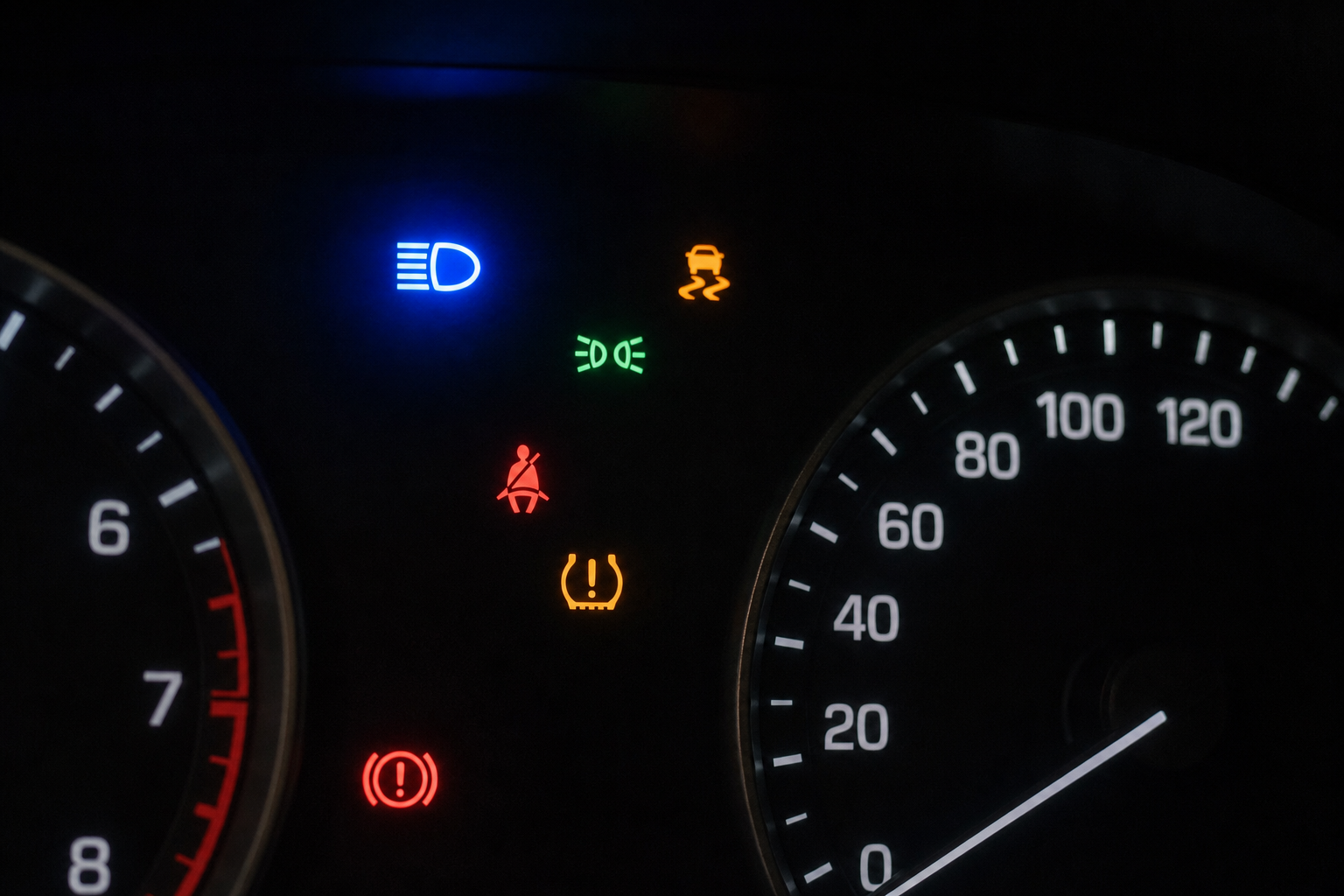
The Tucson uses two different indicator icons related to high beams, and it’s easy to mix them up if you’re not paying attention.
- Solid blue high beam icon: This means your high beams are currently on, whether you turned them on manually or HBA switched them on automatically.
- Green or white “HBA” icon: This appears only when High Beam Assist is active and armed, meaning the system is ready to control the high beams automatically. Once you disable HBA in the settings menu, this icon disappears completely and won’t show up again until you turn the feature back on.
If you’ve disabled HBA and you’re still seeing that automatic assist icon, double check that you toggled the right setting and that you’re not confusing it with the standard high beam indicator.
Why You Might Want to Disable It (And When You Might Not)
High Beam Assist works best on straight, dark rural highways with minimal oncoming traffic and clear road markings. It struggles in a few common situations:
- Curvy or hilly roads, where the camera can’t detect oncoming headlights until they’re already close, causing the system to react late or not at all.
- Well-lit suburban streets, where streetlights sometimes confuse the sensor into thinking there’s no need for high beams even when the road ahead is genuinely dark.
- Heavy fog or rain, where reflected light off the windshield or wet pavement causes the system to flicker between high and low beams more often than you’d like.
If most of your driving happens on well-lit city streets or in stop-and-go traffic, disabling HBA and just using manual control is probably the better call. If you do a lot of unlit rural highway driving, though, HBA genuinely does a decent job and might be worth keeping on, at least until you find it’s causing more annoyance than convenience.
It’s a personal preference feature more than a safety-critical one, so there’s no wrong answer here. Try it both ways for a week and see which one you actually prefer behind the wheel.
Other Tucson Features Worth Knowing About
While you’re in the settings menu adjusting driver assistance features, it’s a good time to check on a few other Hyundai systems that tend to confuse new owners. The Rear Seat Reminder and Rear Occupant Alert system lives in a similar area of the menu and is worth understanding if you regularly carry kids or pets.
If you haven’t already connected your Tucson to Hyundai’s app ecosystem, setting up myHyundai (Bluelink) for remote access lets you lock, unlock, and even start your Tucson from your phone, which is handy on cold mornings when you don’t feel like standing outside fiddling with buttons.
And if your dashboard has thrown up a tire pressure warning recently, our guide on how to reset the TPMS light on the Hyundai Tucson walks through the exact steps for 2016 through 2024 models.
Frequently Asked Questions
Will turning off High Beam Assist affect my automatic headlights?
No. The two systems are completely independent. Disabling HBA only stops the automatic switching between high and low beams. Your headlights will still turn on and off automatically based on ambient light if you have that setting active on the headlight knob.
Does the HBA setting reset every time I start the car?
No, once you turn it off in the vehicle settings menu, it stays off across drive cycles and even after the battery is disconnected in most cases. You won’t need to disable it every time you get in the car.
Why does my Tucson not have a High Beam Assist option in the menu?
HBA was an optional feature on lower trims of the 2016 to 2021 Tucson and wasn’t included at all on base trims like SE. If you don’t see the option, your Tucson likely doesn’t have the camera hardware required for the feature in the first place.
Can I still flash my high beams to warn other drivers with HBA turned off?
Yes. Pulling the turn signal stalk toward you for a quick flash works the same way whether High Beam Assist is enabled or disabled. That function is tied to manual stalk operation, not the automatic system.

Leave a Reply