
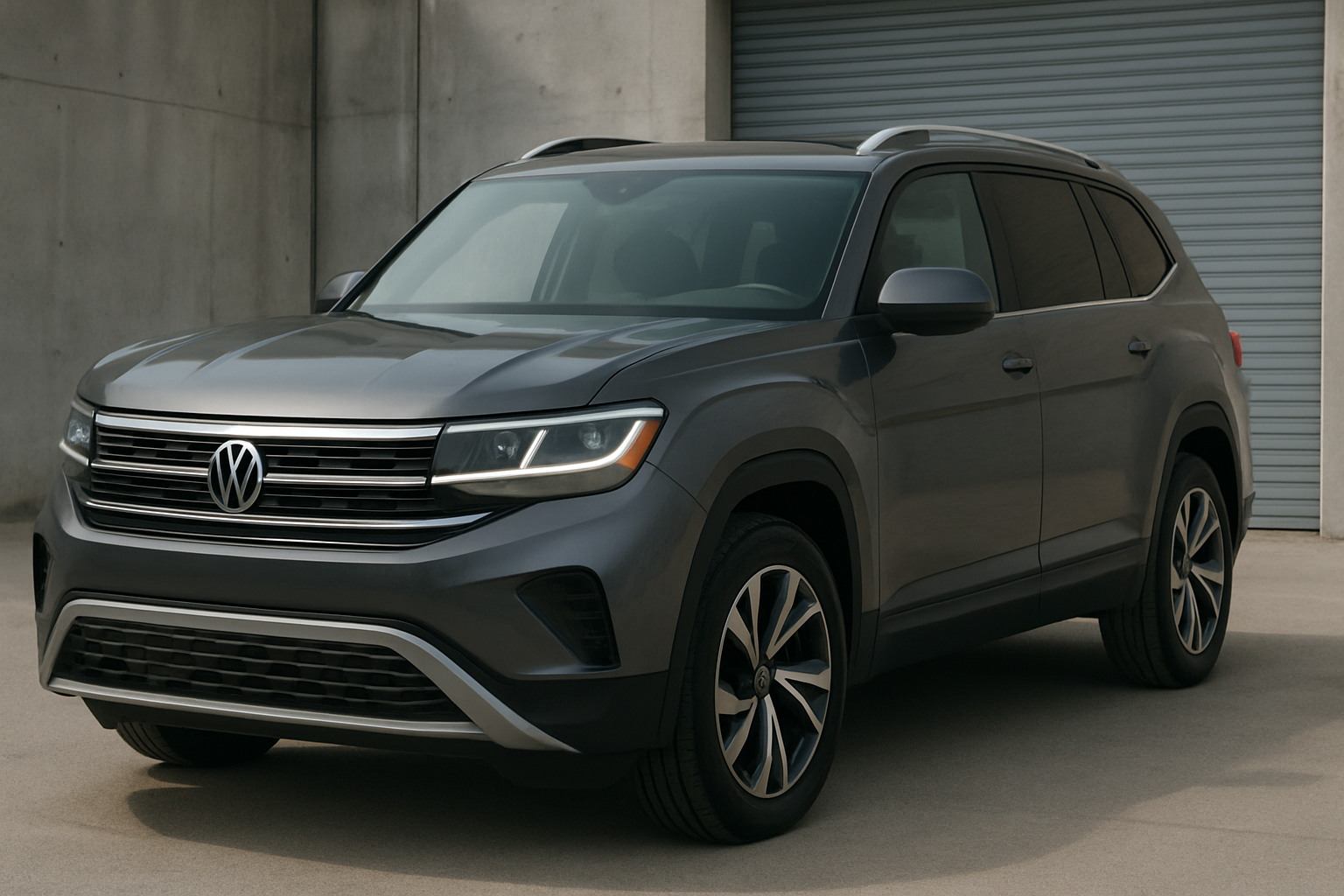
The Volkswagen Atlas’s auto start/stop system frequently frustrates drivers with its constant engine cycling, especially during stop-and-go traffic or long traffic lights. While this ESS (Engine Start/Stop) feature aims to improve fuel economy, many Atlas owners find it intrusive and want a permanent solution to keep it disabled.
Understanding the VW Atlas Auto Start/Stop System
Volkswagen’s ESS system automatically shuts off your Atlas’s engine when you come to a complete stop, such as at traffic lights or in heavy traffic. The engine restarts when you release the brake pedal or press the accelerator.
On the 2018-2026 Volkswagen Atlas, this system can feel particularly aggressive. The engine frequently cuts out during brief stops, creating a jerky driving experience that many owners describe as unnatural. The restart process also takes a noticeable moment, which can feel sluggish when you need to accelerate quickly.
The system operates through various sensors that monitor brake pedal position, engine temperature, battery charge, and air conditioning demands. When all conditions are met, the engine shuts down automatically.
The Temporary Fix: Dashboard Button Method
Every Volkswagen Atlas comes with a manual override button for the auto start/stop system. You’ll find this button on the center console, typically located near the electronic parking brake and drive mode selector.
The button features a circular arrow icon with an “A” in the center and the word “OFF” below it. When the system is active, the button’s LED light remains off. Pressing the button once will illuminate an amber light, indicating that auto start/stop is temporarily disabled.
You can press this button any time after starting your vehicle. The system will remain off for your current drive cycle, and you’ll notice the engine stays running at stops instead of shutting down automatically.
Why the Temporary Fix Gets Old Fast
The major frustration with the dashboard button method is that it resets every single time you turn off your Atlas and restart it. This means you’ll need to remember to press the button at the beginning of every drive.
Most Atlas owners find this daily routine annoying, especially since the auto start/stop system reactivates by default each time you start the vehicle. Forgetting to press the button means dealing with the jarky stop-start behavior until you remember to disable it manually.
This reset behavior is intentional by Volkswagen to ensure compliance with emissions regulations, but it creates a repetitive task that many drivers want to eliminate permanently.
Permanent Solutions for VW Atlas Auto Start/Stop
Several aftermarket solutions can permanently disable your Atlas’s ESS system without any daily intervention. These methods range from simple plug-and-play devices to advanced software coding.
Plug-and-Play Eliminator Devices
The most popular permanent solution involves small electronic devices that trick your Atlas into thinking the auto start/stop system should remain disabled. These devices come in two main types.
OBD2 port eliminators plug directly into your vehicle’s diagnostic port, usually located under the dashboard on the driver’s side. These devices continuously send a signal that keeps the ESS system deactivated.
Behind-switch eliminators require removing the dashboard auto start/stop button and connecting the device to the wiring harness behind it. These devices integrate more seamlessly since they don’t occupy your OBD2 port.
Both types work by simulating the “off” button press continuously, so your Atlas always thinks you’ve manually disabled the system. The engine control module receives this signal and keeps the auto start/stop feature inactive.
Software Coding Methods
For tech-savvy Atlas owners, software coding offers another permanent solution. Tools like OBDeleven and VCDS can access your vehicle’s control modules and disable the ESS system at the software level.
OBDeleven connects to your Atlas through the OBD2 port and uses a smartphone app to modify vehicle settings. The device can change the auto start/stop default setting from “enabled” to “disabled” in the engine control module.
VCDS (VAG-COM Diagnostic System) provides similar functionality but requires a laptop computer. This professional-grade tool can permanently code the ESS system off in your Atlas’s software.
These coding methods modify the actual vehicle programming rather than just overriding the signal like plug-and-play devices do. The result is that your auto start/stop button may show as permanently disabled, or the feature may be completely removed from the infotainment system menus.
Recommended Auto Start/Stop Eliminator Devices
Based on Atlas owner feedback and compatibility, auto start/stop eliminator devices provide the most reliable permanent solution for most drivers. These plug-and-play options require no technical expertise and can be installed in minutes.
Popular brands like Autostop Eliminator and Start-X make devices specifically designed for Volkswagen vehicles including the Atlas. These devices have proven reliability across thousands of installations and typically come with detailed instructions.
OBD2 port devices offer the easiest installation since they simply plug in without any disassembly. Behind-switch devices provide a cleaner look but require removing the dashboard button and accessing the wiring behind it.
Installation Overview: OBD2 Port Method
Installing an OBD2 port eliminator on your Atlas takes about five minutes. First, locate your vehicle’s OBD2 diagnostic port under the dashboard on the driver’s side, typically near the left knee area.
Turn off your Atlas completely and remove the key or ensure the push-button start is in the off position. Plug the eliminator device firmly into the OBD2 port until it clicks into place.
Start your vehicle and check that the auto start/stop button shows as disabled (amber light illuminated). Drive your Atlas through a few stop-and-go situations to verify the engine stays running at stops.
The device will remain plugged in permanently, drawing minimal power from your vehicle’s electrical system. Most eliminators are designed to enter sleep mode when the vehicle is off to prevent battery drain.
Important Considerations Before Disabling
Permanently disabling your Atlas’s auto start/stop system may have several implications you should consider. Most importantly, this modification could potentially affect your vehicle’s warranty coverage, especially for emissions-related repairs.
Volkswagen designed the ESS system to help meet fuel economy and emissions standards. Disabling it may slightly increase your fuel consumption and emissions output, though most owners report the difference is minimal in real-world driving.
For resale purposes, you can easily reverse most elimination methods. OBD2 port devices simply unplug, and behind-switch devices can be removed by reinstalling the original wiring connection.
Some Atlas owners in states with strict emissions testing wonder about inspection impacts. Most elimination devices don’t trigger diagnostic trouble codes, so they typically won’t cause emissions test failures.
Software Coding with OBDeleven
OBDeleven offers one of the most comprehensive coding solutions for VW Atlas owners who want to permanently disable auto start/stop through software modification. This Bluetooth OBD2 device connects to your smartphone and provides access to your vehicle’s control modules.
After connecting OBDeleven to your Atlas, the app guides you through various coding options. The auto start/stop disable function is typically found in the engine control module section under comfort or convenience settings.
The coding process changes your Atlas’s default behavior so the ESS system remains off without needing any override signals. This method integrates most naturally with your vehicle’s existing systems.
OBDeleven requires purchasing credits for advanced coding functions, but many Atlas owners find this worthwhile for the clean integration and additional customization options the tool provides.
Frequently Asked Questions
Will disabling auto start/stop void my warranty?
Volkswagen could potentially deny warranty coverage for issues they determine are related to the modification. However, most elimination devices don’t leave permanent traces and can be easily removed before service visits. The modification itself doesn’t typically void your entire warranty, but could affect coverage for specific emission-related repairs.
How much fuel economy will I lose?
Most Atlas owners report minimal impact on real-world fuel economy after disabling auto start/stop. The EPA estimates assume the system functions in ideal conditions, but stop-and-go traffic, air conditioning use, and short trips often prevent the system from working as designed anyway. You might see a 0.5-1 mpg decrease in city driving.
Can I still use the dashboard button after installing an eliminator?
With most plug-and-play elimination devices, the dashboard button becomes non-functional since the device continuously overrides it. Software coding methods typically disable the button entirely or make it show as permanently off. You won’t need the manual button anymore since the system stays disabled automatically.
Do elimination devices work on all Atlas model years?
Most quality elimination devices work across the entire 2018-2026 Atlas range since Volkswagen uses the same basic ESS system throughout these model years. However, you should verify compatibility with your specific model year and trim level before purchasing. Some devices are designed specifically for certain VW platforms.
This article contains affiliate links. If you purchase through these links, we may earn a small commission at no extra cost to you.



Leave a Reply