
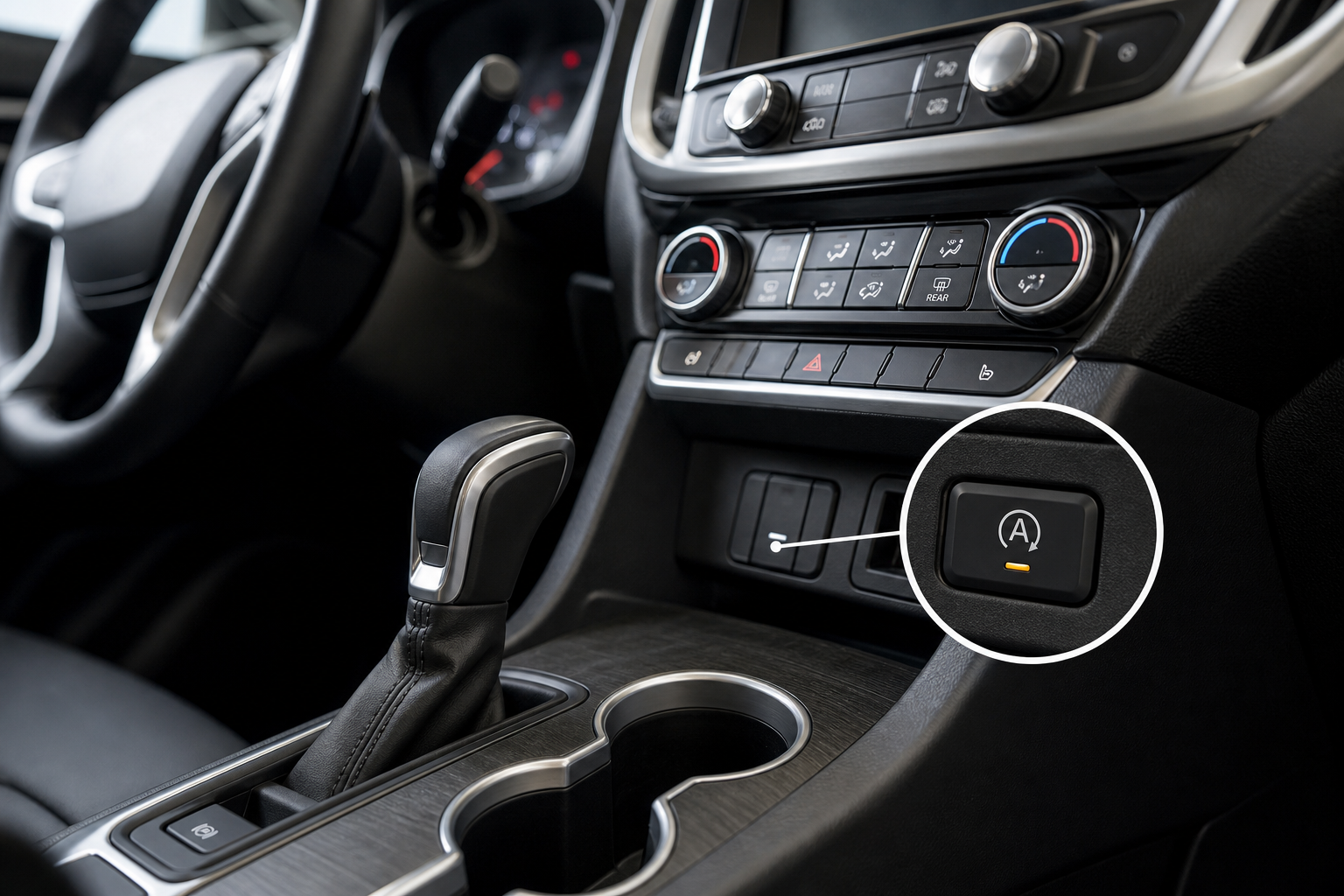
If you drive a GMC Terrain with auto start/stop, you already know the drill. You pull up to a red light, the engine cuts off, and the whole cabin shudders back to life the moment you lift your foot off the brake. It’s jarring, it’s annoying, and most Terrain owners turn it off within the first week of ownership. The problem is that every single time you restart the engine, the system resets itself back to “on” and you’re right back to pressing that button again.
The Bottom Line
A plug-and-play module can make your GMC Terrain remember your preference to keep Auto Start/Stop off, so you don’t have to press the button every time you start the vehicle.
This guide covers every practical option for dealing with auto start/stop on the GMC Terrain, from the factory button you already know about, to the plug-and-play module that makes the system forget it was ever turned on.
Why Auto Start/Stop Exists (and Why It Resets Every Time)
Auto start/stop was designed to reduce fuel consumption and emissions during city driving. On paper, it makes sense. In stop-and-go traffic, idling burns fuel without moving the car anywhere. Cutting the engine at lights theoretically shaves a small percentage off your fuel consumption over time.
General Motors programs the system to default back to “on” after every engine cycle as a regulatory and marketing decision. The fuel economy ratings on the window sticker are calculated with start/stop active, so the system has to be on by default to maintain those numbers. Your preference doesn’t factor into that equation.
The constant restarting also puts extra wear on a specific component called the enhanced starter motor, which is built to handle far more start cycles than a conventional starter. That said, many Terrain owners still find the system disruptive enough that they’d rather just leave it off permanently and not think about it again.
Using the Factory A/Off Button
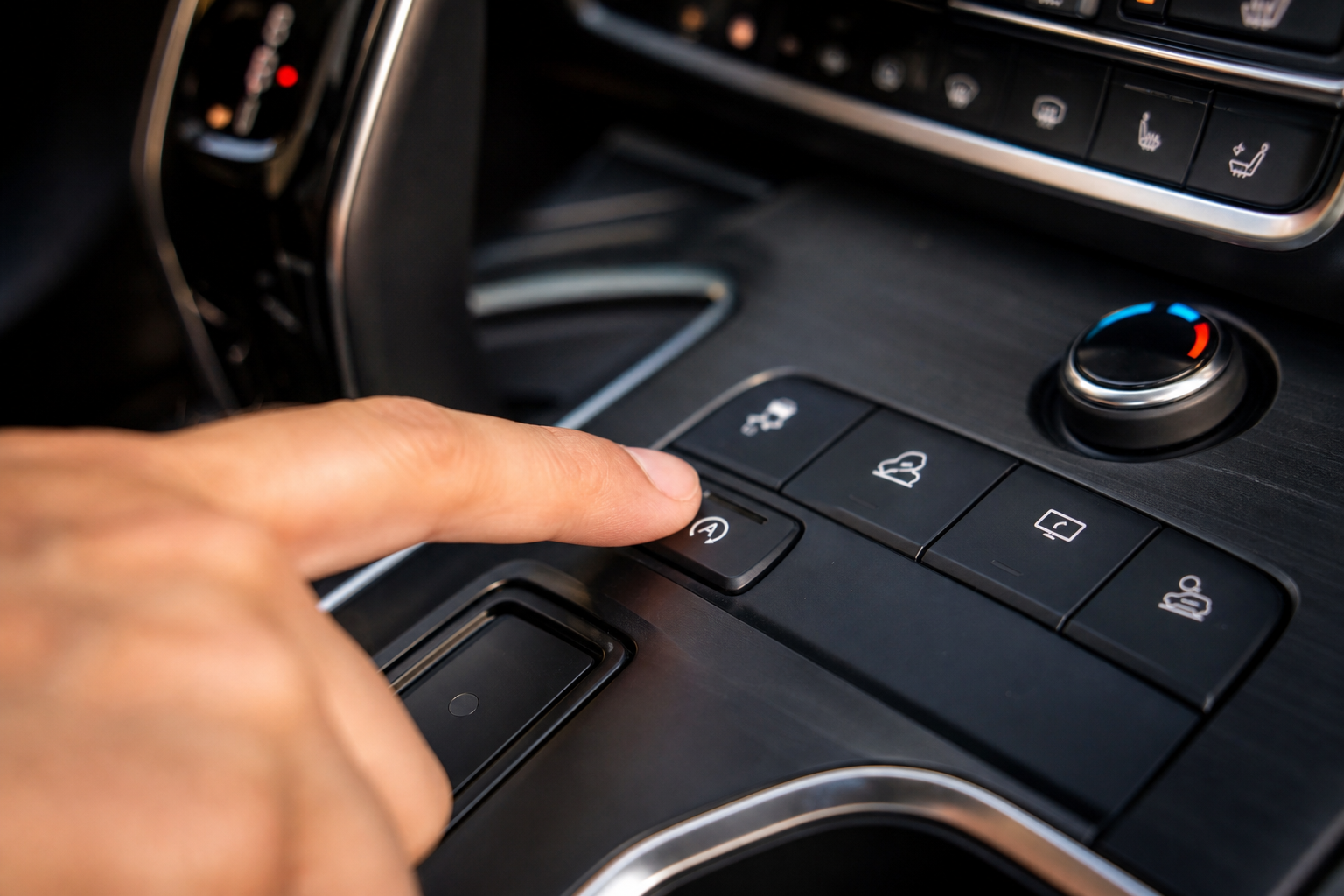
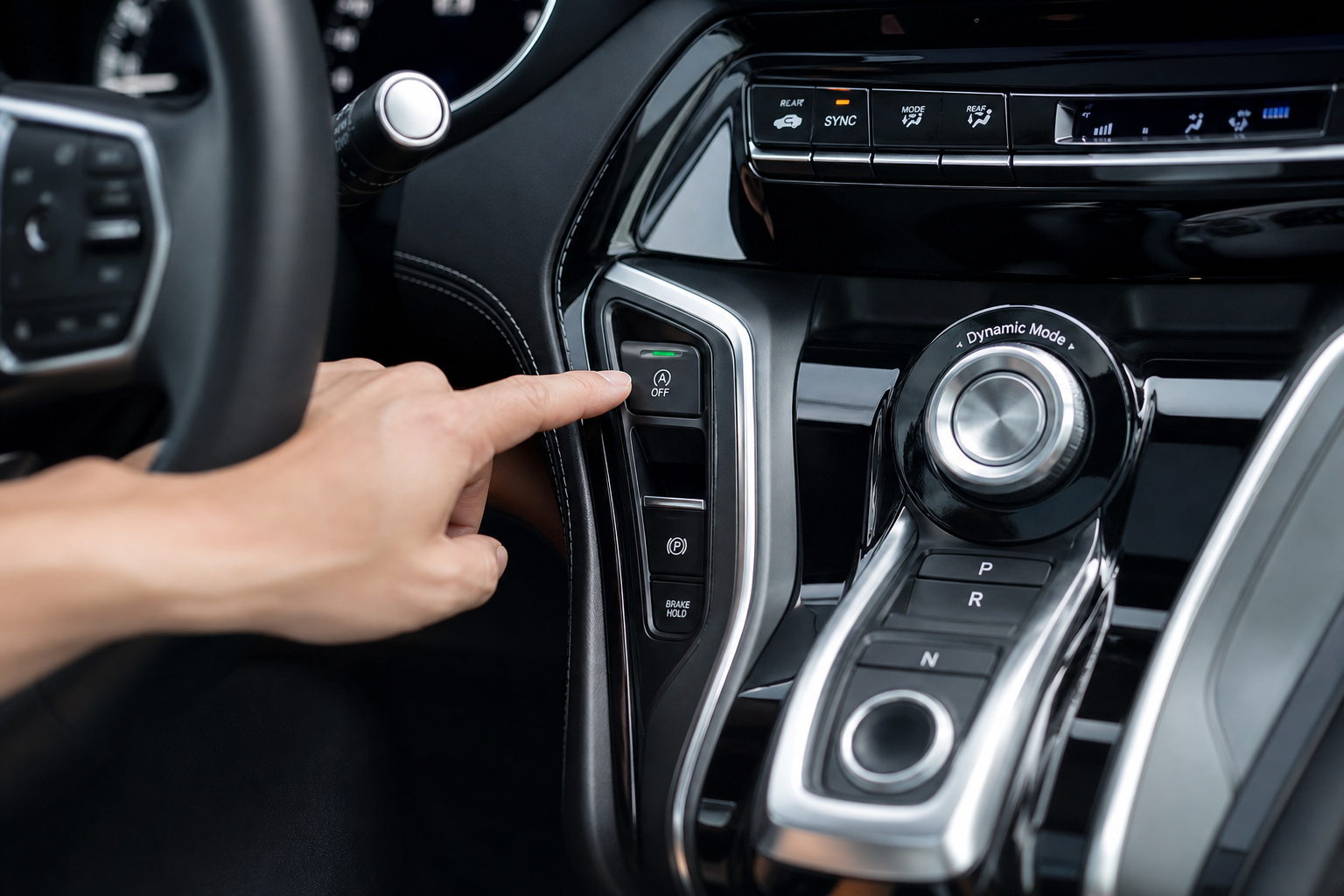
Every GMC Terrain equipped with auto start/stop has a dedicated button on the center console, usually labeled with an “A” and a circle arrow with a line through it. Pressing it once will disable the system for your current drive.
Here’s the basic process:
- Start your Terrain and let it complete its normal startup sequence.
- Before you pull out of the driveway or parking spot, locate the A/Off button on the center console.
- Press it once. A small indicator light on the button will illuminate, confirming the system is off.
- Drive normally. The engine will no longer shut off at stops for the rest of that drive.
The button works reliably, but it requires you to remember to press it every single time you get in the car. If that sounds minor, try doing it consistently for three years across multiple drivers in the same household. It adds up fast, and it’s easy to forget when you’re in a hurry.
Also worth knowing: certain conditions can override the button even within the same drive. If the engine hasn’t warmed up fully, if the battery charge is low, or if the climate control system needs more cooling or heating, the Terrain may temporarily re-enable start/stop regardless of your button preference. The system is designed to prioritize those factors over your manual input.
Model Year Notes: Which Terrain Trims Have Start/Stop
Auto start/stop on the GMC Terrain was introduced with the third-generation model, which started in 2018. If you have a 2017 or earlier Terrain, you don’t have this system and don’t need to worry about it.
For 2018 and newer Terrain models, start/stop is standard across most trims when paired with the 1.5L turbocharged four-cylinder engine. The 2.0L turbocharged engine, which was available in higher trims through 2021, also includes the system. The Terrain Denali and SLT trims both have it. There’s no factory option to disable it permanently through any menu or setting, regardless of trim level.
The 2022 and later Terrain received some minor updates, but the start/stop system behavior remained the same. It still resets at every startup. If you’re driving anything from 2018 onward, the information in this guide applies to you.
If you own other GM vehicles, you might be familiar with similar issues across the brand family. Our guide on the Teen Driver feature on Chevrolet vehicles touches on how GM programs certain preferences to reset by design, and the start/stop reset behavior follows the same logic. Similarly, if you’ve ever had to reset the oil life on a Chevy Equinox, you know that GM tends to require manual inputs after every key cycle for certain settings.
The Permanent Fix: A Start/Stop Eliminator Module
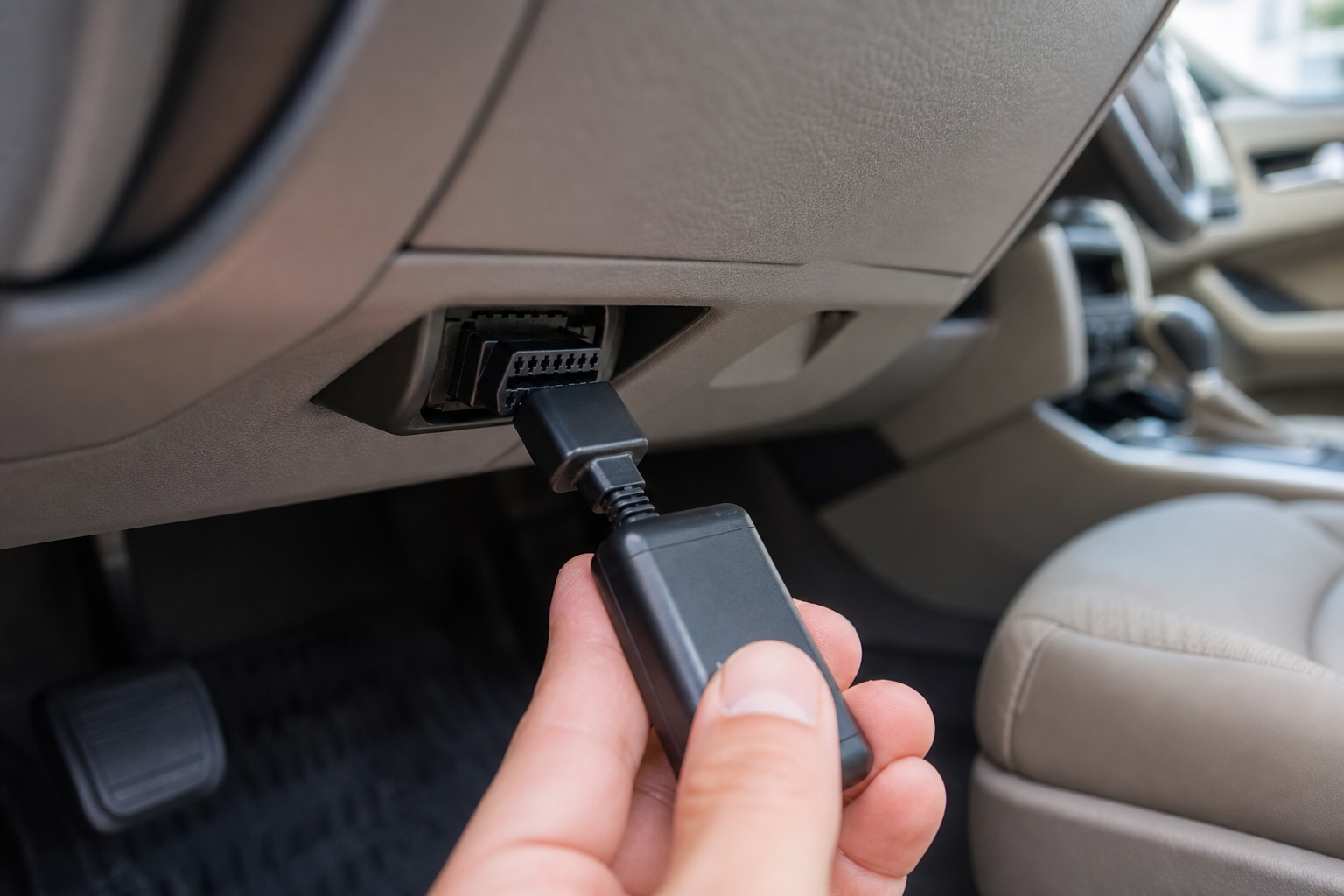
If you want the system off every drive without touching a button, a plug-and-play start/stop eliminator is the cleanest solution available. These are small electronic modules that tap into your vehicle’s OBD2 port or a specific connector behind the dash and send the same signal as the factory button automatically, every time the engine starts.
You don’t need to modify any wiring, you don’t need a tune, and you don’t need any special tools. Most of them take under five minutes to install.
The two installation methods you’ll typically see are:
- OBD2 port modules: These plug directly into the OBD2 diagnostic port under the dash on the driver’s side. Simple to install and remove. Some people have concerns about leaving a device in the OBD2 port full-time, though the better modules draw minimal power and don’t affect other diagnostics.
- Hardwired or connector-based modules: These tap into a specific connector behind the center console or instrument cluster and work more invisibly. They’re slightly more involved to install but stay completely hidden once in place.
For the GMC Terrain specifically, make sure any module you buy explicitly lists 2018+ Terrain compatibility. Some generic GM eliminators are built for the Silverado or Equinox and may not work correctly on the Terrain’s specific system architecture.

GMC Terrain Start Stop Eliminator
A plug-and-play module that automatically disables auto start/stop every time you start your Terrain, no button pressing required.
Once installed, the eliminator handles everything in the background. You start the car, the module sends the disable signal within a second or two, and the A/Off indicator lights up on its own. You’ll never have to press that button again. If you ever want to sell the vehicle or return it to stock, it unplugs in seconds and leaves no trace.
It’s also worth knowing that these modules don’t throw any fault codes or check engine lights when used correctly. If you ever want to verify your vehicle’s data is clean after installation, running a quick scan with one of the best OBD2 scanners for DIY repair will confirm everything looks normal.
Is Disabling Start/Stop Bad for Your Terrain?
This question comes up a lot, and the answer is no. Using the factory button or an eliminator module to keep start/stop off does not harm your engine or any other component. You’re not bypassing a safety system. You’re simply telling the car to idle at a stop the same way every car built before 2010 did by default.
There’s a reasonable argument that disabling start/stop actually reduces wear on the enhanced starter motor over time by giving it fewer start cycles to handle. It’s not a dramatic difference either way, but the concern that turning off start/stop will damage your Terrain is not supported by any real evidence.
Your fuel economy may decrease slightly in heavy stop-and-go city driving with the system off, but in normal mixed driving conditions, most owners report little to no noticeable change in their real-world MPG. The gains from start/stop are measured in scenarios with frequent, prolonged stops, not typical suburban driving.
Frequently Asked Questions
Will a start/stop eliminator void my GMC Terrain’s warranty?
A plug-and-play module that uses the OBD2 port or a factory connector is unlikely to affect your warranty in any practical sense. Under the Magnuson-Moss Warranty Act, a dealer would need to prove that the device caused a specific failure to deny a warranty claim on that component. Simply plugging in a device that replicates a button press is not grounds for a blanket warranty denial. If you’re concerned, removing the module before any dealer visit takes seconds.
Why does my Terrain sometimes re-enable start/stop even after I press the button?
The factory system is programmed to override your manual preference under certain conditions. If the engine is still warming up, if the battery state of charge drops below a threshold, or if the HVAC system is working hard to maintain cabin temperature, the Terrain will temporarily re-enable start/stop. This is by design and is one of the main reasons people prefer eliminator modules, which handle the disable signal continuously rather than as a one-time press.
Does this work on the GMC Terrain Denali?
Yes. The Terrain Denali uses the same start/stop system as other Terrain trims. The factory A/Off button method and compatible eliminator modules both work on the Denali. Just confirm that the specific module you choose lists Terrain Denali compatibility or covers the full 2018+ Terrain lineup before purchasing.
The Bottom Line
If you only need a quick fix and don’t mind the daily habit, the factory A/Off button does the job. If you want to set it and forget it, a GMC Terrain start/stop eliminator module is the cleanest, most practical solution available. It requires no tools, no modifications, and no expertise. You plug it in once and the problem is solved for as long as you own the vehicle.
For more tips on getting the most from your GMC, take a look at our guide to the GMC Sierra Denali night vision system and the GMC Sierra oil light reset guide for other useful owner information across the GM lineup.

Leave a Reply