
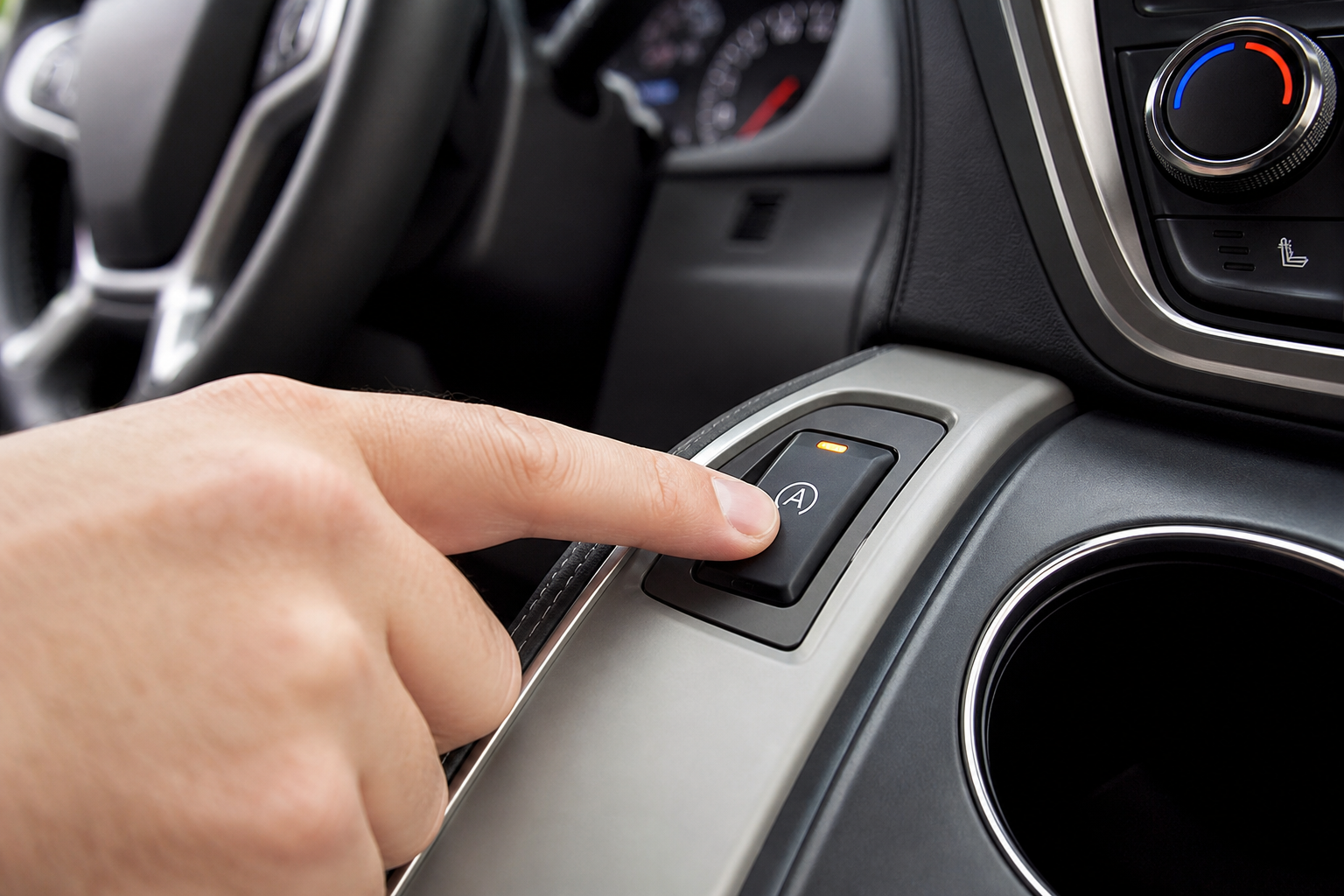
The auto start/stop feature on the GMC Acadia is one of those things that sounds better on paper than it feels in real life. Every time you stop at a red light, the engine shuts off. Then it lurches back to life when you lift your foot off the brake. For some drivers it’s barely noticeable. For others, it’s a constant annoyance that makes an otherwise great SUV feel jerky and unsettled in traffic.
The Bottom Line
A plug-and-play module can make your GMC Acadia remember your preference to keep Auto Start/Stop off, so you don’t have to press the button every time you start the vehicle.
GMC does include a button to disable it, but there’s a catch built right into the system: the moment you turn the car off and start it again, the feature resets itself back on. So you’re pressing that button every single drive, forever. This guide covers exactly how to disable auto start/stop on the GMC Acadia, why it keeps coming back, and how to make your preference stick permanently without touching the button ever again.
How the Factory Auto Start/Stop Button Works (and Why It’s Not Enough)
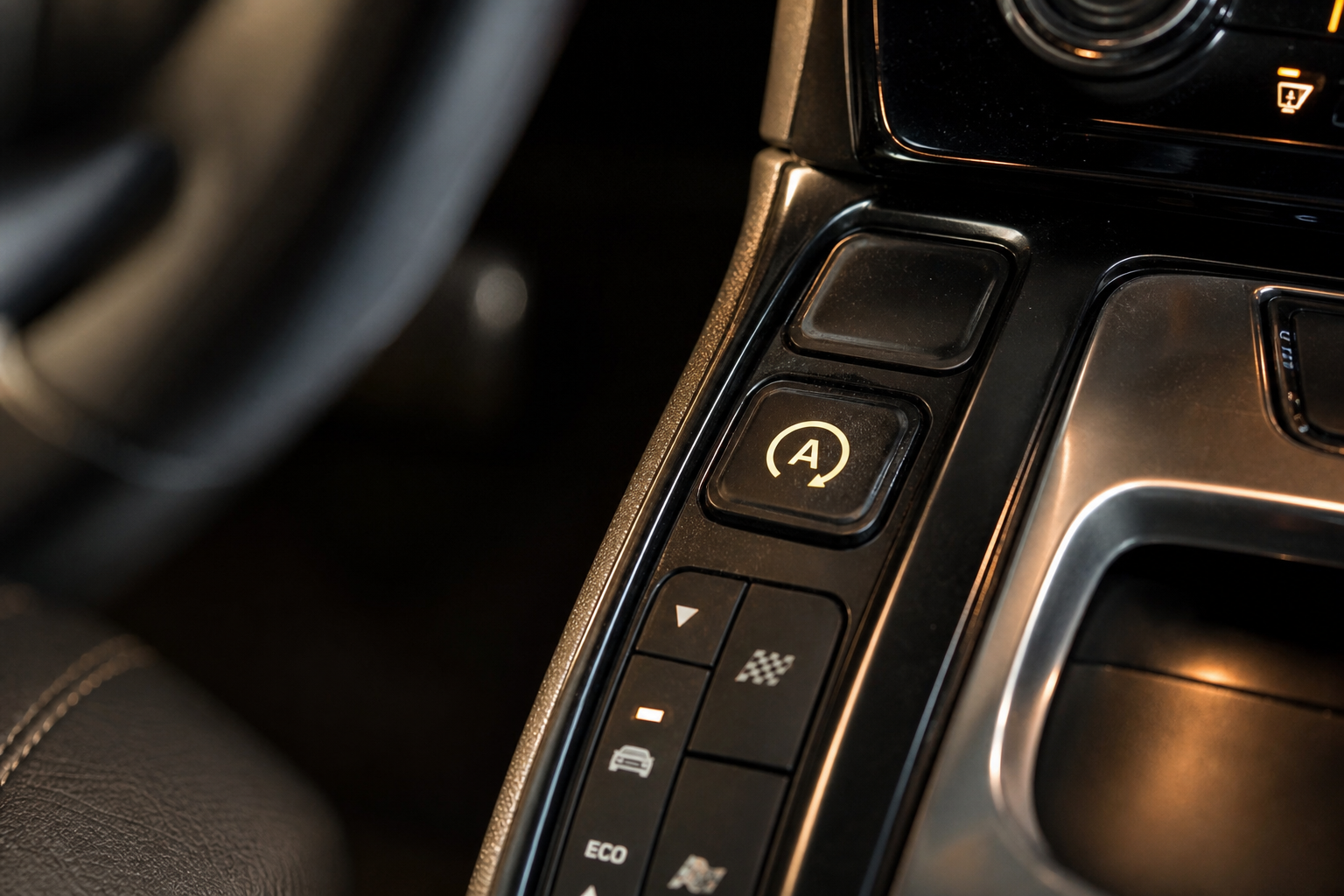
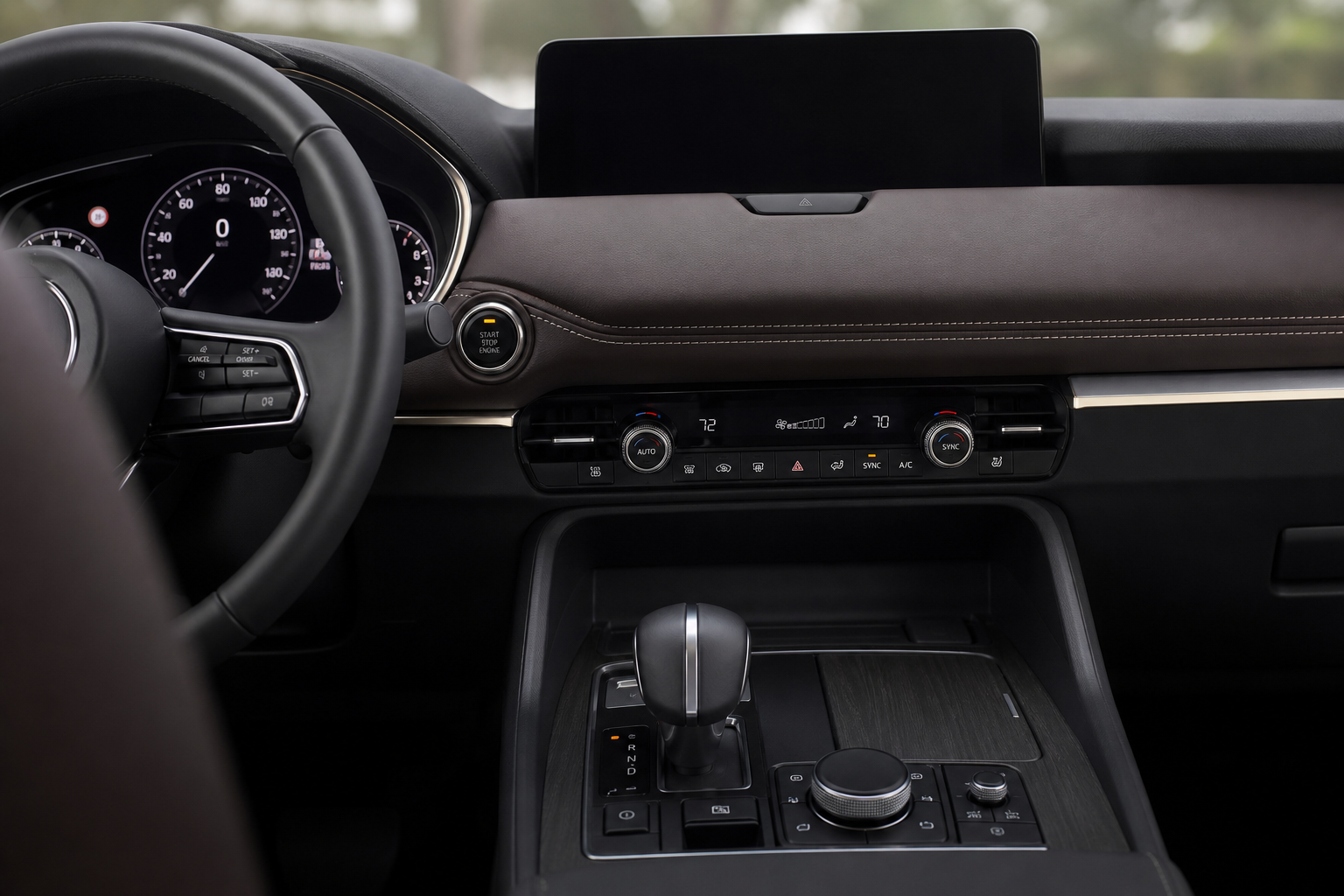
On most 2017 and newer GMC Acadia models, there’s a dedicated button on the center console labeled with the letter “A” inside a circular arrow. Pressing it once disables the stop/start system for that drive. You’ll see a small indicator light confirm it’s off.
The problem is that General Motors programs the system to default back to on every time you cycle the ignition. This is consistent across almost all modern GM vehicles, including the Equinox, Traverse, and Yukon. The logic behind it is fuel economy regulations. Manufacturers need the system active to hit their average fuel efficiency numbers, so they don’t make it easy to turn off permanently through the factory menu.
If you’re used to dealing with similar reset quirks on GM vehicles, you’ve probably already seen this pattern. It’s the same reason oil life monitoring and other driver-set preferences sometimes need to be reset manually, similar to how you’d reset the oil life on a Chevy Silverado after each service.
Step-by-Step: Using the Button to Disable Auto Start/Stop Each Drive
If you don’t want to install anything and you’re okay pressing a button every time you get in the car, here’s exactly what to do.
- Start the Acadia normally and let it complete its startup sequence.
- Look for the A with a circular arrow icon on your center console, typically near the gear selector or climate controls depending on your trim and model year.
- Press the button once. The indicator light next to it (or on it) will illuminate to confirm the system is deactivated.
- Drive normally. The engine will not shut off at stops for the rest of that drive.
- Repeat every time you start the vehicle.
This works on 2017 through 2024 Acadia models. The button location varies slightly by trim level. On SLT and Denali trims, it’s usually on the lower center console panel. On the base SL and SLE trims, check the button cluster near the HVAC controls.
Why the System Resets Every Time and What You Can Do About It
GM’s start/stop system is tied directly to the Body Control Module (BCM). When you press the disable button, you’re sending a temporary signal telling the BCM to hold off on the feature. But when the ignition powers down, the BCM clears that preference and loads its default state the next time you start the car.
There’s no factory setting buried in the infotainment menus that lets you make the off preference permanent. GM simply didn’t include one. Unlike some other driver personalization settings, such as the memory seat configurations you can adjust through the memory seat and mirror settings on the Chevy Tahoe, the start/stop preference isn’t saved to a driver profile.
The most effective solution, and the one that actually works long-term, is an auto start/stop eliminator module.
The Permanent Fix: Auto Start/Stop Eliminator Module
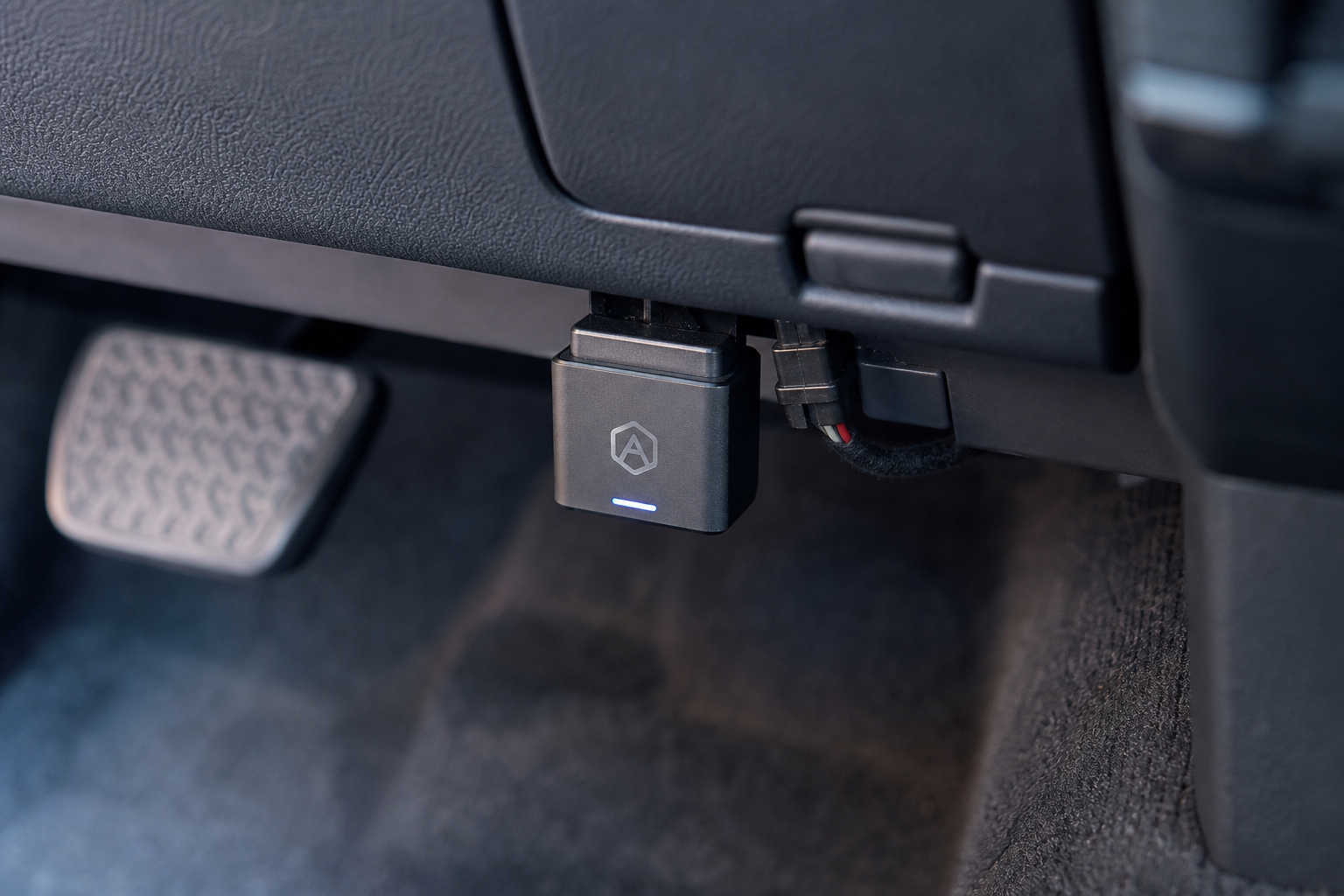
An eliminator module (sometimes called a start/stop disable module or emulator) is a small plug-and-play device that plugs into your OBD2 port or a dedicated connector under the dash. It automatically sends the same “disable” signal that the button does, but it does it every time the car starts, before you even touch anything.
From your perspective, start/stop is simply always off. You don’t press a button. You don’t think about it. The module handles it silently every single drive.

GMC Acadia Auto Start Stop Eliminator Module
A plug-and-play module that automatically disables the auto start/stop system on every drive without any button pressing or programming required.
Installation takes about five minutes for most people. Here’s the general process, though the exact steps can vary slightly by the specific module you buy.
- Turn the vehicle off and locate the OBD2 port under the driver’s side dash (standard location on all post-1996 vehicles).
- Plug the eliminator module into the OBD2 port, or if your module connects to a specific harness connector under the dash, follow the included instructions for routing.
- Start the vehicle. The module activates automatically and disables start/stop before the system even has a chance to arm itself.
- Drive as normal. No warning lights, no error codes, no CEL.
Good eliminator modules are designed to be transparent to the vehicle’s electronics. They don’t trigger diagnostic trouble codes, and they don’t interfere with other systems. If you ever want to sell the car or return it to stock, you just unplug the module and the factory behavior returns immediately.
If you’re the type who likes to verify that nothing unusual is going on with your vehicle’s electronics after installing any aftermarket device, picking up one of the best OBD2 scanners for DIY auto repair is a smart move. You can confirm no trouble codes were introduced and keep tabs on your Acadia’s overall health.

OBD2 Scanner Diagnostic Tool
A handheld OBD2 scanner lets you quickly verify no error codes were introduced after installing any aftermarket module.
Model Year Notes for the GMC Acadia
Auto start/stop was introduced on the Acadia with the second-generation redesign in 2017. If you have a 2016 or older Acadia, you don’t have this system and don’t need to worry about disabling it.
Here’s a quick breakdown by generation:
- 2007 to 2016 (First Gen): No auto start/stop. Nothing to disable.
- 2017 to 2020 (Second Gen): Auto start/stop present on most trims. Button is on the center console. Eliminator modules are widely available for this generation.
- 2021 to 2024 (Refreshed Second Gen): Same system, slightly repositioned controls on some trims. Most eliminator modules cover these years too, but confirm compatibility before buying.
- 2024+ (Third Gen / New Platform): If you have one of the newest Acadia models on the updated platform, double-check that any module you order specifically lists your model year as compatible.
GMC also sells related models like the Yukon and Terrain with the same start/stop setup. If you’ve dealt with climate control or HVAC issues on any GM SUV, you’ve probably noticed how interconnected these systems are. For example, the same type of electronic reset behavior shows up in issues like the GMC Yukon rear AC not blowing cold air, where default system states cause frustrating recurring problems.
Frequently Asked Questions
Will disabling auto start/stop hurt my engine or void my warranty?
Using the factory button to disable the system doesn’t affect your warranty at all. It’s a built-in feature. Installing a plug-and-play eliminator module is also generally considered safe because it doesn’t modify any software or hardware. It works by simulating the same input as the button. However, if a dealer can prove an aftermarket device caused a specific problem, they could potentially deny coverage for that issue under the Magnuson-Moss Warranty Act. For most people, the risk is extremely low, but it’s worth knowing.
Do eliminator modules work with all Acadia trim levels?
Most do, but always confirm before buying. The SL, SLE, SLT, and Denali trims all have the same underlying start/stop system, but minor wiring differences between model years can matter. Reputable module sellers list compatible vehicles by year, make, model, and sometimes trim. If you’re unsure, reach out to the seller directly with your VIN or trim information.
Can I use an OBD2 port module without affecting other OBD2 functions?
Yes. A quality eliminator module is designed to occupy the OBD2 port passively, only sending the one specific signal needed to suppress start/stop. It won’t block diagnostic scans or conflict with other OBD2 devices. That said, you obviously can’t have two devices plugged into the same port simultaneously, so if you also run a real-time monitoring device or GPS tracker from the OBD2 port, you’ll want to check whether the eliminator has a pass-through port or look for a module that connects to a different location under the dash.
The Bottom Line on Permanently Disabling Auto Start/Stop
Pressing the button every single drive is manageable, but it gets old fast. If you’ve been doing it for months and you’re tired of it, an eliminator module is genuinely worth it. Installation takes a few minutes, it’s completely reversible, and you’ll never think about the button again.
The factory button is your free option for occasional use. The eliminator module is the right call if you want the feature gone for good. Either way, you’re in control of how your Acadia behaves, and that’s exactly how it should be.
Leave a Reply