
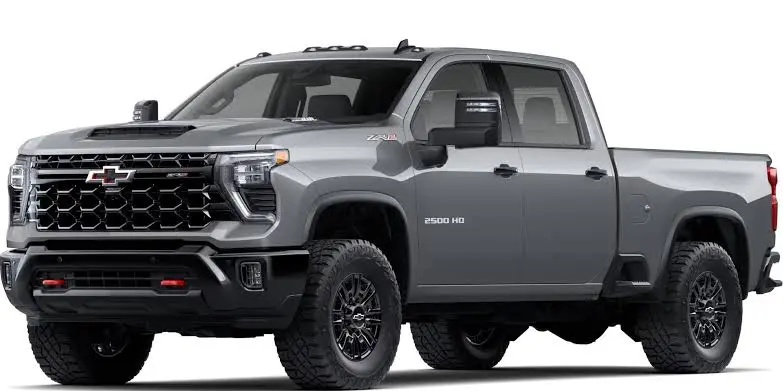
If you own a Chevy Silverado 2500 HD or 3500 HD, you already know the drill. You start the truck, pull out of the driveway, and at the first red light, the engine shuts off with that familiar lurch. You press the button on the dash to disable it, and it works fine for the rest of the drive. Then you turn the truck off, come back an hour later, and the whole cycle starts over. Auto start/stop is back on again, like it never left.
This guide covers exactly what you can do about it, from using the factory button the right way to installing a plug-and-play eliminator module that makes the truck remember your preference automatically every single time you drive.
What Is Auto Start/Stop and Why Does It Reset?
Auto start/stop is a fuel economy feature that shuts the engine off when the truck comes to a complete stop, then restarts it automatically when you lift your foot off the brake. GM includes it on the Silverado HD lineup to help meet federal fuel economy standards. On paper, it saves a small amount of fuel in stop-and-go traffic. In practice, most HD truck owners find it annoying, particularly when towing or hauling heavy loads.
The reason it resets every time is intentional. GM engineers the system to default to “on” at every ignition cycle. The truck doesn’t save your last setting. This is consistent across the Silverado 2500 HD and 3500 HD for model years 2020 and newer, which introduced the current T1 platform with the L8T 6.6L gas engine and the L5P Duramax diesel. Both powertrains have the same auto start/stop behavior and the same disable methods.
If you’re curious about how other Chevy systems work across different trim levels and driver settings, the driver profile setup guide for the Chevy Tahoe and Suburban is a good reference for understanding how GM handles personalization features fleet-wide.
How to Disable Auto Start/Stop Using the Dashboard Button
Every Silverado HD has a dedicated button to turn off auto start/stop for the current drive. It’s located on the center console button cluster, typically near the traction control and lane assist buttons. The icon looks like a circular arrow with the letter “A” inside.
- Start the engine and let it complete its startup sequence.
- Press the auto start/stop button once. You’ll see a small indicator light turn off or an on-screen message confirming the system is disabled.
- The system will remain off for the rest of that drive.
- The next time you start the truck, you’ll need to press it again.
This works perfectly well if you don’t mind adding one button press to your routine every morning. For some owners, that’s enough. For others, especially those using the truck daily for work or towing, pressing that button every single trip gets old fast.
Why the Button Alone Isn’t a Permanent Fix
GM does not offer a built-in menu option to permanently disable auto start/stop on the Silverado HD. Unlike some other driver assistance features that can be toggled off through the infotainment system and saved, the auto start/stop default is hardcoded to reset to “on” at every key cycle.
There are a few workarounds people try. One popular workaround is using an OBD2 scanner with programming capability to attempt to disable the feature through the BCM or ECM calibration settings. This can work, but it typically requires a professional scan tool with GM SPS access, not a basic consumer-grade reader. It can also be reset by dealer software updates, and it’s not recommended unless you’re comfortable with module programming.
Dealerships won’t disable it for you. It’s a federally mandated fuel economy feature and GM’s policy is to keep it active by default. Some dealers will tell you flat-out that there’s nothing they can do beyond confirming the button works.
The Plug-and-Play Eliminator Module: The Best Long-Term Solution
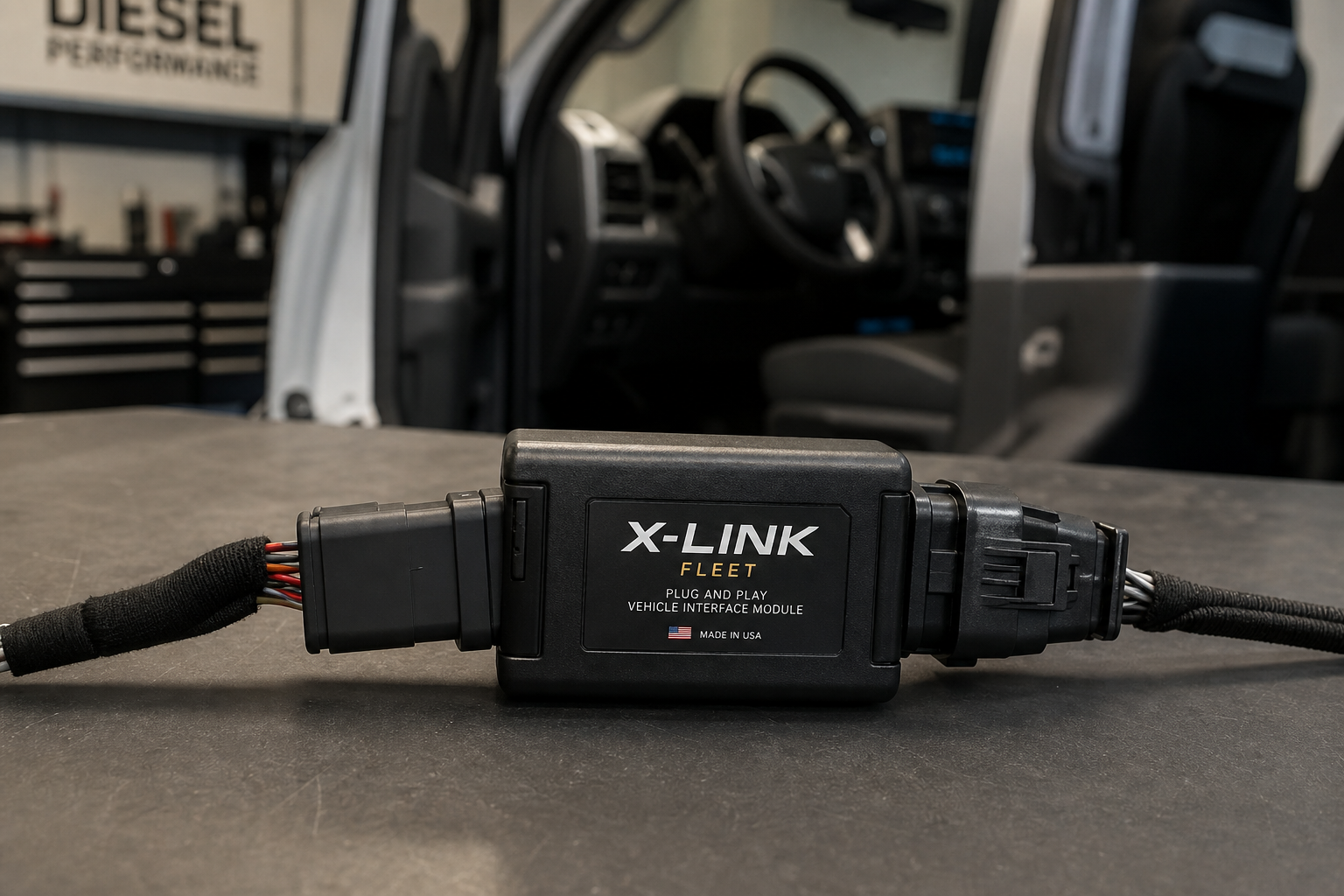
The most reliable and user-friendly way to permanently keep auto start/stop off on the Silverado HD is a start/stop eliminator module. These are small plug-and-play devices that connect to a connector in the vehicle’s wiring harness, usually near the center console or under the dash. Once plugged in, the module automatically simulates a button press every time you start the truck, effectively disabling the system before you ever notice it kicked on.
You don’t have to touch anything. You start the truck and drive. The system is already off.

Chevy Silverado 2500 HD Start Stop Eliminator
A plug-and-play module that automatically disables auto start/stop every time you start your Silverado HD, with no button pressing required.
Installation takes about five minutes and requires no tools, no cutting of wires, and no special knowledge. The module plugs into an existing connector in your truck’s interior wiring. If you ever want to sell the truck or revert to factory behavior, you just unplug it and the system returns to normal. Nothing is modified permanently.
These modules are designed specifically for GM vehicles and are vehicle-year specific, so make sure you’re buying one listed as compatible with your exact model year. Most reputable listings will clearly state which years of the Silverado 2500 HD and 3500 HD they support. The current T1 generation covers model years 2020 through 2024 and into 2025, and most eliminator modules on the market are built for this generation.
Installation Walkthrough: Silverado 2500 HD and 3500 HD
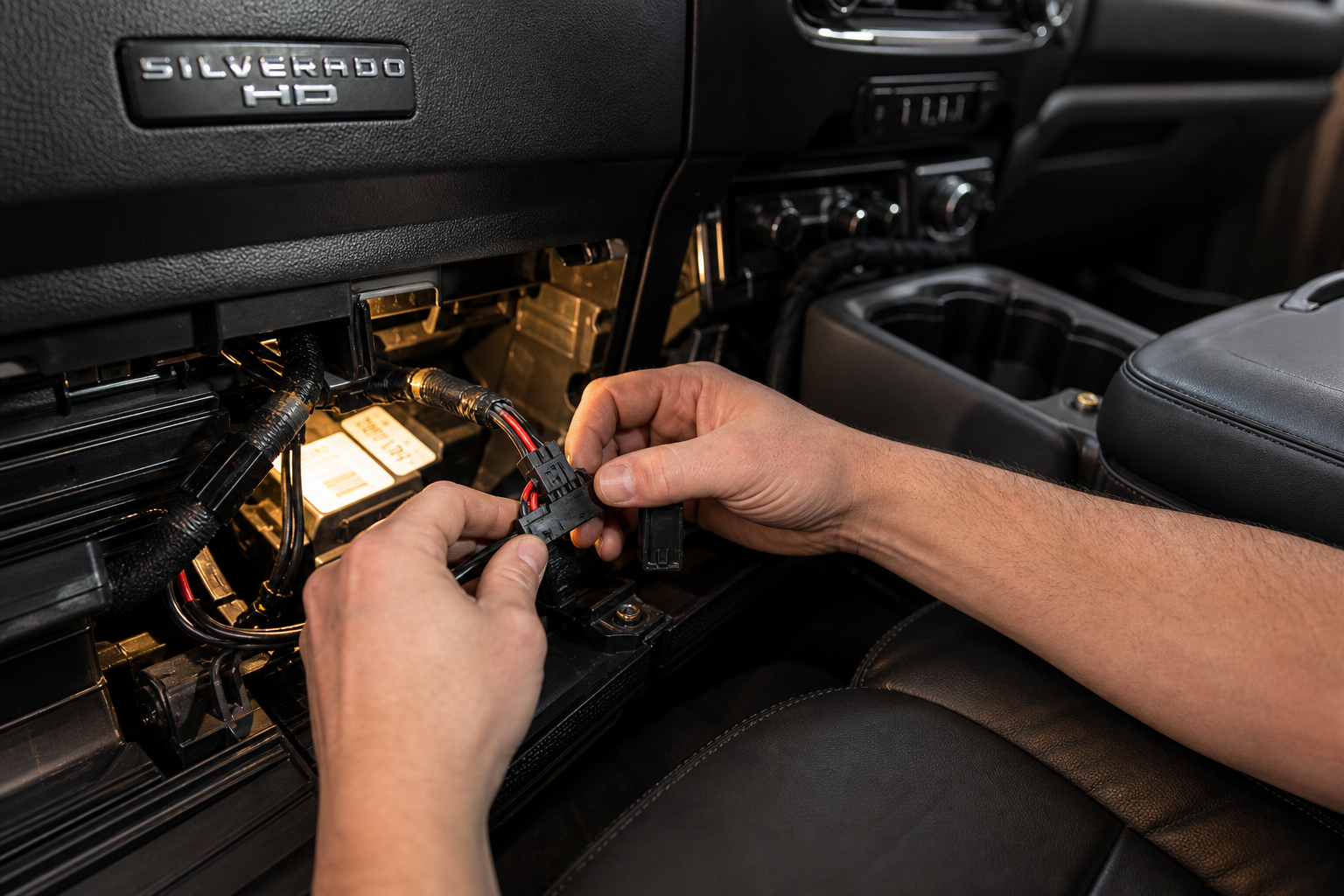
Here’s how the installation process typically goes on the Silverado HD. Steps can vary slightly by module brand, so always follow the instructions included with your specific unit.
- Locate the auto start/stop button connector. On most Silverado HD trucks, there is a dedicated connector behind or near the start/stop button on the center console. Some modules tap into a connector under the dash instead. Your module’s instructions will specify exactly where.
- Unplug the factory connector. No tools needed. It pops out with light pressure on the release tab.
- Plug the eliminator module in line. The module goes between the factory connector and the vehicle plug, completing the circuit while adding the disable signal.
- Tuck the module and wiring out of sight. The unit is small enough to fit inside the console trim without any modification.
- Start the truck and verify. The auto start/stop indicator light should show as disabled immediately after startup, with no button press from you.
If you’re a Chevy owner who likes to keep tabs on your truck’s health beyond basic features, it’s worth bookmarking the Chevy Silverado oil life reset guide as a companion reference for routine maintenance tasks.
Frequently Asked Questions
Will disabling auto start/stop void my Silverado HD’s warranty?
Using a plug-and-play module that doesn’t permanently modify the vehicle’s wiring or software should not void your warranty under the Magnuson-Moss Warranty Act. The module is removable and leaves no trace. That said, if a specific issue arises and the dealer can demonstrate that the module caused the problem, that particular repair could be affected. Most owners use these modules without any warranty issues at all. When in doubt, remove the module before bringing the truck in for service.
Does the eliminator module work with both the gas and diesel Silverado HD?
Most eliminator modules designed for the Silverado 2500 HD and 3500 HD work with both the L8T 6.6L gas engine and the L5P 6.6L Duramax diesel, since the auto start/stop disable button and its wiring connector are the same across both powertrains on the T1 platform. Always confirm compatibility with the seller before purchasing, specifying your engine, trim level, and model year.
Is there a software or MyChevrolet app option to permanently turn off auto start/stop?
No. As of the 2024 model year, there is no option in the Silverado HD’s infotainment settings, driver personalization menus, or the MyChevrolet app to permanently disable auto start/stop. The only factory method is the physical button, which resets at every ignition cycle. GM has added permanent disable options to some other vehicles in its lineup over the years through software updates, but the Silverado HD has not received this change. The plug-and-play module remains the most practical solution available to owners right now.
Final Thoughts
Auto start/stop on the Silverado HD is one of those features that makes sense on paper and irritates people in real life, especially when you’re using the truck for what it’s built for. Pressing a button every morning is a minor inconvenience, but it adds up. The plug-and-play eliminator module solves the problem permanently without touching your truck’s hardware or software in any lasting way.
If you want to explore other upgrades and accessories for your HD truck, check out how the GMC Sierra Denali’s night vision system works for a look at what GM’s driver tech can do at the top trim levels. And if you’re keeping a close eye on your Silverado’s overall maintenance schedule, the GMC Sierra oil light reset guide covers the same underlying process that applies to most GM trucks in this era.

Chevy Silverado HD Auto Start Stop Eliminator Module
Keeps auto start/stop permanently disabled on every drive without any wiring modifications or programming.
Install it once, forget it exists, and enjoy driving your truck the way you want to.




Leave a Reply