
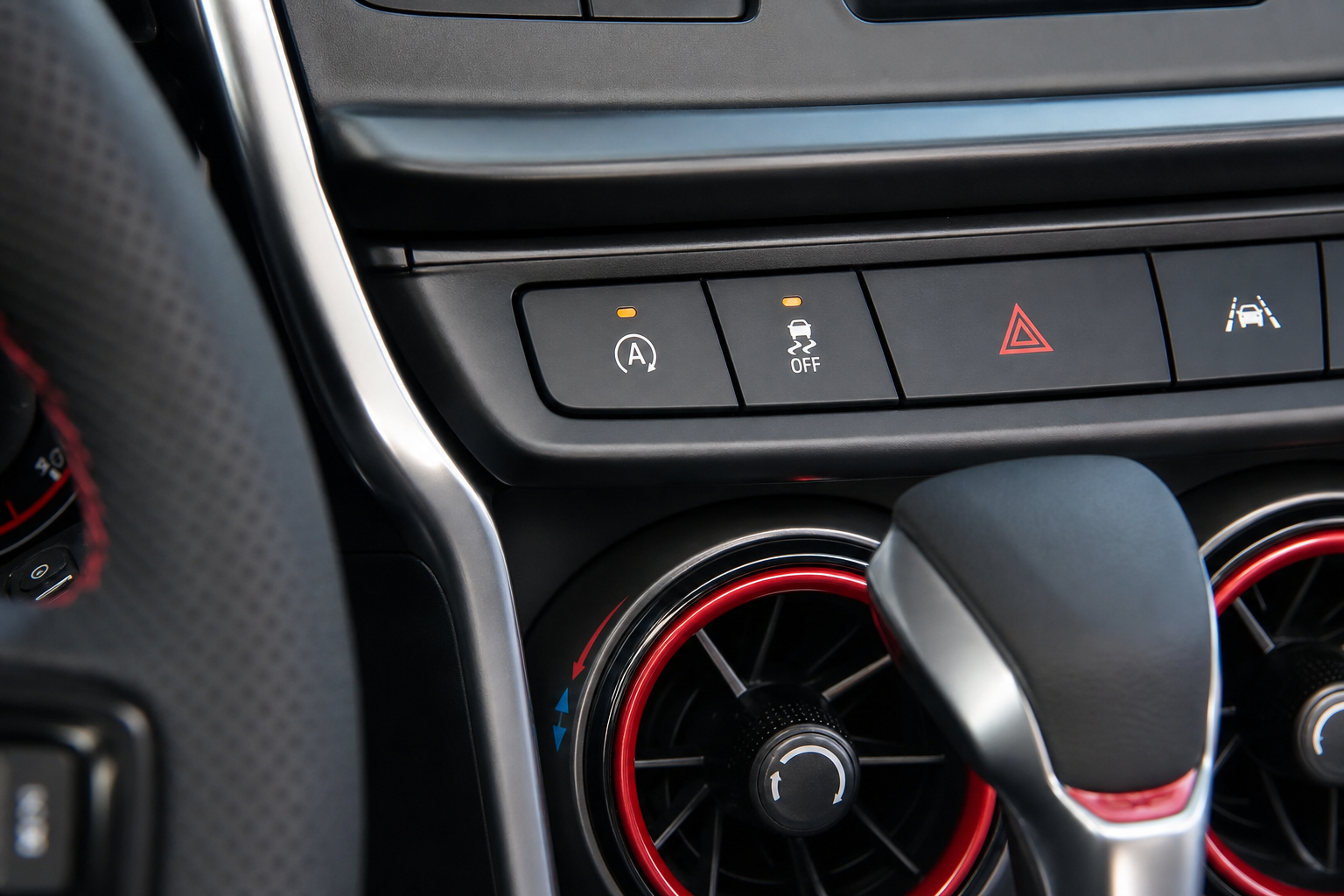
If you own a Chevy Blazer from 2019 onward, you already know the routine. You start the engine, pull out of the driveway, and within the first minute the engine shuts off at a red light. You reach over, press the A/Off button on the center console, and get a moment of relief. Then tomorrow morning, you do it all over again. Every single drive.
The Bottom Line
A plug-and-play module can make your Chevy Blazer remember your preference to keep Auto Start/Stop off, so you don’t have to press the button every time you start the vehicle.
Auto start/stop is designed to save fuel during idle, but plenty of Blazer owners find it jarring, rough on the starter system, and just plain annoying to deal with constantly. This guide covers exactly what’s happening, why the button alone doesn’t solve it permanently, and what you can do to make the system stay off for good without any dealer involvement or complicated wiring work.
Which Chevy Blazer Models Have Auto Start/Stop?
The Auto Start/Stop system was introduced on the Blazer when the model relaunched for the 2019 model year. Every trim level from the L through RS has it, and it carried through the 2020, 2021, 2022, 2023, and 2024 model years. If your Blazer has a combustion engine and was built after 2018, it has the system.
The system works by cutting the engine when you come to a complete stop with your foot on the brake, then restarting it automatically when you lift your foot to accelerate. Under the right conditions (warm engine, AC not maxed out, battery fully charged), it works smoothly. For many owners in stop-and-go city traffic, it cycles constantly and the shudder on restart gets old fast.
It’s worth mentioning that if you experience any unusual vibration when the engine does restart, that can sometimes be related to other issues beyond start/stop cycling. We have a helpful breakdown on diagnosing idle vibration problems that applies to multiple vehicles if you want to rule out other causes.
Using the Factory A/Off Button (And Why It Resets)
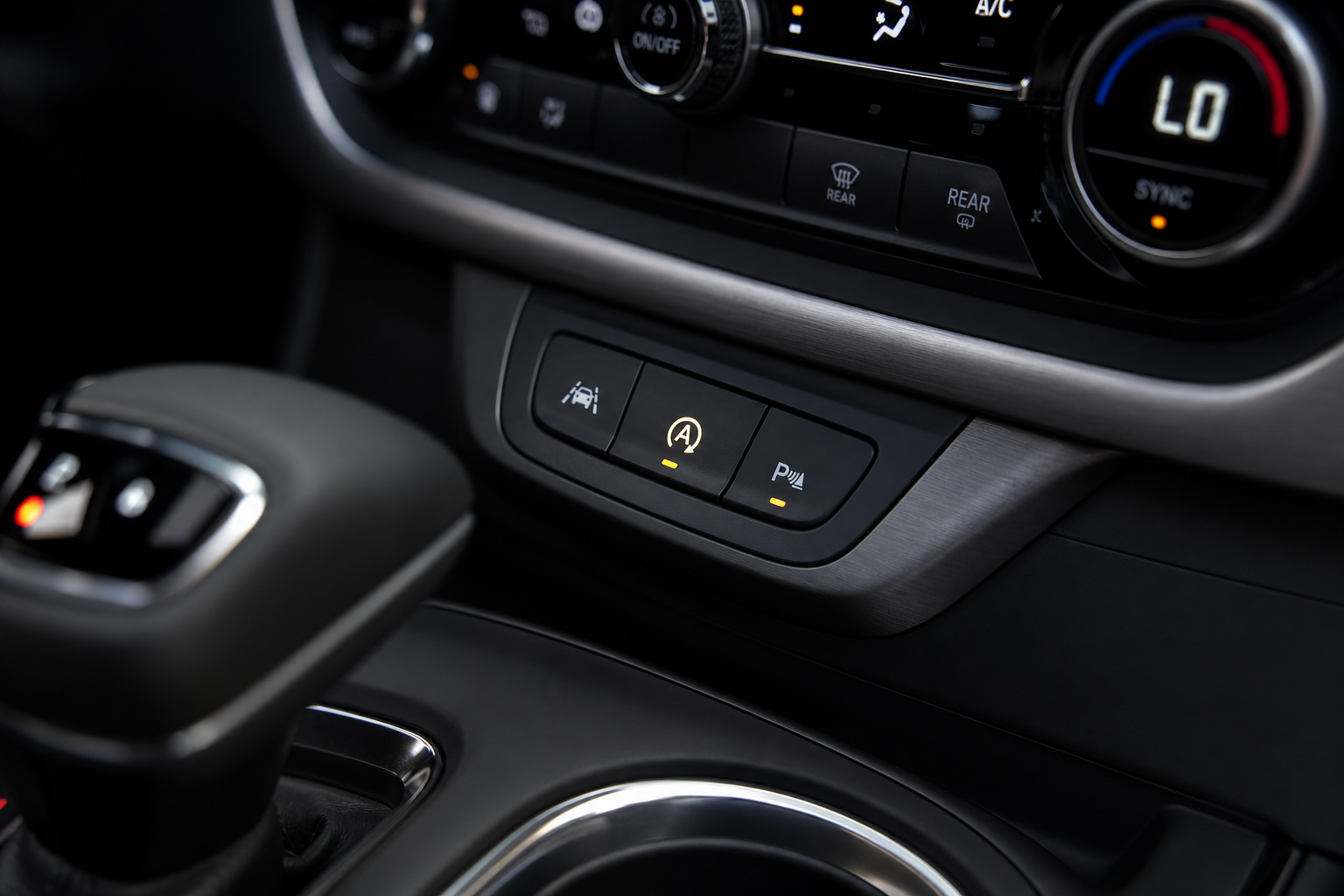
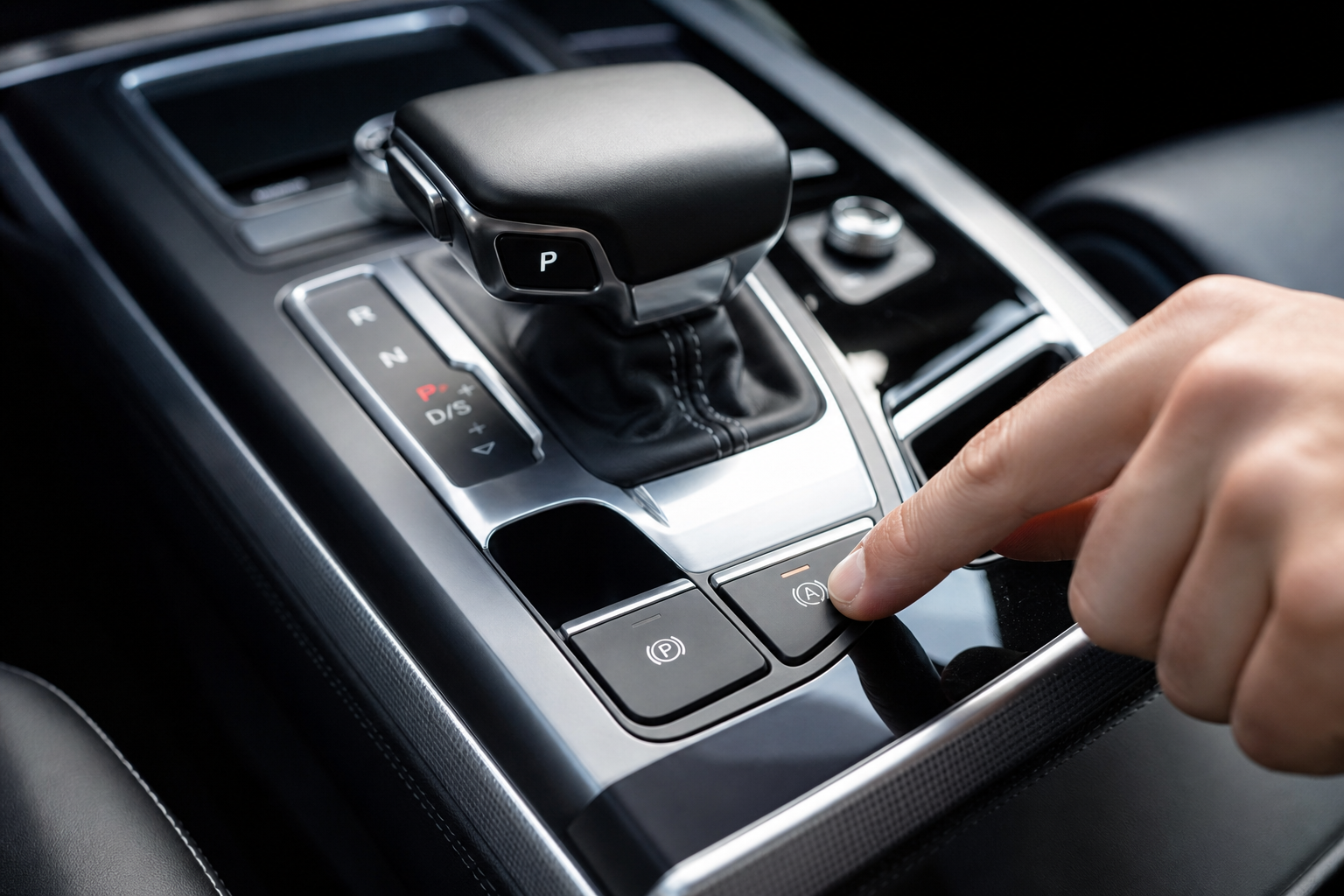
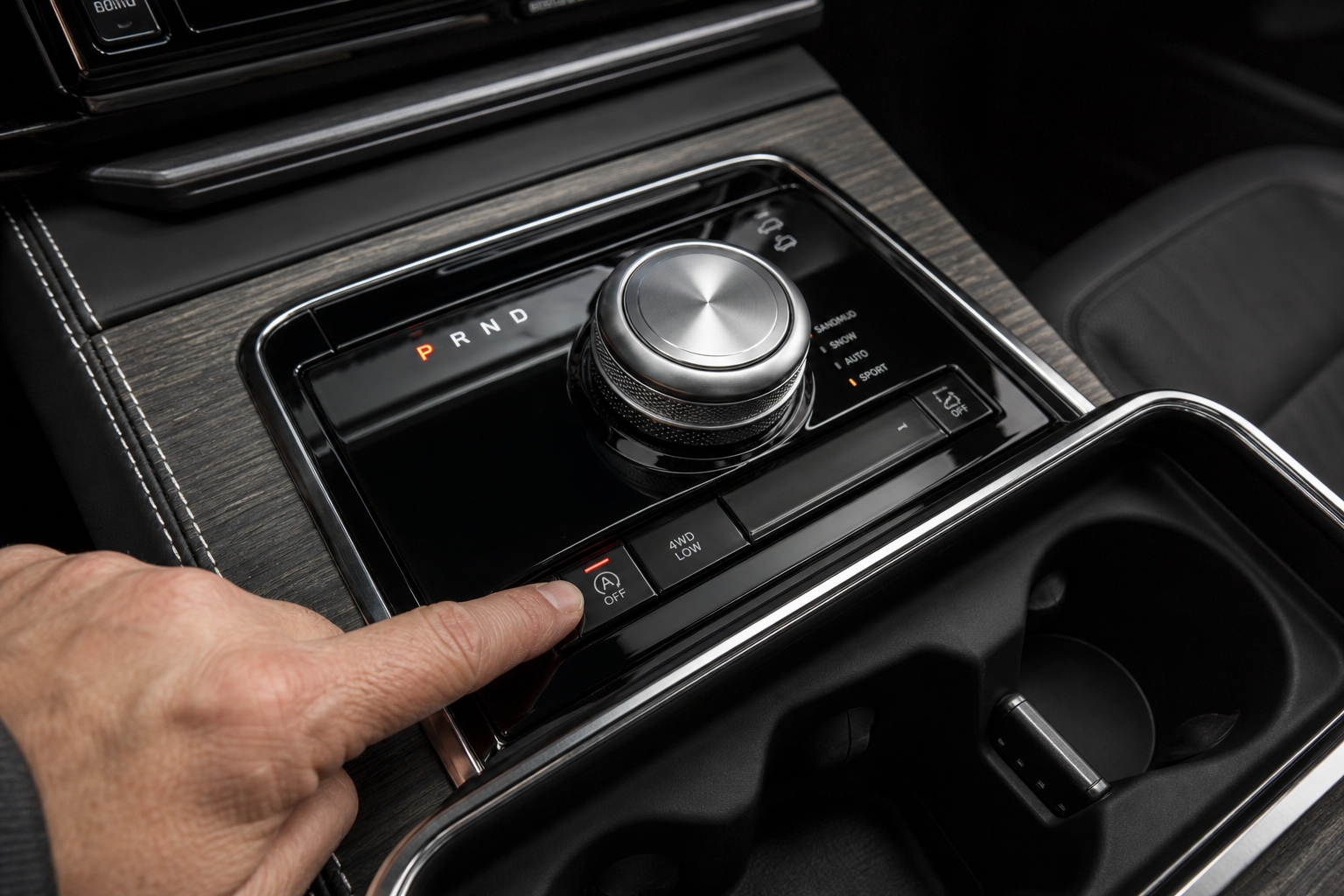
Every Chevy Blazer has a dedicated button on the center console labeled with an “A” and a circle arrow. Pressing it once will disable Auto Start/Stop for that drive cycle. The button illuminates to confirm it’s off, and the system stays dormant until you turn the car off.
Here’s the catch that frustrates most owners: General Motors programmed the system to reset to “on” every time you restart the engine. This is a deliberate design choice tied to fuel economy ratings and emissions compliance. There is no menu setting in the infotainment system or Driver Information Center that lets you change this default behavior. The button is your only factory option, and it requires manual input on every drive.
Some owners adapt to it and just press the button as part of their startup habit. Others find it genuinely irritating, especially if multiple people share the vehicle and someone forgets. If you’re managing multiple driver preferences in a shared Chevy, you might find the tips in our guide on setting up driver profiles on Chevy vehicles useful for organizing other settings, though driver profiles won’t override the start/stop default.
How to Permanently Disable Auto Start/Stop on the Chevy Blazer
There are a few approaches people use, ranging from free workarounds to dedicated hardware. Here’s what actually works.
Method 1: Press the Button Every Time (Free, No Installation)
This is the most basic approach and costs nothing. Press the A/Off button every time you start the vehicle. It takes about two seconds and becomes second nature after a week. If you share the Blazer with family members, you’ll need to remind them each time. Not ideal, but it works and carries zero risk to your vehicle.
Method 2: Use a Start/Stop Eliminator Module (Permanent, Automatic)
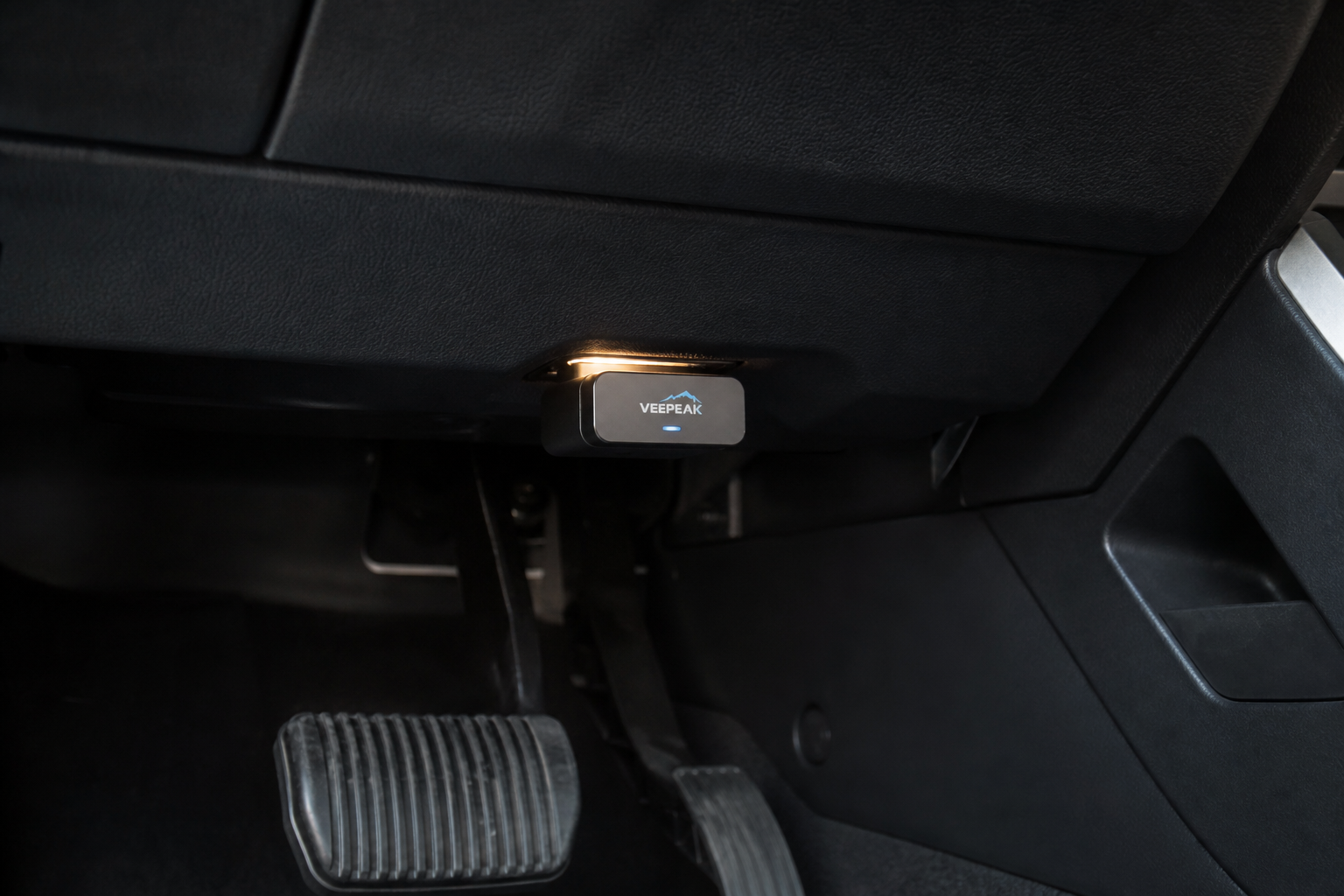
A start/stop eliminator is a small plug-and-play module that connects to your vehicle’s OBD-II port or a specific connector in the dash. Once installed, it automatically sends the signal to disable Auto Start/Stop every time the engine starts, mimicking a button press without you doing anything.
These modules are designed specifically for GM vehicles and Blazer-compatible versions are widely available. Installation takes about five minutes and requires no tools. You plug it in, tuck the wire, and it does its job invisibly from that point on.

Chevy Blazer Start Stop Eliminator
A plug-and-play module that automatically disables Auto Start/Stop on every drive without any button pressing or wiring required.
Most eliminators on the market for the Blazer connect to the AutoStop connector behind the dash or use the OBD-II port under the steering column. The OBD-II style is the easiest to install and remove if you ever want to reverse it, since it literally just plugs into the standard diagnostic port you’d use with an OBD2 scanner. The dash-connector style can sit more hidden but requires reaching behind the trim panel.
When shopping for one, confirm the product listing specifically mentions your Blazer’s model year. The 2019 to 2024 Blazer shares platform architecture with other GM crossovers, so many eliminators cover multiple models, but double-checking model-year compatibility before purchasing is always smart.
Method 3: Dealer or Tune Disable (Advanced)
Some GM dealers can disable Auto Start/Stop through a software tune or module programming, though not all will do it. A performance tuner can also flash the ECU to turn off the feature permanently at the software level. This is the most thorough option but also the most expensive and potentially the most complicated if your vehicle is still under warranty. For most Blazer owners, the eliminator module is a better fit.
Will Disabling Auto Start/Stop Hurt Your Engine or Warranty?
Using the factory button or an eliminator module does not damage your engine. In fact, some mechanics argue that fewer cold restart cycles reduces wear on the starter motor and engine components over time. The factory A/Off button exists specifically because GM anticipated that drivers would want to turn it off.
Regarding your warranty, using a plug-in eliminator module does not void your Blazer’s powertrain warranty under the Magnuson-Moss Warranty Act as long as it doesn’t cause the specific problem you’re bringing to the dealer. Dealers cannot void your warranty simply because you used an aftermarket plug-in device. If you’re concerned, use a module that’s easy to remove before any service visits.
A software tune that modifies engine programming is a different story and could raise warranty questions, which is another reason the hardware module approach is the most practical solution for most owners.
Frequently Asked Questions
Does the Chevy Blazer have a way to permanently turn off Auto Start/Stop through the settings menu?
No. The Blazer’s infotainment system and Driver Information Center do not include a setting to change the default Auto Start/Stop behavior. The A/Off button on the console is the only factory-provided control, and it resets to “on” every time you restart the engine. A hardware eliminator module is the most effective permanent solution without modifying software.
Will a start/stop eliminator module work on all Chevy Blazer trim levels?
Most plug-and-play eliminator modules designed for the 2019 to 2024 Blazer work across all trim levels including the L, 1LT, 2LT, RS, and Premier. The system uses the same underlying wiring and connectors regardless of trim. Always verify model-year compatibility in the product description before purchasing, and confirm whether the module uses the OBD-II port or requires access to a dash connector.
Can I remove the eliminator module easily if I take the car in for service?
Yes, and this is one of the biggest advantages of the plug-in style. If you’re using an OBD-II port eliminator, you can unplug it in about five seconds before a dealer visit. Dash-connector style modules take slightly longer to remove but are still fully reversible. Neither type permanently alters your vehicle’s wiring, so there’s nothing for a technician to detect once it’s unplugged.
Final Thoughts
Pressing that A/Off button every morning is one of those small annoyances that adds up. If you’re tired of it, a start/stop eliminator module is genuinely the best fix for the Chevy Blazer. It’s easy to install, doesn’t affect your warranty, and works automatically so you never have to think about it again.
If you want to do more with your Blazer’s technology features, Chevy has a number of useful built-in systems worth exploring. Our guide on using the Teen Driver feature on Chevrolet vehicles is a great read if you have a new driver in the family sharing the car. And if you’re the type who likes keeping your vehicle well-maintained beyond just features and settings, our Chevy oil life reset guide covers the process for GM vehicles in detail.
Chevy Blazer Auto Start Stop Eliminator Module
A reliable plug-and-play solution compatible with 2019-2024 Chevy Blazer models that keeps Auto Start/Stop disabled automatically on every drive.

Leave a Reply