

Nothing kills a good road trip playlist faster than Apple CarPlay dropping out on your Subaru Outback right in the middle of a song, a phone call, or worse, while Google Maps is trying to route you off a highway exit. This is one of the most common complaints among Outback owners, and it happens on both wired and wireless setups. The good part is that most of these disconnects trace back to a handful of predictable causes, and you can usually fix them yourself in a few minutes without a trip to the dealer.
Wired CarPlay Disconnects: Start With the Cable and the Port
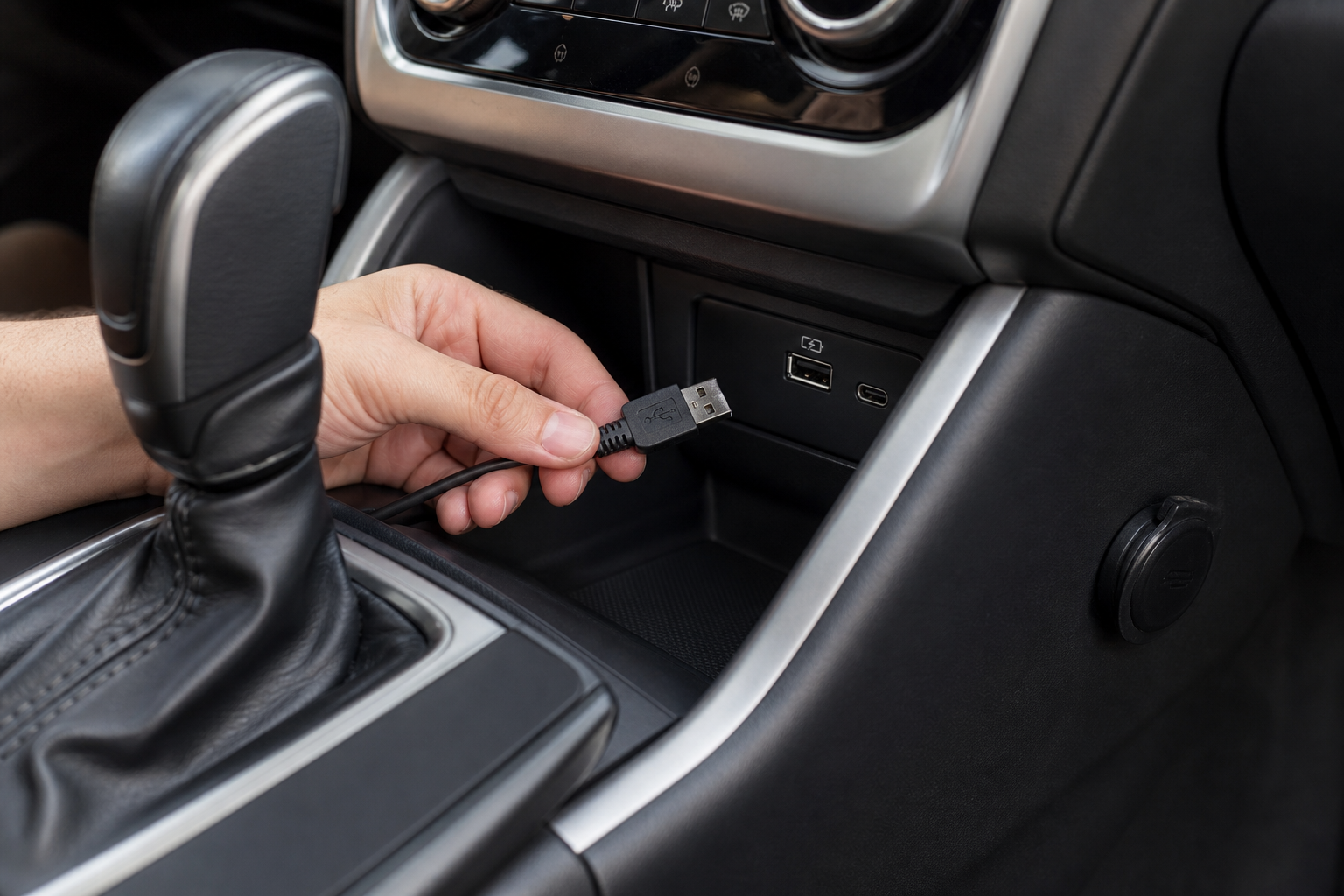
If you’re plugging in with a cord, the cable itself is the number one culprit. Apple CarPlay needs a cable that carries data, not just power, and a lot of cheap or worn-out cables only handle charging. If your cable came free with a phone case or a gas station impulse buy, that’s probably your problem.
Try a certified Lightning or USB-C cable (depending on your iPhone model) and see if the dropouts stop. It’s also worth checking that you’re using the correct USB port. Subaru Outbacks from 2020 and up typically have multiple USB ports, but not all of them support data transfer. Usually only one or two front ports (often marked or located near the infotainment screen) actually work for CarPlay, while others in the center console or rear are charge-only.
Check your owner’s manual for the specific port diagram for your model year, since this changed between the 2020-2021 redesign and the 2023+ update with the larger 11.6-inch screen. Plugging into the wrong port is a surprisingly common reason people think their whole system is broken when it’s really just one dead-end USB jack.
Anker USB-C to Lightning Cable
An MFi-certified cable is the easiest fix for random wired CarPlay dropouts caused by cheap cords.
If a new cable doesn’t solve it, try a hard reset on your iPhone (hold the side button and volume button until the slider appears, then power it back on). A phone that’s been running for weeks without a restart can develop connection quirks that have nothing to do with the car at all.
Wireless CarPlay Disconnects: Bluetooth and Wi-Fi Pairing Issues

Wireless CarPlay became available on the Outback starting with the 2022 model year on trims equipped with the larger touchscreen. If you have an older Outback, wireless CarPlay simply isn’t supported, no matter how many settings you dig through, so double-check your trim and year before assuming something’s broken.
For models that do support it, wireless CarPlay relies on both Bluetooth and Wi-Fi working together behind the scenes. Bluetooth handles the initial handshake, and Wi-Fi carries the actual video and audio once connected. If either connection is flaky, you’ll get drops, especially in areas with a lot of wireless interference like parking garages or busy downtown streets.
Start by forgetting the Bluetooth connection on both the phone and the infotainment system, then re-pair from scratch. Go to your iPhone’s Bluetooth settings, tap the “i” next to your Outback, select “Forget This Device,” then head into the Subaru’s phone settings menu and delete the paired device there too. Re-pair fresh and let the car add itself as a new CarPlay source rather than reconnecting to old cached settings.
If forgetting and re-pairing doesn’t help, try turning your phone’s Wi-Fi off and back on before starting the car. A surprising number of wireless CarPlay dropouts trace back to the iPhone holding onto a home or work Wi-Fi network instead of properly connecting to the car’s hotspot.
CarPlay Wireless Adapter
If your Outback only supports wired CarPlay, a wireless adapter plugs into the USB port and adds wireless functionality without a full infotainment upgrade.
Reset the Infotainment System and Check for Updates

When cable swaps and re-pairing don’t fix it, the infotainment unit itself may need a reboot. On most Outback models, you can force a restart by holding down the power button (usually the volume knob) for about 10-15 seconds until the screen goes black and reboots. This clears temporary glitches without erasing your saved settings.
Subaru also pushes software updates for the Starlink infotainment system that specifically address CarPlay stability. Check under Settings > System > Software Update on the touchscreen, or ask your dealer to check for a pending update the next time you’re in for service. These updates are free and often fix bugs that no amount of cable swapping will solve.
iOS updates matter too. Apple regularly patches CarPlay bugs, and running an outdated version of iOS alongside outdated Subaru software is a common combination that causes intermittent drops. Keep both updated and you eliminate one of the biggest variables.
If none of this works, deleting the vehicle profile entirely from your iPhone (Settings > General > CarPlay > tap your Outback > Forget This Car) and re-adding it as if it’s the first time often clears out corrupted pairing data that a simple reconnect won’t touch.
FAQ
Does every Subaru Outback model year support wireless CarPlay?
No. Wireless CarPlay arrived on the Outback with the 2022 model year on trims with the larger touchscreen, and it’s standard across the lineup starting with the 2023 redesign. If you have a 2020 or 2021 Outback, you’re stuck with wired CarPlay only, regardless of what settings you find in the menu.
Why does CarPlay work fine for a few minutes then disconnect?
This pattern almost always points to a cable or USB port issue on wired setups, or a Wi-Fi interference problem on wireless setups. The initial connection succeeds because Bluetooth pairing is stable, but the ongoing data stream (through the cable or Wi-Fi) can’t keep up, causing the drop a few minutes in.
While you’re troubleshooting your infotainment system, it’s also a good time to check other electronics on your Outback are behaving normally, like the auto-dimming rearview mirror and compass or the intersection turning assist system, since a glitchy infotainment unit can sometimes affect other connected features. And if a warning light pops up while you’re at it, our guide on resetting the TPMS light on the Outback covers that separately.
This article contains affiliate links. We may earn a small commission at no extra cost to you.

Leave a Reply