

When your Ford F-150’s “Oil Change Required” message pops up on your dashboard, you’ll want to reset it after completing your oil change. This maintenance reminder is controlled by Ford’s Intelligent Oil Life Monitor system, and the reset process varies depending on your truck’s model year and technology package.
Understanding Ford’s Intelligent Oil Life Monitor System
Ford’s Intelligent Oil Life Monitor doesn’t just count miles like older systems. It tracks your driving conditions, engine temperature, load factors, and driving habits to calculate when your oil actually needs changing. This smart system can extend oil change intervals under ideal conditions or recommend earlier changes if you’re doing a lot of stop-and-go driving or towing.
The system displays oil life as a percentage, starting at 100% after each reset. When it reaches around 5-10%, you’ll see the “Oil Change Required” message appear on your instrument cluster. After changing your oil, you must manually reset this system to start the monitoring cycle over again.
Method 1: Accelerator Pedal Reset (2009-2014 F-150 Models)
For older F-150 models without the SYNC touchscreen system, you’ll use the accelerator pedal method. This technique works on most Ford vehicles from this era and doesn’t require any special tools or menu navigation.
Start with your F-150 completely turned off. Make sure the ignition is in the “off” position, not just the engine turned off. You’ll need to cycle through the ignition positions without actually starting the truck.
Turn the ignition key to the “on” position (second click) without starting the engine. Your dashboard lights should come on, but don’t turn it to the start position. Within five seconds, you need to press and release the accelerator pedal three times fully.
Press the pedal all the way to the floor and release it completely for each press. The timing matters here, so don’t rush through it, but don’t take too long between presses either. After the third press, wait about 10-15 seconds.
If the reset worked, you should see the oil life percentage return to 100% on your instrument cluster. Turn the ignition off and then start your truck normally to verify the “Oil Change Required” message is gone.
Troubleshooting the Pedal Method
If the reset didn’t work on your first try, turn the ignition completely off and wait about 30 seconds before trying again. Make sure you’re pressing the accelerator fully to the floor each time. Some F-150 owners find success by holding the third pedal press for a few seconds longer.
On certain 2014 models that came with early SYNC systems, you might need to use the touchscreen method instead. Ford started transitioning to the new system partway through the 2014 model year.
Method 2: SYNC Touchscreen Reset (2015+ F-150 Models)
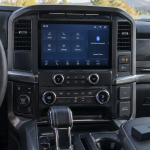
Ford F-150 trucks from 2015 onward use the SYNC infotainment system for oil life resets. This method is more intuitive but requires navigating through several menu screens. The exact menu structure varies slightly between SYNC 2, SYNC 3, and SYNC 4A systems.
Start your F-150 and let the SYNC system fully boot up. You’ll see the main home screen with your various app icons and vehicle information. Look for the “Settings” option, which usually appears as a gear icon on the bottom of the screen.
Tap “Settings” and then look for “Vehicle” or “Vehicle Settings” in the menu options. Some model years might have this under a “MyFord Touch” section instead. The exact wording depends on your SYNC version.
Within the vehicle settings menu, find “Oil Life Reset” or “Maintenance Reset.” On newer systems, this might be under a submenu called “Oil Life” or “Service Intervals.” Tap this option and you’ll see your current oil life percentage displayed.
The system will ask you to confirm that you want to reset the oil life monitor. Select “Yes” or “Reset” to confirm. You should see the oil life percentage jump back to 100%, and any “Oil Change Required” messages will disappear from your instrument cluster.
Alternative SYNC Menu Path
Some F-150 models have the oil life reset option in a different location. Try going to “Information” from the main SYNC screen, then “Vehicle Info,” and look for maintenance or oil life options there. Ford has reorganized these menus with various software updates over the years.
If you can’t find the oil life reset in the expected menus, check your owner’s manual for the specific menu path. Different trim levels and option packages sometimes have slightly different SYNC menu structures.
Using the Instrument Cluster Information Display
Many F-150 models also allow oil life resets through the instrument cluster’s information display, controlled by buttons on your steering wheel. This method works on trucks that have the 4.2-inch or 8-inch productivity screen between the gauges.
Use the directional arrows on your steering wheel controls to navigate through the information display menus. Look for “Settings,” “Vehicle Settings,” or “Maintenance” options. The exact button layout varies between different F-150 interior packages.
Once you find the maintenance or oil life section, select “Oil Life Reset” and confirm your choice. This method is often faster than using the touchscreen, especially if you’re familiar with your truck’s menu system.
What to Know Before Resetting
Only reset your oil life monitor after actually changing your oil and filter. The system can’t detect whether you’ve done maintenance, so it relies on you to reset it at the appropriate time. Resetting without changing your oil will throw off the monitoring system’s accuracy.
If you’re having someone else change your oil, make sure they know how to reset the system on your specific F-150 model year. Not all quick-lube shops are familiar with Ford’s reset procedures, especially for older models using the pedal method.
The Intelligent Oil Life Monitor takes several driving cycles to recalibrate after a reset. Don’t be concerned if the oil life percentage drops more quickly than expected during your first few hundred miles after resetting. The system is learning your current driving patterns.
When the Reset Doesn’t Work
If neither reset method works on your F-150, you might have a more complex issue. Some trucks develop problems with the oil life monitoring system that require professional diagnosis. A Ford dealership or qualified technician can reset the system using professional scan tools.
Battery disconnections or other electrical issues can sometimes interfere with the oil life monitor reset procedures. If you’ve recently had electrical work done or replaced your battery, this might explain why the normal reset methods aren’t working.
In rare cases, the oil life monitor module itself can fail. This is more common on higher-mileage trucks or vehicles that have been in accidents involving electrical system damage. Professional diagnosis can determine if module replacement is necessary.
Frequently Asked Questions
Can I reset the oil life monitor without changing the oil?
Technically yes, but you shouldn’t. The system relies on accurate reset timing to calculate when your next oil change is due. Resetting without changing oil will cause the monitor to give you incorrect maintenance recommendations, potentially leading to engine damage from extended oil change intervals.
Why does my oil life percentage drop so quickly after reset?
The Intelligent Oil Life Monitor considers many factors beyond just mileage. Frequent short trips, cold weather starts, towing, or stop-and-go traffic will cause the oil life percentage to decrease faster. This is normal behavior and indicates the system is working properly to protect your engine under demanding conditions.
Will disconnecting the battery reset the oil life monitor?
Disconnecting the battery will not reset the oil life monitor on most F-150 models. Ford stores this information in non-volatile memory that survives battery disconnections. You still need to use the proper reset procedure after changing your oil.
What happens if I ignore the oil change required message?
The message will continue to display and may become more persistent as time passes. While the truck will continue to run, ignoring oil change intervals can lead to engine damage, void your warranty, and result in expensive repairs. The Intelligent Oil Life Monitor is designed to protect your investment, so it’s wise to follow its recommendations.



Leave a Reply