

Changing your Silverado’s oil is easy. Getting that annoying oil change light to turn off afterward? That can be surprisingly tricky, especially since the reset method varies significantly across different generations of this popular truck.
The Chevrolet Silverado has evolved considerably since 2003, and so have the methods for resetting its Oil Life Monitor system. Depending on your truck’s year and trim level, you might need to use the Driver Information Center (DIC) buttons, perform a specific pedal sequence, or navigate through a touchscreen infotainment system.
Understanding Your Silverado’s Oil Life Monitor System
Before diving into reset procedures, it’s helpful to understand what you’re actually resetting. The Oil Life Monitor (OLM) system doesn’t just count miles. Instead, it uses a complex algorithm that factors in engine temperature, driving conditions, RPM variations, and time to calculate when your oil needs changing.
The system typically triggers the oil change reminder between 3,000 and 10,000 miles, depending on your driving habits. City driving with lots of stops and starts will trigger it sooner than highway cruising. Cold weather starts and short trips also accelerate the countdown.
When the oil life reaches 10%, you’ll see messages like “Change Engine Oil Soon.” At 0%, it becomes more insistent with “Change Engine Oil Now” or similar warnings.
2003-2006 Silverado: The Pedal Method
These early GMT800 trucks use the simplest reset method, but it requires precise timing. You’ll need to use the accelerator pedal to communicate with the system.
Start with the engine completely off and your key out of the ignition. Insert the key and turn it to the “ON” position (second click) without starting the engine. All your dashboard lights should illuminate, but don’t turn the key further to start.
Press and release the accelerator pedal three times within five seconds. The timing here is crucial. Press it down completely, release fully, and repeat two more times. You should see the oil life percentage appear on your odometer display.
If successful, the display will show “Oil Life 100%” or flash several times before returning to normal. Turn the key off, wait about 30 seconds, then start your truck to verify the reset worked.
2007-2013 Silverado: DIC Button Method
The GMT900 generation introduced the Driver Information Center with dedicated buttons on your steering wheel or dashboard. Look for buttons labeled “DIC,” “INFO,” “MENU,” or arrow buttons near your instrument cluster.
Turn your ignition to the “ON” position without starting the engine. Use the DIC buttons to scroll through the menu options until you find “Oil Life” or “Engine Oil Life.” This might be under a submenu called “Vehicle Information” or “Maintenance.”
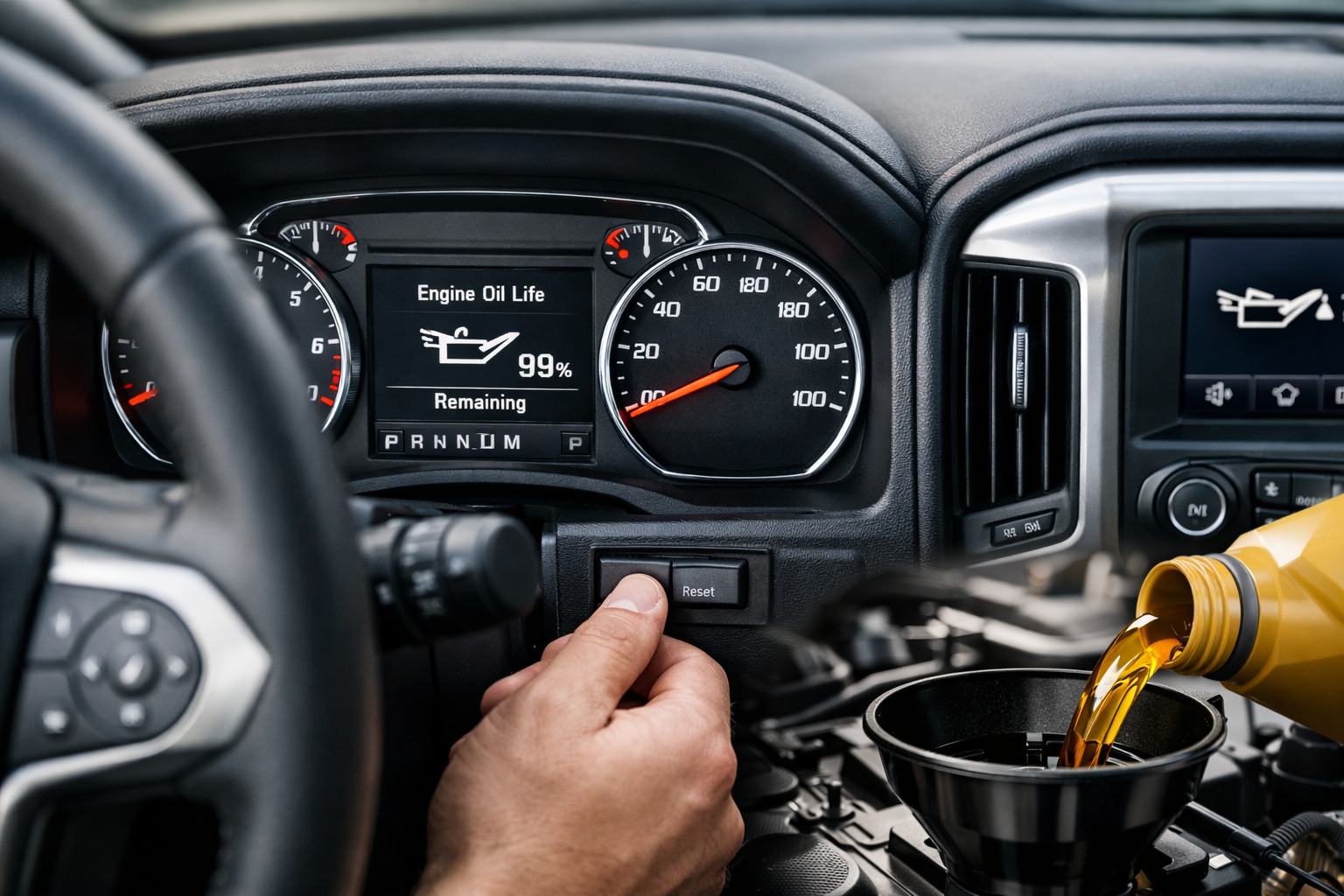
Once you’ve highlighted the oil life display, press and hold the “SET/CLR,” “RESET,” or checkmark button until the display shows “Oil Life 100%” or similar confirmation message. The exact button varies by trim level, but it’s typically the center button in the DIC control cluster.
Some 2007-2008 models still use the pedal method described above, so if the DIC method doesn’t work, try the three-pedal-press sequence.
2014-2018 Silverado: Enhanced DIC System
The K2XX generation refined the DIC system with clearer menus and more intuitive navigation. You’ll find the DIC controls on the right side of your steering wheel, typically including up/down arrows and an “SET/CLR” button.
With the engine off and ignition in the “ON” position, press the up or down arrow buttons to scroll through the DIC menu. Navigate to “Vehicle Information,” then select “Oil Life.” You should see the current oil life percentage displayed.
Press and hold the “SET/CLR” button until you see “Oil Life Reset” or similar message. Continue holding until it changes to “Oil Life 100%” and you hear a confirmation chime. The entire process should take about 5-10 seconds of holding the button.
Release the button and turn off the ignition. When you restart your truck, the oil change light should be gone and the oil life should read 100%.
2019-2025 Silverado: Touchscreen Integration
The newest T1XX Silverados integrate oil life reset into the infotainment touchscreen system, though DIC button backup methods still exist. The exact steps vary slightly between the 7-inch, 8-inch, and 13.4-inch touchscreen systems.
Touchscreen Method
Turn on your truck (engine can be running for this method). On your touchscreen, select “Settings” from the home screen. Look for “Vehicle” or “Vehicle Settings” in the menu options.
Navigate to “Oil Life” under the vehicle maintenance section. You’ll see the current oil life percentage and a “Reset” button or option. Select “Reset” and confirm when prompted. The system will display “Oil Life 100%” to confirm the reset.
DIC Backup Method
If your touchscreen isn’t working or you prefer using physical buttons, the steering wheel DIC controls still work. The process is nearly identical to the 2014-2018 method described above.
Use the arrow buttons to navigate to “Vehicle Information,” then “Oil Life.” Press and hold “SET/CLR” until you see the reset confirmation and hear the chime.
Troubleshooting Common Reset Issues
If your first attempt doesn’t work, don’t panic. These systems can be finicky, and timing is often critical. Make sure you’re holding buttons long enough (usually 10-15 seconds) and that your ignition is in the correct position.
For pedal method resets, ensure you’re pressing the accelerator fully to the floor and releasing it completely. Half-presses won’t register with the system. Also, those three presses must happen within five seconds, so practice the rhythm before attempting the actual reset.
Some Silverados with aftermarket modifications, particularly tune chips or performance programmers, may interfere with the oil life system. If you can’t reset the light despite following the correct procedure, check with your tuner about potential conflicts.
When the Light Won’t Stay Off
Occasionally, the oil change light will return immediately after resetting, even with fresh oil. This usually indicates a problem with the oil life monitoring system itself or an underlying engine issue.
Check your oil level and condition first. If the oil is genuinely dirty, low, or hasn’t been changed recently, the system might be functioning correctly. Some quick-lube shops forget to reset the light, leaving customers thinking they have a system problem.
Persistent oil life warnings can also indicate oil pressure problems, faulty sensors, or issues with the ECM (Engine Control Module). These require professional diagnosis and aren’t something you can fix with a simple reset procedure.
Special Considerations for Different Trim Levels
Work truck (WT) models, especially in earlier generations, may have simplified instrument clusters without full DIC functionality. These trucks often use the pedal method regardless of model year.
High Country and LTZ trim levels typically have the most advanced reset options, including voice commands on newer models. You can often say “Reset oil life” to the OnStar or Chevrolet infotainment system.
Diesel Silverados (Duramax models) use the same reset procedures as their gasoline counterparts, but the oil change intervals are typically longer. Don’t be surprised if your diesel’s oil life system recommends changes every 7,500-10,000 miles under normal conditions.
Maintaining Your Oil Life System
The Oil Life Monitor system works best when it’s reset after every oil change. Skipping resets or resetting without actually changing the oil will throw off its calculations and reduce its accuracy over time.
Keep track of your actual mileage between changes and compare it to what the system recommends. This gives you insight into how your driving habits affect oil life and helps you spot potential system malfunctions early.
If you’re doing your own oil changes, always reset the system immediately after adding fresh oil. Waiting days or weeks to reset it will affect the accuracy of future calculations.
Professional vs. DIY Oil Changes
Most professional shops will reset your oil life system as part of their service, but it’s worth confirming this before you leave. Quick-lube chains sometimes forget this step, especially with older Silverados that use less common reset procedures.
If you’re changing your own oil, mastering the reset procedure for your specific year saves you trips to the dealer or frustration with persistent warning lights. Keep a copy of your reset instructions in your glove box for reference.
Some mobile oil change services may not be familiar with all Silverado generations, particularly older models with the pedal reset method. Having the instructions handy helps ensure they complete the job properly.
Frequently Asked Questions
Can I reset the oil life without changing the oil?
Technically yes, but this defeats the purpose of the monitoring system. The Oil Life Monitor uses complex algorithms to track oil degradation. Resetting it without fresh oil will lead to inaccurate recommendations and potentially damage your engine.
Why does my oil life show negative percentages?
Negative oil life percentages indicate you’ve exceeded the recommended change interval. The system continues counting past 0% to show how overdue your oil change has become. A display showing “-10%” means you’re 10% past the recommended change point.
Will disconnecting the battery reset the oil life?
Disconnecting the battery will not reset the oil life on modern Silverados. The Oil Life Monitor data is stored in non-volatile memory that persists even without power. You must use the proper reset procedure for your truck’s generation.
My reset procedure isn’t working. What else can I try?
First, verify you’re using the correct procedure for your exact model year. Try the process several times, ensuring precise timing and button presses. If it still doesn’t work, your truck may have a faulty oil life sensor or ECM issue requiring professional diagnosis.


Leave a Reply