

On most Kia Seltos models, you reset the service reminder from the instrument cluster menu, using the steering wheel buttons with the vehicle parked and the ignition on. The setting is normally under the cluster’s user settings in a service interval item, and you reset or re-set it there after the work is done. The exact label and button layout depend on your cluster type and model year, so the owner’s manual is the final word.
This guide covers how to identify which reminder you’re looking at, the general reset steps, what changes between model years, and what to check if the reminder won’t clear. It also covers the difference between a maintenance reminder and a real warning light, since they get confused all the time.
First, Identify What Your Seltos Is Actually Telling You

Before touching any menu, figure out which message you’re dealing with. Three different things can show up on the dash, and only one of them is something you reset.
- A service or maintenance reminder. This is a text message, usually shown when you turn the ignition on, saying service is due or coming up. It’s a timer based on mileage, time, or both. This is the one this article is about.
- A red oil pressure warning. This is a warning symbol, not a reminder. It means the engine may not be getting proper lubrication. Don’t keep driving on it. Park safely, shut the engine off, and have the oil level and the vehicle checked before anything else.
- A check engine light or other fault indicator. This means the car has stored a fault. No menu reset fixes that. It needs diagnosis, and the light will go out once the underlying problem is dealt with.
If you see anything red or a fault light alongside a service message, treat the warning first. The reminder can wait.
What a Reset Does and Doesn’t Do
Resetting the reminder only restarts a countdown. It doesn’t change the oil, replace a filter, rotate tires, or repair anything. The car has no idea what work was actually done.
That means you should reset it only after the service items have really been completed. If you clear the message to make it go away while the oil is still old, you’ve just removed your only prompt. Keep a simple log of the date and mileage for each job, which also helps if you ever need to show maintenance history.
One practical wrinkle: the Seltos reminder is a single timer, not a separate one for each task. If you change the oil but a tire rotation or other item from the maintenance schedule is still outstanding, the reset won’t track that. Check the maintenance section of your owner’s manual for which items are due at each interval.
Owner-Set Interval vs. Oil Life Monitor
These two systems work differently, and it matters which one your car has.
An owner-configured service interval counts down a mileage and/or time value that you or a technician sets. It doesn’t evaluate how hard you’ve driven the car. The Seltos’s cluster menu is built around this kind of interval setting, as far as I’m aware of how Kia describes it.
An oil life monitor estimates oil condition from driving data and typically shows a percentage. Plenty of other brands use this, and the reset process is different. For a comparison, see our guide on resetting the oil life monitor on a Jeep Grand Cherokee. If your Seltos cluster shows an oil life percentage, confirm in the manual how that’s reset, because I’m not describing that method here.
Because a fixed interval doesn’t account for your driving, your schedule matters more. The manual’s maintenance section separates normal from severe driving conditions, such as frequent short trips, heavy traffic, dusty roads, or extreme temperatures. Check which schedule fits how you drive, and set your interval accordingly. This applies to both the 2.0L and 1.6L turbo engines, and the manual lists the intervals for each.
Which Model Years Does This Cover?
The Seltos arrived in the US as a 2021 model, so there’s no earlier US model year to worry about. The first generation ran for several model years, and a redesigned Seltos followed. Menus and cluster designs can change with trim, equipment, and software, so treat the steps below as a general method and not a guarantee for every car.
- First generation (2021 onward): Cluster-based settings controlled from the steering wheel. Cluster size and style vary by trim, so the screens may look different even when the menu logic is similar.
- Redesigned Seltos (newest model years): Don’t assume the older menu path applies. The cluster and screens changed, and I can’t confirm the exact reset path or menu name. Check the maintenance or instrument cluster section of that year’s owner’s manual.
The one thing that holds across the board is that the owner’s manual for your exact model year is the authority on menu names. If your car doesn’t match what’s below, trust the manual over this article.
How to Reset the Service Reminder: Cluster Menu Method
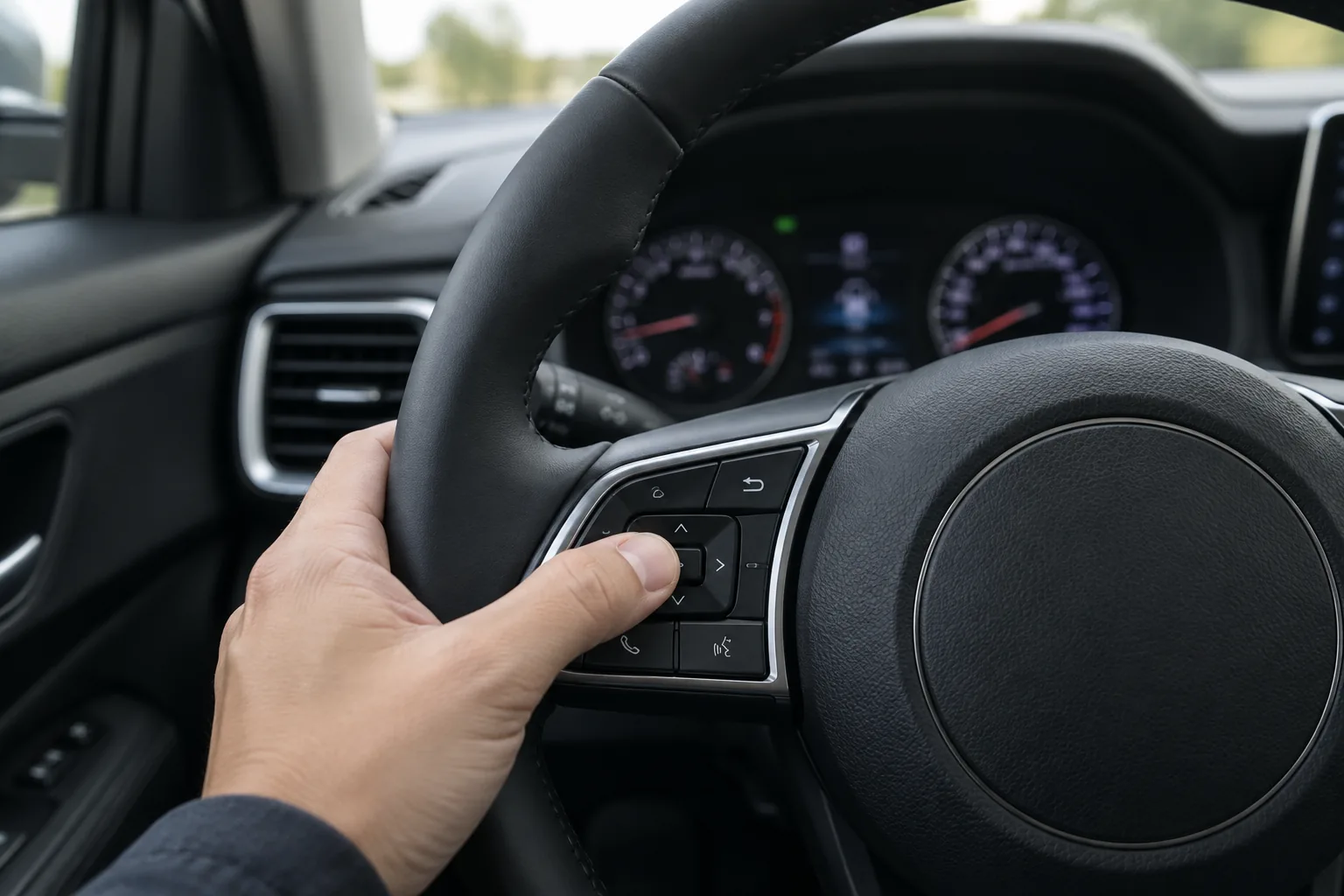
This is the free, owner-operated method, and you don’t need a scan tool or any purchase to do it. It applies to Seltos models with the steering wheel controlled cluster menu.
- Park and set the brake. Do this on level ground, in Park. Cluster settings are generally not available or are restricted while the vehicle is moving.
- Turn the ignition on. On a push-button start car, pressing the button without your foot on the brake typically cycles through accessory and ignition on without starting the engine. Check your manual for the exact sequence on your trim. Some owners use the running engine instead, and the manual says which states allow menu access.
- Use the steering wheel buttons to open the cluster menu. Look for the mode or menu button, the up and down arrows, and the select or OK button. Navigate to the user settings section.
- Find the service interval item. It’s typically labeled something like Service Interval, but the exact wording can vary by year and cluster. If you can’t find it, check the manual’s instrument cluster section for the exact menu name.
- Reset or set the interval. Depending on the cluster, you may be able to turn the reminder on, choose a mileage and time value, or select a reset option. Pick the interval that matches your maintenance schedule from the manual.
- Confirm the change. Back out of the menu, turn the ignition off, wait a moment, and turn it on again. The service message should no longer appear at startup, and the menu should show the new countdown.
The expected confirmation is the service message no longer showing at startup, plus a refreshed interval in the settings screen if your cluster displays one.
If the Reset Doesn’t Work
When the message won’t clear or the menu isn’t there, work through these before assuming something is wrong with the car.
- The interval is switched off or hidden. If the service interval setting is disabled, the item may be missing or greyed out. Look for an on/off option within the same settings area, or check the manual for how your cluster handles it.
- Wrong ignition state. If the menu won’t open, try the other state your manual allows, and make sure the vehicle is in Park.
- Wrong menu. Cluster menus are layered. Browse each top-level category, because the service item may sit under a heading you didn’t expect.
- You’re looking at a different message. A warning light or fault message won’t clear with a service reset. Read the exact wording and match it to the manual’s warning light section.
- Different cluster or model year. If your buttons or screens don’t match the description above, use the manual for your exact year and trim.
- Still stuck. A Kia dealer can reset or set the interval. You don’t need a scanner or special tool purchase to get this done.
If the message returns right after you reset it, the likelier explanation is that the interval was set too short or the reset didn’t save. Repeat the steps and confirm by cycling the ignition.
Doing the Oil Change Yourself
If you’re handling the oil change at home, the reset comes after the work, not before. The supplies you need depend on your engine, so check the manual for the oil grade, capacity, and the correct filter for your 2.0L or 1.6L turbo before buying anything. Fitment is engine and year specific, so don’t rely on a generic listing.
A low-profile drain pan is a useful optional item for a compact crossover like this, because it slides under the car more easily. You can browse options through a low profile oil drain pan search, and check current pricing on Amazon.

Low Profile Oil Drain Pan
An optional, easy-to-use pan for DIY oil changes on lower vehicles; none of this is needed to reset the reminder.
For the rest of your toolkit, our list of must-have tools for every DIY car owner covers the basics. If you’re curious how another brand handles a service reminder, here’s how to reset the service due indicator on a Subaru Outback.
FAQ
Do I need a scan tool to reset the Kia Seltos service reminder?
No. The owner-operated cluster menu is the first method to try, and it’s free. A scan tool isn’t required, and if the menu can’t be found, a dealer can also help.
Does resetting the reminder mean my oil was changed?
No. A reset only restarts the countdown. It doesn’t perform any maintenance, so reset it only after the oil change or other service has actually been completed.
Will resetting the service message turn off the check engine light?
No. A check engine light or other fault indicator means the car has detected a problem. It needs diagnosis and repair, and a service interval reset has no effect on it. A red oil pressure warning is more urgent still, so stop driving and have it checked.
Why can’t I find the service interval menu on my Seltos?
The label and location vary by model year, trim, and cluster, and the setting can be disabled or hidden if the interval is turned off. Check the instrument cluster section of your owner’s manual for the exact menu name, and confirm whether your year uses a different layout.




Leave a Reply