
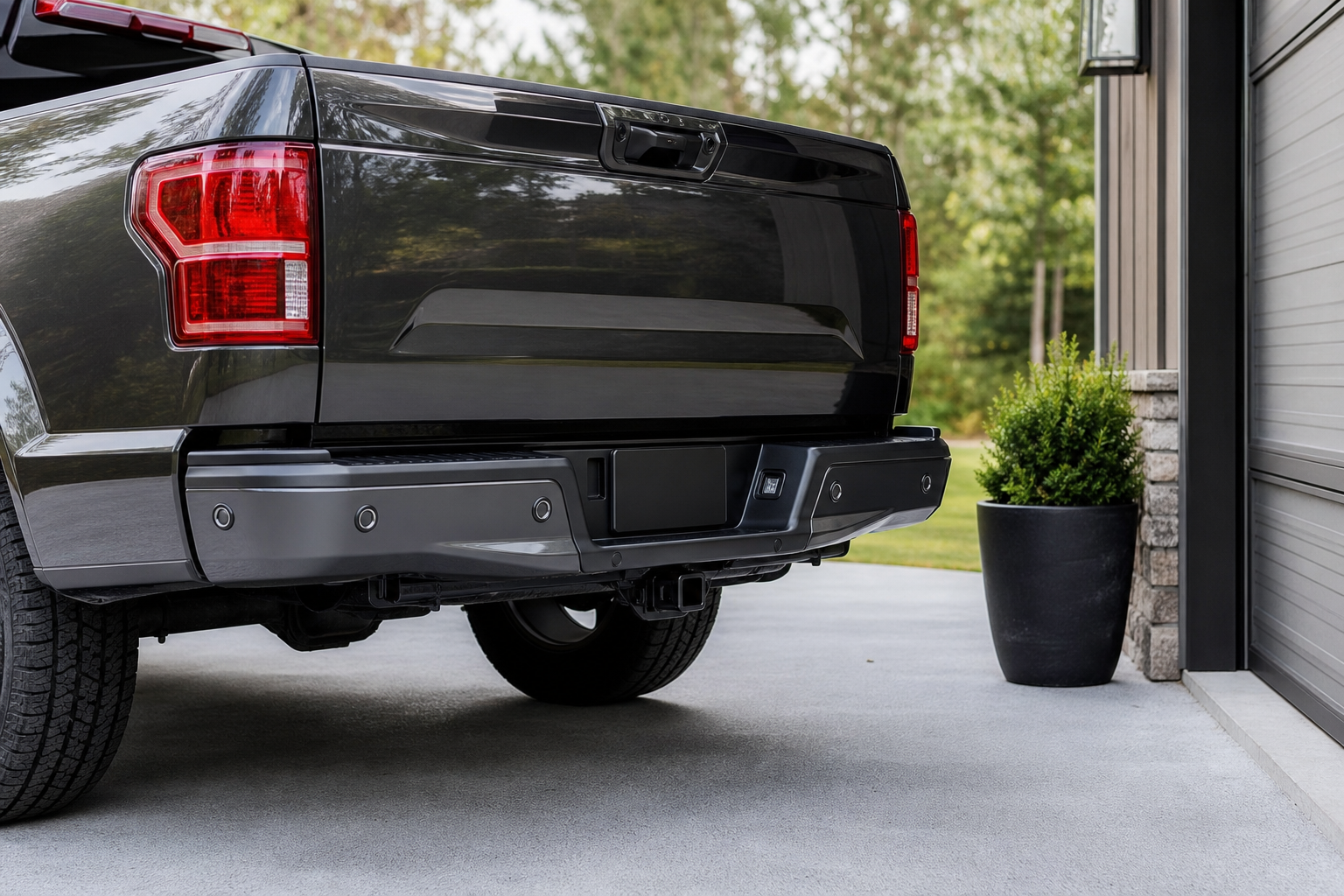
If your Ford F-150 has started beeping at you for no reason, or worse, stopped warning you about obstacles entirely, you’re dealing with one of the most common comfort complaints on modern trucks. Parking sensors are simple in theory, but a dozen small things (mud, a tow ball, a cracked bumper, a blown fuse) can make them act erratic. Before you assume the whole system is shot, it helps to walk through the usual suspects in order, starting with the cheapest and easiest fixes first.
Know What Your F-150 Actually Has
Ford doesn’t put the same parking sensor setup on every F-150. The rear-only system is called Reverse Sensing System, and it’s been available since well before the current generation. Starting with the 2021 redesign, Ford bundled it into the Ford Co-Pilot360 suite, and front sensors became part of a package called Front and Reverse Sensing System on many trims.
On XL and base XLT trucks, you may only have rear sensors, or none at all if the truck was ordered without the Co-Pilot360 upgrade. Lariat, King Ranch, Platinum, and Limited trims typically include both front and rear sensors as standard equipment. If your dash message says “park aid unavailable” but you never had front sensors to begin with, that’s not a fault, it’s just how the truck was built.
Check your owner’s manual or window sticker to confirm what you actually have. It sounds obvious, but a surprising number of “broken sensor” complaints turn out to be owners expecting front detection on a truck that was never equipped with it.
Dirty, Iced, or Mud-Caked Sensors
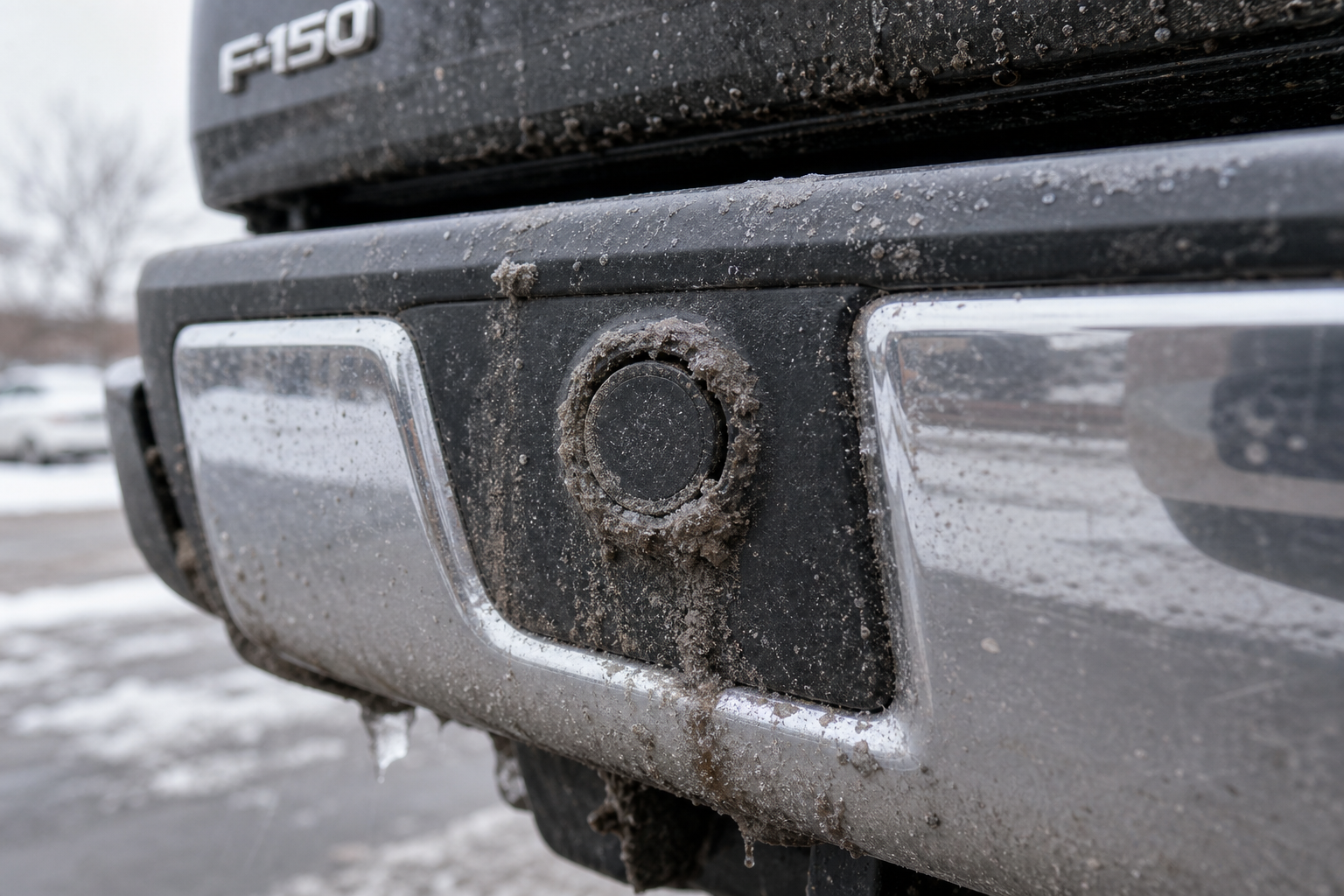
This is by far the most common cause of both constant beeping and total sensor failure. The sensors are small round discs embedded in the bumper, and they rely on sending and receiving ultrasonic pulses. A layer of road grime, dried mud, ice, or even a thick coat of wax can distort or completely block that signal.
In winter, packed snow and ice around the bumper is probably the number one cause of sensors going quiet or throwing a “system unavailable” alert. In summer, it’s usually dust, bug splatter, or a film of car wash wax that hasn’t been buffed off the sensor faces.
Wipe each sensor down with a clean microfiber cloth and mild soap and water. Avoid pressure washers pointed directly at the sensors, since a strong jet can work moisture into the wiring harness behind them. A soft detailing brush works well for getting into the recessed edges where sensors sit.
Chemical Guys Detailing Brush Set
A soft-bristle brush set makes it easy to clean grime out of recessed sensor housings without scratching the bumper.
Tow Hitches, Bike Racks, and Bumper Accessories
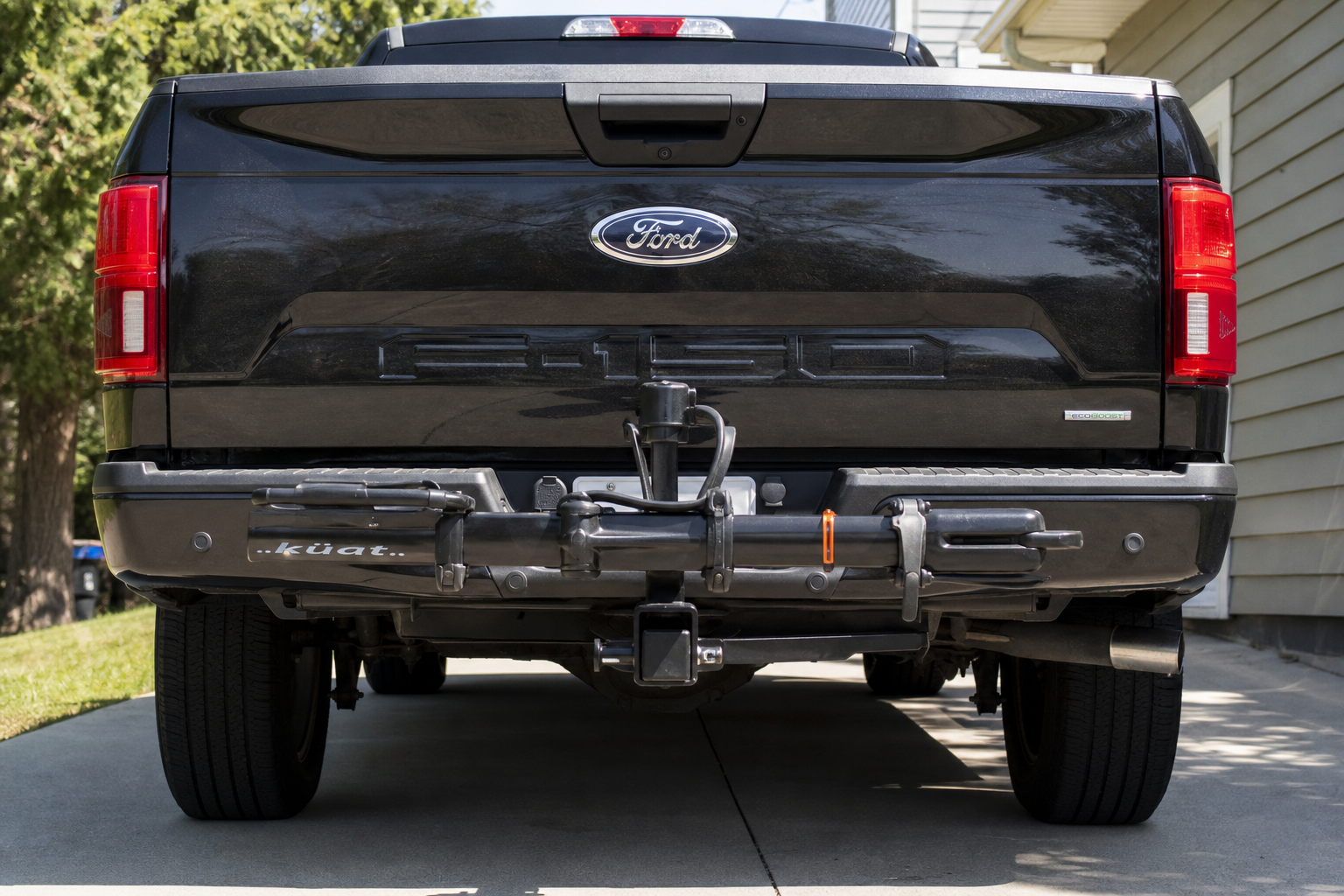
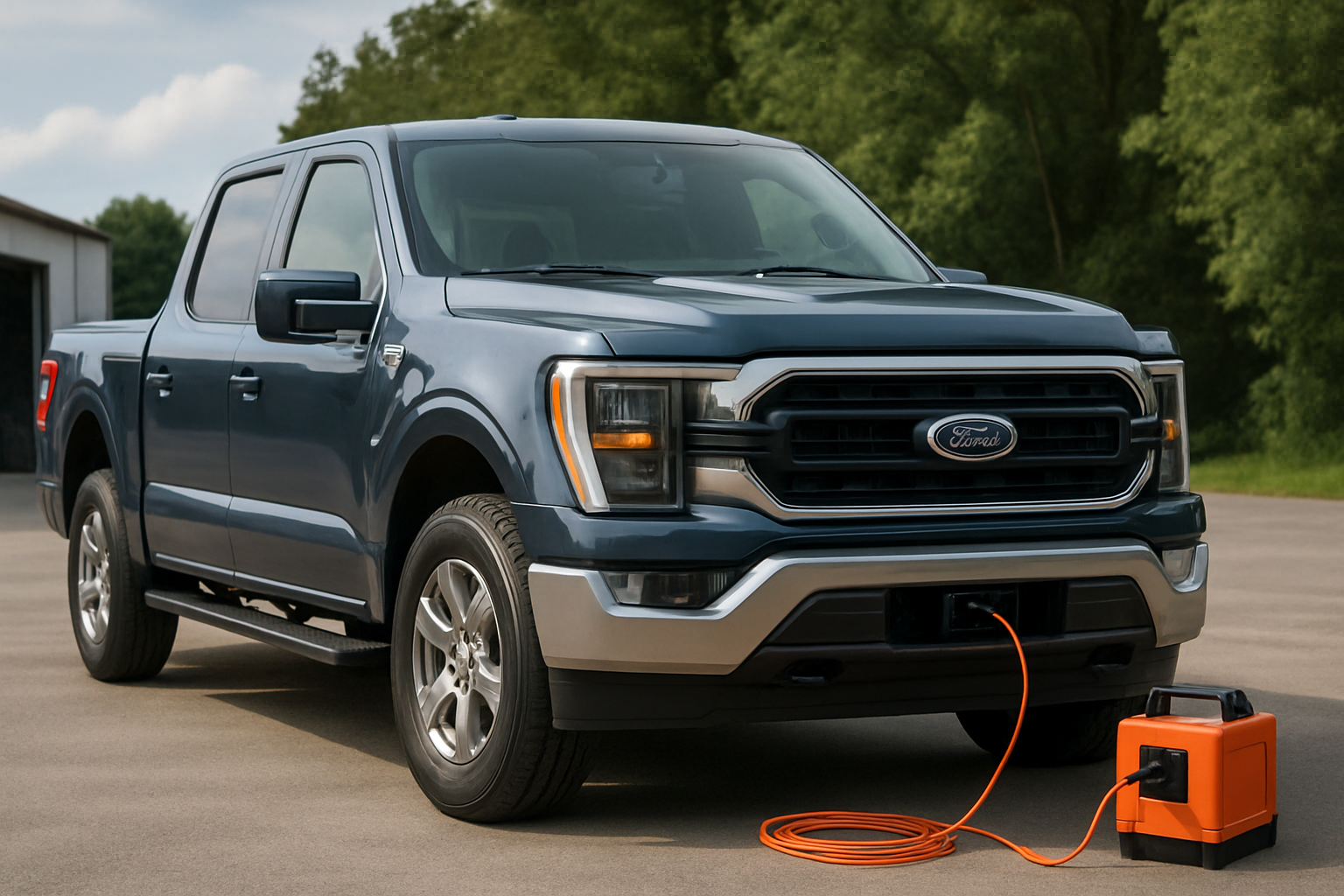
If your beeping started right after you installed a hitch, bike rack, or a set of aftermarket bumper guards, that’s almost certainly your culprit. A receiver hitch sitting close to the rear sensors can reflect ultrasonic waves back at the sensor, tricking the system into thinking an object is always present.
This is why some owners get constant false beeping the moment a trailer or hitch-mounted cargo carrier is installed, even with nothing behind the truck. Ford’s system is generally tuned to ignore a factory-installed hitch ball, but aftermarket hitches, especially larger drop hitches or cargo platforms, sit at a different height and angle than what the sensors were calibrated for.
Bike racks, spare tire carriers, and even mud flaps installed too close to a sensor’s field of view can cause the same problem. If you added something to the front or rear bumper area recently, try removing it temporarily to see if the beeping stops. If it does, you’ve found your answer, and you may just need to relocate the accessory or turn off sensing while it’s mounted.
Bumper Damage and Paint Repairs
Sensors are calibrated to work with a specific bumper thickness and surface. A minor parking-lot scrape that pushes the bumper cover inward, even slightly, can be enough to misalign a sensor’s angle or crack its seal.
Aftermarket paint jobs and bumper repairs are another sneaky cause. Some body shops apply paint or clear coat that’s noticeably thicker than factory finish, which can dampen the ultrasonic signal enough to cause intermittent detection or constant “sensor blocked” warnings. If your beeping issues started after a body shop visit, mention it to them, since thinning the paint over the sensor face is a known fix.
Physically inspect the bumper around each sensor for cracks, gaps, or a sensor that looks tilted compared to its neighbors. A sensor that’s been knocked loose in its housing, even if it still looks seated, can throw off the entire array’s readings since the system expects consistent spacing and angle across all sensors.
Check Your Settings Before You Assume It’s Broken
Ford’s park-assist system has an on/off toggle buried in the truck’s settings menu, and it’s easy to bump accidentally, especially with kids or passengers messing with the touchscreen. On most trucks, you’ll find it under Settings, then Driver Assist Technology, then Parking Aids.
Some owners also unknowingly disable it while adjusting other driver-assist features, like when messing with Driver Alert settings or lane keeping. If you’ve recently gone digging through the menus for something like turning off Driver Alert or disabling lane assist, double-check that you didn’t accidentally toggle park sensing off in the process.
Also worth checking: some F-150 trims automatically mute the audible beep once you connect a trailer, since the system assumes you’re backing up to hitch something and don’t need the alert. If your trailer is unplugged electrically but the truck still thinks one’s attached, that can suppress sensor sounds even though the sensors themselves are working fine.
Wiring, Connectors, and Corrosion
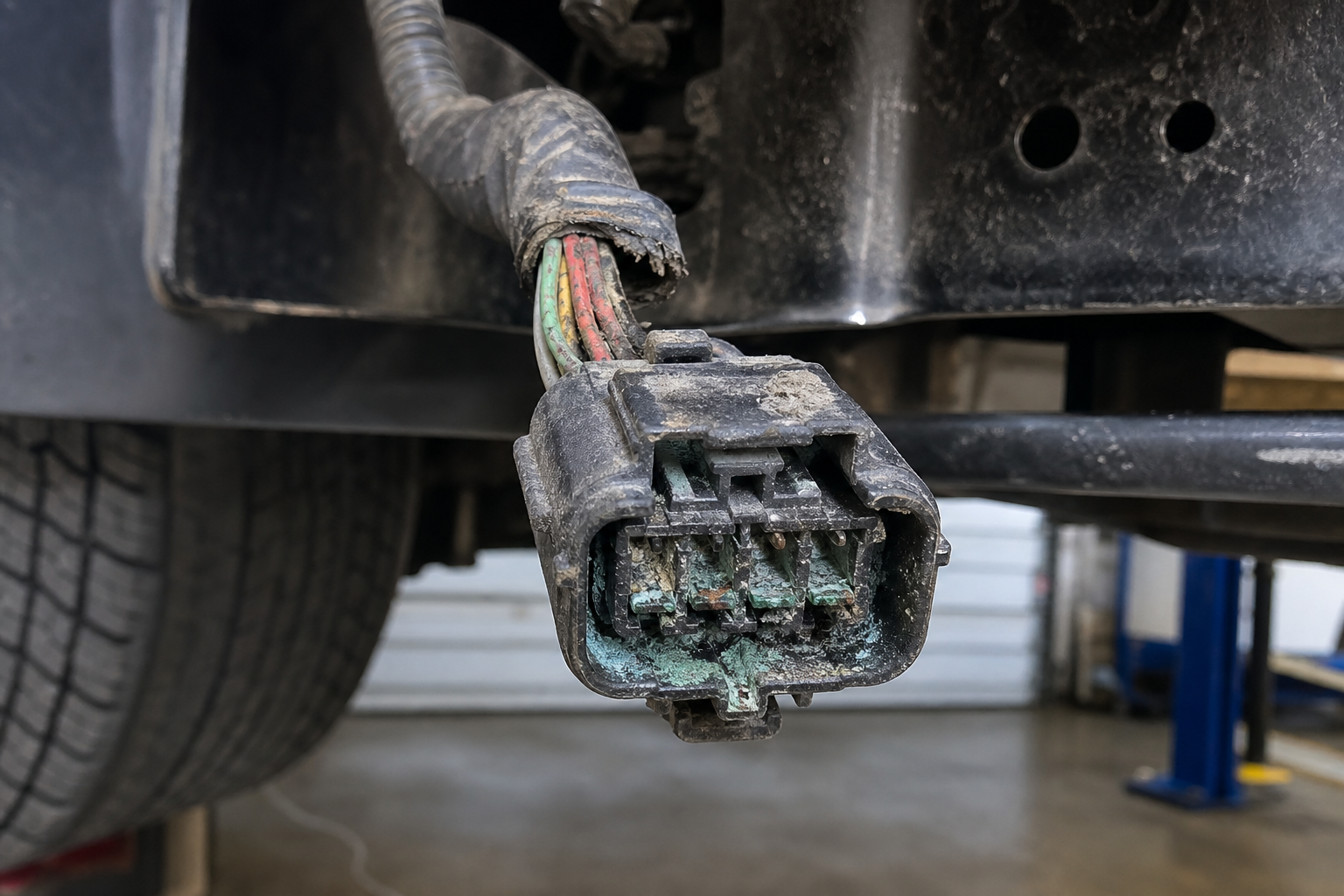
Each sensor connects back to a control module through a wiring harness that runs along the inside of the bumper. Vibration over time, road salt, and moisture intrusion can corrode these connectors or work them loose, especially on trucks that see a lot of off-road use or gravel roads.
A sensor with a wiring problem often behaves differently than a dirty one. Instead of a general loss of sensitivity, you’ll usually get one specific sensor that drops out completely, throws intermittent readings, or causes the whole module to flag a fault code even though the other sensors work fine.
If you’re comfortable popping off the inner fender liner or lower bumper cover, a visual inspection of the harness connectors for green corrosion or a partially unplugged connector is a reasonable owner-level check. Beyond that, chasing wiring faults really calls for a scan tool rather than guesswork, since intermittent electrical issues rarely show themselves during a quick visual inspection.
Identifying a Suspect Sensor Without Guessing
You don’t need to be a technician to narrow down which sensor is causing trouble. Start the truck, put it in reverse (or drive, if checking front sensors), and slowly walk along the bumper holding your hand a foot or so in front of each sensor one at a time. Listen for the beep pattern to change as you move past each one.
A sensor that never registers your hand, no matter how close you get, is a strong candidate for being dead or badly misaligned. A sensor that only responds inconsistently, sometimes detecting your hand and sometimes not, points toward a dirty face, a loose connector, or a partially failed unit rather than a complete failure.
Write down which sensor position (there are usually four per bumper, sometimes labeled by their location like outer-left or inner-right) is acting up. That information is exactly what a technician needs if you end up taking the truck in, and it saves diagnostic time and labor cost.
BlueDriver Bluetooth Pro OBDII Scan Tool
A solid mid-range scan tool that can pull manufacturer-specific codes, which is often necessary to isolate a specific failed parking sensor on Ford trucks.
When You Need Calibration or a Scan Tool
Simple cleaning and visual checks solve the majority of parking sensor complaints, but some situations genuinely require a scan tool or a trained technician. If the dash consistently shows a park-assist fault message even after cleaning the sensors and ruling out accessories, the system has likely logged a diagnostic trouble code that only a scanner can read.
Ford’s factory diagnostic system, and aftermarket tools that support FORScan, can pull specific fault codes tied to individual sensor circuits, which tells you definitively whether you’re dealing with a sensor, a wiring issue, or the control module itself. This is far more reliable than trial and error, especially on trucks where the beeping is intermittent and hard to reproduce on demand.
Calibration is also required any time a sensor, bumper, or the park-assist module is replaced. The system needs to relearn reference points for accurate distance readings, and this typically can’t be done with basic tools at home. If your truck has had recent bumper or sensor work and the readings still seem off (beeping too early, too late, or inconsistently), that’s a sign the calibration wasn’t completed correctly and needs to be revisited by whoever did the repair.
Frequently Asked Questions
Why does my F-150 beep constantly with nothing behind it?
This is almost always caused by a reflective object near the sensor’s field of view, like a tow hitch, bike rack, or trailer wiring harness dangling too close to the bumper. Dirt or ice buildup on the sensor face can also cause false constant beeping since the system misreads the buildup as an obstacle.
Why does my park assist say unavailable but the sensors look fine?
A “park aid unavailable” message usually means the module has detected a fault it can’t resolve on its own, such as a sensor reading out of range, a wiring fault, or accumulated ice completely blocking a sensor. It can also appear temporarily in extreme cold or heavy rain and clear on its own once conditions improve.
Do all F-150 trims have front parking sensors?
No. Front sensors are typically bundled with higher trims or specific option packages, while base trims often only get rear sensing, or none at all unless Co-Pilot360 was added at purchase. Check your window sticker or owner’s manual to confirm what your specific truck was built with.
Can I clean or realign a sensor myself?
Cleaning the sensor face with a soft cloth and mild soap is safe and something any owner can do. Realigning a sensor that’s been knocked loose in its housing, or replacing a failed unit, involves bumper disassembly and system calibration that’s best left to a shop with the proper Ford diagnostic tools.
If you’re already digging into your F-150’s driver assist settings, it’s worth reviewing how the truck’s other alert systems work together, including how power running boards interact with rear obstacle detection when towing or loading cargo. Getting familiar with these systems as a group makes it easier to spot when something’s actually broken versus just misconfigured.

Leave a Reply