
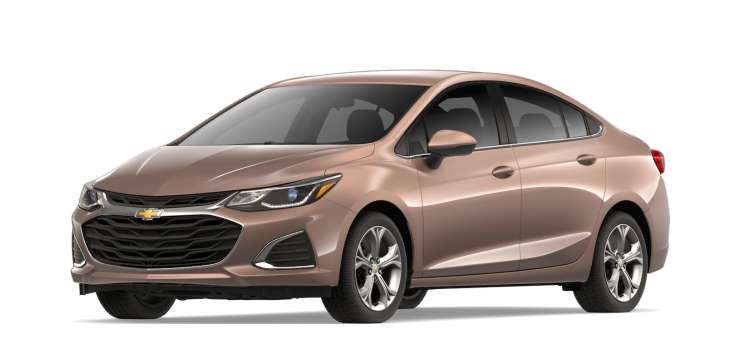
The Auto Stop/Start feature on the Chevy Cruze is not a favorite feature for everybody. The feature shuts the engine off when the brakes are completely applied. Unfortunately, Chevrolet decided not to put a button or lever to completely disable this annoyance anywhere on Cruze models made prior to 2019. So how to you turn the Auto Start-Stop feature off?
2019 – 2023 Models
For newer models, there is actually a button!
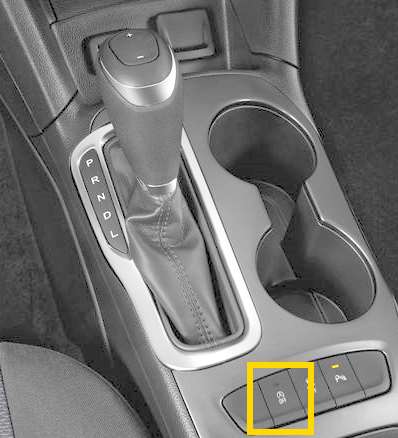
- Press the “A OFF” button (the A symbol with an arrow around it) on the center console to toggle the Auto Stop/Start to on or off.
- Auto Stop/Start is disabled when the light on this button is illuminated.

Models 2018 and Prior
There is no way to actually disable the Auto Stop/Start feature. However, you can work around it using these steps:
- Shift the gear into the “L” position. This places the vehicle into manual mode.
- Use the +/- buttons on the gearshift to toggle the gear range (shown on the instrument panel display) up to “9” as you drive.
Now you can operate the Chevy Cruze as you normally would with the Auto Stop/Start feature turned off.
Note: Auto Stop is enabled every time you start your Chevy Cruze. You can see that it working with the A symbol that has an arrow around it.

Leave a Reply