
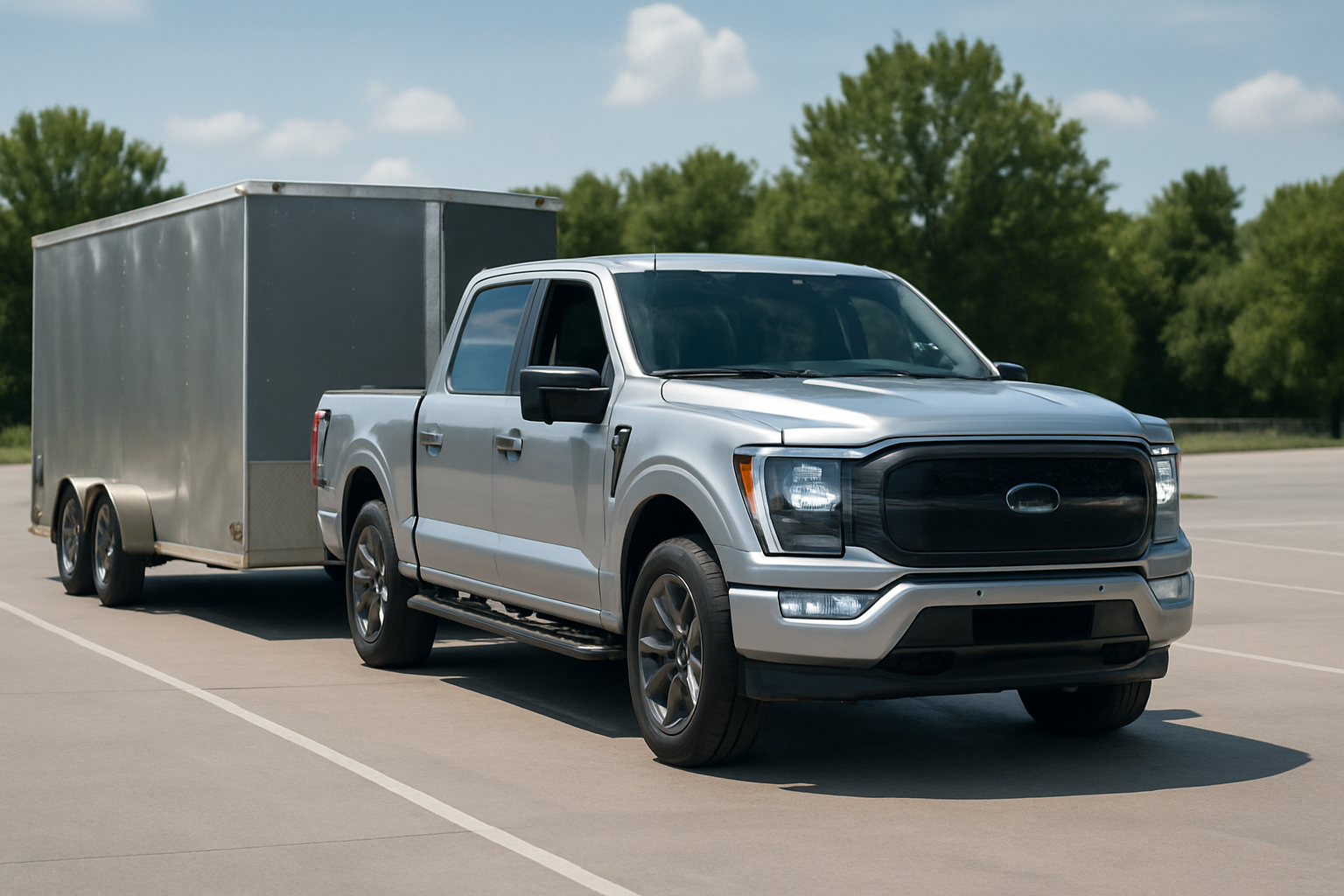
Backing up a trailer has always been one of the trickiest maneuvers for truck owners, but Ford’s innovative camera technology makes it significantly easier. The F-150’s Surround View and Transparent Trailer features use multiple cameras to create a bird’s-eye view of your truck and virtually “see through” your trailer to spot obstacles.
What Are Surround View and Transparent Trailer Features?
Ford’s Surround View system combines feeds from four cameras positioned around your F-150 to create a 360-degree overhead view. The cameras are typically located in the front grille, side mirrors, and rear tailgate area. This bird’s-eye perspective appears on your infotainment screen, showing your truck from above as if you’re looking down from a drone.
The Transparent Trailer feature takes this technology a step further. When you’re towing, the system uses the trailer’s rear-mounted camera along with your truck’s cameras to create the illusion that your trailer is transparent. You can see the ground directly behind your trailer and any obstacles in your path, even though the trailer should be blocking your view.
Both features are available on F-150 models from 2021 onward, though availability varies by trim level. You’ll find these systems standard on higher trims like the Platinum and Limited, while they’re optional on lower trims.
How Ford’s Camera Stitching Technology Works
The magic happens through sophisticated image processing software that runs in your truck’s infotainment computer. Each camera captures its view in real-time, and the system digitally stitches these images together to create seamless composite views.
For the standard Surround View, the system maps each camera’s field of view and corrects for distortion caused by the wide-angle lenses. The computer then blends the edges where camera views overlap, creating smooth transitions between different camera feeds.
The Transparent Trailer feature requires additional processing power. The system must identify where your trailer begins and ends in the camera feeds, then digitally remove or “mask” the trailer from the composite image. The rear trailer camera feed is then seamlessly integrated to show what’s behind your trailer, creating the transparent effect.
This processing happens dozens of times per second to maintain a smooth, real-time view as you’re maneuvering. The system also applies dynamic guidelines that move with your steering input to show your projected path.
Setting Up Surround View on Your F-150
Activating Surround View is straightforward once you know where to look. Put your F-150 in reverse, and the system automatically switches to the backup camera view on your 8-inch or 12-inch SYNC screen.
Look for the camera icon in the bottom right corner of the screen. Tap this icon to cycle through different camera views, including the 360-degree Surround View. You can also access camera settings through the main SYNC menu by selecting “Camera” from the home screen.
In the camera menu, you’ll find options to adjust the view angle, toggle dynamic guidelines on or off, and switch between split-screen and full-screen views. The split-screen option shows both the traditional backup camera view and the overhead Surround View simultaneously.
You can also activate Surround View while driving forward at low speeds. This is particularly helpful when parking in tight spaces or navigating around obstacles in parking lots.
Calibrating the Transparent Trailer System
The Transparent Trailer feature requires initial setup and calibration with your specific trailer. This process teaches the system your trailer’s dimensions and camera placement so it can accurately create the transparent effect.
Start by connecting your trailer’s electrical connection and ensuring the trailer camera is properly wired. With your trailer attached, access the trailer settings through the SYNC menu. Select “Trailer” then “Transparent Trailer Setup.”
The system will prompt you to drive forward slowly while it maps your trailer’s profile using the side mirror cameras. You’ll need to drive straight for about 20-30 feet while the system captures multiple angles of your trailer.
Next, you’ll set trailer length and width parameters. The system provides on-screen prompts to help you input these measurements accurately. Precise measurements are crucial for the transparent effect to work properly and for the dynamic guidelines to show your actual path.
After initial setup, the system stores your trailer profile. When you reconnect the same trailer, the F-150 recognizes it automatically and applies the saved settings. You can store profiles for multiple trailers if you regularly tow different types.
Fine-Tuning Your Calibration
If the transparent effect doesn’t look quite right, you can make adjustments in the trailer settings menu. Common issues include misaligned camera views or incorrect masking where the trailer boundary isn’t properly detected.
The “Camera Alignment” option lets you adjust how the trailer camera feed integrates with your truck’s cameras. You can shift the trailer camera view up, down, left, or right to better match the perspective of your truck’s rear camera.
You can also adjust the “Transparency Level” to control how much of the trailer remains visible versus completely transparent. Some drivers prefer to see a faint outline of their trailer for reference while backing up.
Compatible Aftermarket Camera Options
While Ford offers genuine trailer cameras, several aftermarket options work with the Transparent Trailer system. The key requirement is that the camera must output a compatible video signal that your F-150’s system can process.
Most aftermarket trailer cameras that work with Ford’s system use standard RCA video connections. Popular compatible options include cameras from Rear View Safety, Furrion, and Hopkins. These typically range from $150-400 depending on image quality and weather resistance.
When selecting an aftermarket camera, look for models specifically listed as Ford F-150 compatible. The camera’s viewing angle should be similar to Ford’s OEM camera (typically around 130-150 degrees) for proper image stitching.
Wireless trailer cameras generally don’t work with Ford’s Transparent Trailer system since they can’t integrate with the truck’s video processing. You’ll need a wired connection that runs through your trailer’s electrical system.
Installation Requirements for Aftermarket Cameras
Installing an aftermarket trailer camera requires running a video cable from your trailer’s rear to the front where it connects to your truck. This cable runs alongside your existing trailer wiring harness.
At the truck connection point, you’ll need to tap into Ford’s trailer camera circuit. This typically involves connecting to pins in the trailer electrical connector using a camera integration harness. Some aftermarket kits include these harnesses, while others require separate purchase.
The camera itself mounts to your trailer’s rear, usually above the license plate or on the back wall. Proper mounting height is important for the transparent effect to work correctly. The camera should be positioned at roughly the same height as your truck’s backup camera for optimal image blending.
Using the System for Different Towing Scenarios
Travel trailers benefit most from the Transparent Trailer feature since their height and width often completely block your rear view. The system excels when backing into campsites, especially those with tight clearances or obstacles like picnic tables and fire rings.
For boat trailers, the transparent view helps you see the boat ramp and water level when launching. You can watch your boat’s position relative to the dock without having to rely on a spotter or constantly adjusting your mirrors.
When towing utility trailers for landscaping or home improvement projects, the system helps you back up to loading docks or navigate tight jobsite conditions. The bird’s-eye view shows exactly where your trailer corners are relative to obstacles.
Livestock and horse trailer owners find the system valuable when backing into barns or loading areas. The precise positioning capabilities help ensure adequate clearance for both the trailer and animals inside.
Limitations to Keep in Mind
The system works best in good lighting conditions. Dawn, dusk, and nighttime use can reduce image quality and make it harder to spot obstacles. The cameras also struggle with heavy rain, snow, or when they’re dirty.
Very long trailers (over 30 feet) may experience some distortion in the transparent effect due to the extreme viewing angles required. The system still functions but may not provide as seamless a view as with shorter trailers.
Remember that the cameras have blind spots just like mirrors do. Objects very close to your truck or trailer may not appear in the camera views. Always use the system in combination with your mirrors and, when possible, have a spotter guide you in challenging situations.
Troubleshooting Common Issues
If your Surround View seems distorted or the images don’t line up properly, the cameras may need cleaning. Use a soft, damp cloth to clean each camera lens, paying special attention to the ones in your side mirrors which collect road grime quickly.
Camera calibration can drift over time, especially if you’ve had bodywork done or changed tire sizes significantly. You can recalibrate the system through the settings menu, though this process varies slightly depending on your model year.
For Transparent Trailer issues, verify that your trailer camera is receiving power and properly connected. A loose connection often causes intermittent operation where the transparent effect works sometimes but not others.
Software updates can resolve various camera system bugs. Check with your Ford dealer about available updates for your infotainment system, or use Ford’s over-the-air update capability if your truck is equipped with it.
Maximizing System Performance
Clean your cameras regularly, especially during winter months when road salt and grime accumulate quickly. Even small amounts of dirt can significantly impact image quality and the system’s ability to properly stitch camera feeds together.
Take time to practice with the system in a safe, open area before relying on it in challenging situations. Understanding how the different views work and what the guidelines represent will make you more confident when maneuvering in tight spaces.
Remember to recalibrate your trailer settings if you make any changes to your trailer setup, such as adding a spare tire carrier or changing the trailer’s ride height. These modifications can affect how the transparent masking works.
Frequently Asked Questions
Can I add Surround View to an older F-150 that didn’t come with it?
Adding Surround View to trucks that didn’t come with it from the factory is extremely difficult and expensive. You’d need to install four cameras, run wiring throughout the truck, and have compatible infotainment software. The cost typically exceeds the value it would add to your truck.
Does using the camera system affect my fuel economy?
The camera system has minimal impact on fuel economy. The cameras and processing computer draw very little power, and the system only activates when you’re using it, not while driving normally down the highway.
What happens if one of my cameras stops working?
If a camera fails, the Surround View will still function but with a gap or distortion in that area. Your truck will typically display a message indicating which camera needs service. Individual camera replacement usually costs $200-400 depending on the location and whether you choose OEM or aftermarket parts.
Can I use the Transparent Trailer feature with a fifth-wheel or gooseneck trailer?
The system works with fifth-wheel and gooseneck trailers, though setup is more complex due to the articulated connection point. You may need to adjust settings more frequently since these trailers can pivot independently of your truck during tight turns.

Leave a Reply