
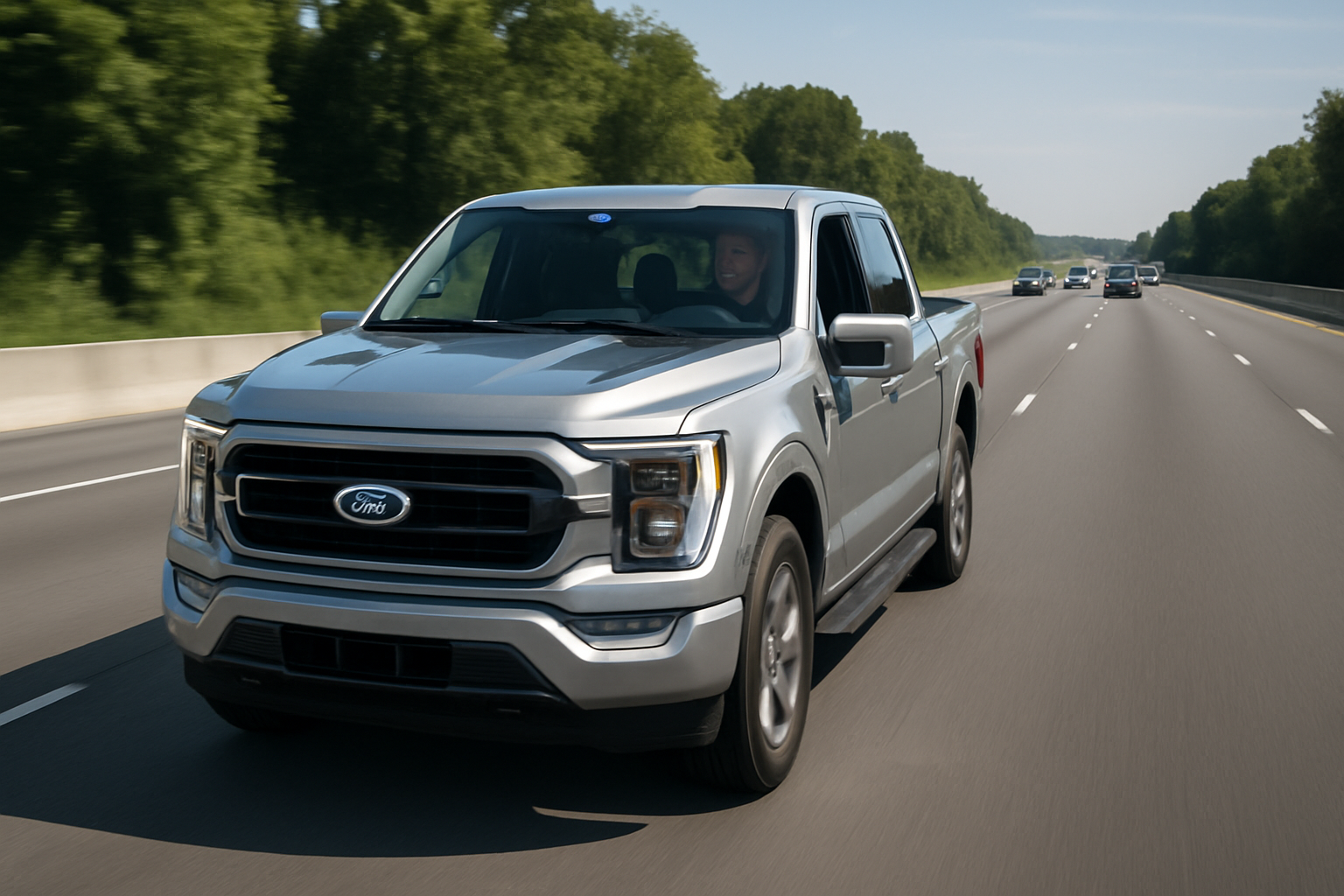
Ford’s BlueCruise hands-free driving technology represents a significant leap forward in automotive convenience and safety. Available on 2021 and newer F-150 trucks, this advanced driver assistance system allows you to take your hands off the wheel during highway driving in designated areas.
Understanding how to properly set up and use BlueCruise can transform your long-distance driving experience, making highway trips more comfortable and less fatiguing. This comprehensive guide walks you through everything you need to know about activating, using, and managing Ford’s hands-free driving system.
What is Ford BlueCruise and How Does It Work?
BlueCruise combines adaptive cruise control with lane centering technology to provide true hands-free driving on pre-mapped highways called “Blue Zones.” The system uses a combination of cameras, radar sensors, and GPS mapping to maintain your position within the lane while keeping a safe distance from other vehicles.
The key difference between BlueCruise and standard driver assistance features is the hands-free capability. While Ford’s Co-Pilot360 requires you to keep your hands on the steering wheel, BlueCruise allows you to completely remove them during appropriate conditions.
A driver monitoring camera tracks your eye movement and head position to ensure you remain alert and ready to take control when necessary. This infrared camera is located near the instrument cluster and works even in low-light conditions.
BlueCruise Availability and Subscription Requirements
BlueCruise comes standard on 2021 and newer F-150 trucks equipped with Ford Co-Pilot360 Active 2.0. However, the hands-free functionality requires an active subscription after the initial complimentary period.
Ford typically includes a 90-day complimentary trial with new vehicles. After this period expires, you’ll need to purchase a subscription through the FordPass app or your Ford dealer. Current subscription pricing is approximately $75 for three months or $200 annually, though prices may vary by region.
The subscription includes access to Blue Zones mapping updates and continued hands-free functionality. Without an active subscription, your F-150 will still have adaptive cruise control and lane centering, but you’ll need to keep your hands on the wheel.
Understanding Blue Zones
Blue Zones are pre-mapped highway sections where BlueCruise hands-free driving is available. Ford has mapped over 130,000 miles of divided highways across the United States and Canada, with continuous updates adding new sections.
These zones include major interstate highways and well-maintained divided highways with clear lane markings and established traffic patterns. The system won’t activate hands-free mode on city streets, construction zones, or highways that haven’t been pre-mapped by Ford.
When you enter a Blue Zone, you’ll see a blue steering wheel icon appear on your instrument cluster, indicating that hands-free driving is available. The icon changes color and appearance based on system status and availability.
Initial Setup and Calibration
Before using BlueCruise for the first time, you need to complete the initial setup process through your F-150’s SYNC system. Turn on your truck and ensure you have a stable internet connection through your vehicle’s built-in modem or connected smartphone.
Navigate to the Settings menu on your SYNC touchscreen and select “Driver Assistance.” Look for the BlueCruise option and follow the on-screen prompts to complete initial setup. This process includes accepting terms of service and configuring basic preferences.
The driver monitoring camera requires calibration to recognize your specific facial features and driving position. Adjust your seat, steering wheel, and mirrors to your preferred driving position before beginning calibration. The system will prompt you to look at specific areas of the cabin while it learns your typical head position and eye movement patterns.
How to Enable BlueCruise While Driving
BlueCruise activation requires specific conditions and a step-by-step process. First, ensure you’re driving on a divided highway at speeds above 20 mph with clear lane markings and moderate traffic conditions.
Press the cruise control button on your steering wheel to activate standard adaptive cruise control. The cruise control indicator will appear on your instrument cluster, showing your set speed and following distance.
Once cruise control is active and you enter a Blue Zone, press and hold the cruise control button for approximately two seconds. You’ll feel a slight vibration in the steering wheel, and the instrument cluster will display a blue steering wheel icon, indicating that hands-free mode is now active.
The system provides audio and visual confirmation when hands-free driving is available. You can then remove your hands from the steering wheel while maintaining visual attention on the road ahead.
Driver Monitoring System Details
The driver monitoring camera is crucial for safe BlueCruise operation. Located in the instrument cluster area, this infrared camera continuously tracks your eye movement and head position to ensure you remain alert and engaged.
You must keep your eyes on the road and remain in a normal driving position for the system to function properly. Wearing sunglasses typically won’t interfere with the camera, but certain types of eyewear or head coverings might affect detection accuracy.
When the system detects that you’re not paying attention, it provides escalating warnings. Initially, you’ll see a message on the instrument cluster asking you to “Keep Eyes on Road.” If you don’t respond, the system adds an audible chime and increases warning intensity.
Continued inattention triggers more aggressive warnings, including seat vibration and eventually automatic system deactivation. In extreme cases where you don’t respond to warnings, the system can gradually slow the vehicle and activate hazard lights.
Operating BlueCruise Safely
Even with hands-free capability, you remain fully responsible for vehicle operation and must be prepared to take immediate control. Keep your hands near the steering wheel and maintain visual attention on traffic and road conditions.
BlueCruise automatically adjusts speed based on traffic flow and maintains lane position, but it cannot handle all driving situations. The system will prompt you to take control when approaching construction zones, sharp curves, or complex traffic situations.
Weather conditions can affect system performance. Heavy rain, snow, or fog may reduce camera and radar effectiveness, causing the system to deactivate or request manual control. Always defer to manual driving in challenging weather conditions.
Lane changes require manual input. When you want to change lanes, activate your turn signal and place your hands on the steering wheel. Complete the lane change manually, then BlueCruise can resume hands-free operation in the new lane.
How to Disable or Exit BlueCruise
You can exit BlueCruise hands-free mode at any time by simply placing your hands on the steering wheel and taking control. The system detects your input and seamlessly transitions back to manual steering while maintaining cruise control settings.
Pressing the brake pedal immediately deactivates both BlueCruise and cruise control, giving you full manual control of the vehicle. This provides the quickest way to exit the system in emergency situations.
To temporarily disable hands-free mode while keeping cruise control active, press the cruise control button once. This returns you to standard adaptive cruise control with lane centering assistance, but you’ll need to keep your hands on the wheel.
For complete system shutdown, press the cruise control off button or turn off the vehicle. BlueCruise settings and preferences are saved and will be available when you restart the truck.
Adjusting BlueCruise Settings
Ford provides several customization options to match your driving preferences. Access these settings through the SYNC touchscreen under Settings and Driver Assistance menus.
Following distance adjustment allows you to choose how closely BlueCruise maintains spacing behind other vehicles. Options typically range from close to far, with medium as the default setting. Longer following distances provide more reaction time but may result in other drivers merging into the gap.
Lane centering aggressiveness can be adjusted for driver comfort. Some drivers prefer more active lane centering, while others want gentler corrections. The system learns your preferences over time and adapts accordingly.
Alert timing and intensity can be customized based on your attention patterns. More sensitive drivers might prefer earlier warnings, while others want minimal interruption during normal operation.
Troubleshooting Common BlueCruise Issues
BlueCruise unavailability often stems from environmental conditions or system maintenance needs. Dirty cameras or radar sensors can prevent proper operation, so regularly clean these components with appropriate cleaning solutions.
Camera locations include the windshield-mounted forward-facing camera and the driver monitoring camera near the instrument cluster. Use glass cleaner and a soft cloth to remove dirt, insects, or water spots that might interfere with operation.
Subscription-related issues typically require attention through the FordPass app or Ford customer service. Check your subscription status in the app and ensure payment information is current if hands-free functionality stops working unexpectedly.
Software updates occasionally address BlueCruise performance or add new Blue Zones. Connect your F-150 to Wi-Fi periodically to download available updates, or visit your Ford dealer for manual updates if needed.
Limitations and Important Safety Considerations
BlueCruise works only on pre-mapped divided highways and cannot handle city driving, parking lots, or unmarked roads. The system also requires clear lane markings and won’t activate in construction zones or areas with temporary traffic control.
Towing capability is limited when using BlueCruise. While the system can function with certain trailers, towing heavy loads or wide trailers may affect sensor performance and hands-free availability.
Emergency vehicle detection relies on visual and audio cues that you must process. BlueCruise cannot automatically detect and respond to emergency vehicles, so you must take manual control when police, fire, or ambulance vehicles are present.
System performance degrades in extreme weather conditions. Snow, heavy rain, or bright sunlight can affect camera operation and may cause temporary system deactivation.
Maintaining Your BlueCruise System
Regular maintenance ensures optimal BlueCruise performance. During routine service appointments, ask your Ford technician to inspect and clean all camera and radar sensor locations.
Windshield replacement requires recalibration of the forward-facing camera system. Use Ford-approved replacement glass and ensure proper calibration is completed before relying on BlueCruise functionality.
Software updates are crucial for system performance and safety. Enable automatic updates in your SYNC settings or manually check for updates through the FordPass app.
Frequently Asked Questions
Can I use BlueCruise in all weather conditions?
BlueCruise performance depends on clear visibility and sensor functionality. Light rain and overcast conditions typically don’t affect operation, but heavy precipitation, snow, or fog can cause system limitations or deactivation. Always prioritize manual driving in challenging weather conditions.
What happens if I fall asleep while using BlueCruise?
The driver monitoring system detects when your eyes are closed or you’re not paying attention and provides escalating warnings. If you don’t respond to alerts, BlueCruise will gradually slow the vehicle, activate hazard lights, and eventually bring the truck to a stop while contacting emergency services through Ford’s connected services.
Does BlueCruise work with aftermarket accessories or modifications?
Modifications to your F-150’s front end, windshield, or suspension can affect BlueCruise operation. Aftermarket grille guards, light bars, or windshield tinting may interfere with camera and radar sensors. Consult with Ford or your installer about potential impacts before making modifications.
Can I transfer my BlueCruise subscription to a different vehicle?
BlueCruise subscriptions are tied to specific vehicles and cannot be transferred between trucks. When selling or trading your F-150, the subscription stays with the vehicle. New owners can purchase their own subscription to continue using hands-free functionality.

Leave a Reply