
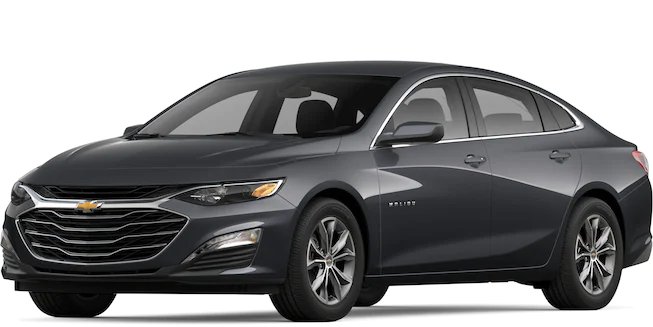
If you’ve recently acquired a new key fob or need to reprogram an existing one, this article is here to help. Follow our step-by-step instructions to ensure a seamless and successful key fob programming process with your Chevy Malibu.
If you are unsure or uncomfortable with the process, it’s best to seek assistance from a qualified automotive professional or your local dealership.
2017 – 2023 Models
- Close all doors, including the trunk, and have all the key fobs you want to program with you.
- Insert the key into the ignition and turn it to the “On” position without starting the engine. Some vehicles have a push-button start, so press the brake pedal and then push the “Start” button twice without touching the brake pedal.
- Within a few seconds, press and hold the “Lock” and “Unlock” buttons on the first key fob simultaneously for about 15 seconds or until you hear a chime sound. This indicates that the key fob has been programmed.
- Repeat Step 3 for each additional key fob you want to program. You’ll need to do this within a short time frame (around 30 seconds) of finishing the previous key fob to keep the vehicle in programming mode.
- After programming all the key fobs, turn off the ignition or press the “Start/Stop” button to exit programming mode.
2004 – 2016 Models
- Sit in the driver’s seat and close all doors.
- Insert the key into the ignition and turn it to the “ON” position without starting the engine.
- Press and hold the “Lock” and “Unlock” buttons on the key fob simultaneously for about 15 seconds. The door locks should cycle, indicating successful programming.
1997 – 2003 Models
- Sit in the driver’s seat and close all doors.
- Insert the key into the ignition and turn it to the “ON” position without starting the engine.
- Press and hold the “Unlock” button on the driver’s door while simultaneously turning the key to the “OFF” position, then back to the “ON” position two times. Release the “Unlock” button.
- The door locks should cycle to indicate that the programming mode is active.
- Press and hold the “Lock” and “Unlock” buttons on the key fob simultaneously for about 15 seconds. The door locks should cycle again, confirming the programming is successful.
Leave a Reply