
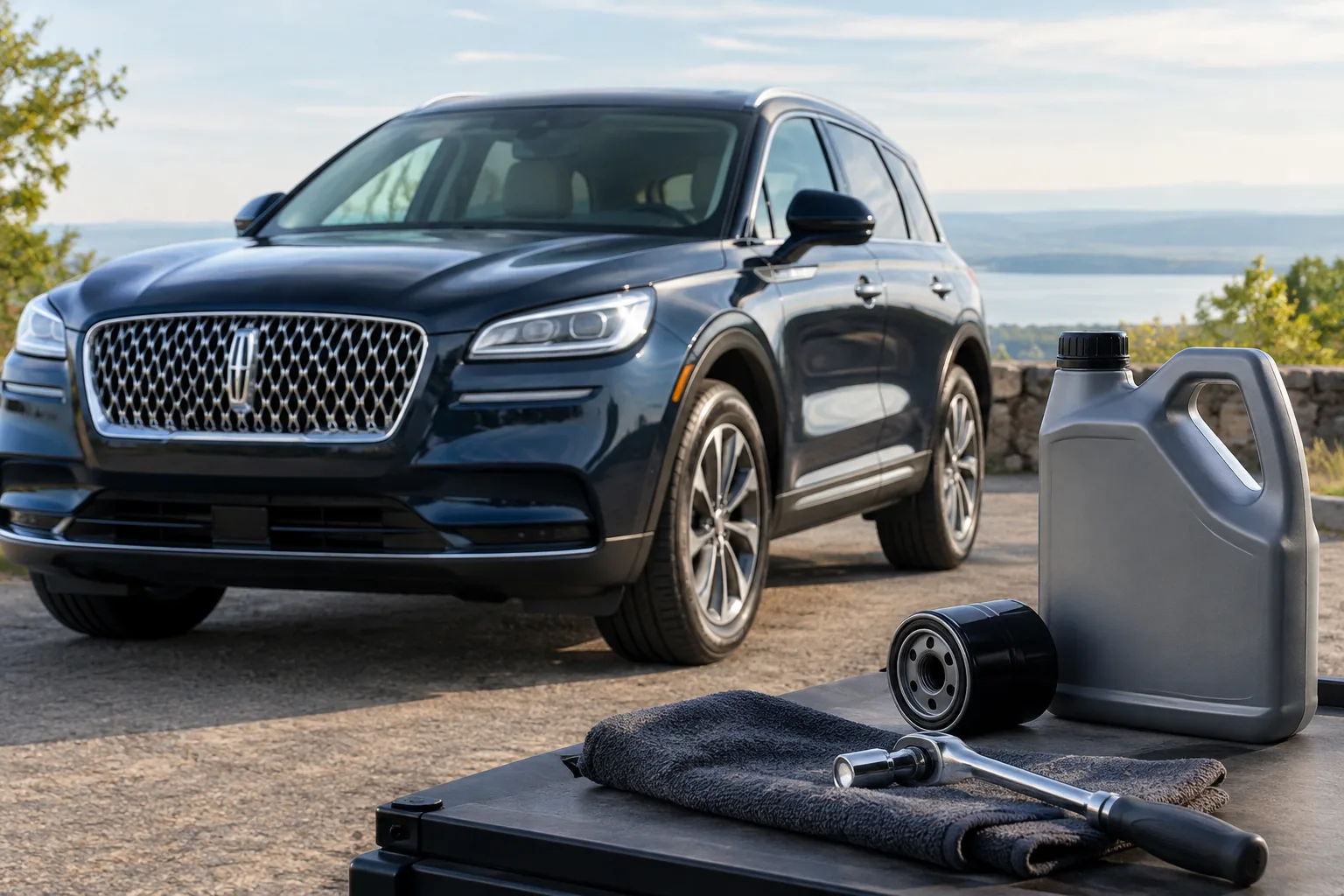
If you just changed the oil in your Lincoln Corsair, the reset is done from the driver’s display with the steering wheel controls. Turn the ignition on, open the settings menu in the instrument cluster, find the oil life entry, and confirm the reset until it reads 100%. The exact menu wording depends on your cluster and model year, so treat the steps below as the general method and confirm the labels in your owner’s manual.
Resetting only clears the reminder. It doesn’t change the oil, replace the filter, or fix anything. Here’s how to find the right reminder, reset it, and what to do when it won’t cooperate.
Which Corsair Model Years This Covers
The Corsair arrived in the US for the 2020 model year, replacing the MKC. There’s no earlier Corsair, so if you’re searching for a 2019 or older, you’re probably thinking of the MKC, which has its own controls and its own manual. Don’t assume the steps below apply to it.
From 2020 on, the Corsair uses an engine-based oil life monitor. It estimates remaining oil life from how the engine is actually used, not just from miles. That’s why the percentage can drop faster with short trips, towing, or heavy idling.
The 2025 model year brought a refresh with updated interior and infotainment hardware, so the menus may not look identical to an earlier car. Engines and the plug-in hybrid Grand Touring can also change how the display presents service information. I can’t confirm every label for every year, so your owner’s manual for your exact year is the final word on menu names.
Identify the Reminder Before You Reset Anything

Not every dashboard message is an oil-change reminder. Sort out which one you’re seeing first.
- Oil life or service reminder: an informational message or a percentage in the cluster menu. This is the one you reset after service.
- Scheduled maintenance reminder: a separate prompt for other service items. Your manual’s maintenance section explains what it covers.
- Red oil-pressure warning: a red warning is not a reminder. Stop driving safely, shut the engine off, and have it checked. Don’t reset anything.
- Check-engine light: a fault indicator that needs a scan or diagnosis. Resetting the oil life does nothing for it.
Only reset the items you actually completed. If you changed the oil but skipped a tire rotation or other work the reminder bundles in, don’t clear the reminder for work that wasn’t done.
How to Reset the Oil Life Monitor (Free, No Tools Required)

You don’t need a scanner or any purchase for this. It’s done from the driver’s seat. Corsairs with the digital cluster are controlled with the steering wheel buttons, and the procedure below is the general Ford-family method. Confirm the exact menu names in the owner’s manual.
- Finish the oil and filter change first, and make sure the fill level is correct on the dipstick or display.
- Park the vehicle, set the parking brake, and turn the ignition on. Your manual specifies whether the engine should be running or off for the reset, so check that detail for your year.
- Use the steering wheel controls (the directional pad and OK button) to scroll through the cluster menu until you reach the settings or vehicle section.
- Look for an entry labeled something like Oil Life. The label and its location can vary by year and display.
- With Oil Life selected, press and hold OK until the display confirms the reset.
- Expect the reading to return to 100%. Turn the ignition off, turn it back on, and check the value again.
If your manual lists a different path, such as a touchscreen route, follow the manual. I won’t guess at touchscreen menu names that vary by software version.
If the Reset Doesn’t Work
Go through these in order before assuming something is broken.
- Wrong screen: you may be in a general info menu instead of the settings area. Back out and start over.
- Ignition state: if the entry is missing or grayed out, recheck the ignition and engine requirement in your manual.
- Hold time: a quick tap often isn’t enough. Hold OK until a confirmation appears.
- Reminder still showing after reset: it may be a different reminder, such as scheduled maintenance. Check the exact wording of the message.
- Entry doesn’t exist: a different year or equipment setup may place it elsewhere. The manual’s index will show the right location.
If none of that works, a Lincoln dealer can reset it, and it’s worth asking if other warnings are showing at the same time. Any warning besides the oil reminder deserves its own diagnosis.
Doing the Oil Change Yourself
If you’re handling the oil change at home, the right oil grade, capacity, and filter for your engine are listed in the owner’s manual. The Corsair’s engine options differ by year, so match supplies to your exact engine before buying anything. Don’t rely on a generic parts listing.
For tools, a basic socket set, drain pan, and a way to remove the filter cover your car uses are the starting point. Whether a strap-style or cap-style wrench fits depends on your filter, so confirm that first. An oil filter wrench set covers a range of sizes if you’re not sure yet.

Oil Filter Wrench Set
An optional DIY tool for oil changes, but check that the sizes match your engine’s filter before buying.
For a fuller tool list, see 10 Must-Have Tools for Every DIY Car Owner. If you’re curious how other brands handle this, the Jeep Grand Cherokee oil life reset and the Subaru Outback service due reset use different controls.
FAQ
Does resetting the oil life make the car think it has fresh oil?
It only resets the monitor’s count to 100%. The car has no way to tell whether the oil was actually changed. If you reset without doing the service, the reminder will come due late, and the oil stays old.
Can I reset it if I had the oil changed at a shop?
Yes, though many shops reset it for you. Check the display after the visit. If it still shows a low percentage, use the steps above, and only after confirming the service was actually performed.
Should I change the oil only when the monitor says so?
The monitor is designed to track oil life based on how you drive, but your manual’s maintenance section has the intervals and conditions that apply to your Corsair. Follow those, and consider the manual’s guidance on severe-duty driving if most of your trips are short.




Leave a Reply