
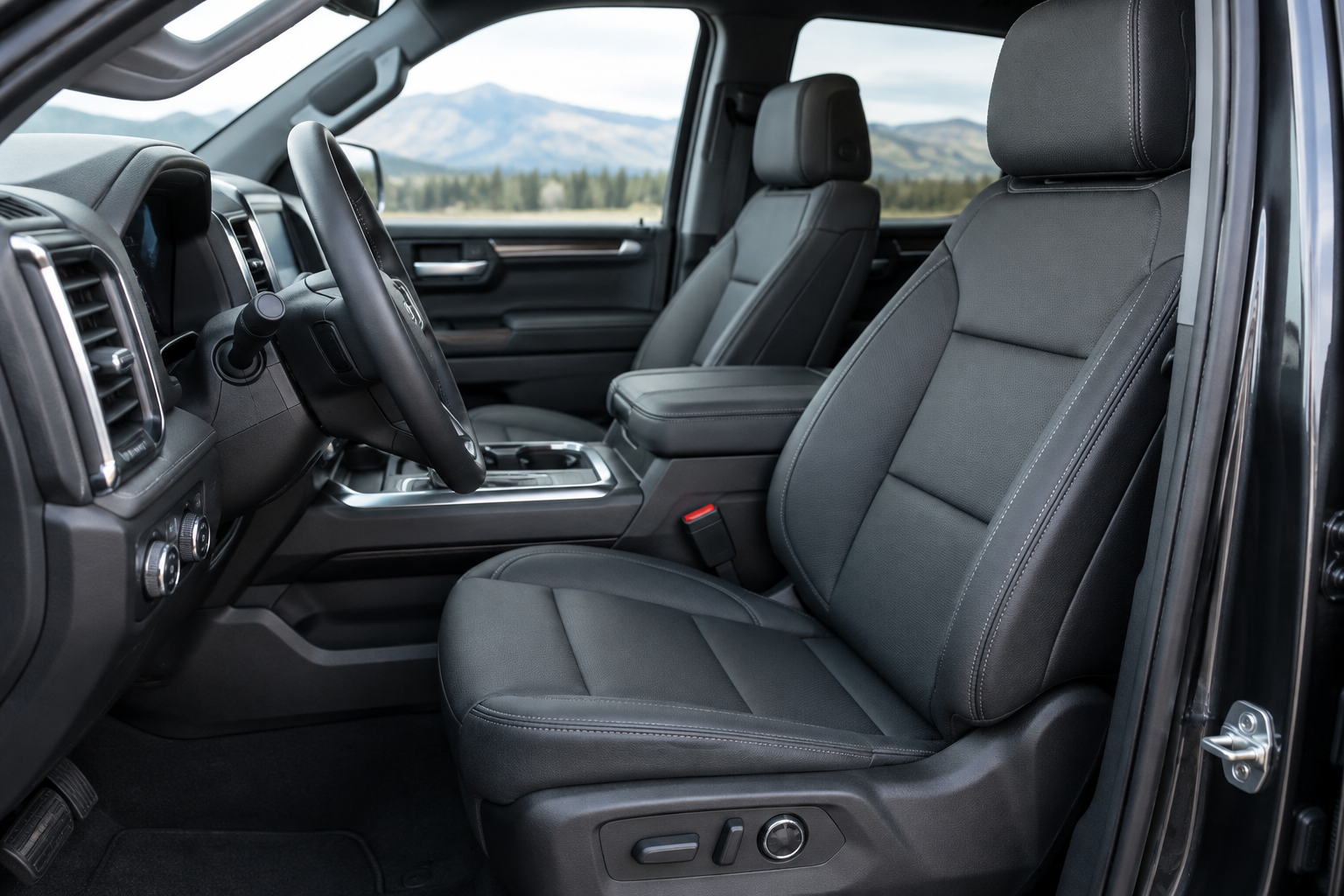
You climb into your Sierra 1500, hit memory button 1, and instead of your seat sliding back to your saved spot, it either doesn’t move at all or lands somewhere close but not quite right. Maybe it worked fine last week, or maybe it changed the moment your spouse drove the truck with their key fob. Memory seat quirks are one of those small annoyances that feel like a bigger problem than they usually are.
Most of the time, this comes down to how the memory system is set up rather than a broken part. GMC’s memory seat feature ties into your key fob, your driver profile, and a specific save sequence that’s easy to mess up without realizing it. Before you start pulling apart the seat track or shopping for a new switch, it’s worth walking through the settings first.
How the Memory Seat System Actually Works
The GMC Sierra 1500’s memory seat feature, when equipped, stores driver seat position, side mirror angles, and on some trims, steering column position and outside mirror tilt for reverse. This is standard on higher trims like Denali and AT4, and often available as part of an optional package on SLT models. Base and SLE trims typically don’t offer it at all, so if your truck doesn’t have the numbered buttons on the door panel, this feature simply isn’t installed.
The saved positions are linked to memory presets, usually labeled 1 and 2 on the door switch panel, and in many model years, also linked to the specific key fob you’re using. That link is the part most people don’t realize until something seems to “change on its own.”
Why the Seat Won’t Save a New Position
The most common reason a new position won’t stick is skipping a step in the save sequence. On most Sierra 1500 model years, you need to adjust the seat, mirrors, and steering wheel (if memory-equipped) to where you want them first, then press and hold the “Set” button until you hear a chime, and while that chime is sounding, press the numbered memory button you want to assign it to.
If you let go of Set too early, or press the number button after the chime has already ended, the truck won’t register the save. It’ll feel like you did everything right, but the position simply doesn’t get stored.
- Make sure the vehicle is in Park before attempting to save a position
- Adjust everything (seat, mirrors, column) before pressing Set, not after
- Hold Set until you hear the confirmation chime, not just a quick tap
- Press the memory number while the chime is still sounding
If you’re consistently getting this sequence right and it still won’t save, that starts to point toward a module or switch issue rather than user error, which we’ll cover further down.
Why It Recalls the Wrong Position or Changes with a Different Key
This is the complaint that trips up multi-driver households the most. If your Sierra has two key fobs programmed, many model years link memory preset 1 and 2 directly to those specific fobs. When your spouse or teenager drives the truck with the second fob, the seat automatically adjusts to whatever was saved under that fob’s profile, and it can overwrite your saved position if they press Set while sitting in their spot.
On trucks with the available driver profile system through the infotainment screen, seat memory can also be tied to a profile selection rather than, or in addition to, the key fob. If someone switches profiles or creates a guest profile without realizing it, the seat will follow that profile’s saved data instead of yours.
If your seat position keeps changing without you touching the memory buttons, check who else drives the truck and whether they’re using a different key fob or profile. That’s the cause more often than a mechanical fault.
To fix this, decide as a household who uses which memory button, and confirm the assignment by testing it deliberately. Get in, use only your fob, set your position under button 1, then have the other driver do the same under button 2 with their fob in the ignition or in range.
Easy Entry/Exit and Seat Position Limits
Another common source of confusion is the Easy Entry/Exit feature. When enabled, the seat automatically slides back and lowers when you shift into Park and remove the key, then returns to your memory position when you start the truck again and put your foot on the brake. If this feature is turned off, or if the truck doesn’t shift into Park correctly due to a driveline or sensor issue, the seat can behave unpredictably.
Easy Entry/Exit settings are usually found in the infotainment menu under Seat Settings or Vehicle Settings, depending on the model year. If your seat seems to jump partway back before returning to memory, or doesn’t return at all after you start the truck, check whether this setting has been toggled off or set to a different sensitivity.
Seat position sensors also have physical travel limits built into the track. If you’ve had aftermarket floor mats, a seat cover, or a phone mount installed that interferes with the track’s range of motion, the seat may hit resistance before reaching its saved position and stop short. It’s worth checking under the seat for anything obstructing the rail before assuming it’s electrical.
Battery Disconnects and Module Reinitialization
If you’ve recently had the battery disconnected for service, a jump start, or aftermarket work, don’t be surprised if your memory settings got wiped or scrambled. The seat control module relies on stored calibration data, and a hard power loss can cause it to lose track of where “zero” actually is on the seat rail.
When this happens, the fix is usually a full reinitialization rather than just resetting your saved position. This typically involves cycling the seat to its full forward and full rearward limits using the manual switch, sometimes multiple times, so the module can relearn the track’s range. GMC dealers can also run this through a scan tool, but many owners are able to resolve it themselves with the manual cycling method described in their owner’s manual.
After reinitializing the track, you’ll need to resave your memory positions from scratch since that data doesn’t survive the reset. It’s a good moment to also double check your mirror angles and steering column position if those are part of your saved profile.
Setup Issue vs. a Faulty Switch, Sensor, or Module
Most memory seat complaints trace back to setup, key fob assignment, or a module that needs to relearn its position after a power interruption. But there are real hardware failures that mimic these same symptoms, and it helps to know the difference before you spend an afternoon fiddling with settings that were never the problem.
Signs pointing toward an actual switch or sensor fault include the seat moving in only one direction, grinding or clicking noises during movement, the seat stopping at random points regardless of the saved position, or the memory buttons not lighting up or responding to any input at all. If manual seat adjustment (not memory) also behaves inconsistently, that’s a strong signal the position sensor or motor itself has an issue rather than the memory programming.
A worn or failing seat memory switch on the door panel is a fairly common repair on trucks with higher mileage, since it sees constant use.
GMC Sierra 1500 Memory Seat Switch
A direct OEM-style replacement switch is often cheaper than a dealer part and resolves inconsistent memory recall caused by worn contacts.
If you’re comfortable doing basic diagnostic work yourself, a simple OBD2 scanner compatible with GM vehicles can pull body control module codes that point toward a seat position sensor fault, saving you a diagnostic fee at the dealership. It won’t fix the seat, but it’ll tell you whether you’re dealing with a wiring issue, a bad sensor, or something the module can resolve on its own with a relearn procedure.
For those who want a bit more insurance on switches that see daily wear, keeping a spare power seat switch for GM trucks on hand isn’t a bad idea if your truck is out of warranty and you’ve already had one intermittent switch issue. These switches aren’t expensive to replace once you know that’s the actual culprit.
Frequently Asked Questions
Why does my Sierra 1500 seat move to a different position when I unlock it with the fob?
This is usually the Easy Entry/Exit and key fob memory linking feature working as designed. Each key fob can carry its own saved seat position, so unlocking with a different fob than usual will trigger that fob’s stored settings instead of yours.
Do all GMC Sierra 1500 trims have memory seats?
No. Memory seats are typically standard on Denali and AT4 trims and available as an option on SLT, but generally not offered on base or SLE trims. Check your door panel for numbered memory buttons to confirm whether your specific truck has the feature.
Will disconnecting the battery erase my memory seat settings?
Yes, in most cases a battery disconnect will clear stored memory positions and can also throw off the seat module’s sense of track position. You’ll likely need to cycle the seat to its full range limits to reinitialize it, then resave your preferred positions.
Memory seat glitches are annoying, but they’re rarely a sign of something seriously wrong with your truck. Walk through the save sequence carefully, confirm which key fob or profile is tied to which preset, and check for Easy Entry/Exit settings before assuming you need a repair. If you’ve ruled all that out and the seat still won’t behave, a worn switch or a module that needs a relearn are the next places to look, and both are manageable fixes rather than major repairs.
If you’re troubleshooting other Sierra 1500 features while you’re at it, our guide on turning off the rear seat reminder on the GMC Sierra 1500 and our breakdown of how lane assist settings behave on this truck cover a couple of other common settings questions owners run into.
Leave a Reply