
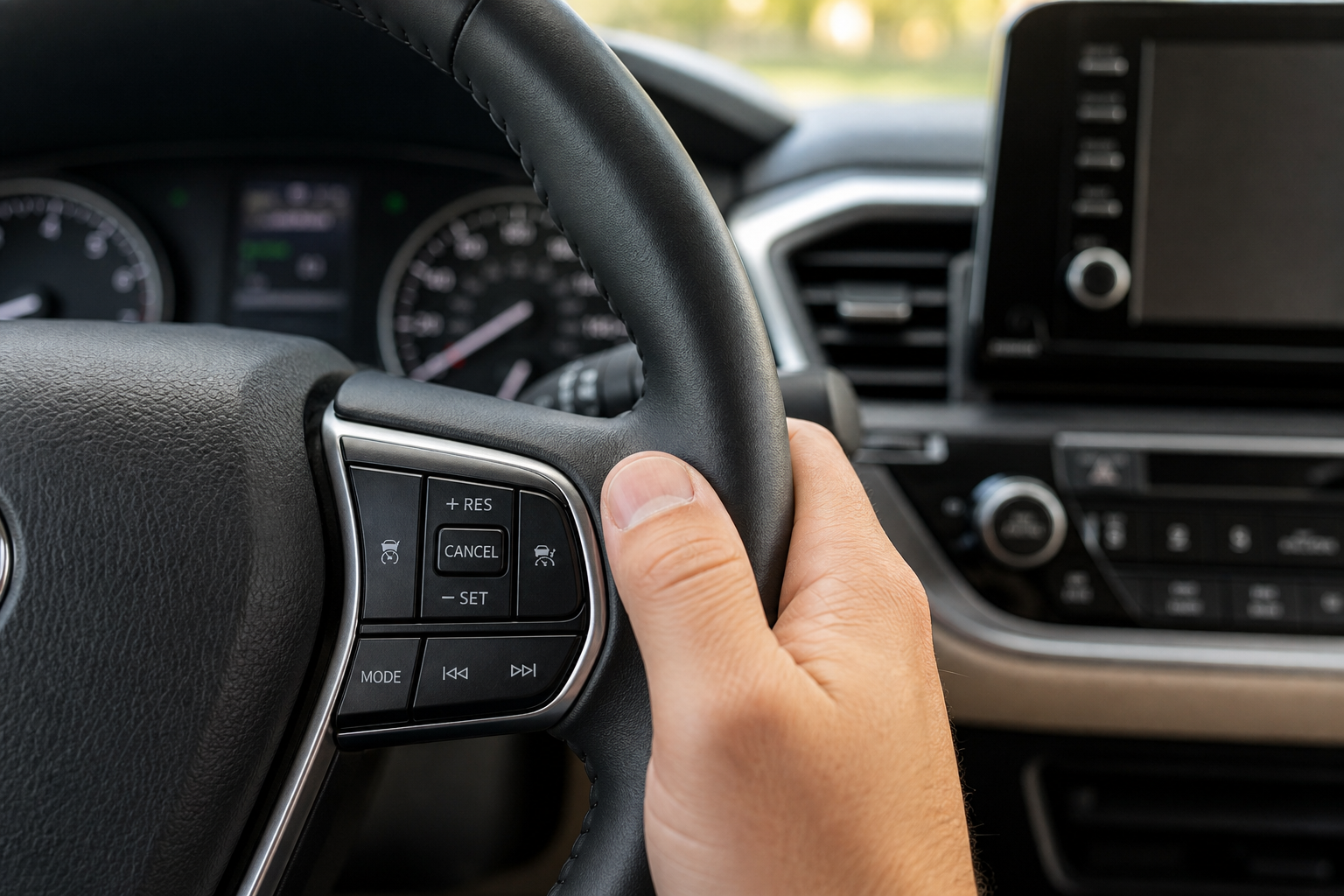
If you’ve been hunting through your Toyota Highlander’s owner’s manual looking for a way to shut off the radar and just set a plain, dumb, constant speed like cruise control used to work, you’re not imagining things. This is one of the most common questions Highlander owners ask, especially folks who traded in an older car that had simple cruise control and now find their new SUV doing things they didn’t ask for, like slowing down for traffic on its own.
The short answer is that it depends heavily on your model year, and for most recent Highlanders, the answer isn’t what you’re hoping to hear. Let’s go through exactly what Toyota offers, what the buttons do, and how to read the dashboard so you know which mode you’re actually in.
Does the Highlander Even Offer Regular Cruise Control?
On most Highlanders built since 2017, no. Toyota’s Dynamic Radar Cruise Control (DRCC) is the only cruise control system available, and there’s no menu setting, button combination, or hidden trick to disable the radar and run a purely fixed-speed system. This isn’t a bug or an oversight. It’s a deliberate design choice Toyota made when it started bundling Toyota Safety Sense as standard equipment.
Earlier Highlanders are a different story. On the third-generation Highlander (2014 to 2019), lower trims sold before the 2017 mid-cycle refresh often came with conventional cruise control as the base system, with Dynamic Radar Cruise Control offered only as part of an optional safety package on higher trims. If you own one of those early model years and your Highlander never had the radar sensor behind the grille, you’re already using conventional cruise control by default. There’s nothing to switch.
How Dynamic Radar Cruise Control Actually Works on the Highlander
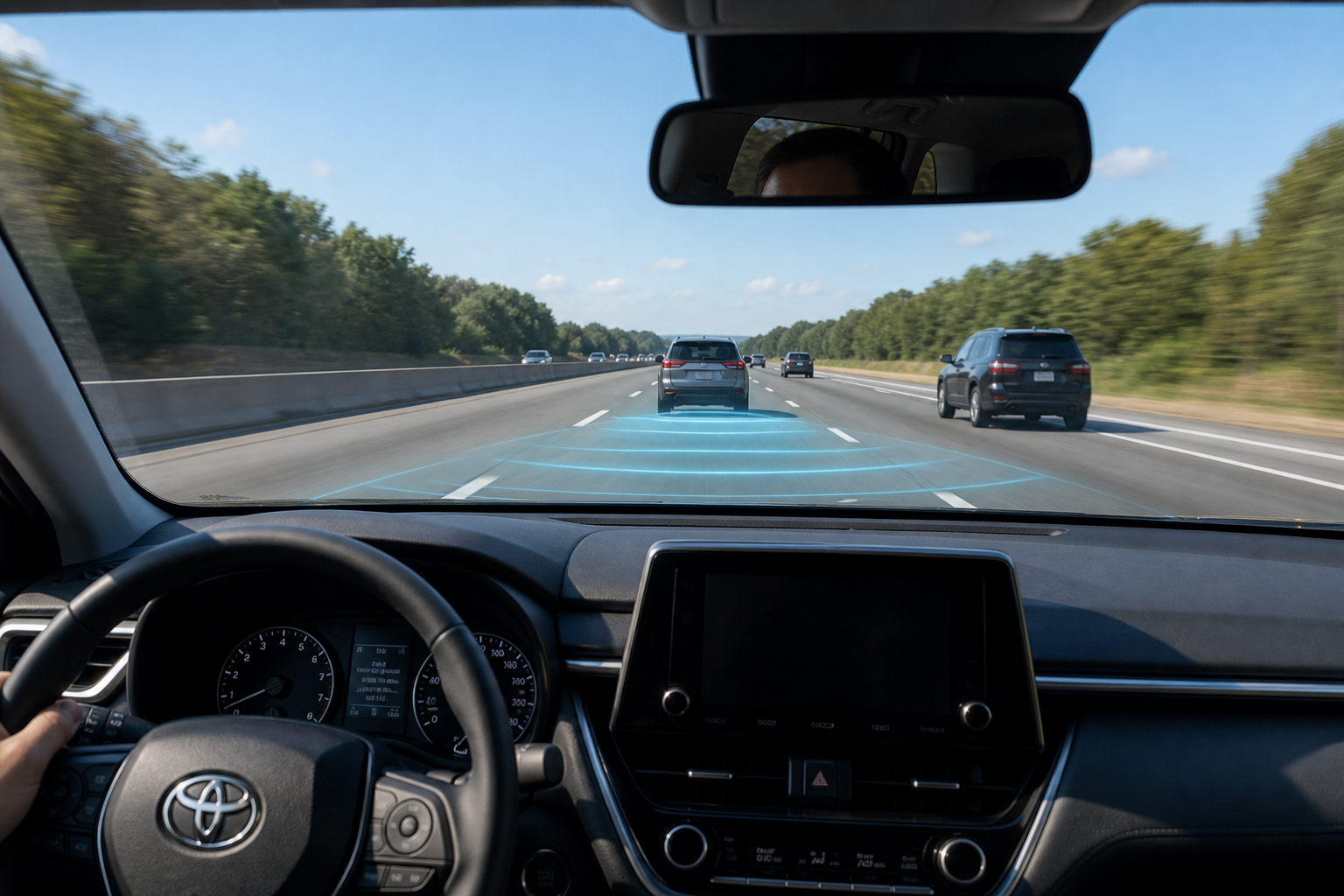
A lot of the frustration around this topic comes from a misunderstanding of what DRCC actually does. When there’s no vehicle detected ahead of you, the system behaves exactly like old-school cruise control. It holds your set speed and doesn’t touch the brakes or throttle for any reason other than maintaining that number.
It’s only when the radar picks up a car in your lane, ahead of you, that the system starts adjusting speed to maintain a gap. On an open highway with light traffic, you may never notice the adaptive behavior at all. It’s mainly on crowded interstates or stop-and-go commutes where drivers start feeling like the SUV has a mind of its own.
This matters because it means you don’t necessarily need a “regular cruise mode” to get regular cruise behavior. You just need to manage the following distance setting, which we’ll cover below.
Model Year Differences: When Toyota Dropped Conventional Cruise Control
Here’s how it breaks down across Highlander generations:
- 2014-2016: Conventional cruise control standard on base trims (LE, LE Plus). Dynamic Radar Cruise Control available as an option on XLE and Limited trims with the optional Driver Support Package.
- 2017-2019 (facelifted third generation): Toyota Safety Sense-P (TSS-P) became standard across the lineup, which made Dynamic Radar Cruise Control the only cruise system offered. Conventional cruise control was discontinued.
- 2020-2024 (fourth generation): Toyota Safety Sense 2.5 is standard on every trim, including full-speed-range Dynamic Radar Cruise Control. There is no conventional cruise option anywhere in the lineup, from the L trim up through the Platinum and Hybrid Bronze Edition.
- 2025 and newer: Toyota Safety Sense 3.0 continues the same approach, with radar-based cruise control as the sole system. Toyota has given no indication it plans to bring back a non-adaptive mode.
If your Highlander is a 2017 model or newer, stop looking for a workaround. It doesn’t exist, and any forum post claiming otherwise is either describing the “no vehicle detected” behavior mentioned above or is simply wrong.
Steering Wheel Controls for Dynamic Radar Cruise Control
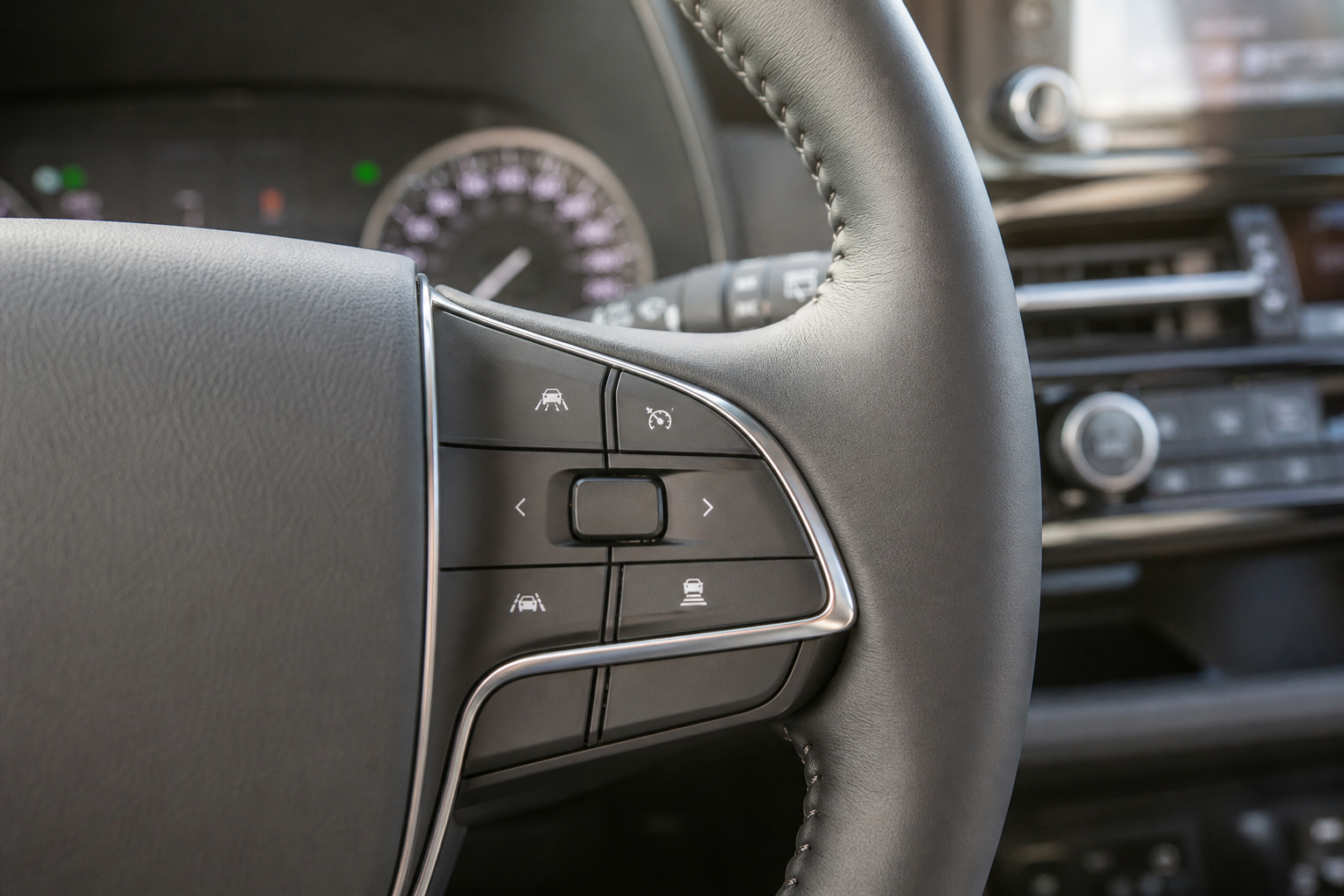
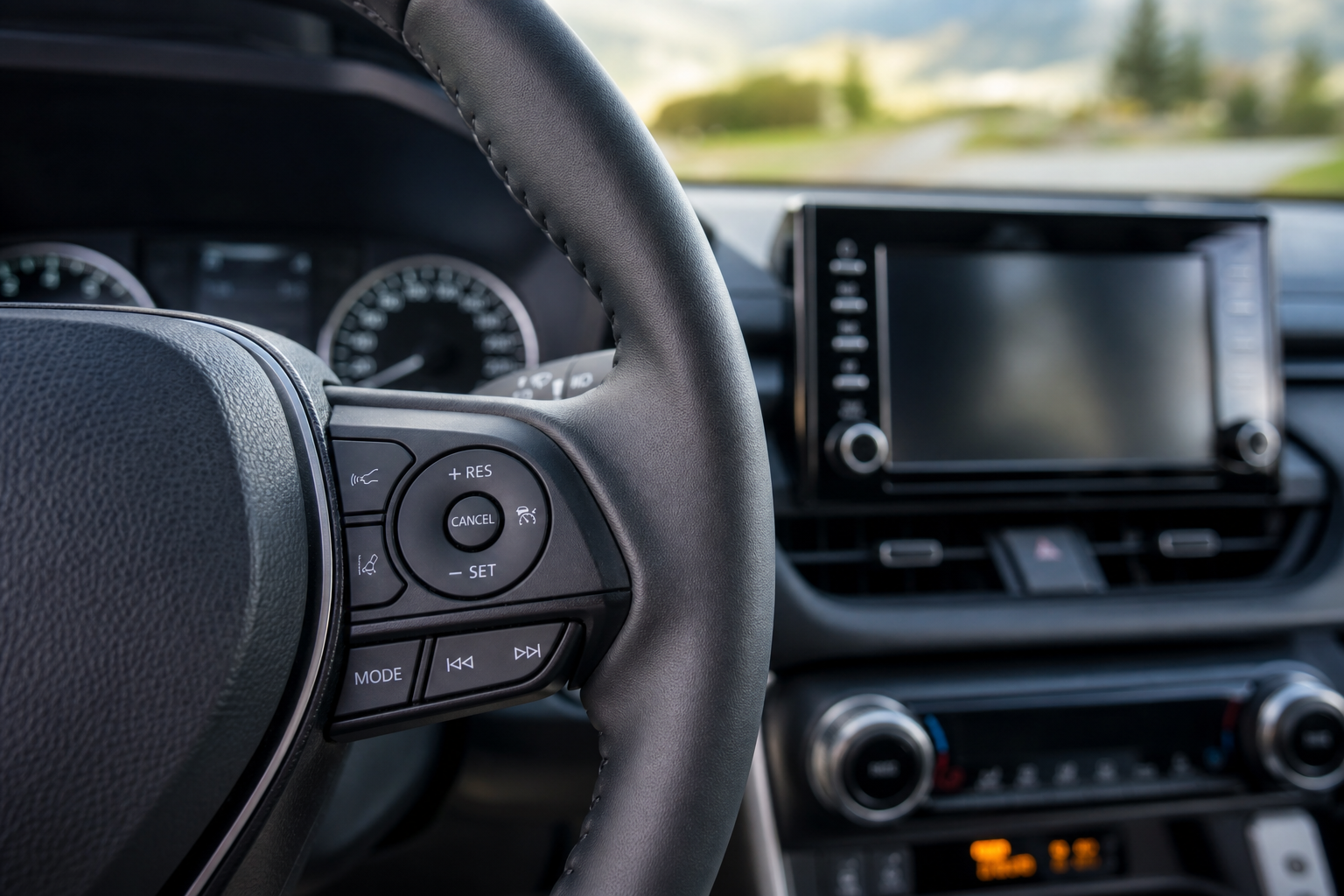
Even though you can’t switch off the adaptive function, knowing the exact button sequence helps you get the most predictable, steady cruising experience possible. On the Highlander’s right-hand steering wheel spoke, here’s the layout and order of operations:
- Press the main ON/OFF cruise control button (usually the top button on the spoke) to activate the system. You’ll see a gray cruise control icon appear in the instrument cluster.
- Accelerate to your desired speed, then press SET- to lock it in. The icon turns green or white depending on your model year, confirming the system is actively controlling speed.
- Use the +RES button to increase speed in small increments, or tap SET- again to decrease it. Holding either button changes speed more quickly.
- Press the distance/gap button (usually shown as a car icon with wavy lines) to cycle through the following distance settings. On the Highlander, you’ll typically get three or four settings, from close to long.
- Press CANCEL to temporarily disengage without erasing your set speed, or tap the brake pedal to do the same thing. Pressing RES afterward brings you right back to your previous set speed.
Toyota’s steering wheel layout has stayed fairly consistent across recent Highlander generations, which is more than you can say for some competitors that shuffle button placement every redesign. If you’re coming from a Camry with the same HomeLink and cruise button arrangement, you’ll feel right at home. For anyone curious about how Toyota keeps its cabin controls consistent across models, our guide on setting up the HomeLink garage door opener on the Toyota Camry covers another steering-wheel-adjacent feature that works almost identically across the lineup.
Reading the Dashboard Indicator
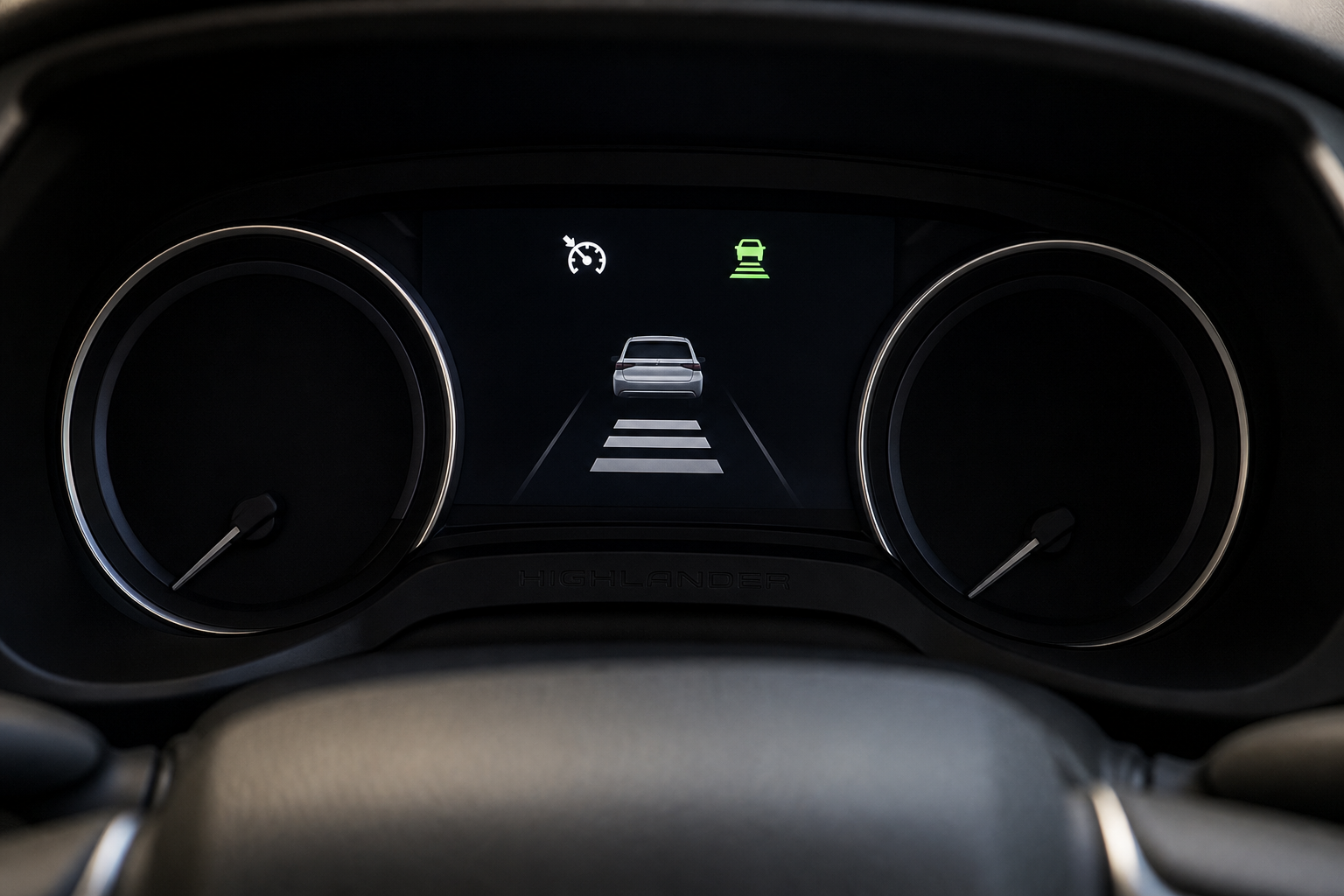
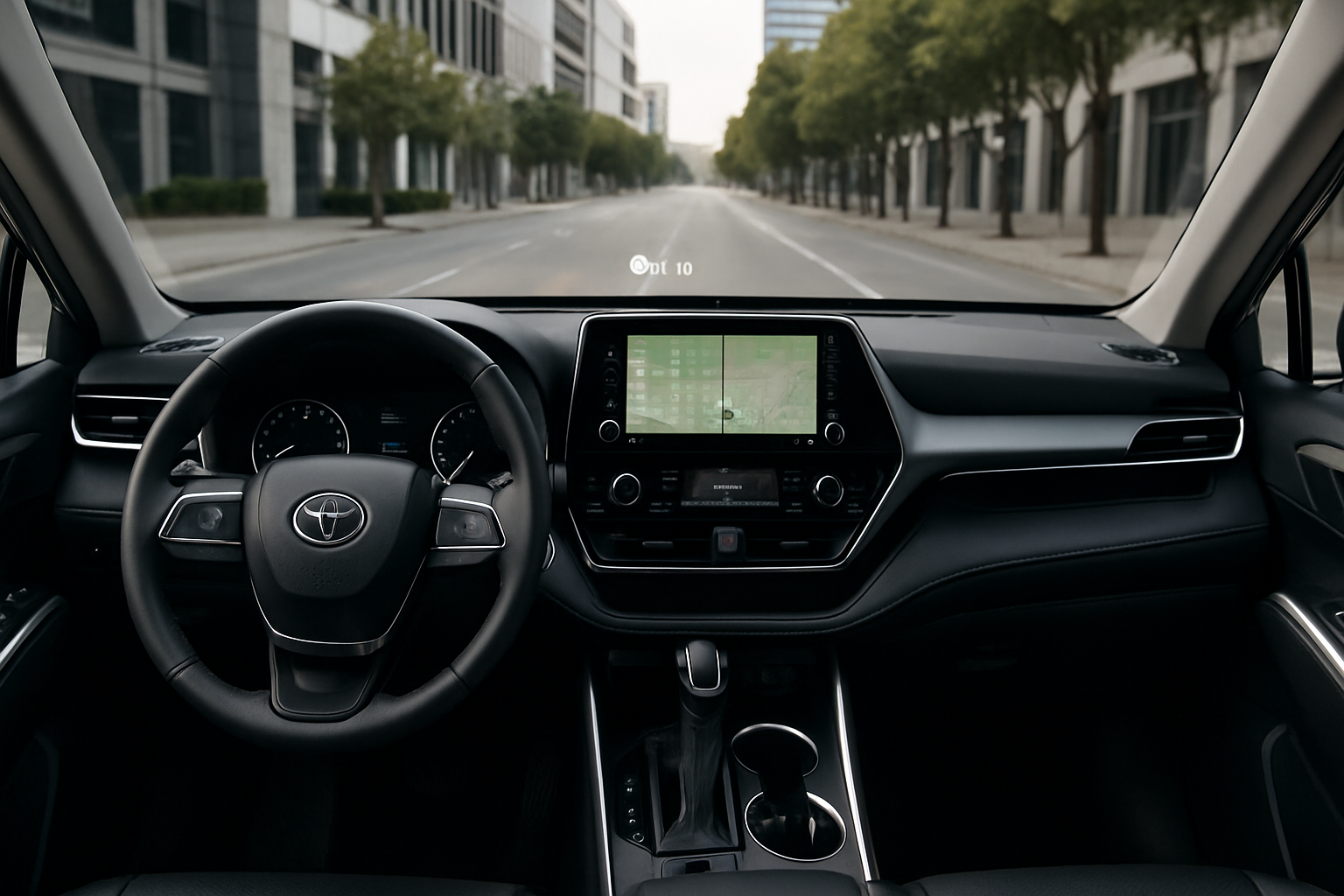
Your instrument cluster tells you exactly what mode the cruise system is in, and it’s worth learning to read it at a glance rather than guessing based on how the SUV feels.
When DRCC is active but no vehicle is detected ahead, you’ll see the cruise control icon along with your set speed displayed prominently, and the small car icon in front of you will appear without any distance bars lit up. This is your “regular cruise” state, even though the system is technically still adaptive underneath.
Once the radar locks onto a vehicle ahead, that same car icon lights up solid, and you’ll see one to four curved lines behind it representing your selected following distance. The closer those lines are to the car icon, the shorter your gap setting. If you want the Highlander to feel as close to conventional cruise as possible, set your following distance to the longest available option. This delays how aggressively the system reacts to slower traffic ahead and reduces the phantom braking feeling that bothers a lot of drivers.
Getting the Closest Thing to Regular Cruise Control
Since Toyota isn’t giving you a true off switch for the radar on any 2017-or-newer Highlander, your best move is working with the system instead of against it. Set your following distance to the maximum gap every time you use cruise control on the highway. This single change does more to make DRCC feel like old-fashioned cruise control than anything else you can adjust.
It also helps to remember that DRCC responds to your lane, not the lanes next to you. If a car merges in ahead of you and the system starts slowing down, a quick tap on the accelerator overrides it temporarily without canceling the whole system, similar to how you’d pass someone with conventional cruise engaged.
Drivers who spend a lot of time in stop-and-go traffic might also appreciate that full-speed-range DRCC (standard on 2020-and-newer Highlanders) will bring the vehicle to a complete stop and resume automatically, something conventional cruise control was never able to do. It’s a trade-off. You lose the simplicity of a dumb cruise system, but you gain a feature that genuinely reduces driver fatigue on long commutes.
If you’re driving a Highlander Hybrid and want to squeeze more range out of every tank, it’s also worth pairing your cruise control habits with Toyota’s built-in efficiency coaching. Our guide on using Predictive Efficient Drive on Toyota Hybrid models explains how the system learns your routes and adjusts hybrid battery usage automatically, which works well alongside a properly set cruise control following distance.
FAQ
Can I disable the radar sensor entirely on my Highlander?
No. There’s no menu setting or dealer-level adjustment that lets you disable the radar sensor while keeping cruise control functional. Toyota Safety Sense features, including Pre-Collision System, share the same forward sensor, so disabling it would also knock out automatic emergency braking.
Why does my older Highlander not have a distance button on the steering wheel?
If your Highlander is a 2014 to 2016 model with the base cruise control system, it never had a radar sensor installed, so there’s no following distance setting to adjust. You’re already running conventional, fixed-speed cruise control.
Does setting the following distance to maximum turn off the adaptive function?
No, it doesn’t disable adaptive behavior, but it significantly delays how soon the system reacts to slower traffic. Combined with tapping the accelerator to override minor slowdowns, this gets you about as close to conventional cruise control as the Highlander allows.
Will Toyota bring back conventional cruise control on future Highlander models?
There’s no indication of that happening. Toyota Safety Sense 3.0, which rolled out on the 2025 Highlander, continues to make Dynamic Radar Cruise Control the standard and only cruise system. Regulatory pressure toward standardized driver assistance features makes a return to conventional-only cruise control unlikely across the industry, not just at Toyota.
Leave a Reply