

If you’ve ever felt your Santa Fe’s steering wheel tug itself back toward the center line on a curvy road, or heard a chime every time you drift near a lane marking on the highway, you’re not imagining things. Hyundai builds these systems into every Santa Fe trim, and for a lot of drivers they’re more annoying than helpful, especially on narrow back roads or in construction zones with faded paint. The good part is that turning them off is quick once you know exactly which button or menu to use.
This guide walks through the exact steps for the Hyundai Santa Fe, explains what each system actually does, and tells you whether your setting will stick around the next time you start the car or reset itself the moment you turn the key.
What Hyundai Actually Calls These Systems
Hyundai doesn’t use one blanket term for lane assist. Depending on your Santa Fe’s model year and trim, you’ll see up to three separate features listed in the owner’s manual and on the settings screen:
- Lane Departure Warning (LDW): This just watches lane markings and beeps or flashes a warning if you drift without signaling. It doesn’t touch the steering.
- Lane Keeping Assist (LKA): This adds active steering correction. If you drift toward a line, the system nudges the wheel back toward center.
- Lane Following Assist (LFA): This is the more aggressive centering system, usually paired with Smart Cruise Control, that continuously steers to keep the car centered in the lane rather than just correcting drift.
On newer Santa Fe model years (2021 and up), LFA is the system most drivers notice and want to shut off, since it actively steers on its own during highway driving. Older Santa Fes (2019-2020) rely more heavily on LKA, which only intervenes when you’re drifting out of the lane.
Lane Departure Warning vs. Active Steering Assist: Why the Difference Matters
A lot of Santa Fe owners want to kill the annoying beeping without giving up the safety net entirely, and that’s a reasonable middle ground. LDW is a passive alert system. It’s cheap to leave on because it never grabs the wheel, it just tells you when you’ve drifted.
LKA and LFA are active systems. They physically move the steering wheel, and that’s usually what people mean when they say lane assist feels “grabby” or fights them on curves. If your main complaint is the chime, you might only need to turn off LDW. If you feel the wheel resisting your input, you’ll want to disable LKA or LFA specifically.
The Santa Fe’s settings menu lets you toggle these independently in most model years, so you don’t have to choose between “everything on” and “everything off.”
The Fastest Way to Turn It Off: The Steering Wheel Button

Every Santa Fe with these driver assistance features has a dedicated button on the left side of the steering wheel, usually showing a small icon of a car between two lane lines. This is the quickest method and works the same way whether you’re in a 2019 or a 2024 model.
- Locate the lane assist icon button on the left steering wheel spoke, typically below the cruise control buttons.
- Press it once to cycle through the available modes shown in the driver information cluster.
- Watch the cluster display, it will show the lane assist icon change from active to grayed out or show a small “off” indicator.
- Some model years require a longer press (about 1-2 seconds) rather than a quick tap.
This button is the fastest option because it doesn’t require digging through touchscreen menus. It’s the same approach Hyundai uses on the Tucson, and if you’re curious about how similar driver alerts behave across the Hyundai lineup, the TPMS reset process on the Tucson follows a similarly quick button-based method.
Turning It Off Through the Settings Menu
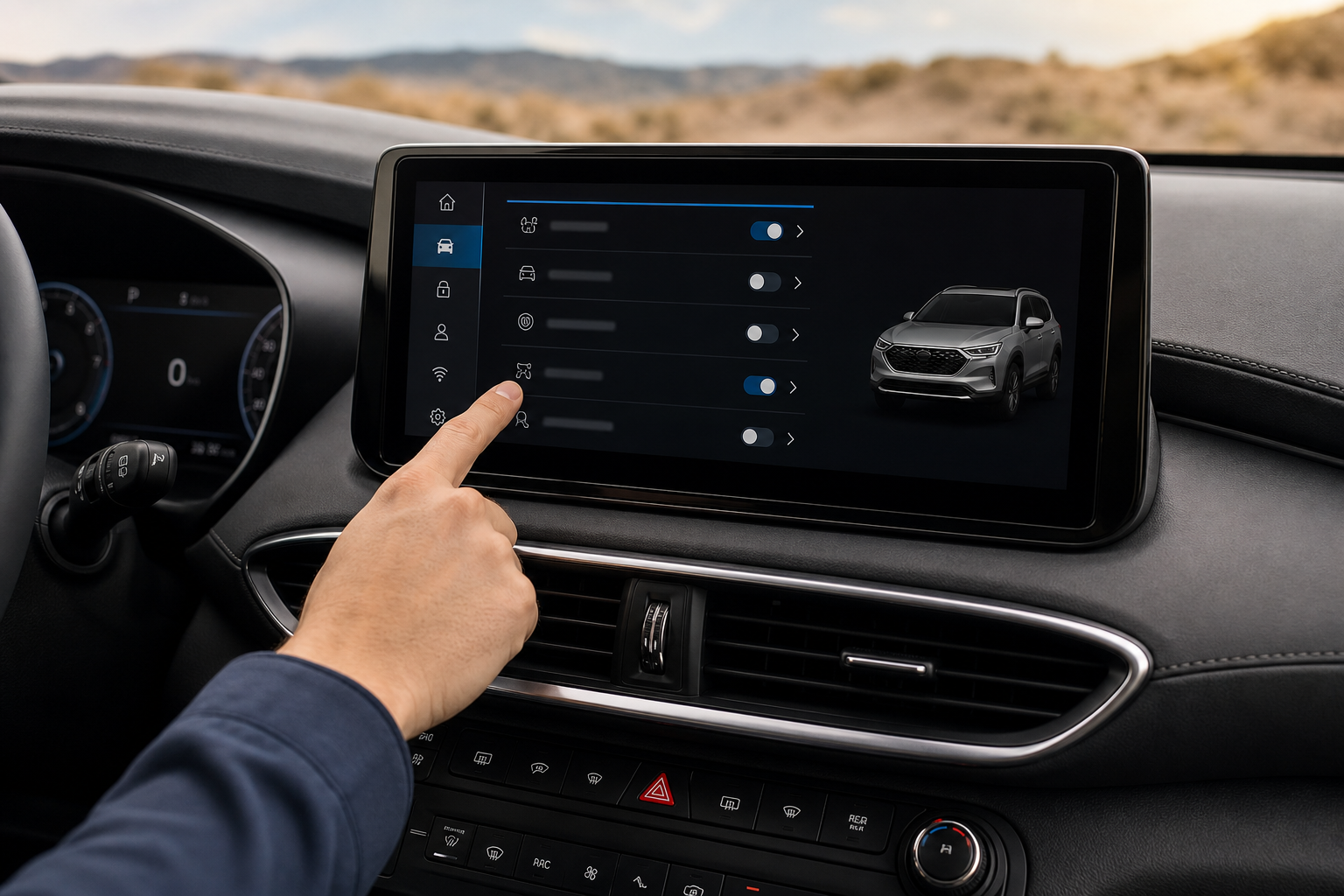
If you want more granular control, meaning you want LDW on but LFA off, or vice versa, you’ll need to go through the touchscreen settings rather than the steering wheel button.
- Tap the Settings icon on the main infotainment screen.
- Select “Vehicle” or “Vehicle Settings,” depending on your software version.
- Choose “Driver Assistance” from the list.
- You’ll see individual toggles for Lane Departure Warning, Lane Keeping Assist, and Lane Following Assist listed separately.
- Tap each toggle to switch it off individually.
This menu path is also where you’ll find related safety features like forward collision warning sensitivity, so it’s worth a quick look around while you’re in there. If you’re also managing alerts for rear passengers, the Santa Fe shares its underlying software with the system covered in our guide on the Rear Seat Reminder and Rear Occupant Alert on Hyundai vehicles, and the settings menu structure will look familiar.
Does the Setting Stay Off After You Restart the Car?

This is the part that trips up most Santa Fe owners, and the honest answer depends heavily on your model year.
For most Santa Fe model years, including the 2019-2023 range, Lane Following Assist and Lane Keeping Assist reset themselves back to “on” every time you start the vehicle. This is intentional on Hyundai’s part. Federal safety guidelines and Hyundai’s own internal policy treat these as default-on safety systems, so the car doesn’t remember an “off” preference across ignition cycles the way it remembers your seat position or radio station.
Lane Departure Warning behaves the same way in most trims: turn it off, shut the car down, and it comes back active the next time you start the engine.
Some newer software updates on 2023-2024 Santa Fe models have introduced a persistent setting for certain driver assistance features, but this has been inconsistent across trims and hasn’t been confirmed as standard across the full lineup. If your Santa Fe is a 2023 or newer model, check your specific vehicle after a few restarts to see whether your off setting actually held. Don’t assume it will just because the menu looked like a permanent toggle.
The practical takeaway: plan on turning lane assist off at the start of most drives if it bothers you, rather than expecting a one-time fix.
Why Hyundai Designs It This Way
It’s not a bug or an oversight. Automakers, including Hyundai, generally default safety systems back to active status on startup because regulators and internal safety testing favor systems that can’t accidentally stay disabled without the driver noticing. A driver who turned off lane assist for one specific stretch of road six months ago might not remember they did that, and starting fresh each drive avoids that blind spot.
It’s the same logic Hyundai applies to other alert systems in the lineup. If you’ve set up the myHyundai app for remote features, you already know Hyundai leans toward giving you control through the app and settings menu rather than letting things stay permanently disabled in the background. Our guide on how to set up the myHyundai (Bluelink) app for remote access covers some of the other settings you can manage remotely, though lane assist toggles aren’t part of the remote app functionality as of now.
A Quick Tip for Highway Driving
If you only find lane assist annoying on specific roads, like a familiar commute with narrow lanes or frequent construction, it’s often easier to just leave the steering wheel button as your go-to move rather than digging through the touchscreen every time. Press it once at the start of your drive and you’re set for that trip. It takes about two seconds and doesn’t require taking your eyes off the road for long.
If you’re the kind of driver who also likes squeezing every bit of range or efficiency out of a hybrid Hyundai, you might find our piece on the Predictive Efficient Drive system on Toyota Hybrid models interesting for comparison, since Hyundai and Toyota take noticeably different approaches to how much the car manages on its own versus how much control it hands back to you.
Frequently Asked Questions
Can I permanently disable lane assist on my Hyundai Santa Fe?
For most model years, no. The system resets to active every time you start the car, regardless of whether you used the steering wheel button or the settings menu. A small number of 2023-2024 models may retain the setting after a software update, but this isn’t guaranteed across all trims, so test it yourself after a restart before relying on it.
Why does my Santa Fe’s steering wheel fight me on curvy roads?
That’s Lane Keeping Assist or Lane Following Assist actively correcting your steering input. It’s designed to keep you centered in the lane, but on tight curves or narrow rural roads it can feel like it’s working against you. Turning off LKA or LFA specifically (rather than just LDW) will stop the wheel from resisting your input.
Will turning off lane assist affect my adaptive cruise control?
On the Santa Fe, Lane Following Assist and Smart Cruise Control are often paired together but function as separate systems. Turning off LFA won’t disable your cruise control, though you’ll lose the automatic centering that normally happens alongside it.
Does the lane assist button work the same way on every Santa Fe model year?
The button location and basic function have stayed fairly consistent since 2019, but the number of taps or press duration needed to fully cycle through modes has changed slightly across software updates. Check your owner’s manual for your specific model year if the single press doesn’t fully disable the system on the first try.

Leave a Reply