

The auto start/stop system on the Kia K5 is one of those features that sounds good on paper but quickly gets annoying in real-world driving. Every time you stop at a light, the engine shuts off. When you lift your foot off the brake, it restarts. Some drivers don’t mind it. Many absolutely hate it, especially in stop-and-go traffic where the constant cycling feels jerky and unsettling.
The frustrating part is that even if you press the A/Off button on the dashboard to disable it, the system turns itself back on every single time you start the car. Kia designed it that way to meet fuel economy ratings. This guide covers both the temporary button method and the permanent fix that actually solves the problem without the daily annoyance of pressing that button every morning.
Understanding the Kia K5 Auto Start/Stop System
Kia calls this feature ISG, which stands for Idle Stop and Go. It’s part of the K5’s standard equipment across most trim levels, including the LX, GT-Line, EX, and GT. The system works by detecting when the vehicle is fully stopped, the transmission is in drive, and certain conditions are met (battery charge, cabin temperature, etc.). When those boxes are checked, the engine shuts off automatically to reduce fuel consumption.
On paper, ISG can improve fuel economy in heavy urban traffic. In practice, the benefit is modest and many K5 owners find the slight engine shudder on restart more annoying than any savings are worth. If your K5 already has any idle roughness, the constant restart cycle makes it that much more noticeable. For comparison, if you’ve ever dealt with engine vibration issues in other vehicles, like the kind covered in this guide on Acura MDX vibration at idle in drive, you’ll know how much more pronounced those issues feel when an engine restarts frequently.
Using the Dashboard Button (The Temporary Method)
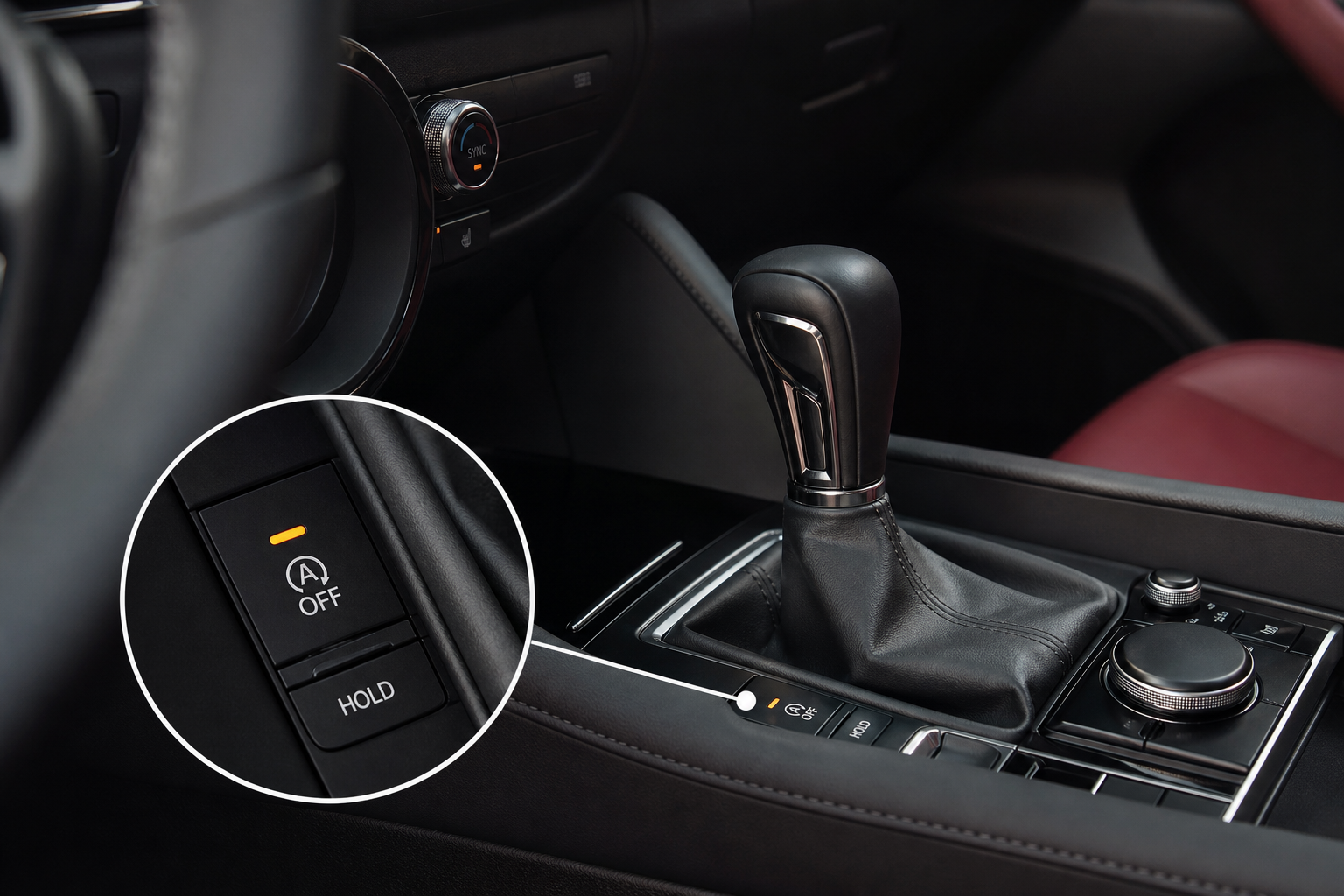
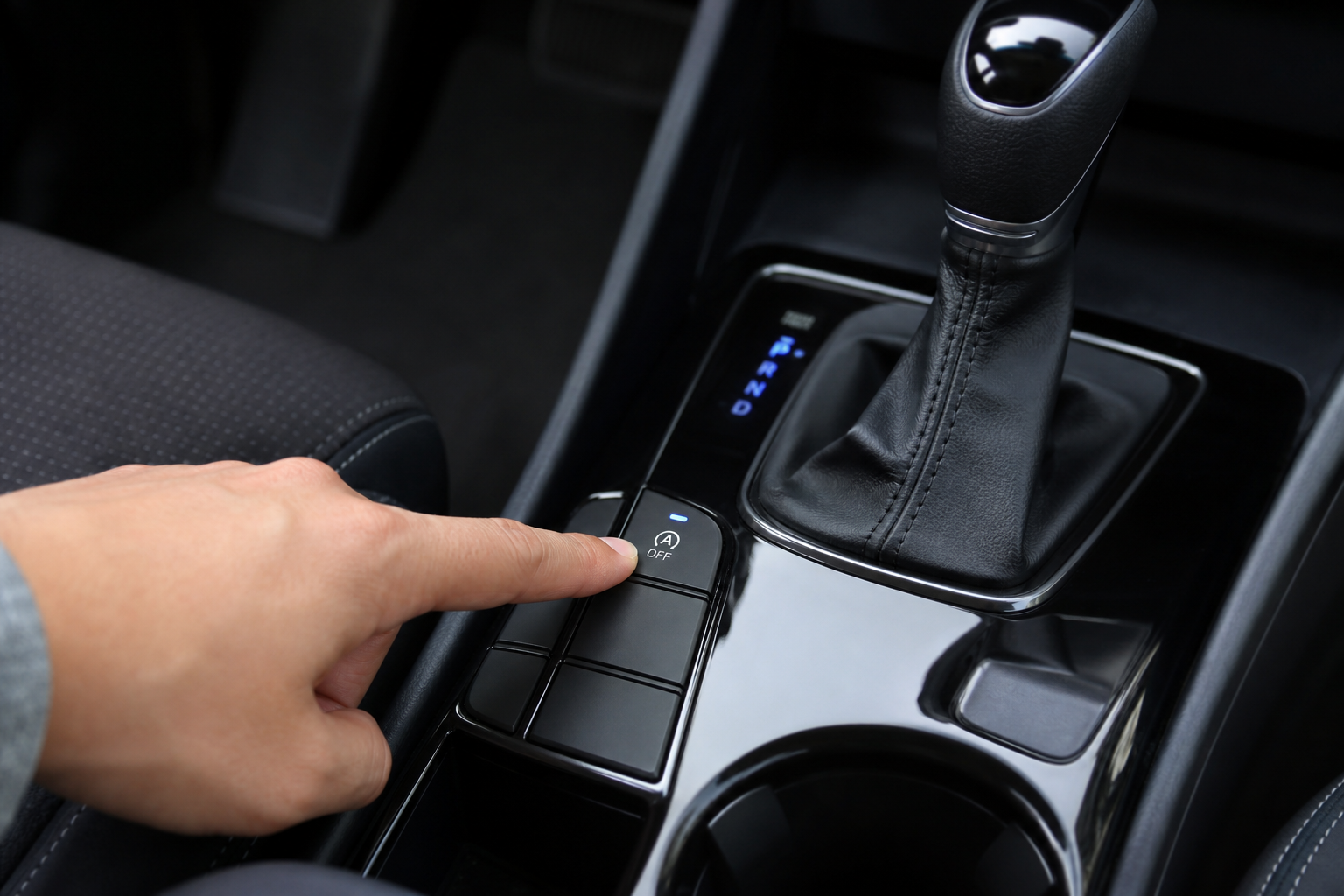
Every Kia K5 has a button on the center console labeled with an “A” and a circular arrow with a slash through it. Pressing this button disables the ISG system for that drive cycle. The indicator light on the button will illuminate to confirm it’s off.
Here’s how to use it:
- Start the engine and let it fully warm up.
- Locate the A/Off button on the center console near the gear selector.
- Press it once. The button light will turn on, indicating the system is now disabled.
- Drive normally. The engine will no longer shut off at stops.
This works perfectly well, but you have to do it every single time you start the car. Kia engineers hard-coded the system to reset to “on” at every ignition cycle. There’s no menu option in the infotainment system or driver profile setting that can change this behavior permanently. It’s not a bug, it’s intentional.
If you only occasionally want ISG disabled (maybe just on hot days or in heavy traffic), the button method is fine. But if you want it off permanently and automatically, you need a different solution.
The Permanent Fix: A Start/Stop Eliminator Module
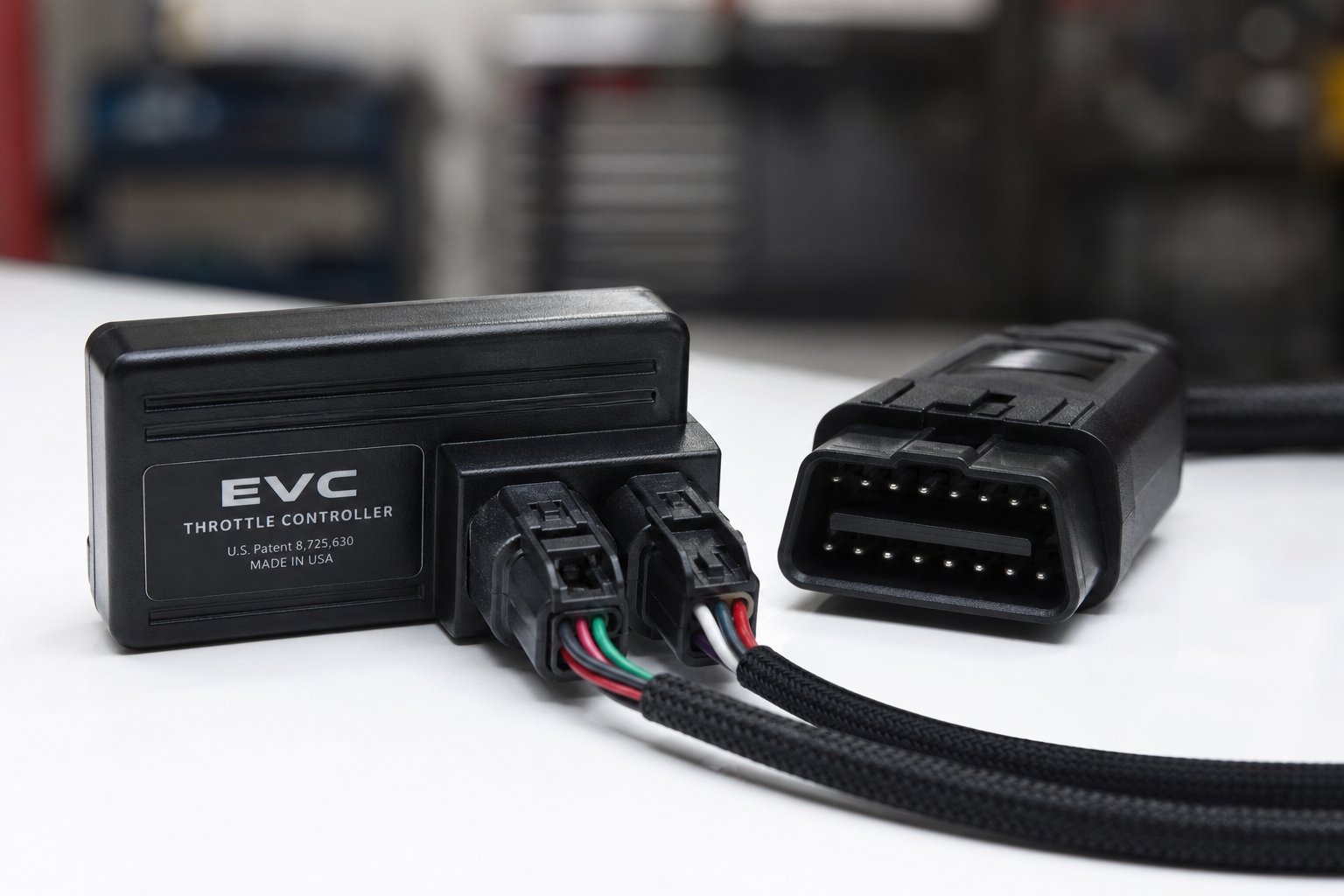
The most effective permanent solution is a plug-and-play eliminator module, sometimes called an ISG canceler or auto start/stop disabler. These small devices plug directly into an existing connector in your vehicle and essentially simulate a button press every time the car starts. The result is that ISG gets disabled automatically on every drive without you having to touch anything.
These modules are vehicle-specific, so you need one designed for the Kia K5 specifically. They typically connect to the OBD2 port or to a dedicated harness connector near the center console. Installation takes about five minutes and requires no tools or technical knowledge. You’re not modifying any wiring, and you’re not making any permanent changes to the car. If you ever want to return to factory behavior, you just unplug the module.

Kia K5 ISG Start Stop Eliminator
A plug-and-play module that automatically disables the auto start/stop system on every drive without any wiring or tools required.
These eliminators are built specifically for Kia and Hyundai platforms, which share the same ISG architecture. The K5 uses the same underlying system as the Hyundai Sonata, so any eliminator listed as compatible with both will work on your K5. Always verify the listing confirms compatibility with your specific model year before ordering.
Model Year Compatibility Notes
The current-generation Kia K5 launched for the 2021 model year in North America. Here’s what you need to know by year:
- 2021 K5: ISG is standard on all trims. The dashboard button method and eliminator modules both work.
- 2022 K5: Same system, same fix. No changes to the ISG architecture.
- 2023 K5: Still uses ISG. Eliminator modules designed for 2021-2022 are generally compatible, but confirm with the seller.
- 2024 K5: ISG remains standard. Some sellers have specific 2024-compatible variants, so double-check the listing.
If you’re unsure about the connector type in your specific K5, most reputable eliminators include a compatibility chart or a list of supported trims in the product description. When in doubt, contact the seller before purchasing.
It’s also worth mentioning that if you’re tech-savvy and already own a good scan tool, some advanced OBD2 programmers can disable ISG through software coding. This is more involved and varies widely by trim and software version. For most K5 owners, the plug-in module is simpler and more reliable. If you’re shopping for a capable scan tool anyway, check out this roundup of the best OBD2 scanners for DIY auto repair to see what level of access different tools offer.
Installation: How to Plug In the Eliminator Module

Most K5-compatible eliminator modules connect via the OBD2 port located under the driver-side dash, just below the steering column. The process is simple:
- Turn the vehicle off completely.
- Locate the OBD2 port under the dash on the driver’s side.
- Plug the eliminator module into the OBD2 port. Some modules include a short extension cable to keep the unit tucked out of sight.
- Start the vehicle. The ISG system will be automatically disabled within a few seconds of the engine starting.
That’s really it. You don’t need to configure anything. The module handles the rest. If your K5 uses a harness-style connector rather than OBD2 (some models route the ISG circuit differently), the module will come with the appropriate plug. The instructions included with the specific product you choose will show exactly where to connect it.
One thing to keep in mind: leaving any device permanently in your OBD2 port does give it access to your vehicle’s diagnostic bus. Reputable ISG eliminators are passive devices that only send the disable command, but it’s still worth buying from a known brand rather than a no-name generic unit. Kia and Hyundai owners have been using these for years with no reported issues, but quality matters here.
Frequently Asked Questions
Will disabling the auto start/stop system void my warranty?
Using the factory dashboard button to disable ISG absolutely won’t void anything. It’s a built-in feature. For the plug-in eliminator module, warranty risk is low because you’re not modifying wiring or flashing the ECU. Under the Magnuson-Moss Warranty Act, a dealer has to prove the modification caused the issue in order to deny a warranty claim. A passive plug-in device that mimics a button press is unlikely to cause problems. If you’re concerned, unplug the module before any dealer visits.
Does disabling ISG actually hurt fuel economy?
Technically yes, but the real-world impact is minimal for most drivers. ISG was designed to show improvement under EPA test cycle conditions, which involve significant idle time. In typical driving with moderate traffic, most K5 owners report no noticeable change at the pump after disabling the system. The fuel savings from ISG are most significant in extreme stop-and-go conditions where you’re stopped for many minutes at a time.
Why does my K5 sometimes not activate auto start/stop even without the button?
The ISG system has several built-in override conditions. It won’t activate if the engine hasn’t reached operating temperature, if the battery charge is low, if the cabin temperature is very high and the AC is working hard, or if the steering wheel is turned at a significant angle. If your car seems to skip ISG activation on some stops, one of these conditions is likely being triggered. This is normal behavior and not a malfunction.
Which Option Is Right for You?
If you only want ISG off occasionally, the dashboard button is free and perfectly effective. Press it when it bothers you, ignore it when it doesn’t.
If you want it off permanently without thinking about it every time you start the car, the plug-in eliminator module is the right call. It’s an affordable solution, installs in minutes, and is fully reversible. For a competitively priced-ish category of product that solves a daily annoyance, it’s hard to argue against it. Check out the Kia K5 ISG eliminators on Amazon and filter by your model year to find a compatible option.
While you’re making small upgrades to your K5, it’s a good time to think about other convenience additions. A quality dash cam is one of the most practical things you can add to any vehicle. We’ve got a thorough breakdown of the best dash cams under competitively priced if you want front and rear coverage without spending a lot. And if you’re a Kia owner looking to get more out of your infotainment features, our guide on setting up wireless Android Auto on the Kia Telluride covers the same platform your K5 uses and the setup process is nearly identical.
Kia K5 Auto Start Stop Eliminator Plug and Play
A well-reviewed plug-and-play option designed for the K5 that requires no wiring and disables ISG automatically every time you drive.
This article contains affiliate links. We may earn a small commission at no extra cost to you.


Leave a Reply