
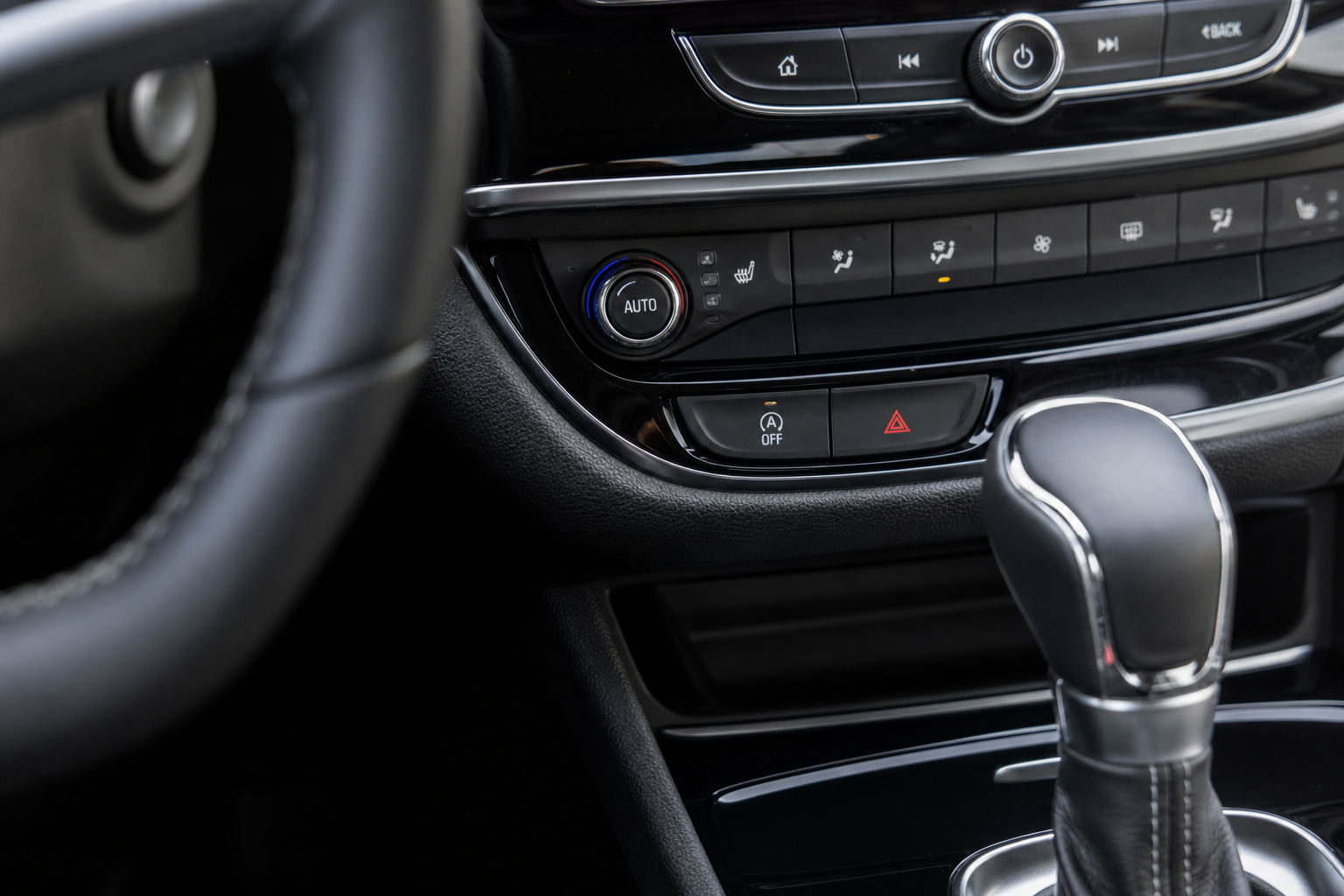
If you drive a Buick Envision with the auto start/stop feature, you already know the drill. You pull up to a red light, the engine cuts off, and then it shudders back to life when you lift off the brake. Every single time. It’s jarring, it wears on the starter and battery over time, and most drivers find it more annoying than helpful. The good part is that you have real options for dealing with it, and one of those options actually sticks permanently.
The Bottom Line
A plug-and-play module can make your Buick Envision remember your preference to keep Auto Start/Stop off, so you don’t have to press the button every time you start the vehicle.
This guide walks you through exactly how to disable auto start/stop on the Buick Envision, why the built-in button only gets you halfway there, and how a plug-and-play eliminator module solves the problem for good without touching a single wire or voiding your warranty.
What Is Auto Start/Stop and Why Does the Envision Have It?
Auto start/stop is a fuel-saving system that shuts off the engine when the vehicle comes to a complete stop and restarts it the moment you release the brake pedal. GM introduced it across most of their lineup, including the Envision, primarily to improve EPA fuel economy ratings. On paper, it saves fuel. In practice, most drivers notice very little real-world difference in their fuel economy and instead notice every single restart during their commute.
The system is active by default every time you start the Envision. That part is by design, not a bug. GM programmed it to default to “on” at every ignition cycle as part of meeting emissions and efficiency standards. So even if you turned it off yesterday, today it’s back on the moment you turn the key.
Using the Factory A/Off Button on Your Dashboard
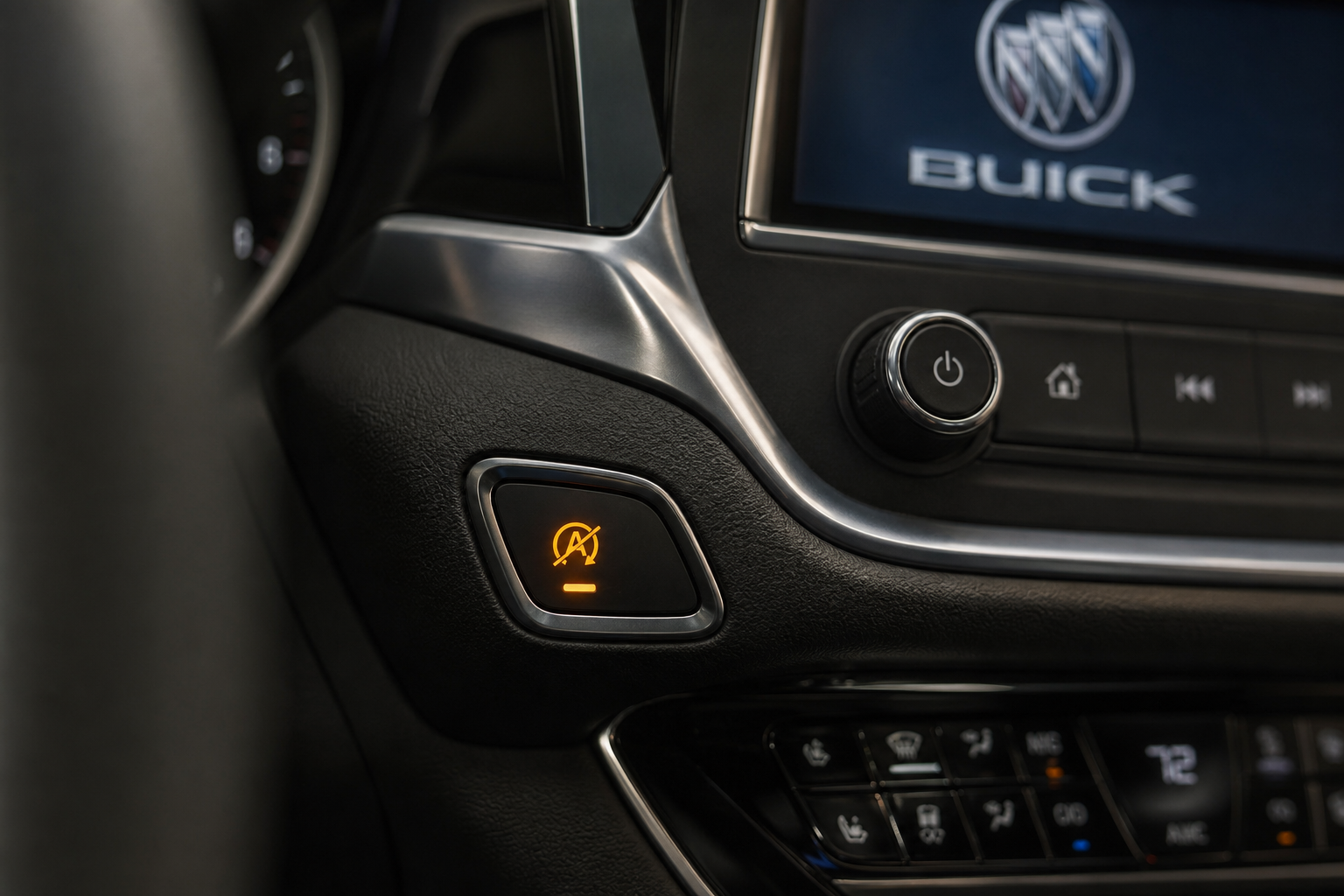
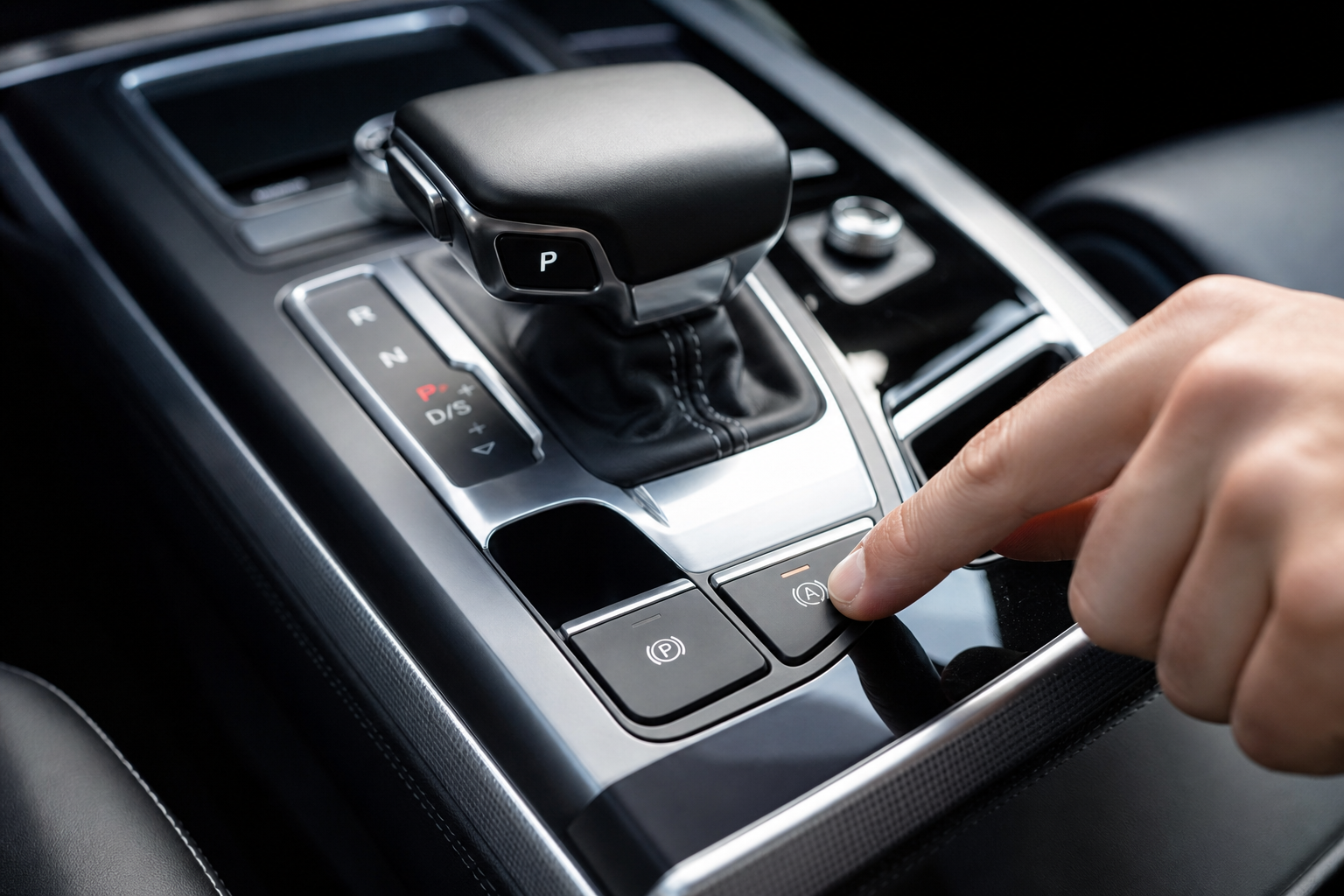
Every Buick Envision equipped with auto start/stop has a dedicated button to disable it manually. It’s usually located on the center console or lower dash cluster, and it shows an “A” with a circle-slash over it. Here’s how to use it:
- Start the vehicle and let it complete its startup process.
- Locate the auto start/stop disable button. On most 2019 and newer Envision models it sits near the traction control button on the lower center stack.
- Press it once. A small indicator light will illuminate on the button or instrument cluster confirming the system is off.
- Drive normally. The engine will no longer shut off at stops for this drive cycle.
That’s all there is to it for a single trip. The problem is that every time you restart the engine, the system resets itself back to active. There is no option in the Envision’s infotainment or vehicle settings menu to make the “off” state the permanent default. GM simply doesn’t provide that configuration option from the factory.
If you only occasionally find the feature annoying, pressing the button each time you get in the car might be enough for you. For most drivers who want it gone entirely, pressing it every single day gets old fast.
Why the Setting Always Resets (And What You Can Do About It)
The reset behavior isn’t a malfunction. It’s intentional. The Envision’s body control module is programmed to restore auto start/stop to its default “enabled” state on every new ignition cycle. This is consistent across GM vehicles of this era, including the Chevy Equinox and GMC Terrain that share the same platform.
You can’t change this through a dealer visit, a software update, or an OBD2 port reflash in most cases. Some professional tuners can modify the BCM calibration, but that’s expensive, potentially warranty-affecting, and more work than most people want to go through. If you’re already familiar with diagnostic tools, you might want to review what an OBD2 scanner can and can’t do for DIY repairs before going down that road.
The most practical solution for most Envision owners is a start/stop eliminator module. These devices plug into an existing connector in the vehicle and automatically send the “disable” signal every time the car starts, mimicking what you’d do manually by pressing the button. No coding, no permanent modification, no dealer involvement.
The Plug-and-Play Start/Stop Eliminator: How It Works
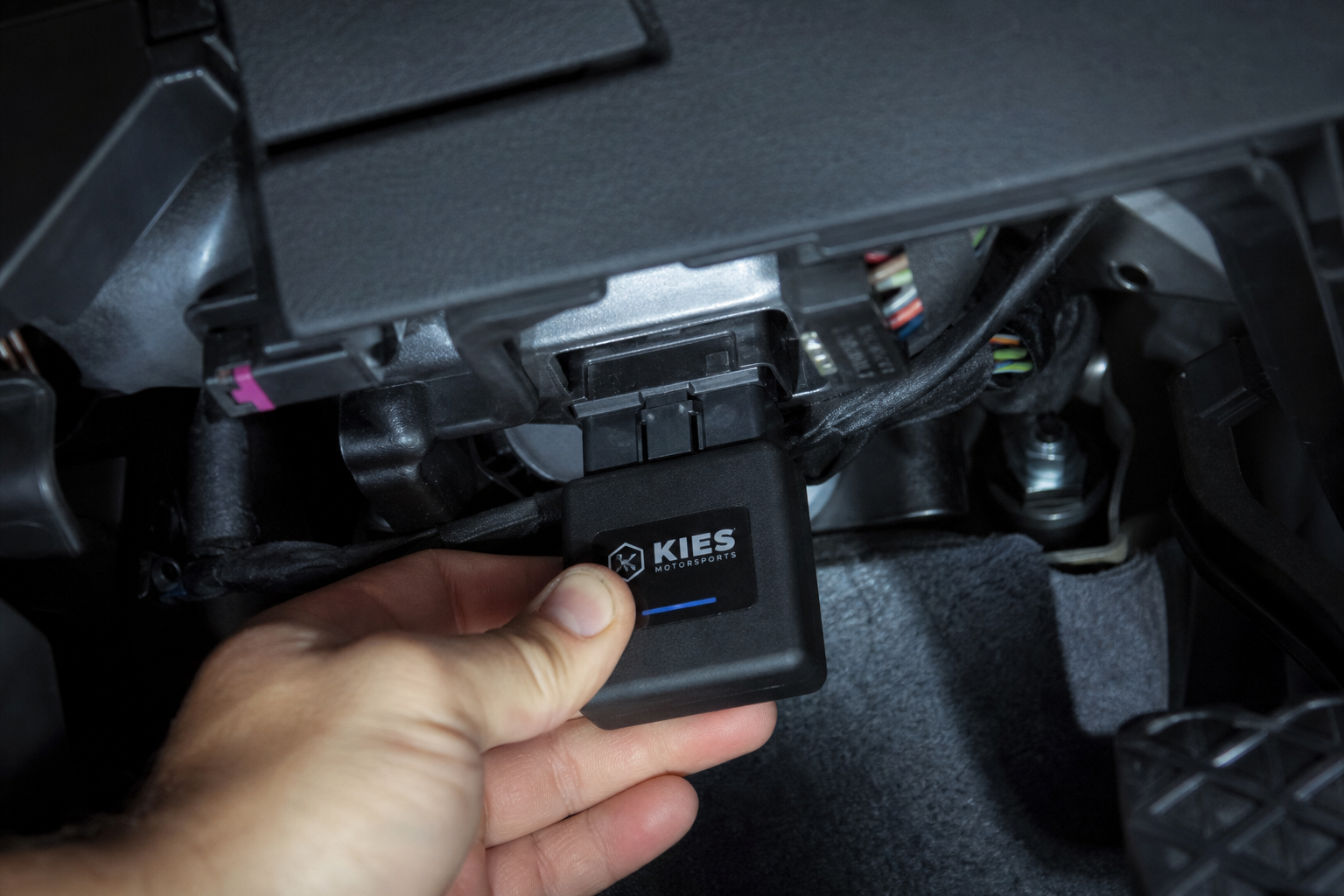
A start/stop eliminator is a small module that plugs into the OBD2 port or a dedicated harness connector under the dash or in the fuse box area. When the vehicle powers on, the module sends the electronic signal that tells the system the driver has pressed the disable button. From that point forward, auto start/stop stays off for the entire drive cycle, automatically, every single time.
Installation is typically under ten minutes and requires no tools. You’re not splicing wires, you’re not modifying anything, and you’re not doing anything that would show up as a fault code. If you ever want to remove it, you just unplug it and the system returns to factory behavior immediately.
For Buick Envision owners, look for a module specifically listed as compatible with your model year. Compatibility matters because GM made some changes to the start/stop system architecture between the first-generation Envision (2016 to 2020) and the redesigned second-generation model (2021 and newer). A module built for a 2018 Envision may not work correctly on a 2022, so double-check the fitment before buying.

Buick Envision Start Stop Eliminator
A plug-and-play module that automatically disables auto start/stop every time you start the Envision, no button pressing or modifications needed.
Once the module is installed, your Envision behaves exactly as if you had pressed the A/Off button immediately after every startup, except you never have to think about it again. For most drivers, this is the solution they were looking for from day one.
Model Year Notes for the Buick Envision
Auto start/stop was introduced on the Envision with the 2016 model year when the vehicle first arrived in North America. Here’s a quick reference for compatibility:
- 2016 to 2020 (First Generation): Auto start/stop is standard on all trim levels equipped with the 2.0L turbocharged four-cylinder. The 2016 and 2017 models use a slightly different wiring layout than later years, so verify module fitment carefully for those specific model years.
- 2021 to present (Second Generation): The redesigned Envision introduced a new platform and updated electrical architecture. The system still resets to “on” by default, but the connector location changed. Make sure any eliminator module you buy is explicitly listed for 2021 and newer Envision if that’s what you’re driving.
- Envision Sport Touring and Avenir trims: Same system, no differences in how start/stop works or where the disable button is located.
If you own a related GM vehicle like the Chevy Equinox or Trax, the same general approach applies, and the Chevy Equinox maintenance guides on this site may also be useful references for keeping up with your vehicle’s service needs.
Is Disabling Auto Start/Stop Bad for the Car?
Manufacturers will tell you the system is engineered to handle the extra start cycles. That’s technically true. GM uses a more robust starter and a reinforced battery on vehicles equipped with auto start/stop to handle the additional wear. But “engineered to handle it” isn’t the same as “generates zero additional wear.”
Starters, batteries, and engine bearings all experience some degree of wear every time the engine restarts from a dead stop. Some mechanics argue that cold-start friction during these brief restarts is more significant than the wear during normal driving. Using an eliminator module to avoid those repeated restarts may actually reduce long-term wear on those components rather than increase it.
If you’ve ever noticed a rough idle or vibration at stops when the system restarts, you’re not imagining it. Similar complaints about restart vibration show up across GM’s lineup and even in other brands. There’s a good write-up on what causes idle vibration issues in the Acura MDX that explains the underlying mechanical reasons this happens, and the principles apply broadly.
Frequently Asked Questions
Will disabling auto start/stop void my Buick Envision warranty?
Using the factory A/Off button will not void your warranty since it’s a built-in feature. Using a plug-and-play eliminator module that doesn’t modify any wiring or software is also very unlikely to affect your warranty coverage. Under the Magnuson-Moss Warranty Act, a dealer would need to prove that the device caused a specific failure to deny a warranty claim. Removing the module restores the vehicle to factory state immediately if there’s ever a concern.
Does the eliminator module work if the car’s battery is disconnected or replaced?
Yes. The module doesn’t store any settings in the vehicle’s memory. It simply sends the disable signal every time the ignition cycles on, regardless of whether the battery has been replaced, disconnected, or the vehicle has been reset. It works the same way on the very first startup after a battery swap as it does on any other day.
Can I use an OBD2 scanner or programmer to permanently disable auto start/stop instead?
Some advanced tuning tools and dealer-level scan tools (like GM’s own Tech2 and MDI systems) can in some cases adjust BCM parameters to change the default state of auto start/stop. However, this isn’t available through standard consumer OBD2 scanners. Even the best DIY OBD2 scanners don’t have access to this specific BCM calibration. For most owners, the eliminator module is the most practical and accessible approach.
Final Thoughts
The factory button works, but it requires you to press it every single drive. For a feature you want permanently off, that’s not a real solution. A plug-and-play Buick Envision start/stop eliminator handles the job automatically, takes about ten minutes to install, and can be removed at any time without leaving a trace. If you’re tired of the engine cutting out at every stoplight, that module is the fix that actually sticks.
This article contains affiliate links. We may earn a small commission at no extra cost to you.

Leave a Reply