
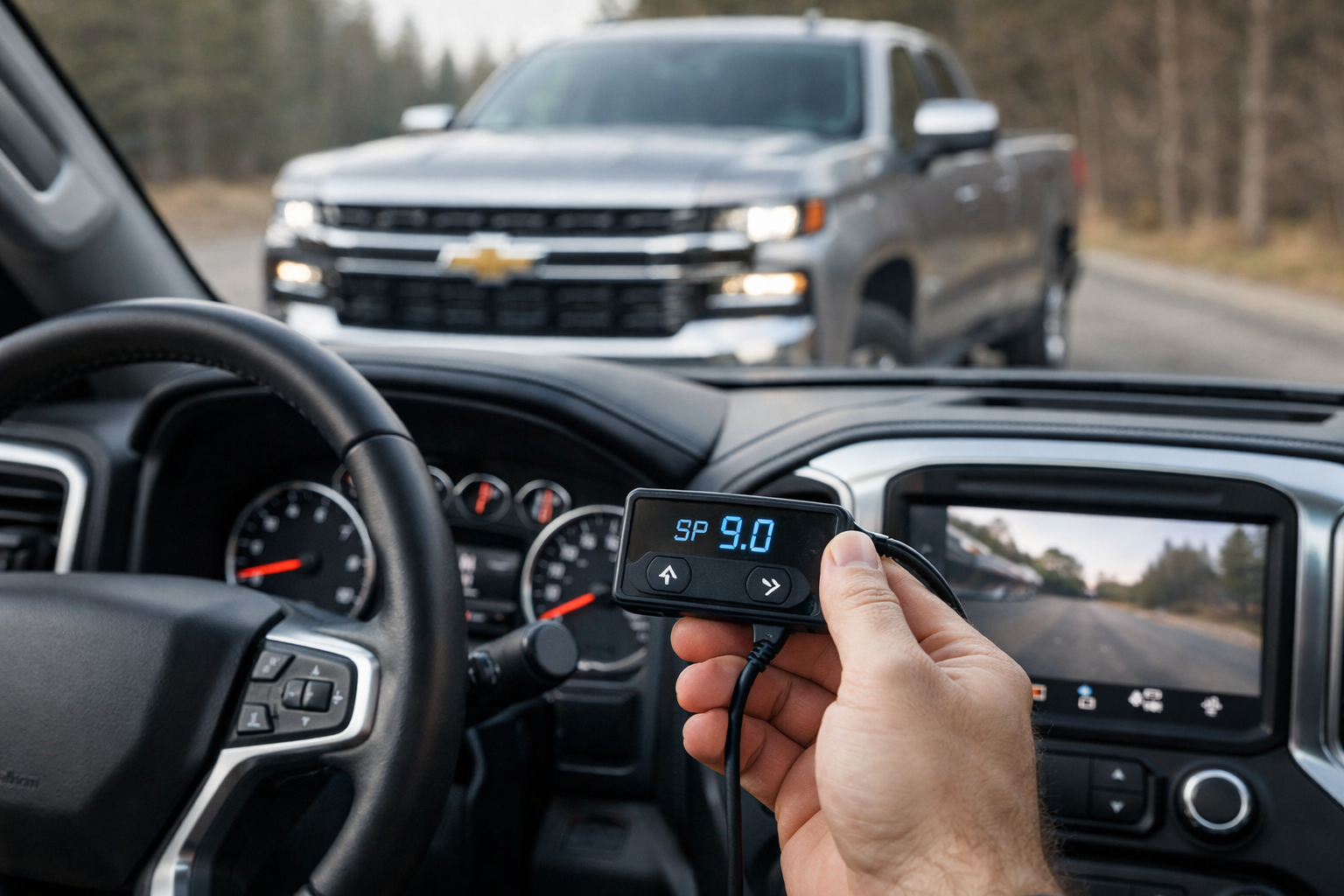
The 2019+ Chevy Silverado 1500 on the T1 platform is one of the most commonly searched vehicles for throttle lag solutions. Owners describe the gas pedal as “mushy,” “lazy,” or “disconnected,” especially during the first 15% to 20% of pedal travel.
Whether you’re pulling a trailer, merging onto the highway, or just navigating a parking lot, the delay between pressing the pedal and feeling the truck respond is noticeable enough that many owners start searching for fixes within the first week of ownership.
A throttle response controller is the simplest and most reversible fix available, and it works on every Silverado engine option from the 2.7 turbo to the 6.2 V8.
Why the T1 Silverado Feels Sluggish
GM programmed the Silverado’s drive-by-wire system with a progressive throttle curve that ramps up slowly from rest. This is intentional: it smooths out low-speed driving, reduces driveline shock on the 8-speed and 10-speed transmissions, and helps meet fuel economy targets by discouraging aggressive throttle inputs.
The tradeoff is a truck that feels unresponsive compared to the older cable-throttle Silverados many owners are coming from.
The 2.7L turbo four-cylinder adds turbo spool time on top of the electronic delay, creating a compound lag that’s especially noticeable from a standstill. The 5.3L and 6.2L V8s don’t have turbo lag, but the electronic throttle mapping still dulls their response significantly.
Even the 6.2L, which makes 420 horsepower, feels muted in the first third of pedal travel because of GM’s conservative throttle curve.
The Dynamic Fuel Management (DFM) system on V8 models adds another variable. DFM deactivates cylinders in 17 different patterns to save fuel, and the transitions between firing patterns can feel slightly uneven. While a throttle controller doesn’t directly address DFM, the faster pedal response reduces the time the engine spends in the low-load deactivation zones where DFM transitions are most noticeable.
Top Throttle Controllers for the Silverado
Pedal Commander (Best Overall)
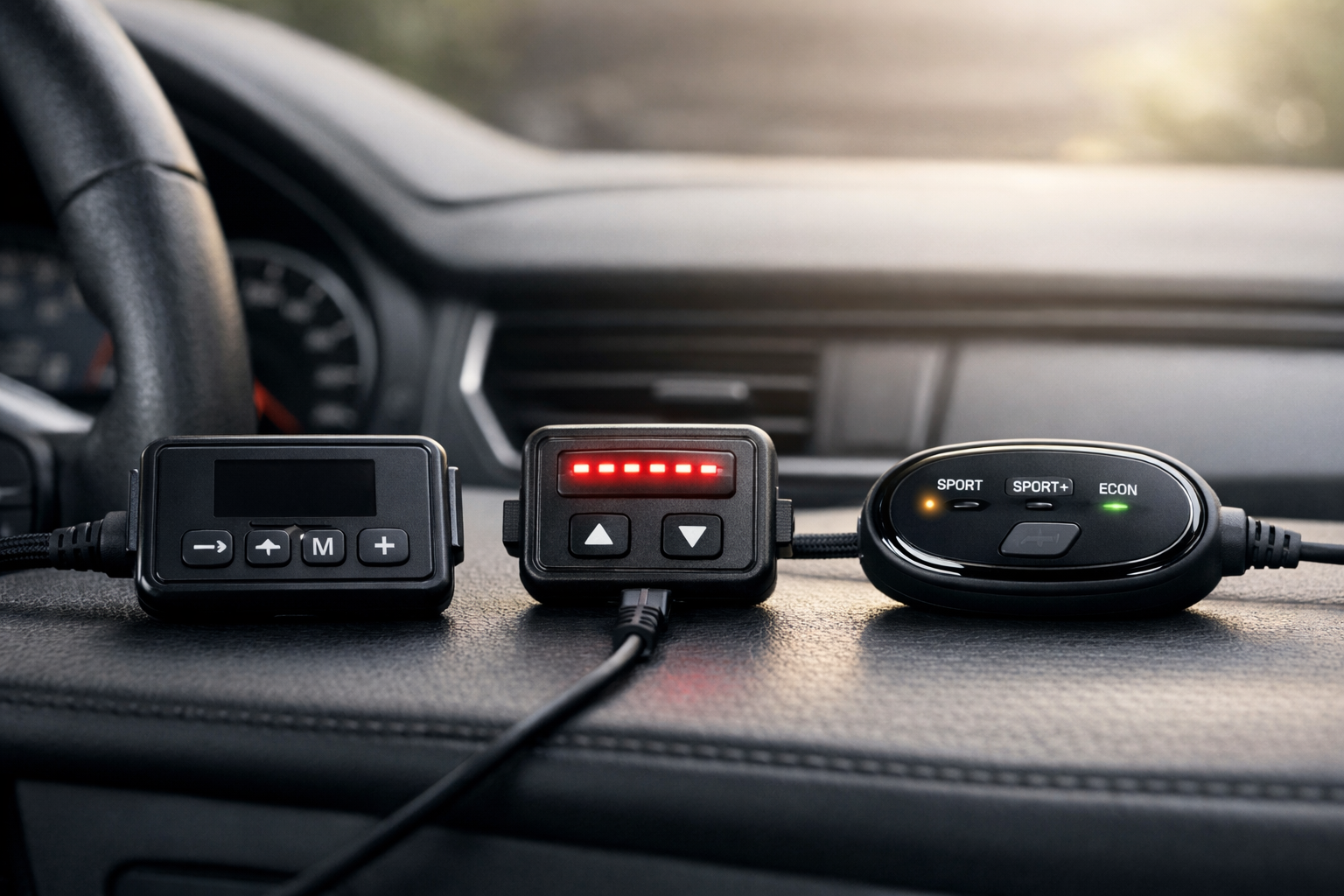
The Pedal Commander for Chevy Silverado offers 36 adjustable settings across four modes (Eco, City, Sport, Sport+). The Bluetooth app works reliably with the Silverado-specific harness, and the controller remembers your last setting after turning the truck off.
For towing, City mode at level 5 to 7 provides a meaningful improvement without making the transmission shift aggressively. The app makes it easy to save different profiles and switch between them based on whether you’re towing, commuting, or driving unloaded.

Pedal Commander for Chevy Silverado
36 settings across Eco, City, Sport, and Sport+ modes with Bluetooth app
DTE PedalBox
The DTE PedalBox is a German-engineered alternative that offers Sport, Sport+, and City modes with fine granularity. Build quality is noticeably premium, reflecting its European manufacturing standards.
Vehicle coverage for the T1 Silverado is confirmed, and the response curve feels linear and predictable, which pairs well with the Silverado’s refined ride quality.
Budget Generic Controllers
Amazon has dozens of unbranded throttle controllers that work with the Silverado’s 6-pin accelerator pedal connector. They typically offer 9 to 15 modes and use a simple knob or button interface instead of a smartphone app.
Performance is genuine: the throttle lag reduction is real and immediately noticeable. Build quality varies, customer support is often minimal, and there’s no app connectivity.
If you’re testing the waters, a budget unit proves the concept for a fraction of the cost. The core improvement (eliminating the dead zone) is present on even the cheapest controllers. If you like the result, you can always upgrade to a premium brand later.
Installation: 15 Minutes, No Tools
The Silverado’s accelerator pedal connector is located on the top of the pedal assembly, accessible from the driver’s footwell. You’ll need to get on your back and look up at the pedal bracket. The 6-pin factory plug disconnects by pressing a release tab.
Connect the controller’s Y-harness between the factory connector and the pedal sensor, route the wire to your preferred mounting spot, and attach the control unit with the included Velcro.
Some owners mount the control unit to the lower dash panel. Others tuck it beside the center console or behind the steering column cover. Bluetooth-equipped controllers don’t require the unit to be within reach since you adjust everything from your phone.
The entire installation takes about 15 minutes even on your first attempt.
Mode Breakdown for Real-World Driving
Eco mode slightly delays throttle response beyond factory, which genuinely helps fuel economy during highway cruising. It’s useful on long road trips where you want the truck to discourage lead-footed driving.
Most Silverado owners skip Eco mode entirely, though, since the factory throttle is already conservative enough. If you’re looking for ways to improve your truck’s fuel efficiency, there are several other modifications that can help.
City mode at low to mid levels is the sweet spot for everyday driving. It provides noticeably crisper response without being jumpy in traffic. The first third of pedal travel finally produces proportional acceleration instead of nothing. For most owners, City mode level 5 to 7 becomes the permanent setting.
Sport mode makes the Silverado feel like a different truck. Throttle inputs are immediate and proportional, and the engine delivers power the moment you ask for it. Highway merging, passing, and on-ramp acceleration all improve dramatically.
The truck feels lighter and more responsive in a way that changes your daily driving experience.
Sport+ at high levels makes the first 30% of pedal travel feel like 60% to 70% throttle. It’s fun for demonstration purposes but impractical for daily driving, especially in traffic where small pedal adjustments produce large acceleration changes.
Most Silverado owners try Sport+ once, appreciate what the controller can do, and settle back into City or Sport for daily use.

DTE PedalBox Throttle Controller
German-engineered precision with premium build quality
Towing Performance
The Silverado’s throttle lag is most frustrating when towing. Pulling onto a highway with a 7,000-pound trailer requires confidence that the engine will respond when you press the pedal. With the stock throttle mapping, there’s a noticeable delay that makes merging feel uncertain.
City mode at mid levels eliminates this hesitation while keeping power delivery smooth enough that the trailer doesn’t lurch.
Avoid using Sport+ while towing. The aggressive throttle mapping can cause abrupt power delivery that the trailer amplifies, making the rig feel jerky and unsettled. City mode or low Sport settings provide the ideal balance of responsiveness and smoothness for loaded driving.
If you’re comparing trucks for towing a travel trailer, throttle response is just one factor among many to consider.
Frequently Asked Questions
Does the controller work with Tow/Haul mode?
Yes. The controller operates independently of the Silverado’s drive mode selector. Tow/Haul mode changes the transmission’s shift points and enables exhaust braking on diesel models. The throttle controller changes pedal sensitivity. The two systems work together without any conflict.
Will it make my transmission shift harder?
At aggressive Sport+ settings, the transmission may shift slightly firmer because it’s receiving a stronger throttle signal. The transmission interprets a rapid throttle increase as a demand for more performance, which can trigger firmer shifts. At City and moderate Sport levels, shift quality remains smooth and comfortable.
Does the controller void my GM warranty?
Under the Magnuson-Moss Warranty Act, GM would need to prove the controller caused a specific mechanical failure. Since it doesn’t modify any ECU programming, doesn’t change engine parameters, and operates entirely on the pedal signal, establishing that causal link is virtually impossible. Unplugging it before a dealer visit takes 30 seconds and leaves no evidence.
Does it work on the 2.7L turbo Silverado?
Yes. The 2.7L turbo benefits significantly because the controller addresses the electronic lag that compounds with turbo spool time. The improvement feels even more dramatic on the turbo engine than on the naturally aspirated V8s.
This article contains affiliate links. We may earn a small commission at no extra cost to you.

Leave a Reply